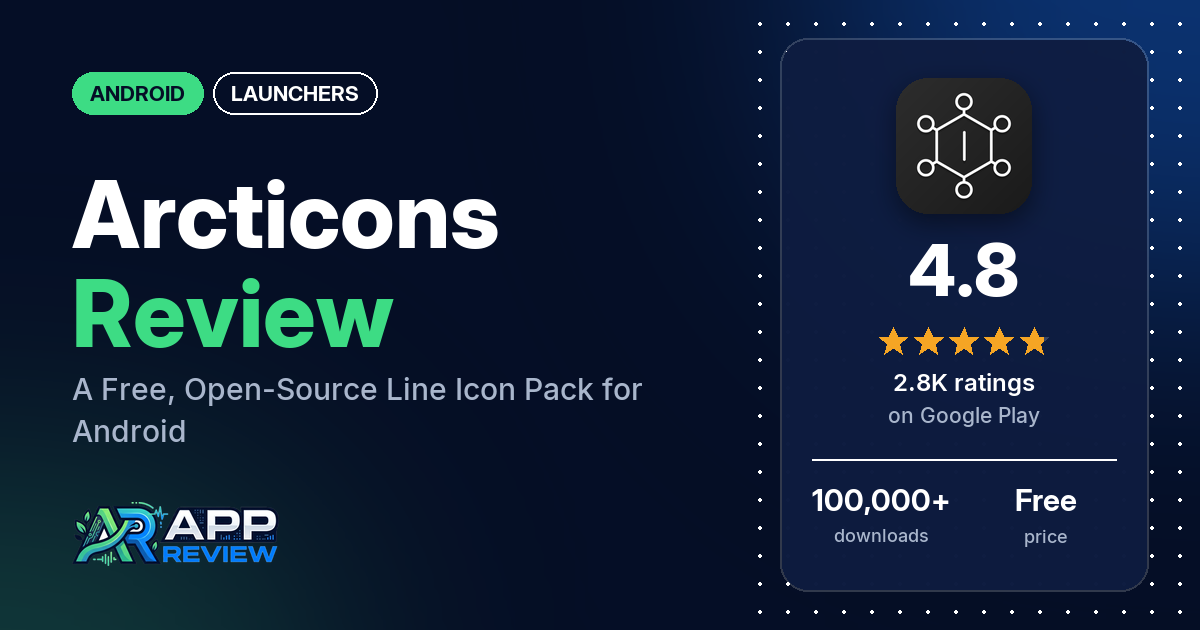
Arcticons is a free, open-source Android icon pack that turns your app icons into simple line drawings, with over 14,000 icons and no ads or in-app purchases. It needs a launcher that supports icon packs, and it has 4.8 stars from 2,762 ratings on Google Play.
Quick verdict
If you want a minimal, line-style home screen and don’t want to pay for it, Arcticons is an easy pick. Many reviewers praise the clean look and how many apps it covers, and several point out that it’s free. The catch: several reviewers still had apps without an icon, including regional and work apps. Several others found that their phone’s own launcher, on Motorola, Pixel, Oppo or Samsung phones, doesn’t take icon packs; the developer’s replies suggest switching launchers, and the listing says Samsung phones need Theme Park. If you want color, look elsewhere: the icons are line art, and two reviewers asked for a way to recolor them.
Arcticons at a glance
| Developer | Team Arcticons |
|---|---|
| Store listing | Arcticons – Line Icon Pack on Google Play |
| Price | Free, no in-app purchases |
| Ads | None |
| Play Store rating | 4.8 stars from 2,762 ratings (87.2% of the ratings in the store’s rating breakdown are 5-star) |
| Downloads | 100,000+ |
| Version / last updated | 15.3.2 / September 19, 2026 |
| Requires | Not stated |
| First released | September 13, 2021 |
| Data checked | October 21, 2026 |
What is Arcticons?
Arcticons is a line-based icon pack: it swaps your app icons for simple outline versions inside a launcher that supports icon packs. The listing calls it one of the largest free and open-source icon packs, with handcrafted icons made by a community of icon creators around the world. If an icon is missing, you can request it or draw it yourself. Team Arcticons has published it on Google Play since September 2021.
Key features
- Icons: over 14,000 line icons in one consistent style. One reviewer in August 2026 counted over 15,000.
- Icon requests: submit a request for a missing app, or make the icon yourself.
- Launcher support: the listing names ABC, Action, ADW, APEX, Atom, Aviate, BlackBerry, CM Theme, ColorOS (12+), Evie, Flick, Go EX, Holo, Lawnchair, Lucid, Microsoft, Mini, Next, Niagara, Neo, Nougat, Nova (recommended), Posidon, Smart, Solo, Square, V, Zenui and Zero, “& many more”.
- Samsung phones: the listing says you apply it with Theme Park.
- Support: email at [email protected], a Fosstodon account and the arcticons.com website.
Arcticons vs. what a launcher app should have
“Listed” means the Google Play listing names the feature, “Partial” means it covers part of it, and “Reviews only” or “Reviews and developer replies” means we found it outside the listing. Arcticons is an icon pack that runs inside your launcher, so most launcher rows are your launcher’s job.
Must have
| Feature | Status | Notes |
|---|---|---|
| A home screen with the apps you choose | Not listed | Provided by your launcher |
| A searchable, sortable app list | Not listed | |
| Folders or grouping | Not listed | |
| Hiding apps | Not listed | |
| Easy setup as the default launcher | Partial | Needs one of the listed launchers, or Theme Park on Samsung |
| Gestures and navigation settings | Not listed | |
| A usable free tier | Listed | Free and open source |
Should have
| Feature | Status | Notes |
|---|---|---|
| Notification management or filtering | Not listed | |
| Icon styles and third-party icon packs | Listed | Over 14,000 line icons |
| Themes, wallpapers and backgrounds | Not listed | |
| Font and text-size options | Not listed | |
| Built-in widgets | Not listed | |
| Support for standard Android widgets | Not listed | |
| Renaming apps | Not listed | |
| Backup and restore of the layout | Not listed | |
| Working without an internet connection | Not listed |
Nice to have
| Feature | Status | Notes |
|---|---|---|
| Focus tools | Not listed | |
| Double-tap to lock the screen | Not listed | |
| Extra sort options | Not listed | |
| Automatic light and dark themes | Not listed | |
| Notification dots or badges | Not listed | |
| Website shortcuts | Not listed | |
| Tablet and e-reader support | Not listed | |
| No ads | Listed | Google Play shows no ads |
| A one-time purchase that covers all devices | Not listed | Free, with nothing to buy |
Common problems and fixes
The sample goes back to 2022. Older problems may be fixed, and the developer’s replies below may be out of date.
| Problem | What reviewers report | When | What the developer’s replies suggest |
|---|---|---|---|
| Doesn’t work with the phone’s own launcher | Several reviewers on Motorola, Infinix, Samsung, Oppo and Pixel phones | September 2022 to September 2026 | Use a launcher that supports icon packs (September 2026); Pixel’s default launcher doesn’t, so try Smart Launcher (May 2025). The listing says Samsung phones need Theme Park |
| Hard to find or pick icons in the launcher’s icon picker | A few reviewers: only a few icons shown, white icons on a white background, or search that needs the exact name | March 2022 to February 2026 | The picker belongs to the launcher (February 2026); try dark mode, or Nova or Smart Launcher (May 2024) |
| Icons glitch on ColorOS or in Theme Park | A few reviewers: jumbled icons after an update, icons missing on the ColorOS 15 always-on display, and broken notification icons through Theme Park | February 2024 to December 2025 | ColorOS tends to do this, so try Nova Launcher (March 2024); for Theme Park, contact the Good Lock developers (November 2024) |
| Google Calendar icon doesn’t work on Microsoft Launcher | One reviewer | March 2026 | The developer says Microsoft’s developers have been contacted many times and won’t fix it (March 2026) |
Pros (from user reviews)
- The look: many reviewers describe the icons as clean, minimal or elegant, and two say they look good with a dark theme or wallpaper.
- Coverage: many reviewers praise how many apps it covers, and a few mention niche or open-source apps. One in August 2026 had all but 11 of their apps covered.
- Free: several reviewers like that it costs nothing, and a few value that it’s open source. Two mention that there are no ads.
- Requests and updates: a few reviewers got requested icons added or found requests easy, and a few say new icons arrive regularly.
- Easy to apply: a few reviewers found it easy to set up and use.
Cons (from user reviews)
- Missing icons: several reviewers still had apps without an icon. One in July 2026 couldn’t find Gmail or the default phone app, and one in June 2025 wants more UK apps.
- Phone launcher support: several reviewers couldn’t use it with their phone’s own launcher.
- Picking icons by hand: a few reviewers found it hard to pick a specific icon in their launcher.
- Style limits: one reviewer wants thicker lines, one wants the circular icons sized down, and two want to change the line color.
- Requests: one reviewer in November 2025 says requests take time, and one in July 2025 dislikes that requests go through a third-party site.
- Going back: two reviewers couldn’t work out how to return to their original icons.
Rating breakdown
| Stars | Ratings | Share |
|---|---|---|
| 5 | 2,401 | 87.2% |
| 4 | 300 | 10.9% |
| 3 | 51 | 1.9% |
| 2 | 0 | 0% |
| 1 | 0 | 0% |
Source: Google Play ratings histogram, checked October 21, 2026. The histogram adds up to 2,752 ratings, slightly fewer than the 2,762 total, and the shares are of the histogram total. It shows no 1 or 2-star ratings, although the store’s written reviews include some.
Pricing
Arcticons is free, with no ads and no in-app purchases on Google Play. A June 2025 developer reply mentions priority requests for missing icons but doesn’t say what they cost. Missing icons can also be contributed through the project’s GitHub, the reply says.
Privacy and permissions
We couldn’t read the Google Play data safety section, so we make no claim about what it declares. The permissions list includes Google Play license check, full network access, modify or delete the contents of your USB storage, modify system settings, read the contents of your USB storage, set an alarm, set wallpaper and view network connections. When one reviewer asked in 2023 why an icon pack needs internet access, the developer replied that version 8.3.0 removed all unnecessary permissions and that the app never used them. The current list still includes full network access.
Who it’s for
Arcticons suits you if you like a minimal line-icon look, already use Nova, Lawnchair, Niagara or another supported launcher (or Theme Park on Samsung), and want a large icon set without paying. Skip it if you want colorful icons, rely on your phone’s stock launcher, or use many regional apps that may not have icons yet.
FAQ
Does Arcticons work on Samsung phones?
Yes, through Theme Park, the listing says. Two reviewers in 2026 applied it that way, one on a Samsung Fold. One reviewer in November 2024 says notification icons broke in Theme Park, and the developer said that was for the Good Lock developers to fix.
Does Arcticons work on a Pixel?
Not with the default launcher. A May 2025 developer reply says Pixel’s default launcher doesn’t support icon packs and suggests Smart Launcher instead. The listing names many supported launchers, with Nova recommended.
Is Arcticons really free?
Yes. Google Play lists it as free with no ads and no in-app purchases, and the listing describes it as free and open source. Several reviewers point out that it costs nothing.
Can I change the color of Arcticons icons?
The listing doesn’t mention a color option. A 2024 developer reply says some launchers, such as Kvaesisto, can change icon colors, and that Icon Pack Studio can recolor them.
How this review was put together
We haven’t tested Arcticons. This review is based on public information from official sources: the app’s Google Play or App Store listing and rating breakdown, the developer’s website when there is one, and recent user reviews on the store with the developer’s replies. Features and claims are the developer’s own descriptions; what users like and dislike comes from the store reviews. Everything was checked on October 21, 2026. Apps change with every update, so check the store listing before you install.