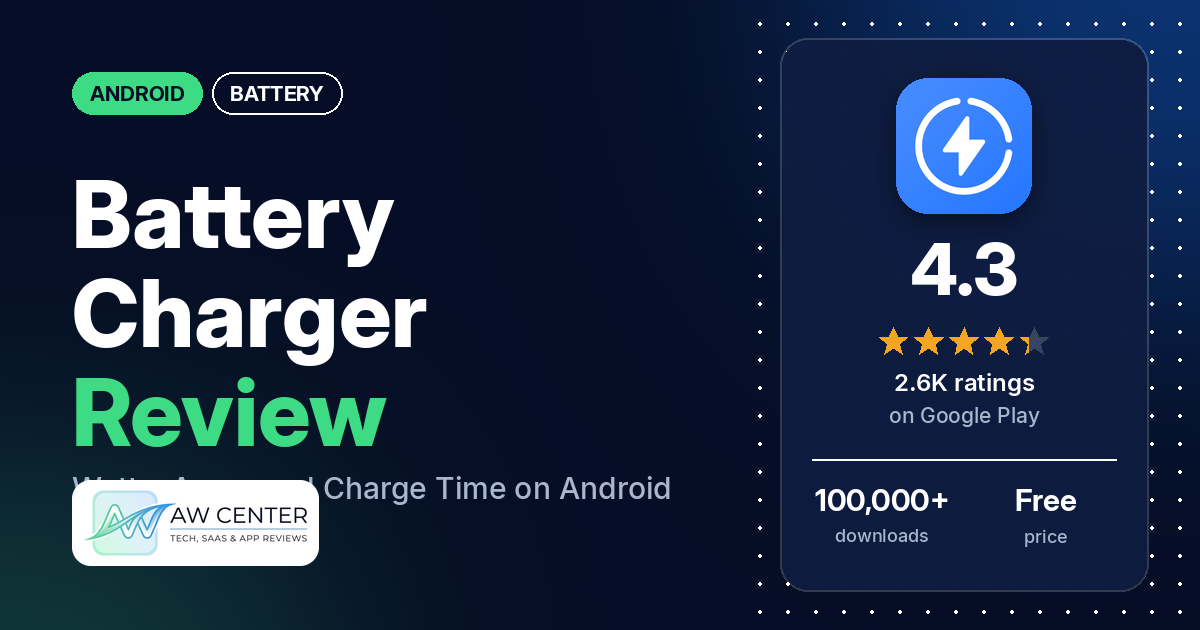
Battery Charger – battery life is a free Android app that shows how fast your phone is charging, in watts, along with amps, voltage, temperature and an estimated time to full. It has ads, no in-app purchases, and 4.3 stars from 2,648 ratings on Google Play.
Quick verdict
If you want to check whether a charger or cable is doing its job, this app shows you the numbers: the listing calls the watt meter one of its most important features, and a few reviewers say the watt, amp and voltage readings helped them. It is a monitor only. The listing names no charge alarm, and one reviewer in June 2026 asked for a 90% alarm. Two reviewers say the time estimates jump around or were off, and a few say the app didn’t work for them at all. Most reviews in the sample are only a few words long, so there is little detail to go on. Of the ratings in the store’s rating breakdown, 7.7% are 1 or 2 stars.
Battery Charger at a glance
| Developer | CrLabs |
|---|---|
| Store listing | Battery Charger – battery life on Google Play |
| Price | Free, no in-app purchases |
| Ads | Yes |
| Play Store rating | 4.3 stars from 2,648 ratings (64.9% of the ratings in the store’s rating breakdown are 5-star) |
| Downloads | 100,000+ |
| Version / last updated | 2.1.4 / July 22, 2026 |
| Requires | Not stated |
| First released | December 29, 2023 |
| Data checked | October 21, 2026 |
What is Battery Charger?
Battery Charger is a battery monitor. The listing, which calls it Battery Charge Monitor, names a charge meter in watts as one of its most important features, so you can tell whether your charger or cable is in good condition. It also estimates charging and discharging time and shows live battery details. The listing makes no claim that it speeds charging up. CrLabs released it in December 2023.
Key features
- Charge meter: charging power in watts, to check a charger or cable.
- Time estimates: estimated charging and discharging time, both total time and the percentage used per unit of time.
- Live battery details: percentage, health, voltage, temperature, charge and discharge speed, amperes, battery status, charging type (AC, USB or wireless), technology and total capacity in mAh.
Battery Charger vs. what a battery app should have
“Listed” means the Google Play listing names the feature, “Partial” means it covers part of it, and “Reviews only” or “Reviews and developer replies” means we found it outside the listing. This is a monitor, so the alarm rows in Must have aren’t what it was built for, and none of them are listed.
Must have
| Feature | Status | Notes |
|---|---|---|
| Full-charge alert at a level you choose | Not listed | One reviewer asked for a 90% alarm; the developer said in July 2026 it would consider it |
| Low-battery alert at a level you choose | Not listed | |
| Alerts that fire reliably in the background | Not listed | |
| Sound and vibration options | Not listed | |
| Easy to dismiss an alert | Not listed | |
| Low battery use by the app itself | Not listed |
Should have
| Feature | Status | Notes |
|---|---|---|
| Custom alert sound and volume | Not listed | |
| Quiet hours or a schedule | Not listed | |
| Battery details | Listed | Percentage, voltage, temperature, amps, watts and more |
| Charge history or usage chart | Not listed | |
| Help or a support contact | Not listed | |
| Clear pricing | Partial | Free with ads and no in-app purchases; the listing doesn’t mention the ads |
Nice to have
| Feature | Status | Notes |
|---|---|---|
| Battery health or capacity estimates | Listed | Battery health and total capacity in mAh |
| Time-left or time-to-full estimates | Listed | Two reviewers say the estimates are inconsistent |
| Home screen widget or status bar readout | Not listed | |
| Tablet support | Not listed | |
| No ads or an ad-free option | Not listed | The app has ads and no in-app purchases |
| No account required | Not listed |
Common problems and fixes
Reports are dated. Older ones may describe earlier versions.
| Problem | What reviewers report | When | What the developer’s replies say |
|---|---|---|---|
| Estimates or readings jump or are wrong | A few reviewers: one saw the time left change from 9 hours to 5 hours within seconds, one says a 2-hour estimate took about 1 hour, and one says it still showed charging 5 minutes after unplugging, with random amps and volts | June 2024 to January 2026 | The charging time is an estimate based on the average milliamps your phone reports, so it varies by device and conditions (August 2025); battery data can vary with the device and what the system provides (March 2026); the developer said it would review and fix the unplugged-but-charging report (June 2024) |
| Doesn’t work at all | A few reviewers, most without details; one says it would not activate after install | January 2024 to June 2026 | The app is not fake, and some features vary by device or Android version; tell the developer what isn’t working (July 2026) |
Pros (from user reviews)
- Useful charging numbers: a few reviewers say the readings help. One in January 2026 used the watt, amp and charging-time figures to find the charger that suits their phone, and one in November 2025 watches the voltage more than the percentage.
- Works for them: several reviewers say it works or is reliable.
- Simple: two reviewers describe it as simple or basic.
Cons (from user reviews)
- Inconsistent estimates: a few reviewers say the time estimates or readings jump around or are wrong.
- Didn’t work: a few reviewers say the app didn’t work, and two call it fake or a scam. Most don’t say what failed; one says it would not activate after install.
- Ads: one reviewer in September 2026 says ads show up straight away, though not as pop-ups.
- Not a fast charger: one reviewer gave 1 star because it was “not charging fast”. The app only measures charging.
Of the ratings in the store’s rating breakdown, 7.7% are 1 or 2 stars and 64.9% are 5-star.
Rating breakdown
| Stars | Ratings | Share |
|---|---|---|
| 5 | 1,697 | 64.9% |
| 4 | 467 | 17.9% |
| 3 | 249 | 9.5% |
| 2 | 77 | 2.9% |
| 1 | 124 | 4.7% |
Source: Google Play ratings histogram, checked October 21, 2026. The histogram adds up to 2,614 ratings, slightly fewer than the 2,648 total, and the shares are of the histogram total.
Pricing
The app is free. Google Play shows that it contains ads and lists no in-app purchases, so there is no listed way to pay to remove the ads. The listing itself doesn’t mention ads.
Privacy and permissions
We couldn’t read the Google Play data safety section, so we make no claim about what it declares. The permissions list includes access Bluetooth settings, close other apps, full network access, modify system settings, pair with Bluetooth devices, prevent device from sleeping, read sync settings, update component usage statistics, view Wi-Fi connections and view network connections. The listing doesn’t explain them.
Who it’s for
Battery Charger suits you if you want a free, simple readout of charging watts, amps, voltage and temperature, for example to compare chargers or cables. Skip it if you want an alarm at a set charge level or an ad-free app. Treat the time estimates as rough.
FAQ
Does Battery Charger make my phone charge faster?
No. The listing describes a monitor that shows charging speed in watts and other battery details, and it doesn’t claim to speed up charging. One reviewer in September 2025 gave it 1 star for “not charging fast”.
Does Battery Charger have a full-charge alarm?
The listing doesn’t name one. One reviewer in June 2026 asked for a 90% charging alarm, and the developer replied in July 2026 that it would consider one for a future update.
How accurate are the charging time estimates?
They are estimates. A developer reply from August 2025 says the charging time is based on the average milliamps the phone reports, so it varies by device and conditions. Two reviewers say the estimates jump around or were off.
How this review was put together
We haven’t tested Battery Charger. This review is based on public information from official sources: the app’s Google Play or App Store listing and rating breakdown, the developer’s website when there is one, and recent user reviews on the store with the developer’s replies. Features and claims are the developer’s own descriptions; what users like and dislike comes from the store reviews. Everything was checked on October 21, 2026. Apps change with every update, so check the store listing before you install.