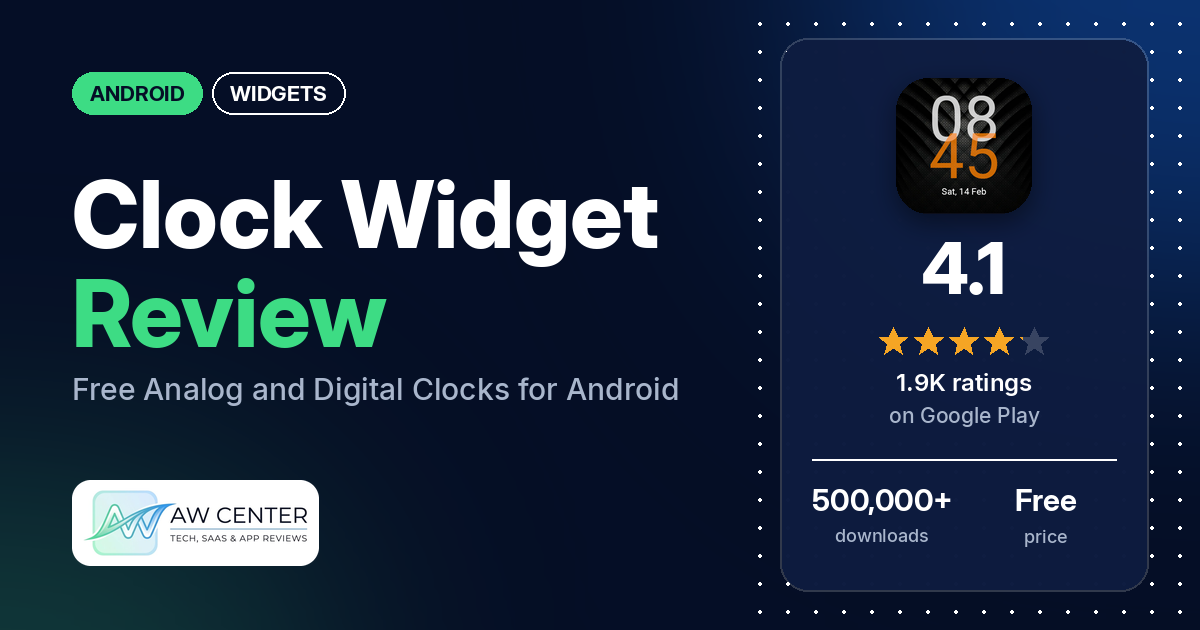
Clock Widget is a free Android app from Galaxy studio apps that adds analog and digital clock widgets to your home screen. It has ads and in-app purchases from $0.99 to $99.99 per item, and ads and paid widgets are what reviewers complain about most.
Quick verdict
If you want a simple clock on your home screen and can live with ads, Clock Widget is worth a look: about 61% of its Google Play ratings are 5 stars. Several reviewers like the variety of clock designs, and a few call it easy to use. The complaints are about money. Several reviewers say there are too many ads, several say too many widgets are paid, and two say the ads they saw were adult in nature. Several others ask for clocks on the lock screen, and a few say tapping the widget no longer opens their alarms. If you need a clock you can resize or give a background colour, note that a few reviewers say they couldn’t do either.
Clock Widget at a glance
| Developer | Galaxy studio apps |
|---|---|
| Store listing | Clock Widget on Google Play |
| Price | Free, with in-app purchases ($0.99 – $99.99 per item) |
| Ads | Yes (Google Play marks the app as containing ads) |
| Play Store rating | 4.1 stars from 1,927 ratings (61% of the ratings in the store’s rating breakdown are 5-star) |
| Downloads | 500,000+ |
| Version / last updated | 5.1.0 / October 18, 2026 |
| Requires | Not in our data |
| First released | November 7, 2023 |
| Data checked | November 21, 2026 |
What is Clock Widget?
Clock Widget is a home screen widget app, not a regular app you open every day. The listing describes a collection of analog clocks (round or square faces) and digital clocks that show the time and date. It says you can change the colours of the hours, minutes, weekdays and months, pick a date format, switch between 12-hour and 24-hour time, and resize the widget. It has been on Google Play since November 2023 and was last updated in October 2026.
Key features
- Analog clocks: the listing says round or square faces, with hands and background you can customize.
- Digital clocks: time and date in a digital format, with colours and fonts you can change, and a 12-hour or 24-hour toggle.
- Colours and date format: separate colours for hours, minutes, weekdays and months, and a date format of your choice.
- Resizable widgets: the listing says you can resize the widget to fit your layout.
- Offline use: the listing says no internet connection is required.
Clock Widget vs. what a widget app should have
The Status column shows where we found each feature. “Listed” means the Google Play listing names it. “Partial” means the listing covers part of it. “Reviews only” or “Reviews and developer replies” means we found it outside the listing. “Not listed” means we found nothing in the listing to show the app has it. Clock Widget is a clock app, so rows about weather, music or health data don’t fit it well. The tables record which features the app offers, not how well each one works.
Must have
| Feature | Status | Notes |
|---|---|---|
| Home screen widgets in several sizes | Partial | The listing says the widgets are resizable and doesn’t name sizes. A few reviewers say some premium clocks can’t be resized. |
| Lock screen widgets | Not listed | Several reviewers ask for clocks on the lock screen or a way to customize them |
| Design editor (text, images, layout) | Partial | Colours, fonts and formats are listed; no layout editor is. A few reviewers call the options limited. |
| Ready-made designs or templates | Listed | A collection of analog and digital clocks |
| Common data (time, date, weather, calendar, battery) | Partial | Time and date only. A few reviewers ask for weather. |
| Stays up to date | Not listed | No refresh setting is listed. Two reviewers say the time was delayed or the clock shut off. |
| Transparent or wallpaper-matching backgrounds | Not listed | A few reviewers ask for a background colour or a transparent option |
Should have
| Feature | Status | Notes |
|---|---|---|
| Tap actions that open apps | Reviews only | A few reviewers say tapping the widget used to open their alarms and no longer does. Two want it to open the clock app instead of the alarm screen. |
| Help or a support contact | Reviews and developer replies | The developer’s replies point reviewers to a support email address |
| Usable free tier | Partial | Free to install. Several reviewers say many widgets are paid, and one says only one clock can be customized in the free version. |
| Restoring purchases on a new device | Not listed | One reviewer says they had to pay for Pro again after an Android update |
| Sharing or importing designs | Not listed | |
| Smartwatch faces | Not listed | |
| Music, health or fitness data | Not listed |
Nice to have
| Feature | Status | Notes |
|---|---|---|
| Launcher compatibility | Reviews only | One reviewer says it isn’t supported by Total Launcher; another couldn’t change colours with Nova Launcher |
| One-time purchase instead of a subscription | Not listed | The listing gives an in-app purchase range per item. One reviewer says the widgets aren’t usable without a monthly subscription. |
| No ads | Not listed | Google Play marks the app as containing ads. The developer’s replies say the paid version has no ads. |
| Custom data sources, charts or automation | Not listed | |
| Tablet support | Not listed |
Clock widget extras
| Feature | Status | Notes |
|---|---|---|
| 12/24-hour choice | Listed | Two reviewers say they couldn’t find a 24-hour option |
| Seconds display | Not listed | One reviewer says there is no setting to show seconds |
| Date formats (including custom ones) | Partial | The listing says you can choose a date format. One reviewer wanted a shorter date and a time without a leading zero and couldn’t find either. |
| Time zones or a world clock | Not listed | One reviewer says there is no custom time option and they don’t want to use the phone’s default time |
Common problems
These reports come from recent reviews, and widget behaviour changes with updates and Android versions. About 14% of all ratings are 1 or 2 stars. The developer replied to many of the reviews in our data, so the workarounds below come from a few replies and from reviewers.
| Problem | What reviewers report | When | What the developer or reviewers say |
|---|---|---|---|
| Too many ads | Several reviewers, including two who say the ads were adult in nature and two who say ads appear before they can use the app | April 2024 to November 2026 | In replies from December 2024 to November 2026, the developer says ads show in the free version and the paid version has no ads |
| Widgets locked behind payment | Several reviewers say many widgets are paid or the free version is too limited | December 2024 to October 2026 | None in our data |
| No clock on the lock screen | Several reviewers ask for lock screen clocks or customization | June 2024 to November 2026 | In a September 2025 reply, the developer says the app is only for widgets and that it will try to add lock screen time |
| Tap no longer opens alarms | A few reviewers say it stopped opening their alarms; two ask for the clock app to open instead | February 2025 to January 2026 | One reviewer in January 2026 says it works again and raised their rating |
| Can’t resize some clocks | A few reviewers, two of them about premium clocks | October 2024 to March 2026 | None in our data |
| No background colour or transparency option | A few reviewers | February 2025 to October 2026 | None in our data |
| Widget doesn’t appear | Two reviewers couldn’t get a widget onto the home screen | May 2025 and January 2026 | In a September 2025 reply to one of them, the developer says the problem is solved and to try the latest version |
Pros (from user reviews)
- Variety of clocks: several reviewers praise the number of clock designs, from June 2024 to October 2026. One of them says there are many choices but no setting for seconds and date.
- Easy and trouble-free: a few reviewers say it is easy to use or has worked without problems.
- Customization: two reviewers like the customization options, though one of them says it has no background colour option.
- A replacement for the system clock: two reviewers say it fixed a problem with their phone’s clock, such as Samsung not offering a black digital clock, or replaced it outright.
Cons (from user reviews)
- Ads: the most common specific complaint in the reviews we read. Several reviewers say there are too many ads, two say ads appear before they can use the app, and two say the ads were adult in nature. One reviewer says the ads weren’t terribly intrusive in the short time they used the app.
- Paid widgets: several reviewers say many widgets are paid. One says only one clock can be customized on the free version. One says they paid for Pro four years ago and had to pay again after a big Android security update.
- Lock screen: several reviewers ask for a clock on the lock screen or for lock screen clocks they can customize.
- Tap action: a few reviewers say tapping the widget no longer opens their alarms, and two want it to open the clock app.
- Sizing and backgrounds: a few reviewers say some clocks can’t be resized, and a few say there is no background colour or transparent option.
- Limited options: a few reviewers say the designs are fixed or the customization is basic. One wanted a time without a leading zero and a shorter date format.
- Missing features: a few ask for weather on the widget, and two say they couldn’t find a 24-hour option.
- Safety claims: two reviewers in 2024 call the app malware or spyware without saying why. We can’t verify that, and the listing says nothing about it.
Rating breakdown
| Stars | Ratings | Share |
|---|---|---|
| 5 | 1,177 | 61.1% |
| 4 | 256 | 13.3% |
| 3 | 214 | 11.1% |
| 2 | 107 | 5.6% |
| 1 | 171 | 8.9% |
Source: Google Play ratings histogram, checked November 21, 2026. The histogram adds up to 1,925 ratings, slightly fewer than the 1,927 total, and the shares are of the histogram total.
Pricing
Clock Widget is free to install on Google Play, with ads and in-app purchases from $0.99 to $99.99 per item. The listing doesn’t say which widgets are free. Several reviewers say many are paid, and the developer’s replies say the paid version has no ads. One reviewer says the widgets are useless without a monthly subscription; the listing doesn’t mention a subscription.
Privacy and permissions
We couldn’t read the Google Play data safety section for Clock Widget, so we make no claim about what it declares. The permissions list shows: Google Play license check, control vibration, full network access, prevent device from sleeping, receive data from Internet, set an alarm, view Wi-Fi connections and view network connections. The listing says no internet connection is required for the clock to work.
Who it’s for
Clock Widget suits you if you want to try different analog and digital clock faces on your home screen and don’t mind ads in the free version. It is a weaker fit if you want a clock on the lock screen, a background colour or transparent background, a clock you can resize freely, or an app with no ads and no paid extras. If you want weather on the same widget, reviewers say it isn’t there.
FAQ
Is Clock Widget free?
It is free to install on Google Play, with ads and in-app purchases from $0.99 to $99.99 per item. Several reviewers say many widgets are paid. The developer’s replies say the paid version has no ads.
Does Clock Widget work on the lock screen?
The listing doesn’t mention the lock screen. Several reviewers ask for clocks on the lock screen, and in a September 2025 reply the developer says the app is only for widgets and that it will try to add lock screen time.
Can I switch Clock Widget to 24-hour time?
The listing says you can switch between 12-hour and 24-hour formats. Two reviewers say they couldn’t find the option, so look in the customization screen for the widget you pick.
Why does Clock Widget no longer open my alarms?
A few reviewers say tapping the widget stopped opening their alarms between December 2025 and January 2026, and one says it worked again soon after. Two others want the tap to open the clock app instead. We don’t know if it still happens on the current version.
How this review was put together
We haven’t tested Clock Widget. This review is based on public information from official sources: the app’s Google Play or App Store listing and rating breakdown, the developer’s website when there is one, and recent user reviews on the store with the developer’s replies. Features and claims are the developer’s own descriptions; what users like and dislike comes from the store reviews. Everything was checked on November 21, 2026. Apps change with every update, so check the store listing before you install.