Countdown to Anything is a free Android app that counts down to, or up from, any date and time. The listing says it has no ads and no data sharing, and that Premium, a lifetime purchase or a yearly subscription, adds extras such as more widgets.
Quick verdict
If you want a cheerful countdown app with no ads, this is an easy pick: many reviewers call it easy to use, and many like the icons and colors. The catch is the widget. Many reviewers, from 2023 to 2026, say they couldn’t add a widget without paying for Premium, and most of the 1- and 2-star reviews in our sample are about exactly that. A developer reply in August 2026 says that in version 3.5.0 one countdown can be shown on a widget for free. Across all ratings, 79.0% are 5 stars and 7.6% are 1 or 2 stars.
Countdown to Anything at a glance
| Developer | Jupli |
|---|---|
| Store listing | Countdown to Anything on Google Play |
| Price | Free, with in-app purchases from $3.99 to $9.99 per item |
| Ads | None |
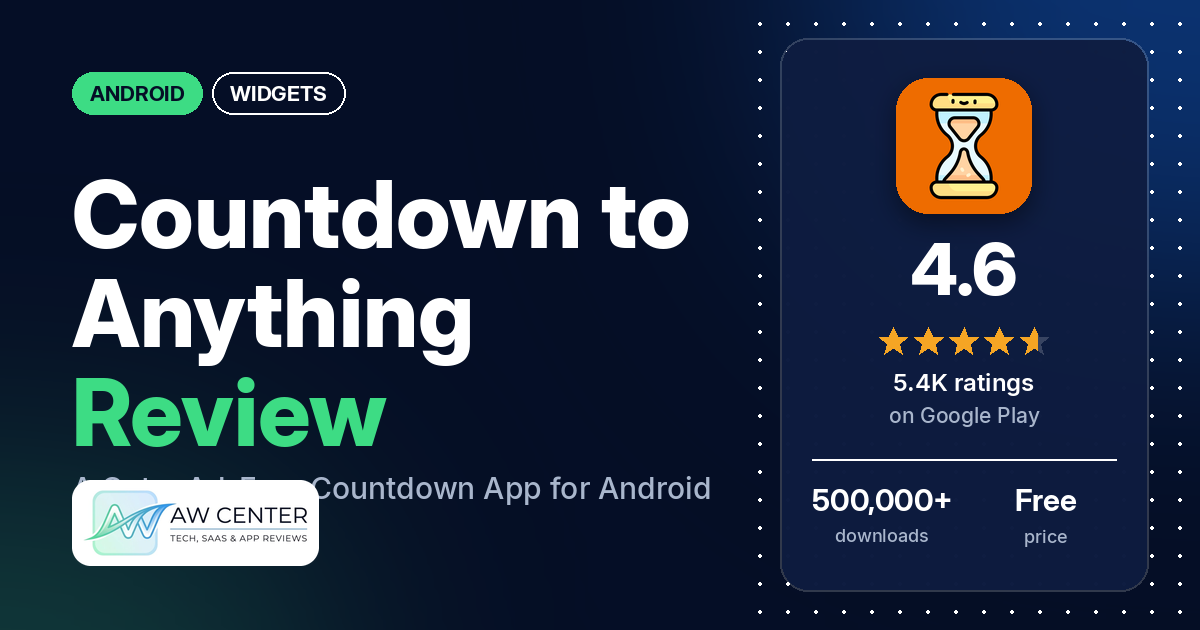
| Play Store rating | 4.6 stars from 5,444 ratings (79% are 5-star) |
| Downloads | 500,000+ |
| Version / last updated | 3.5.0 / July 9, 2026 |
| Requires | Not in our data |
| First released | November 27, 2019 |
| Data checked | November 21, 2026 |
What is Countdown to Anything?
It is a countdown and count-up app. You create an event, pick an icon and a color, and the app shows the time left or the time since. The listing says the developer builds and supports the app alone, and that it includes built-in countdowns for holidays and events such as the World Cup and the Olympics. It has been on Google Play since November 2019.
Key features
- Countdowns and count-ups: to any future date and time, or up from a past event, with repeating countdowns (yearly or weekly).
- Icons: hundreds of icons for occasions such as birthdays, vacations, weddings and exams.
- Widget: a home-screen widget showing your favorite countdown.
- Notifications: a notification when a countdown ends.
- Sharing: share countdowns privately with friends, even if they don’t have the app.
- Organizing: custom tags and notes on each countdown.
- Built-in countdowns: holidays such as New Year’s Day, Christmas, Diwali and Easter Sunday, and sporting events.
- Premium: more widgets and a list widget, 240+ extra icons, unlimited colors with a hex picker, reminder notifications before a countdown ends, extra layout options and custom time units. The listing offers a 7-day free trial.
Countdown to Anything vs. what a widgets app should have
“Listed” means the Google Play listing names the feature, and “Partial” means it covers part of it. “Reviews and developer replies” means we found it there instead. This is a countdown app, so several rows for widget-builder apps, such as weather or music data, don’t apply to it.
Must have
| Feature | Status | Notes |
|---|---|---|
| Home Screen widgets in several sizes | Partial | The listing names a favorite-countdown widget, with more widgets and a list widget in Premium. A May 2025 reply says the widget is resizable. Many reviewers say widgets need Premium. |
| Lock Screen widgets | Not listed | One July 2026 reviewer asks for permanent notifications they could see on the lock screen. |
| Design editor (text, images, shapes, layout) | Partial | Icons, colors and layouts, with unlimited colors and extra layouts in Premium. One October 2026 reviewer wants text customization. |
| Ready-made designs or templates | Listed | Hundreds of icons and built-in countdowns for holidays and sporting events. |
| Common data (time, date, weather, calendar, battery) | Partial | Countdowns to any date and time. One April 2025 reviewer wishes it linked to a calendar. |
| Widgets that stay up to date | Reviews and developer replies | Two reviewers, 2024 and 2025, say the widget didn’t update. Developer replies say Android lets a widget change only about every 30 minutes. |
| Transparent or wallpaper-matching backgrounds | Not listed |
Should have
| Feature | Status | Notes |
|---|---|---|
| Smartwatch faces or complications | Not listed | |
| Tap actions that open apps | Not listed | |
| Sharing or importing designs | Partial | You can share countdowns with friends, not designs. |
| Music or now-playing data | Not listed | |
| Health and fitness data | Not listed | |
| Help, tutorials or a support contact | Listed | The listing says you can contact the developer from the Settings screen. His replies give [email protected] and offer refunds by email. |
| Usable free tier | Listed | Countdowns, count-ups, notes, tags, repeats, sharing and end-of-countdown notifications are free, per the listing. |
| Restoring purchases on a new device | Not listed | One November 2025 reviewer had trouble moving data to a new phone; one April 2026 reviewer found the transfer easy. |
Nice to have
| Feature | Status | Notes |
|---|---|---|
| Custom data sources (JSON, API) | Not listed | |
| Charts and gauges | Not listed | One October 2026 reviewer wants a progress bar. |
| Launcher integration and compatibility | Not listed | |
| Tablet and desktop support | Not listed | One April 2025 Premium reviewer says there is no landscape mode on Android tablets. |
| Shortcuts or automation integration | Not listed | |
| One-time purchase instead of a subscription | Listed | The listing offers Premium as a one-time lifetime purchase or a yearly subscription. |
| No ads | Listed | The listing says there are no ads and no data sharing. |
It does countdowns well and keeps the widget behind the paywall: no weather, clock or calendar data, and no minutes or seconds on the widget.
Common problems and fixes
Most of these come from low-star reviews: 1- and 2-star ratings make up 7.6% of all ratings. The developer’s replies in our sample run from 2023 to 2026, and a reply said fixes would come in later updates, so newer versions may differ.
| Problem | What reviewers report | What the developer’s replies say |
|---|---|---|
| Widget needs Premium | Many reviewers, 2023 to 2026, including several in 2026. | In v3.5.0 the Featured Countdown widget shows one of your countdowns for free (August 2026). |
| Widget can’t show minutes or seconds | Several reviewers, 2024 to 2026. | Android lets widgets change what they show only about every 30 minutes, to save battery, so the developer doesn’t include minutes or seconds (November 2025, with similar replies in September 2025 and May 2024). |
| Widget doesn’t update | Two reviewers, 2024 and 2025. | The developer asks for the phone make and model (August 2024) or an email with details (July 2025). |
| Notifications don’t arrive | A few reviewers, 2024 to 2026. | If they stop after a few days, it’s usually the system restricting the app’s background use; turn the restriction off in system settings (September 2024). |
| Time units locked or set for every countdown | A few reviewers, 2023 to 2026, find units tied to Premium or the same for every countdown. | You can set the app-wide units for free on the Settings screen; setting them per countdown needs Premium (January and June 2026). |
| Count-ups wrong or turn into countdowns | A few reviewers, 2023 to 2026. | A January 2026 reply says count-ups are being improved so events such as anniversaries count from the start of the day. |
Pros (from user reviews)
- Easy to use: many reviewers call it easy, simple or user-friendly.
- Icons, colors and looks: many reviewers like the icons, colors and the cute design. A few find it too cute, with silly or babyish icons.
- No ads: several reviewers say they like that there are no ads.
- Premium price: several reviewers who paid for Premium call it cheap or worth it, and two like that it is a one-time lifetime purchase. Two reviewers say about $10 is too much.
- Long-term use: several reviewers say they have used it for years.
- Uses: reviewers use it for exams, appointments, holidays, family dates and theater schedules.
Cons (from user reviews)
- Widgets behind Premium: many reviewers say widgets need Premium, and several say the widget was the main reason they wanted the app. A few say the listing didn’t make this clear. Newer versions may differ, since a developer reply says one widget is free in v3.5.0.
- No minutes or seconds on the widget: several reviewers want them.
- Notifications: a few reviewers say notifications didn’t arrive.
- Count-up quirks: a few reviewers say count-ups were wrong, counted again after the event, or turned into countdowns when edited.
- Missing options: a few reviewers ask for dates like the third Tuesday of the month. One wants sorting for count-ups, one wants a dark theme, and a few want backup or account sign-in.
The sample adds extra low-star reviews, so complaints are overrepresented above. Across all ratings, 79.0% are 5-star and 7.6% are 1 or 2 stars.
Rating breakdown
| Stars | Ratings | Share |
|---|---|---|
| 5 | 4,290 | 79.0% |
| 4 | 623 | 11.5% |
| 3 | 103 | 1.9% |
| 2 | 103 | 1.9% |
| 1 | 311 | 5.7% |
Source: Google Play ratings histogram, checked November 21, 2026. The histogram adds up to 5,430 ratings, 14 fewer than the 5,444 total, and the shares are of the histogram total.
Pricing
Countdown to Anything is free, and the listing says there are no ads. Our data lists in-app purchases from $3.99 to $9.99 per item. The listing says Premium is a one-time lifetime purchase or a yearly subscription, with a 7-day free trial. Reviewers put the price at around $10 or 10 pounds in three cases, and one in August 2026 says the one-year package was only about 6 bucks. The developer’s replies offer refunds by email.
Privacy and permissions
We couldn’t read the Google Play data safety section for this app, so we make no claim about what it declares there. The listing says the app has no data sharing at all.
The Play Store permissions list shows: full network access, modify or delete the contents of your USB storage, prevent device from sleeping, read the contents of your USB storage, run at startup and view network connections. It’s a short list, with no location, contacts or camera access.
Who it’s for
Countdown to Anything suits you if you want a friendly, colorful countdown to birthdays, trips, exams or holidays, with no ads, and you don’t mind opening the app to see it. It is a weaker fit if the home-screen widget is the point: reviewers say it needs Premium, so check the current version first. It also falls short if you need minutes and seconds on a widget, or want a plainer look.
FAQ
Is Countdown to Anything free?
Yes, and the listing says it has no ads. Premium costs extra, as a one-time lifetime purchase or a yearly subscription, and adds more widgets, extra icons, unlimited colors, reminder notifications and custom time units. The listing offers a 7-day free trial.
Does the widget need Premium?
Many reviewers from 2023 to 2026 say it does. An August 2026 developer reply says that in v3.5.0 the Featured Countdown widget shows one countdown for free. The listing says Premium adds more widgets and a list widget.
Why doesn’t the widget show minutes and seconds?
Developer replies from 2024 and 2025 say Android lets widgets change what they show only about every 30 minutes, to save battery, so minutes and seconds can’t stay in sync. Several reviewers asked for them.
Can I change the time units?
Yes. The developer’s replies say you can set the app-wide units on the Settings screen for free, and set them per countdown with Premium. These replies are from 2023 to 2026.
How this review was put together
We haven’t tested Countdown to Anything. This review is based on public information from official sources: the app’s Google Play or App Store listing and rating breakdown, the developer’s website when there is one, and recent user reviews on the store with the developer’s replies. Features and claims are the developer’s own descriptions; what users like and dislike comes from the store reviews. Everything was checked on November 21, 2026. Apps change with every update, so check the store listing before you install.