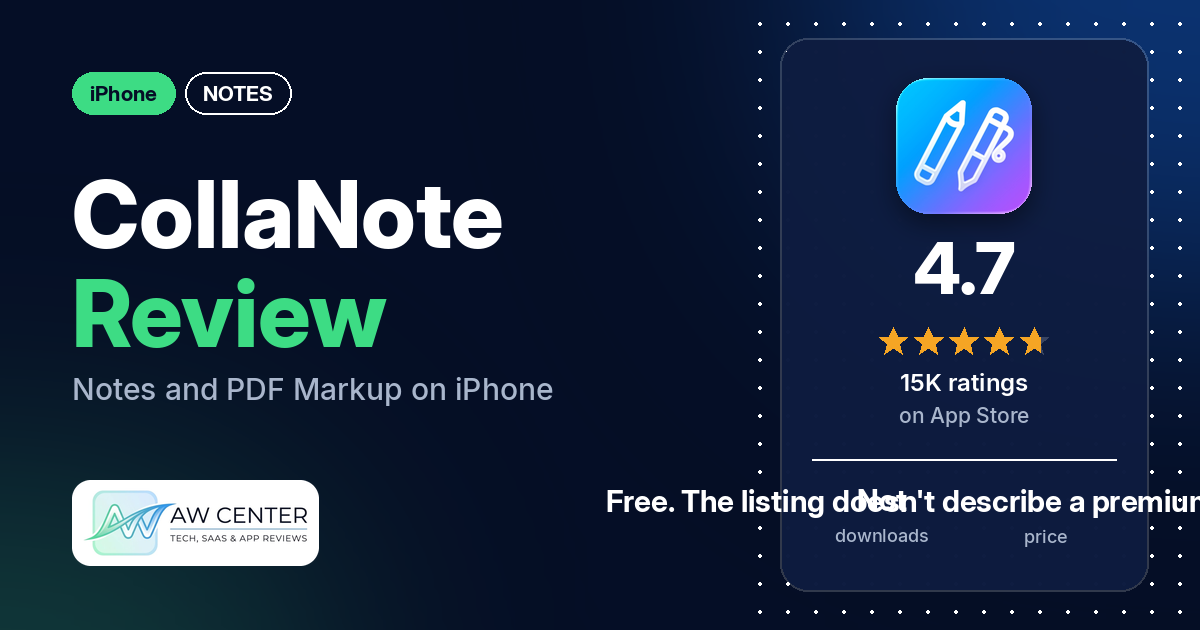
CollaNote: Notes & PDF Markup is a note-taking app from Zauberberg Lab for writing by hand with an Apple Pencil, marking up imported PDFs and keeping planners and flashcards in the same place. The listing price is Free. The main complaint in recent reviews is the upgrade pop-ups in the free version, which several reviewers say became harder to close after an update.
Quick verdict
If you take handwritten notes or mark up PDFs for class, CollaNote is worth a look. Many reviewers say they use it for school, college or study, and several say it keeps their notes organized and is easy to use. The weak spot is the free version. Several reviewers say a recent update added a wait before the premium pop-up can be closed, and about half of the reviews with three stars or fewer mention those pop-ups. Several reviewers also say premium is a one-time purchase instead of a subscription, and several say they bought it and found it worth the money. We have no star breakdown for this app, so we can’t say how common the complaint is among all ratings.
CollaNote: Notes & PDF Markup at a glance
| Developer | Zauberberg Lab Company Limited |
|---|---|
| Store listing | CollaNote: Notes & PDF Markup on the App Store |
| Price | Free. The listing doesn’t describe a premium tier or give its price |
| Ads | Not stated in the listing; several reviewers describe upgrade pop-ups |
| App Store rating | 4.7 stars from about 15,465 ratings |
| Downloads | Not in our data |
| Version / last updated | 5.1.2 / November 17, 2026 |
| Requires | iOS 18.6 or later |
| First released | January 7, 2021 |
| Data checked | November 21, 2026 |
What is CollaNote: Notes & PDF Markup?
It is a digital notebook built around handwriting. The listing says it is made for Apple Pencil, with 25+ pens and brushes and a handwriting stabilizer, and that it imports PDFs, PPTs, DOCs and images so you can mark them up. It also has planners, flashcards, a translation tool and audio recording inside notes. The listing says the app began with a student at Hamburg University.
Key features
- Writing: 25+ pens and brushes, a handwriting stabilizer, and an Infinite Arc Menu for Apple Pencil Pro and Apple Pencil Gen 2.
- PDF and documents: import and mark up PDFs, PPTs, DOCs and images, scan paper documents with the built-in scanner, and export notes to PDF.
- Paper and notebooks: unlimited papers and notebooks, grids and lines, 150+ templates, and Smart Dark Mode.
- Study and planning: flashcards with audio and images, planners for tasks and deadlines, a translation tool covering over 90 languages, and audio recorded and synced inside notes.
- AI tools: an AI calculator, AI drawing tools for shapes, writing and note-taking assistance, and AI-generated stickers.
- Sync, backup and security: automatic iCloud backup and sync across iOS devices, and password protection.
- Sharing: real-time collaboration with unlimited participants, and a Public Room for connecting with other creators.
CollaNote: Notes & PDF Markup vs. what a notes app should have
“Listed” means the App Store listing names the feature. “Partial” means the listing covers part of it. “Not listed” means the listing doesn’t name it. The checklist records whether a feature is named, not how well it works.
Must have
| Feature | Status | Notes |
|---|---|---|
| Fast note creation | Partial | Notebooks with unlimited papers are listed; no quick-capture shortcut is named |
| Organization (tags, folders or flags) | Listed | The listing says notes stay organized. Several reviewers praise the organization, and one likes folders inside folders |
| Search or filtering | Not listed | |
| Sync across devices | Listed | iCloud backup and sync across iOS devices |
| Send or export text to other apps | Listed | Export notes to PDF and share |
| Home-screen widget | Not listed | |
| Backup or recovery | Listed | Automatic iCloud backup |
Should have
| Feature | Status | Notes |
|---|---|---|
| Markdown or plain-text formatting | Not listed | |
| Dictation or voice capture | Partial | Audio recording inside notes is listed; dictation isn’t. One reviewer says a transcript appears at the top while recording |
| Themes and dark mode | Listed | Smart Dark Mode |
| Font and layout customization | Partial | Grids, lines and 150+ templates are listed. Two reviewers want custom notebook cover images |
| Share-extension capture | Not listed | |
| Siri or Shortcuts support | Not listed | |
| Smartwatch capture | Not listed |
Nice to have
| Feature | Status | Notes |
|---|---|---|
| Automation or scripting | Not listed | |
| AI/LLM integration | Listed | AI calculator, AI drawing tools, writing assistance and AI stickers |
| Images or attachments | Listed | Import PDFs, PPTs, DOCs and images; audio inside notes |
| Collaboration on a note | Listed | Real-time collaboration with unlimited participants |
| Web or Windows access | Not listed | The listing mentions sync across iOS devices only |
| Note lock or encryption | Listed | Password protection |
| Accessibility | Not listed |
It covers handwriting, PDFs and study tools well. Search, widgets and Shortcuts are the gaps in the listing.
Common problems reviewers report
The data we collected doesn’t include developer replies, so there are no fixes here, only the problem and when it was reported. Newer versions may behave differently.
| Problem | What reviewers report | When |
|---|---|---|
| Upgrade pop-ups interrupt writing | Several reviewers say pop-ups ask them to upgrade to premium in the middle of writing, and several say a recent update added a wait before the pop-up can be closed. Two put the wait at about 5 seconds. Three say they may switch apps over it | November 10 to 18, 2026 |
| Free-plan limits | One reviewer says free notebooks are now capped at 10 pages. Two other reviewers say there is no limit on notes or notebooks | November 8 to 11, 2026 |
| Apple Pencil tool switching | One reviewer asks for a double-tap on the pen to open the eraser. Another says the arc menu can’t be removed and the app won’t switch between the last tool and the eraser | November 16 to 19, 2026 |
| Customization gaps | Two reviewers want their own notebook cover images. Others ask for a choice of handwritten text size, more options for left-handed users, and a way to edit or remove favorited tools | November 9 to 16, 2026 |
| Pages and files | One reviewer wants to copy a page into another file. One wants to open files in existing notebooks instead of making new ones. One says multiple open notes behave like switching windows | November 9 to 11, 2026 |
| Imported document formatting | One reviewer says formatting from PowerPoint or Word files isn’t always an exact copy, and says the formatting comes out right 85% to 90% of the time | November 10, 2026 |
Pros (from user reviews)
- School and study: many reviewers say they use it for school, college or studying. Two name nursing or sonography programs, and one professor says they use it to review student work.
- Organization: several reviewers say it keeps their notes organized.
- Ease of use: several reviewers call it easy to use or intuitive.
- One-time premium: several reviewers describe premium as a one-time or lifetime purchase with no subscription, and several say they bought it and found it worth the price.
- Free version: several reviewers say the free version does a lot, and a few compare it favorably with other note apps, naming GoodNotes, Notability and OneNote.
Cons (from user reviews)
- Upgrade pop-ups: several reviewers say the premium pop-ups are frequent and, since a recent update, slow to close. Two say they break their flow while taking notes in class.
- Customization: a few reviewers ask for more control, from custom notebook covers to handwriting size and left-handed options.
- Pencil controls: two reviewers have trouble with Apple Pencil tool switching or the arc menu.
- Free-plan limits: one reviewer says free notebooks are capped at 10 pages, while two others say there is no limit.
- Missing conveniences: single reviewers ask for page copying, opening files in existing notebooks, an infinite PDF or whiteboard, and real-time handwriting beautification.
The data we collected has no star breakdown, so the article doesn’t include a rating table.
Pricing
The listing price is Free, and the listing doesn’t mention a premium tier or its price. Reviewers do: several say premium is a one-time purchase, and one says it adds handwriting smoothing. Check the in-app prices before you buy, because the listing in our data doesn’t give them.
Privacy and permissions
We couldn’t read the App Store privacy label for CollaNote, so we make no claim about what data it collects. The listing says notes can be password protected and are backed up to iCloud, and it describes a Public Room and real-time collaboration where you share with other people. The listing links to the developer’s site at collanote.com.
Who it’s for
CollaNote suits you if you write by hand with an Apple Pencil and want PDF markup, planners and flashcards in one app, especially for school. Many reviewers use it that way. If you plan to stay on the free version, read the recent reviews first: several people say the upgrade pop-ups interrupt writing and are slow to close. Look elsewhere if you need search, a widget or Shortcuts, which the listing doesn’t name, or if you work outside iOS, since the listing mentions sync across iOS devices only.
FAQ
Is CollaNote free?
The listing price is Free. Reviewers say there is a premium upgrade, and several describe it as a one-time purchase rather than a subscription. The listing in our data doesn’t give the premium price.
Why does CollaNote show so many pop-ups?
Reviewers say the pop-ups are upgrade offers for premium. Several say a recent update made them harder to close, with a wait of a few seconds before the close button works. One reviewer says the pop-ups hit people who don’t have the paid plan.
Can I mark up PDFs in CollaNote?
Yes, according to the listing: it says you can import and mark up PDFs, PPTs, DOCs and images, and export notes to PDF. One reviewer says imported PowerPoint or Word files don’t always keep their formatting exactly.
Does CollaNote work with Apple Pencil?
The listing says it is built for Apple Pencil, with 25+ pens and brushes, a handwriting stabilizer and an Infinite Arc Menu. Two reviewers have trouble with tool switching or the arc menu, so check that part if you rely on a double-tap or an eraser shortcut.
How this review was put together
We haven’t tested CollaNote: Notes & PDF Markup. This review is based on public information from official sources: the app’s Google Play or App Store listing and rating breakdown, the developer’s website when there is one, and recent user reviews on the store with the developer’s replies. Features and claims are the developer’s own descriptions; what users like and dislike comes from the store reviews. Everything was checked on November 21, 2026. Apps change with every update, so check the store listing before you install.