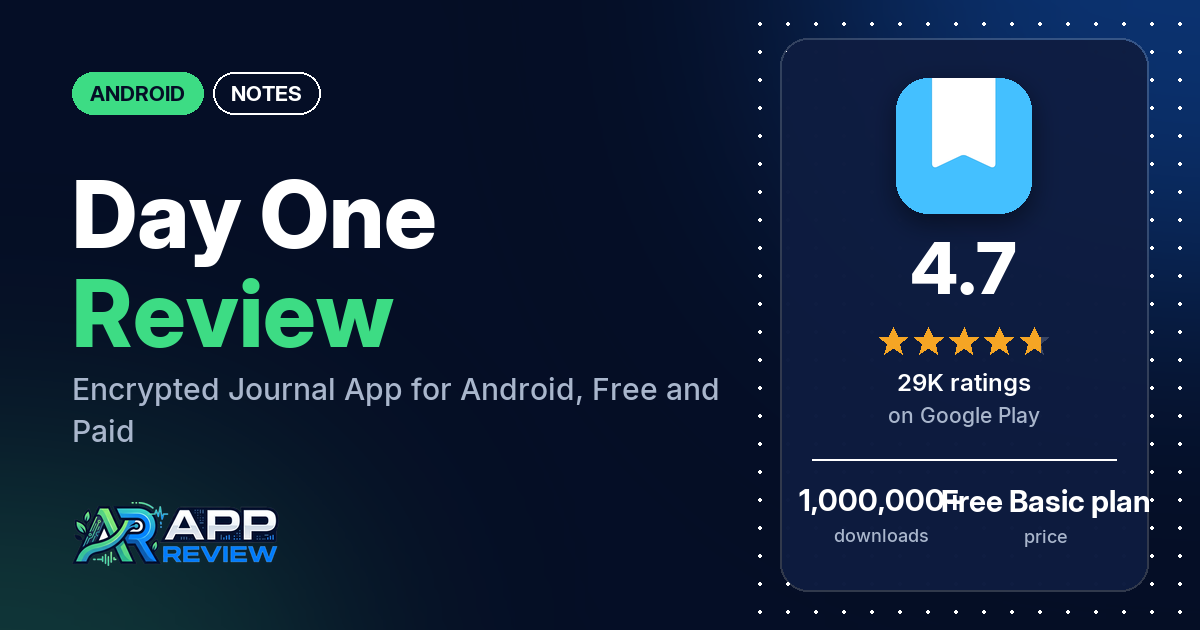
Day One is a journal app from Automattic with end-to-end encryption, multiple journals, photos, automatic location and weather on each entry, and apps for Android, iPhone, Mac, Windows and the web. The Basic plan is free with unlimited text entries and 1 photo per entry; Silver and Gold are paid plans, which the developer’s replies say are yearly only.
Quick verdict
If you want a private, well-organized journal and can live with one photo per entry, the free plan covers a lot: several reviewers say it is simple to use, and several have kept it up daily or for years. The Android app has had a rough few months. Many reviewers say the rebuilt editor from mid-2026 made formatting, selecting and copying text harder, and several lost entries; the developer’s replies say fixes shipped in versions 2026.15 to 2026.20. Several reviewers also push back on upgrade prompts, the prices and the new AI features, which the listing says are optional. Across the ratings in the store’s rating breakdown, 4.6% are 1 or 2 stars.
Day One at a glance
| Developer | Automattic, Inc |
|---|---|
| Store listing | Day One Diary: Daily Journal on Google Play |
| Price | Free Basic plan, with in-app purchases from $2.99 to $99.99 per item |
| Ads | None |
| Play Store rating | 4.7 stars from 28,733 ratings (80.8% of the ratings in the store’s rating breakdown are 5-star) |
| Downloads | 1,000,000+ |
| Version / last updated | 2026.21 / October 12, 2026 |
| Requires | Not stated |
| First released | November 17, 2017 |
| Data checked | October 21, 2026 |
What is Day One?
Day One is a digital journal. You write entries into one or more journals, and the app adds the time, date, location, weather and moon phase on its own. The listing stresses privacy: end-to-end encryption, a passcode or biometric lock, and export to PDF, JSON or plain text so your entries stay yours. It also has prompts, templates, streaks and an “On This Day” view for looking back. It has been on Google Play since November 2017.
Key features
- Writing: unlimited text entries, rich text formatting, templates and daily prompts.
- Organization: separate journals, tags, favorites, search filters, a calendar view and a map of where you wrote.
- Privacy: end-to-end encryption, automatic backups, a passcode or biometric lock, and export to PDF, JSON or plain text.
- Media: photos, video and voice recording (more than 1 photo per entry needs a paid plan).
- Capture: Android app shortcuts, sharing from other apps such as Google Photos, and entries sent by text message or email.
- Reminders: by text message or phone notification, plus streaks.
- Integrations: Strava, and other apps through Zapier (Silver).
- AI (Gold, optional): Daily Chat, Go Deeper Prompts, Entry Summaries, Title Suggestions and Image Generation. The listing says your content is processed only when you use these and is never used to train AI models.
- Platforms: iPhone, Apple Watch, iPad, Mac, Android, Windows and the web.
Day One vs. what a notes app should have
“Listed” means the Google Play listing names the feature, “Partial” means it covers part of it, and “Reviews only” or “Reviews and developer replies” means we found it outside the listing.
Must have
| Feature | Status | Notes |
|---|---|---|
| Fast note creation | Listed | Android app shortcuts start a new entry, photo or video |
| Organization (tags, folders or flags) | Listed | Journals, tags and favorites |
| Search or filtering | Listed | One reviewer says non-English words are hard to find |
| Sync across devices | Partial | Journaling across all your devices is a Silver feature; the free plan backs up one device |
| Sharing or exporting text | Listed | PDF, JSON and plain text |
| Home-screen widget | Reviews and developer replies | A May 2026 developer reply mentions a home screen widget; one reviewer mentions a streak widget |
| Backup or recovery | Listed | Automatic backups |
Should have
| Feature | Status | Notes |
|---|---|---|
| Markdown or plain-text formatting | Partial | Rich text formatting; two reviewers say Markdown doesn’t work well in the Android editor |
| Dictation or voice capture | Listed | Voice recording (Silver) |
| Themes and dark mode | Partial | Custom colors in Silver; dark mode isn’t mentioned |
| Font and layout customization | Partial | The developer’s replies say you can set one editor font size for all entries, but not text color or line spacing |
| Share-sheet capture | Listed | Share from apps such as Google Photos |
| Google Assistant or app shortcuts | Listed | Android app shortcuts |
| Smartwatch capture | Partial | Apple Watch is listed; no Android watch support is mentioned |
Nice to have
| Feature | Status | Notes |
|---|---|---|
| Automation or scripting | Listed | Zapier (Silver) |
| AI/LLM integration | Listed | Gold plan, optional |
| Images or attachments in notes | Listed | 1 photo per entry free; the developer’s replies say up to 30 media attachments on Silver and Gold |
| Collaboration on a note | Reviews and developer replies | One reviewer calls it the best shared journal app they’ve tried |
| Web or Windows access | Listed | Two reviewers say the Windows or PC app doesn’t lock |
| Note lock or encryption | Listed | End-to-end encryption, passcode or biometrics |
| Accessibility features | Not listed |
Common problems and fixes
Most of these reports are from 2026. The developer’s replies are dated and may be out of date, and newer versions may behave differently.
| Problem | What reviewers report | When | What the developer’s replies say |
|---|---|---|---|
| New editor is harder to use | Many reviewers: formatting toolbar hidden, can’t select more than one paragraph, copying and scrolling broken. One dates the update to July 13, 2026, and one later says it got better | June to September 2026 | The Android editor was rebuilt and some things moved; fixes came in 2026.15 and 2026.16, and cross-paragraph selection and formatting were fixed in 2026.17 (August 2026) |
| Entries disappear or don’t save | Several reviewers | January to October 2026 | A bug in 2026.19 could delete an entry if the app was closed in the background with the editor open; fixed in 2026.20 (October 2026). Support may be able to restore lost entries (September 2026) |
| Entries “missing” after moving to a new phone | A few reviewers, including encryption key trouble | May to October 2026 | Signing in a different way can create a new, empty account, so use the same sign-in method (October 2026); if you backed up your encryption key to Google Drive, signing in with that Google account restores it (August 2026) |
| A pop-up or upgrade screen won’t go away | A few reviewers | March to August 2026 | The team is looking into it (July 2026); contact support (March and August 2026) |
| Google sign-in fails | A few reviewers | March to June 2026 | A fix for Google sign-in on Android is coming in an update (June 2026) |
Pros (from user reviews)
- Simple to use: several reviewers call it simple or easy, and one in October 2026 likes it more than apps with more features.
- A habit that sticks: several reviewers use it every day or have kept at it for years, one for 13 years.
- Free plan: several reviewers say the free plan is enough for them.
- Multiple journals: several reviewers like keeping separate journals for different parts of their life.
- Support: a few reviewers say support fixed their problem quickly.
- Moving devices: a few reviewers say syncing works or that they changed phones without losing anything.
- Privacy: two reviewers value that their entries stay private.
Cons (from user reviews)
- The new editor: many reviewers say the mid-2026 update made writing and formatting harder.
- Lost entries: several reviewers had entries vanish or fail to save.
- Price and paywall: several reviewers think the paid plans cost too much or that the good features are paid. One mentions $75 a year for Gold and one £45 for the cheapest paid tier, both in August 2026. Two want a monthly plan, and two want a one-time purchase.
- Upgrade prompts: several reviewers dislike the upgrade prompts and the Gold crown and AI icons.
- One photo on the free plan: several reviewers find 1 photo per entry too limiting.
- AI features: several reviewers don’t want AI in a private journal.
- Support: several reviewers say support was slow, unhelpful or handled by an AI first.
- Android gaps: several reviewers want stylus or drawing support, which the developer’s replies say is iOS-only, and several want more text formatting options such as color or per-entry size.
Of the ratings in the store’s rating breakdown, 4.6% are 1 or 2 stars and 80.8% are 5-star. The review sample deliberately includes extra low-star reviews, so complaints show up more in it than in the ratings.
Rating breakdown
| Stars | Ratings | Share |
|---|---|---|
| 5 | 23,186 | 80.8% |
| 4 | 3,429 | 11.9% |
| 3 | 787 | 2.7% |
| 2 | 347 | 1.2% |
| 1 | 964 | 3.4% |
Source: Google Play ratings histogram, checked October 21, 2026. The histogram adds up to 28,713 ratings, slightly fewer than the 28,733 total, and the shares are of the histogram total.
Pricing
Day One has three plans, the listing says. Basic is free forever, with unlimited text entries and journals, 1 photo per entry, end-to-end encryption, templates, prompts, search and On This Day. Silver adds unlimited photos and videos, journaling across all your devices, audio recording, PDF embed, custom colors, and the Strava and Zapier integrations. Gold adds the AI tools and Day One Labs access. In-app purchases range from $2.99 to $99.99 per item. The developer’s replies say the paid plans are yearly only (October 2026), that Silver costs less than $4 a month (August 2026), and that there is a 30-day trial of the premium features. If you stay on Basic, a 2026 developer reply says it backs up one device, and you can switch devices once every 30 days.
Privacy and permissions
We couldn’t read the Google Play data safety section, so we make no claim about what it declares. The listing says entries are end-to-end encrypted and can be locked with a passcode or biometrics, and that the optional AI features process your content only when you use them. A developer reply from October 2026 confirms there is no two-factor authentication for email and password sign-in. The permissions list includes approximate location (network-based), full network access, modify or delete the contents of your USB storage, pair with Bluetooth devices, precise location (GPS and network-based), prevent device from sleeping, read Google service configuration, read calendar events plus confidential information, read the contents of your USB storage, receive data from Internet, record audio, run at startup, take pictures and videos, view Wi-Fi connections and view network connections.
Who it’s for
Day One suits you if you want an encrypted journal with separate journals, prompts and a map of where you wrote, and you’re fine with text plus one photo per entry or with paying yearly for more. Before you rely on it, check that you’re on version 2026.20 or later, given the lost-entry bug. Skip it if you want a stylus, text color or per-entry font sizes, a one-time price, or a journal with no AI features in sight.
FAQ
Is Day One free?
Yes, the Basic plan is free with unlimited text entries and journals, but only 1 photo per entry. Silver and Gold are paid yearly plans that add more media, sync across all your devices and, on Gold, AI tools. Several reviewers say the free plan is enough for them, and several find it too limited.
Can I turn off the AI features in Day One?
Yes. The developer’s replies say you can turn AI off in Settings, then AI Features, and the listing says the AI features are optional. A July 2026 reply says this doesn’t yet hide every AI element in the app.
Why did my Day One entries disappear?
A September 2026 developer reply says a bug in version 2026.19 could delete entries, and an October 2026 reply says the fix shipped in 2026.20. If you moved to a new phone, the developer also says signing in a different way can open a new, empty account. Contact support through Settings, then Support, since the developer’s replies say lost entries may be restorable.
Does Day One sync between devices for free?
Not fully. A July 2026 developer reply says the free plan backs up one device and lets you switch devices once every 30 days, and the listing lists journaling across all your devices as a Silver feature.
How this review was put together
We haven’t tested Day One. This review is based on public information from official sources: the app’s Google Play or App Store listing and rating breakdown, the developer’s website when there is one, and recent user reviews on the store with the developer’s replies. Features and claims are the developer’s own descriptions; what users like and dislike comes from the store reviews. Everything was checked on October 21, 2026. Apps change with every update, so check the store listing before you install.