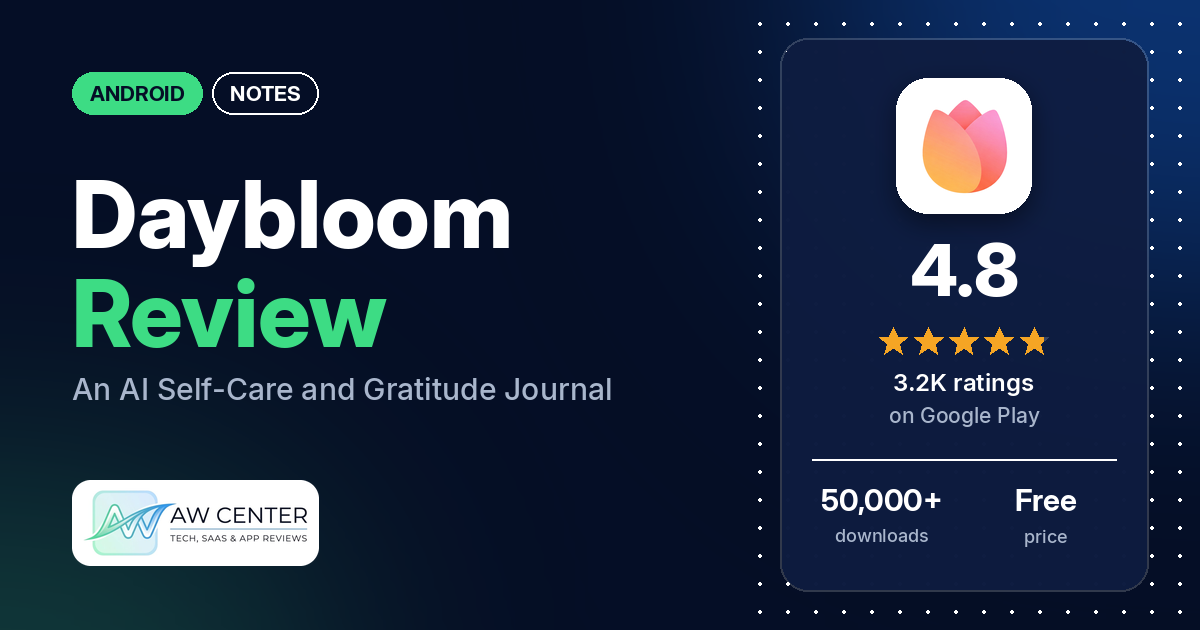
Daybloom: AI Self-Care Journal is a free Android journal that writes an AI reflection after each entry, with gratitude prompts, affirmations, meditations and breathing exercises alongside. It has 4.8 stars from 3,157 ratings on Google Play, no ads, and in-app purchases from $5.99 to $49.99 per item.
Quick verdict
If you want a short daily gratitude or reflection habit in a calm, simple app, Daybloom suits you. Many reviewers call it easy to use, many like the background music and many like the affirmations and breathing tools. Several single out the AI reflections. The catches are the paid tier and a few gaps. A few reviewers wish more of it were free, two say it needs an internet connection, and one wants a dark mode. The listing says Daybloom is for self-reflection and self-care and does not give medical advice, diagnosis or treatment. In the store’s rating breakdown, 1.8% of ratings are 1 or 2 stars.
Daybloom at a glance
| Developer | MaySnow |
|---|---|
| Store listing | Daybloom: AI Self-Care Journal on Google Play |
| Price | Free, with in-app purchases from $5.99 to $49.99 per item |
| Ads | None |
| Play Store rating | 4.8 stars from about 3,157 ratings (89.5% of the ratings in the store’s rating breakdown are 5-star) |
| Downloads | 50,000+ |
| Version / last updated | 1.49.8 / November 1, 2026 |
| Requires | Not stated |
| First released | April 9, 2024 |
| Data checked | November 21, 2026 |
What is Daybloom?
Daybloom is a journal and diary built around gratitude and self-reflection. You write about your day, and the app responds with what the listing calls an Entry Reflection: emotional observations, patterns in your mood and thoughts, words of encouragement and small self-care suggestions. Developer replies from 2024 call the app Gratitude Garden, and a 2026 reply points to a “My Garden” menu, so you may see both names.
Key features
- AI reflections: after you write, the listing says the app creates an Entry Reflection with emotional observations, patterns, comfort, small self-care suggestions and a broader perspective. It also lists a deeper level of AI reflection and “today’s suggestions”.
- Journal templates: Daily Reflection, Gratitude Journal and Self-Love Journal, each with prompts.
- Self-care tools: affirmations, meditations and breathing exercises.
- Mood tracking: the listing mentions mood tracking and tracking your mood, without describing how it works.
- Privacy features: the listing says data is encrypted in transit and at rest, there are no ads, the developer doesn’t sell personal data, a passcode lock is supported and you can request data deletion.
- Sound: background music plays while you write. An August 2026 developer reply says you can lower the volume or turn the sound off under My Garden, then Sound Settings.
Daybloom vs. what a notes app should have
“Listed” means the Google Play listing names the feature, and “Reviews only” means we found it in user reviews. Daybloom is a journal, so rows about general note-taking, such as widgets and Markdown, mostly don’t apply.
Must have
| Feature | Status | Notes |
|---|---|---|
| Fast note creation | Listed | The listing says to write freely about your day; many reviewers call it easy or simple |
| Organization (tags, folders or flags) | Partial | Three journal templates are listed; tags and folders are not. Two reviewers mention keywords the app tracks from entries |
| Search or filtering | Not listed | |
| Sync across the user’s devices | Reviews and developer replies | A January 2025 developer reply says the premium plan’s backup feature lets you use the app on devices like tablets; a reviewer that month wished it linked across devices |
| Sharing or exporting text to other apps | Not listed | |
| Home-screen widget | Not listed | |
| A way to back up or recover notes | Reviews and developer replies | One reviewer in August 2025 says the app has backup. A 2024 developer reply says signing in lets you restore after deleting the app or changing devices |
Should have
| Feature | Status | Notes |
|---|---|---|
| Markdown or plain-text formatting | Not listed | |
| Dictation or voice capture | Not listed | |
| Themes and dark mode | Not listed | One reviewer in January 2025 asks for a dark mode; the developer’s reply says they will look into it |
| Font and layout customization | Not listed | |
| Share-sheet capture | Not listed | |
| Google Assistant or app shortcuts | Not listed | |
| Smartwatch capture | Reviews only | One reviewer in September 2025 mentions setting up the app and a watch; the listing doesn’t mention a watch |
Nice to have
| Feature | Status | Notes |
|---|---|---|
| Automation or scripting | Not listed | |
| AI/LLM integration | Listed | AI reflections after each entry |
| Images or attachments in notes | Reviews only | Two reviewers say you can add photos to entries |
| Collaboration on a note | Not listed | |
| Web or Windows access | Not listed | |
| Note lock or encryption | Listed | Passcode lock; data encrypted in transit and at rest, per the listing |
| Accessibility features called out by users | Not listed |
Common problems and fixes
The developer’s replies are dated 2024 to 2026, so check that they still apply to version 1.49.8.
| Problem | What reviewers report | When | What the developer’s replies say |
|---|---|---|---|
| Music is too much | One reviewer finds the music nerve-wracking | August 2026 | Tap the profile button at the top right of the Home screen, then My Garden, then Sound Settings, to lower the volume or turn sound off |
| Needs an internet connection | Two reviewers say there is no offline option or that it needs the internet to keep working | May and August 2025 | The replies say they will consider it for future updates |
| Text in another language | Two reviewers say some text, such as the gratitude style feedback or the top 5 gratitude words, shows in Chinese or Korean | August 2025 | The replies say they will review and improve it |
| Sluggish or froze | One reviewer in July 2025 says it is a little sluggish, and one in July 2024 says it froze once and customer service helped | July 2024 to July 2025 | A July 2025 reply says a recent update should make it faster |
Pros (from user reviews)
- Easy to use: many reviewers call it easy or simple. One in February 2026 says it has the right amount of structure to keep a daily journal from feeling overwhelming.
- Music and sounds: many reviewers like the background music, and one in October 2026 picks the ocean sounds.
- Affirmations and breathing tools: many reviewers like the affirmations, meditations and breathing exercises. One in March 2025 says the breathing exercises help them sleep.
- AI reflections: several reviewers like them. One in November 2025 likes that it keeps track of keywords from their entries, and one in July 2026 calls the daily AI feedback comforting and constructive.
- Prompts and reminders: a few reviewers like the daily prompts, and a few say the reminders help them stay consistent.
- Price: several reviewers say the premium plan is worth it. One in August 2026 says it’s only $30 a year, and another in March 2026 says a year’s subscription isn’t much and is worth it.
- Support: a few reviewers say the developers respond quickly or helped them.
- No ads: one reviewer in February 2025 appreciates that there are no ads.
Cons (from user reviews)
- Premium features: a few reviewers wish more of the app were free, or say too much needs premium. Other reviewers say the free version is enough for them.
- Needs the internet: two reviewers say it has no offline option.
- Language mix-ups: two reviewers see text in Korean or Chinese in the gratitude feedback.
- Devices and backup: one reviewer in January 2025 wishes it linked across devices, and one in November 2023 wanted a backup feature.
- No dark mode: one reviewer finds it too bright at night.
- The AI step: one reviewer in May 2026 deleted the app as soon as it offered AI reflections.
- Music: one reviewer in August 2026 finds it nerve-wracking.
- Suggestions: reviewers ask for an intention-of-the-day field and a flower garden that grows as you write.
Rating breakdown
| Stars | Ratings | Share |
|---|---|---|
| 5 | 2,798 | 89.5% |
| 4 | 215 | 6.9% |
| 3 | 57 | 1.8% |
| 2 | 28 | 0.9% |
| 1 | 28 | 0.9% |
Source: Google Play ratings histogram, checked November 21, 2026. The histogram adds up to 3,126 ratings, slightly fewer than the 3,157 total, and the shares are of the histogram total.
Pricing
Daybloom is free, with no ads. The listing shows in-app purchases from $5.99 to $49.99 per item and doesn’t say what they are. Reviewers say there is a premium plan. One in August 2026 says it costs $30 a year, one in November 2025 says there is a free trial of the paid version, and a January 2025 developer reply says the premium plan includes a backup feature. Two reviewers say a lot of the free version is useful, and a few wish more of it were free.
Privacy and permissions
We couldn’t read the Google Play data safety section, so we make no claim about what it declares. Per the listing, your data is encrypted in transit and at rest, the developer doesn’t sell personal data, a passcode lock is supported and you can request data deletion. The permissions list is Google Play license check, change your audio settings, control vibration, draw over other apps, full network access, modify or delete the contents of your USB storage, prevent device from sleeping, read the contents of your USB storage, receive data from Internet, run at startup, view Wi-Fi connections and view network connections. None of them is explained in the listing.
Who it’s for
Daybloom suits you if you want a gentle daily gratitude or reflection habit with prompts, music and short breathing exercises, and you don’t mind an AI writing back about your entries. Think twice if you need offline use, a dark mode, search or export, or if you don’t want AI reading your reflections; one reviewer deleted the app when it offered AI reflections. The listing says it isn’t medical advice, diagnosis or treatment.
FAQ
Is Daybloom free?
Yes, and it has no ads. The listing shows in-app purchases from $5.99 to $49.99 per item, and reviewers mention a premium plan, with one saying it costs $30 a year. Some reviewers say the free version is enough for them.
Does Daybloom work offline?
Probably not fully. Two reviewers in 2025 say there is no offline option or that it needs the internet to keep working, and the developer’s replies say they will consider it for future updates. The listing doesn’t mention offline use.
Does Daybloom have a dark mode?
The listing doesn’t mention one. A reviewer in January 2025 asked for it, and the developer’s reply said they would look into it.
Can I use Daybloom on more than one device?
The listing doesn’t say. A January 2025 developer reply says the premium plan’s backup feature lets you use the app on devices like tablets, and a 2024 reply says signing in lets you restore your entries after changing devices.
How this review was put together
We haven’t tested Daybloom. This review is based on public information from official sources: the app’s Google Play or App Store listing and rating breakdown, the developer’s website when there is one, and recent user reviews on the store with the developer’s replies. Features and claims are the developer’s own descriptions; what users like and dislike comes from the store reviews. Everything was checked on November 21, 2026. Apps change with every update, so check the store listing before you install.