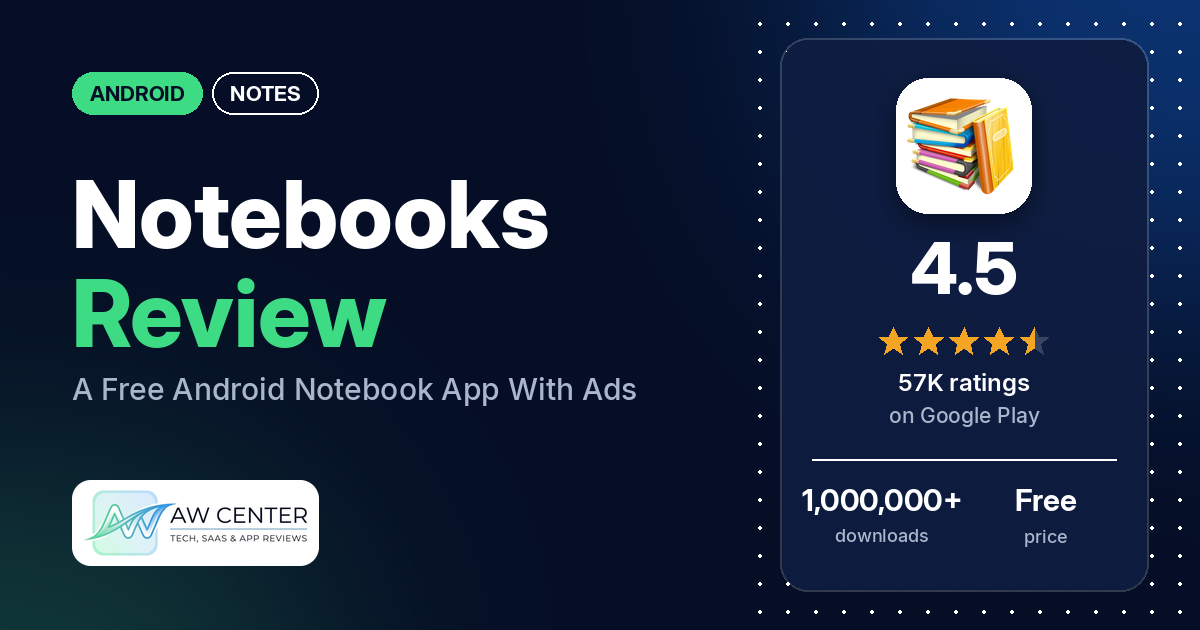
Notebooks is a free Android notes app from DroidVeda LLP that keeps your writing in separate notebooks, each with its own cover, page style and optional password. It has 4.5 stars from 57,272 ratings and more than 1,000,000 downloads, and it shows ads; the listing shows an in-app purchase at $4.99 per item.
Quick verdict
If you want a simple book-style notepad with a separate notebook per subject, Notebooks has done that since 2012, and many reviewers say they have used it for years. Several praise how easy it is, and several writers use it for outlines and manuscripts. The problems are ads and trust. Many reviewers complain about pop-up ads, several say they still see ads after paying, and several say notes were lost or overwritten. Back up your notebooks before you rely on it for anything you can’t redo. In the store’s rating breakdown, 9.1% of ratings are 1 or 2 stars.
Notebooks at a glance
| Developer | DroidVeda LLP |
|---|---|
| Store listing | Notebooks on Google Play |
| Price | Free, with in-app purchases at $4.99 per item |
| Ads | Yes |
| Play Store rating | 4.5 stars from about 57,272 ratings (75.3% of the ratings in the store’s rating breakdown are 5-star) |
| Downloads | 1,000,000+ |
| Version / last updated | 10.7 / November 11, 2026 |
| Requires | Not stated |
| First released | August 19, 2012 |
| Data checked | November 21, 2026 |
What is Notebooks?
Notebooks organizes your notes as books. You create a notebook for each subject, pick its cover, title, number of pages and page style, and write on pages that have their own titles. The listing says you can attach images, draw by hand, bookmark pages and search within a notebook. Reviewers use it for lessons, recipes, journals and novels.
Key features
- Notebooks: create multiple notebooks, each with a customizable cover, title, number of pages and page style.
- Look: custom fonts and a theme for each notebook.
- Writing tools: text styles (bold, italics and coloured highlights), a title for every page, bookmarks and a free-hand drawing tool.
- Attachments: attach image files to a page.
- Search: instant search within each notebook.
- Password: the listing says notebooks are password protected.
- PDF: convert an entire notebook to PDF with attachments. The listing says this currently supports English only.
- Backup and restore: the listing says backup and restore to Google Drive or Dropbox. It says the Google Drive backup works on devices with OS higher than version 2.2.
Notebooks vs. what a notes app should have
“Listed” means the Google Play listing names the feature, and “Reviews only” means we found it in user reviews. Notebooks is built around books and pages, so rows about quick capture and phone integration mostly come up empty.
Must have
| Feature | Status | Notes |
|---|---|---|
| Fast note creation | Listed | The listing says it is designed for ease of use; several reviewers call it easy or simple |
| Organization (tags, folders or flags) | Listed | Separate notebooks, page titles and bookmarks; no tags are listed |
| Search or filtering | Listed | Search within each notebook; a few reviewers say tapping a result doesn’t open the right page |
| Sync across the user’s devices | Not listed | The listing offers backup and restore, not sync; one reviewer says they can’t sync across devices |
| Sharing or exporting text to other apps | Partial | PDF export is listed, English only; sharing to other apps is not listed |
| Home-screen widget | Not listed | |
| A way to back up or recover notes | Listed | Google Drive or Dropbox; several reviewers say backup or restore failed |
Should have
| Feature | Status | Notes |
|---|---|---|
| Markdown or plain-text formatting | Partial | Bold, italics and coloured highlights are listed, not Markdown; a few reviewers say bold or italic doesn’t work |
| Dictation or voice capture | Reviews only | One reviewer in May 2026 says they can talk into the phone and it writes it down |
| Themes and dark mode | Partial | A theme for each notebook is listed; dark mode isn’t mentioned |
| Font and layout customization | Listed | Custom fonts and page styles; several reviewers want more fonts, colours and covers |
| Share-sheet capture | Not listed | |
| Google Assistant or app shortcuts | Not listed | |
| Smartwatch capture | Not listed |
Nice to have
| Feature | Status | Notes |
|---|---|---|
| Automation or scripting | Not listed | |
| AI/LLM integration | Not listed | |
| Images or attachments in notes | Listed | Image attachments and free-hand drawing; one reviewer says attachments land on the wrong page |
| Collaboration on a note | Not listed | |
| Web or Windows access | Not listed | |
| Note lock or encryption | Partial | Password protection is listed; encryption isn’t mentioned |
| Accessibility features called out by users | Not listed |
Common problems and fixes
These come from reviews between 2023 and 2026. The developer’s replies in our data date from May and June 2026, and they read as if they were written for a game (“Thank you for playing Notebooks”), so none of them gives a fix for the problems below. Version 10.7 may behave differently.
| Problem | What reviewers report | When | What the developer’s replies say |
|---|---|---|---|
| Notes lost, overwritten or deleted | Several reviewers say notes disappeared or were replaced. One in September 2026 lost lyrics after an auto-delete and found the Google Drive backup old and the local backup empty | November 2023 to October 2026 | No reply to these in our data |
| Bookmarking replaces or moves pages | A few reviewers say bookmarking a page copied it over the pages after it, or moved notes between pages. One adds that you can’t un-bookmark | April 2023 to February 2026 | No reply in our data |
| Backup or restore doesn’t work | Several reviewers say backup or restore failed, including one who couldn’t restore to an iPad | August 2024 to June 2026 | No reply in our data |
| Ads after buying the ad-free upgrade | Several reviewers say ads still show after they paid. One in October 2025 says the app forgets the purchase a few times a week until it is closed 2 or 3 times | August 2024 to November 2026 | Replies in May 2026 say “We’ll review the ads/rewards experience in Notebooks so it feels smoother and less disruptive while playing” |
| Search opens the wrong page | A few reviewers say tapping a search result doesn’t jump to that page, including on Android 13 and 14 | February 2023 to December 2025 | No reply in our data |
Pros (from user reviews)
- Years of use: many reviewers say they have used it for years, including some who are now unhappy about the ads. One in July 2026 says it has been on every new phone and tablet for over 10 years.
- Simple to use: several reviewers call it easy or simple. One in June 2026 likes that it takes little storage.
- Separate notebooks: several reviewers like keeping one notebook per subject. One in May 2026 says it keeps their thoughts organized, and one in December 2025 says it suits keeping many lessons in separate books.
- Writing: several reviewers use it for novels, outlines, articles or manuscripts.
- Backup that worked: a few reviewers say backups or recovery worked. One in July 2026 says it recovered all their work after a tablet crashed.
- PDF export: two reviewers like converting notebooks to PDF. One in November 2025 thanks the developer for PDF in all languages, though the listing says English only.
Cons (from user reviews)
- Ads: many reviewers complain about ads. One in October 2026 says they used to sit at the top or bottom of the screen and now pop up in the middle, and one in October 2026 says they pause music or shows. One in August 2025 reports an ad for an adult website that played sound while they were with family.
- Ads after paying: several reviewers say they paid to remove ads and still see them, and one in August 2025 calls the purchase costly.
- Lost notes: several reviewers say notes were lost, erased or overwritten. One in September 2025 warns against using the bookmark, and a few reviewers describe the bookmark bug.
- Backup and restore: several reviewers say backup or restore failed. One in April 2024 wants an offline backup, and one in April 2025 says they can’t sync across devices through the cloud.
- No undo or redo: several reviewers ask for undo and redo. One in April 2024 says there is no way to restore something deleted by mistake.
- Formatting: a few reviewers say bold or italic doesn’t work, and a few want text and highlight colours.
- Limited customization: several reviewers want more covers, fonts, themes and colours. One in October 2025 says there are fewer covers than the app used to have.
- Search: a few reviewers say search results open the wrong page.
- Pages: a few reviewers say you can’t insert a page between others or delete one. One in March 2026 notes a 1000-page limit per book.
- Newer phones: a few reviewers say the app won’t load or some features fail on newer phones or Android 14. One in June 2025 says it isn’t compatible with newer Samsung phones.
- Typing glitches: a few reviewers say a block or rectangle covers the text where they type.
- Smaller gaps: two reviewers want a reminder option. One in January 2026 says the app opened without the password after they set one.
Rating breakdown
| Stars | Ratings | Share |
|---|---|---|
| 5 | 43,095 | 75.3% |
| 4 | 6,363 | 11.1% |
| 3 | 2,603 | 4.5% |
| 2 | 1,880 | 3.3% |
| 1 | 3,326 | 5.8% |
Source: Google Play ratings histogram, checked November 21, 2026. The histogram adds up to 57,267 ratings, slightly fewer than the 57,272 total, and the shares are of the histogram total.
Pricing
Notebooks is free, with ads. The listing shows in-app purchases at $4.99 per item and doesn’t say what they are. One reviewer in June 2026 says they paid $4.99 for the ad-free version and found it worth it, while another in August 2025 calls the purchase costly. A reviewer in January 2025 says they would pay a small one-time fee to remove ads.
Privacy and permissions
We couldn’t read the Google Play data safety section, so we make no claim about what it declares. The permissions list is Google Play license check, control vibration, find accounts on the device, full network access, modify or delete the contents of your USB storage, prevent device from sleeping, read phone status and identity, read the contents of your USB storage, view Wi-Fi connections and view network connections. The listing says the account permission is used to talk to Google Drive for backup, and that it doesn’t store your account details. One reviewer in August 2025 asks why the app wants contacts permission for Drive backup, and one in April 2026 complains about advertisers and says they are no longer sure it is safe for their information.
Who it’s for
Notebooks suits you if you want a plain book-style app with one notebook per subject and can live with ads or pay to remove them. It fits writers and students who like that structure. Look elsewhere if you need undo and redo or sync across devices. Whatever you write in it, keep a second copy: several reviewers say they lost notes, and several say backup or restore failed.
FAQ
Is Notebooks free?
Yes, but it shows ads. The listing shows in-app purchases at $4.99 per item. One reviewer says that price removed the ads for them, while several others say ads still appeared after they paid.
Can I back up my notebooks?
The listing says you can back up and restore to Google Drive or Dropbox. Reviewers’ results vary: a few say backups or recovery worked, while several say backup or restore failed, so check that a restore works before you trust it.
Does Notebooks have undo and redo?
Several reviewers say it doesn’t, and the listing doesn’t mention it. Two reviewers also say there is no trash to recover deleted notes.
Can I password-protect a notebook?
The listing says notebooks are password protected, and you set the password from the Password option. One reviewer in January 2026 says the app opened without the password, and one in June 2026 says the verification emails for password recovery never arrived.
How this review was put together
We haven’t tested Notebooks. This review is based on public information from official sources: the app’s Google Play or App Store listing and rating breakdown, the developer’s website when there is one, and recent user reviews on the store with the developer’s replies. Features and claims are the developer’s own descriptions; what users like and dislike comes from the store reviews. Everything was checked on November 21, 2026. Apps change with every update, so check the store listing before you install.