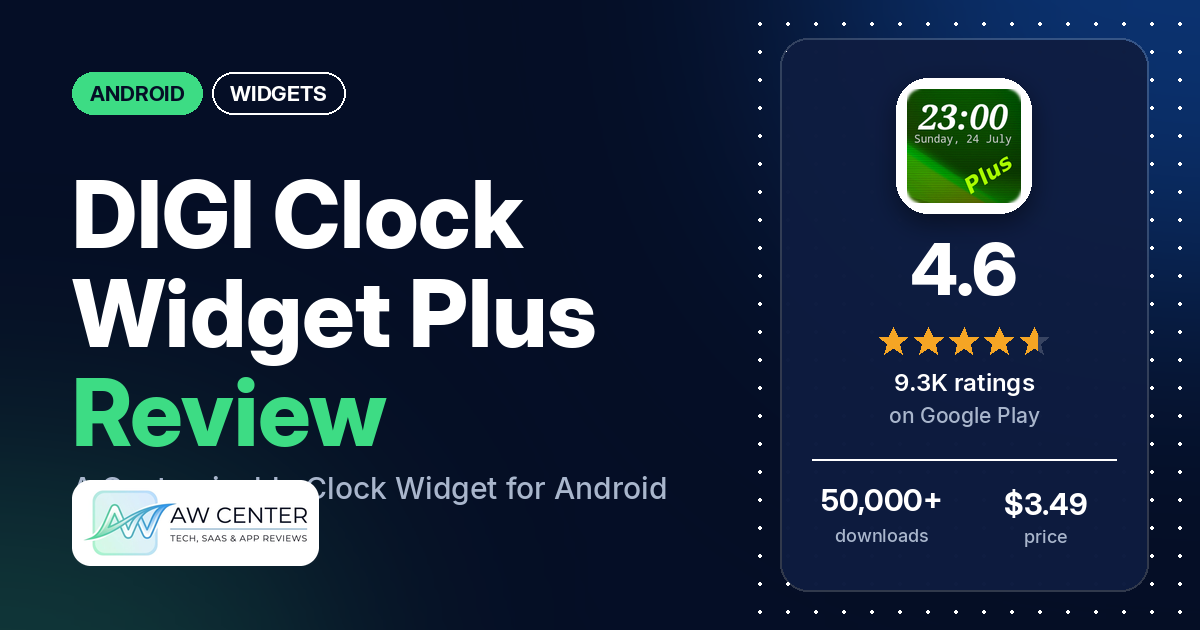
DIGI Clock Widget Plus is a paid Android home screen widget that shows the time and date in the colours, fonts and sizes you pick. You pay once; there are no ads and no in-app purchases listed.
Quick verdict
If you want a large, styled digital clock and date on your home screen and don’t mind paying once, DIGI Clock Widget Plus does that. Many reviewers in our sample praise how customizable it is, several like the colour and font choices, and many say they have used it for years. The most common complaint is a clock that freezes, lags or shows the wrong time; many reviewers report it, the reports peak in 2019, and the newest one in our sample is from January 2025. Several reviewers also report battery drain, a widget that disappears, sizing problems, or emails to the developer that went unanswered. These are minority reports: about 9% of all its ratings are 1 or 2 stars.
DIGI Clock Widget Plus at a glance
| Developer | ForestTree |
|---|---|
| Store listing | DIGI Clock Widget Plus on Google Play |
| Price | $3.49 (paid app, no in-app purchases listed) |
| Ads | None (the listing calls it the ad-free version) |
| Play Store rating | 4.6 stars from 9,306 ratings (83% of the ratings in the store’s rating breakdown are 5-star) |
| Downloads | 50,000+ |
| Version / last updated | 3.9.2 / September 10, 2026 |
| Requires | Not in our data |
| First released | March 6, 2013 |
| Data checked | October 14, 2026 |
What is DIGI Clock Widget Plus?
DIGI Clock Widget Plus is a home screen widget, not a regular app. The listing calls it the ad-free version of “DIGI Clock Widget” and describes “highly customizable digital time and date widgets” in five sizes, from a small 2×1 widget to a 6×3 widget for tablets. It has been on Google Play since March 2013 and was last updated in September 2026. Parts of the listing were written for older Android versions: it says the widget is “ready for Honeycomb, ICS and Jelly Bean” and gives setup steps for Android 4.0 and later and for Android 4.2+ lock screens.
Key features
- Five widget sizes: 2×1 (small), 4×1 (wide, optionally with seconds), 4×2 (big), 5×2 (for tablets and the Galaxy Note) and 6×3 (for tablets).
- Colours and effects: separate colours for the time and the date, a shadow with a selectable colour, and outlines.
- Fonts: the listing says there are 40 fonts for the time and date, or you can use your own font saved on a memory card.
- Background: a background colour with opacity from 0% (transparent) to 100% (opaque), or a picture as the background.
- Time and date formats: 12- or 24-hour time, show or hide AM/PM, many date formats plus a customizable one, and a locale setting for the date language.
- Tap actions: tap the widget to open the alarm app, the widget settings or any installed app.
- Extras: an alarm icon, a widget preview during setup, and seconds on the 4×1 widget.
DIGI Clock Widget Plus vs. what a widget app should have
The Status column shows where we found each feature. “Listed” means the Google Play listing names it. “Partial” means the listing covers part of it. “Reviews only” means we found it in user reviews, not the listing. “Not listed” means neither the listing nor the reviews in our sample show the app has it. Our widget checklist is still early: it was written from an iPhone widget editor and lightly revised for Android, and a clock widget like this one isn’t meant to cover every row. It records which features the app offers; it doesn’t measure how well each one works.
Must have
| Feature | Status | Notes |
|---|---|---|
| Home screen widgets in several sizes | Listed | 2×1, 4×1, 4×2, 5×2 and 6×3 |
| Lock screen widgets | Listed | The listing’s steps are for Android 4.2+ lock screens |
| Design editor (text, images, layout) | Partial | Colours, fonts, shadows, outlines and a picture background; no free layout is listed. Two reviewers say text sizes are limited. |
| Ready-made designs or templates | Reviews only | One reviewer mentions colour presets; another asks for themes or presets |
| Common data (time, date, weather, calendar, battery) | Partial | Time, date and an alarm icon only |
| Stays up to date | Partial | No refresh setting is listed. The listing says excluding the widget from task killers resolves time freezing “in most instances”. Many reviewers report a clock that freezes or lags. |
| Transparent or picture background | Listed | Opacity from 0% to 100%, or a picture |
Should have
| Feature | Status | Notes |
|---|---|---|
| Tap actions that open apps | Listed | A few reviewers say there are four tap zones. A few say tap actions didn’t work for them. |
| 12/24-hour time and date formats | Listed | Two reviewers praise the date formats; two others couldn’t get the date format they wanted |
| Seconds display | Listed | On the 4×1 widget. A few reviewers say seconds stopped showing or the option didn’t work. |
| Help or a support contact | Partial | The listing has setup instructions and links the developer’s website. Several reviewers say their emails went unanswered. |
| Usable free tier | Partial | This app is paid; the listing names a separate DIGI Clock Widget app that this one is the ad-free version of |
| Sharing or importing designs | Not listed | Two reviewers say their settings didn’t carry over from the free app |
| Restoring purchases on a new device | Not listed | |
| Smartwatch faces | Not listed | |
| Music, health or fitness data | Not listed |
Nice to have
| Feature | Status | Notes |
|---|---|---|
| Tablet support | Listed | The listing says it is “recommended for tablets” and offers 5×2 and 6×3 widgets “for tablets”. Two reviewers use it on a phone and a tablet; one says it doesn’t work on a Galaxy Tab S3. |
| Time zones or a world clock | Not listed | One reviewer says they can’t add time zones |
| Launcher integration | Not listed | One reviewer says the shortcuts don’t work with Nova Launcher |
| Custom data sources, charts or automation | Not listed | |
| One-time purchase | Listed | $3.49, no in-app purchases listed |
| No ads | Listed |
Common problems
Most of the problems below come from 1- to 3-star reviews, and only about 9% of all ratings are 1 or 2 stars. Our sample includes no developer replies, so the workarounds below come from the listing or from reviewers. Many reports are several years old, and newer versions may behave differently.
| Problem | What reviewers report | When | What the listing or reviewers suggest |
|---|---|---|---|
| Time freezes, lags or is wrong | Many reviewers. Android versions named include Android 8.0, 9, 12 and 15. | 2016 to January 2025, most often in 2019 | The listing says to exclude the widget from task killers; a few reviewers say they had already excluded it from battery saving or task killers and it still froze. Several say tapping the widget brings the time back, a few say opening the app does, and a few remove and re-add the widget. One says clearing the cache helps. Two describe a message in the app about why the time may be wrong, and one says a phone setting turned out to be the cause. |
| Battery drain | Several reviewers, most of them in 2019 and 2020 | 2019 to August 2025 | None in our data |
| Widget disappears | Several reviewers | 2016 to 2020 | None in our data. One reviewer in July 2025 says it shows as a gray square until tapped. |
| Clock too small, too big or cut off | Several reviewers; a few say the clock is cut off, and two say rotation doesn’t work | 2017 to August 2026, including a few in 2025 and 2026 | None in our data |
| An update removed an option | A few reviewers: alignment, seconds on the 4×2 widget, rounded background corners, positioning, and a locale | 2018 to May 2026, a few in 2025 and 2026 | None in our data |
| Stopped working altogether | Several reviewers; two say it happened after an app update | 2019 to August 2024 | None in our data |
| Can’t add the widget | A few reviewers | 2018 to 2020 | The listing explains how to add the widget and says restarting the phone may help if it is missing from the widget list. One reviewer says a later update fixed it. |
| Chosen colours don’t show or can’t be changed | A few reviewers | 2019 to 2022 | None in our data |
The listing also says not to move the app to an SD card, because widgets won’t work once moved there.
Pros (from user reviews)
- Customizable: the most common specific praise in our sample. Many reviewers call it customizable or configurable or say it has lots of options. One reviewer says it is not as customizable as they expected.
- Colours and fonts: several reviewers like choosing their own colours and fonts, for example to match a wallpaper. One says picking a favourite font makes it look gorgeous. A few say their colour choices stopped showing or couldn’t be changed (see Common problems).
- Tap shortcuts: tapping the clock to open apps is popular with several reviewers. A few say there are four tap zones, and one uses the widget to quick-launch a calendar, alarm settings and a to-do list. A few others say tap actions didn’t work for them, one of them with Nova Launcher.
- Long-time favourite: many reviewers say they have used it for years, and a few say around ten years. Several of those long-time users report problems that started later on.
- Works well for some: several reviewers say it works fine, is stable or has had no problems, and a few say they have used it across several phones. One says the phone’s system doesn’t shut it down. The freeze reports in Cons show that isn’t true for everyone.
- Easy to set up: a few reviewers call it easy to use or set up. One finds it very hard to use, and one of the reviewers who calls it easy also says it can be fiddly to set up.
- Worth the price: a few reviewers say it is worth paying for.
- Seconds and date details: two reviewers like that it shows seconds. One likes date tags such as week of the year and day of the year.
Cons (from user reviews)
- Time freezes, lags or is wrong: the most common complaint in our sample. Many reviewers say the clock froze, fell behind or showed the wrong time. Several say it only caught up when they tapped the widget, and a few say it updated only when they opened the app. A few say they had already excluded it from battery saving or task killers and it still froze. Most of these reports are from 2016 to 2020, and the newest in our sample is from January 2025.
- Battery drain: several reviewers say it uses a lot of battery, or that their phone flagged it for battery use. Most of these reviews are from 2019 and 2020. One reviewer in 2025 reports high RAM use on a Samsung S24 Ultra.
- Widget disappears: several reviewers say the widget vanished from the home screen or disappeared until tapped, all between 2016 and 2020. One reviewer in 2025 says it shows as a gray square until tapped.
- Size and fit: several reviewers report sizing problems, such as a clock that is too small, cut off or doesn’t fill the widget. Two others say the text sizes are limited, for example that the date can’t be made bigger than the time.
- Updates that change things: a few reviewers say an update removed an option they used, such as alignment, seconds on the 4×2 widget or rounded background corners. Two say an update made the time, AM/PM or alarm icon overlap. Several say it stopped working altogether, two of them after an app update.
- Seconds: a few reviewers say seconds stopped showing or the seconds option didn’t work.
- No reply from the developer: several reviewers say their emails or messages went unanswered, two of them since 2024. None of the reviews in our sample has a developer reply.
- Other complaints: two reviewers say the language changed on its own, two dislike being asked for a rating, and two say a notification sat in the notification bar. One reviewer says they can’t add time zones and another that it has no analog clock option. Requests from one reviewer each include gradient fills and themes or presets.
About a third of the reviews in our sample are 1- or 2-star because of how the sample was drawn (see the last section). Across all ratings, about 9% are 1 or 2 stars and 82.6% are 5-star, so the problems above are reported by a small share of users.
Rating breakdown
| Stars | Ratings | Share |
|---|---|---|
| 5 | 7,675 | 82.6% |
| 4 | 812 | 8.7% |
| 3 | 0 | 0.0% |
| 2 | 449 | 4.8% |
| 1 | 357 | 3.8% |
Source: Google Play ratings histogram, checked October 14, 2026. The histogram adds up to 9,293 ratings, slightly fewer than the 9,306 total, and the shares are of the histogram total. It shows no 3-star ratings, although our review sample includes 3-star reviews; we report it as the store returned it.
Pricing
DIGI Clock Widget Plus costs $3.49 on Google Play, with no in-app purchases listed and no ads. The listing calls it the ad-free version of “DIGI Clock Widget”, which is a separate app. If you’re moving from the free app, note that two reviewers say their settings didn’t carry over. A few reviewers say it is worth paying for. Two reviewers asked for a refund in their reviews, and one says they got one.
Privacy and permissions
We couldn’t read the Google Play data safety section for DIGI Clock Widget Plus, so we make no claim about what it declares there. The Play Store’s permissions list for the app shows: full network access, prevent device from sleeping, read the contents of your USB storage, run at startup, set an alarm, and view network connections. Two reviewers in 2019 said the widget kept a settings notification in the notification bar; one of them says turning off notifications for the app in the phone’s Settings removes it.
Who it’s for
DIGI Clock Widget Plus fits you if you want a big, readable clock and date that you can style with your own colours, fonts and background, and you like tapping the clock to open other apps. It’s a weaker fit if you need a clock you never have to check against the phone’s own time, or if you want weather, time zones or other data in the same widget. If the widget freezes on your phone, the listing’s advice is to exclude it from task killers.
FAQ
How much does DIGI Clock Widget Plus cost?
It costs $3.49 on Google Play, with no in-app purchases listed and no ads. The listing calls it the ad-free version of DIGI Clock Widget, a separate app. Two reviewers say their settings didn’t carry over when they switched from the free app.
Why does the DIGI Clock Widget Plus clock freeze or show the wrong time?
Many reviewers in our sample report it, most often in 2019, and the newest report is from January 2025. The listing says excluding the widget from task killers resolves the freezing in most instances, though a few reviewers say they had already excluded it from battery saving or task killers and it still froze. If it happens to you, several reviewers say tapping the widget brings the time back.
Can I open apps by tapping the widget?
Yes. The listing says you can tap it to open the alarm app, the widget settings or any installed app, and a few reviewers say there are four tap zones. A few others say tap actions didn’t work for them, one of them with Nova Launcher.
Does DIGI Clock Widget Plus show seconds?
The listing offers seconds on the 4×1 widget. A few reviewers say seconds stopped showing or the option didn’t work, and one says an update removed seconds from the 4×2 widget. Two reviewers say they like that it shows seconds.
How this review was put together
We haven’t tested DIGI Clock Widget Plus. This review is based on public information from official sources: the app’s Google Play or App Store listing and rating breakdown, the developer’s website when there is one, and recent user reviews on the store with the developer’s replies. Features and claims are the developer’s own descriptions; what users like and dislike comes from the store reviews. Everything was checked on October 14, 2026. Apps change with every update, so check the store listing before you install.