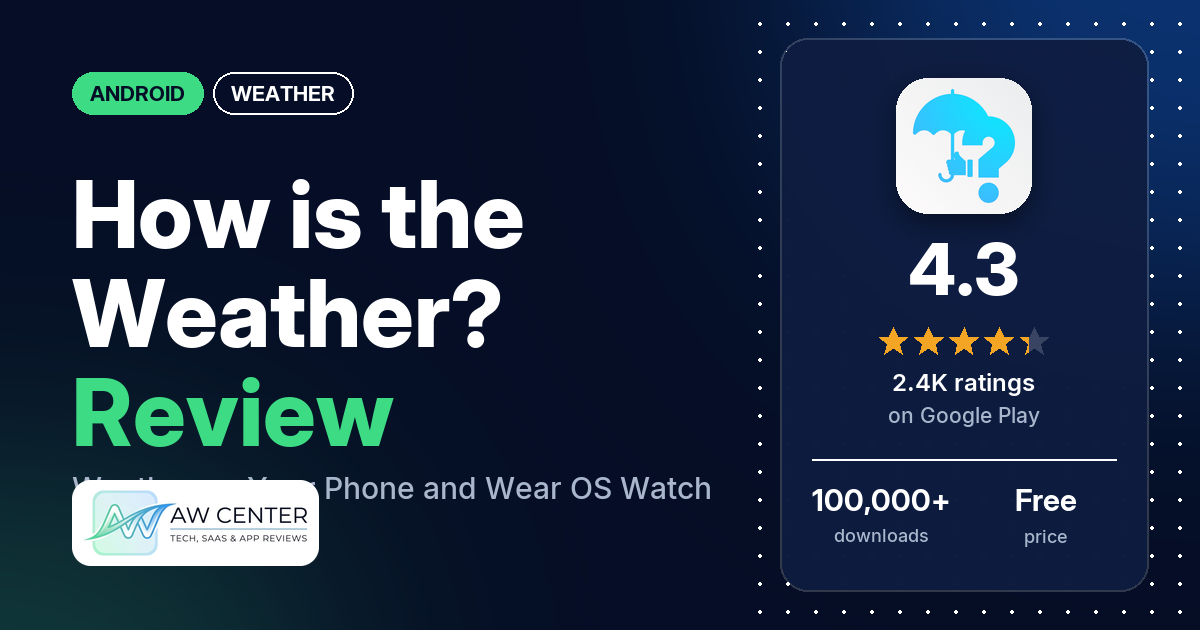
How is the Weather? – Wear OS is a free Android weather app from F. Soydan that works on your phone and runs on its own on a Wear OS watch, with tiles and free watch-face complications. It has no ads, and the premium features need a monthly, yearly or lifetime plan.
Quick verdict
If you want weather on both your phone and a Wear OS watch, this app covers both. Several reviewers praise the watch app, the amount of information and the design, and 70.4% of the ratings in the star breakdown are 5 stars. The weak spots are location and loading. Several reviewers say the app couldn’t find or get their location, and for a few, the app or its tiles stayed on “please wait” or kept loading. Several older reviews, all from 2023 or earlier, say forecasts were wrong. Forecasts come from more than one weather provider, and a developer reply (May 2024) says the app switches provider when the one you picked doesn’t respond.
How is the Weather? – Wear OS at a glance
| Developer | F. Soydan |
|---|---|
| Store listing | How is the Weather? – Wear OS on Google Play |
| Price | Free, with in-app purchases from $0.49 to $26.99 per item |
| Ads | None |
| Play Store rating | 4.3 stars from about 2,444 ratings; 1,673 of the 2,377 ratings in the star breakdown give 5 stars |
| Downloads | 100,000+ |
| Version / last updated | v121_26.10 / October 25, 2026 |
| Requires | Not in our data |
| First released | August 12, 2020 |
| Data checked | November 3, 2026 |
What is How is the Weather? – Wear OS?
It is a weather app for Android phones and Wear OS watches. The listing says it shows current, hourly and daily forecasts with detailed graphs, along with weather pictures taken by photographers. On the watch it works without the phone app, the listing says, with the same forecasts, free complications for your watch faces and tiles.
Key features
- Forecasts: current, hourly and daily weather, with detailed hourly and daily graphs.
- Weather pictures: photos taken by photographers, shown with the weather.
- Phone widgets: widgets in different sizes and styles, with app and widget themes. Two reviewers say there are 27 widgets.
- Wear OS app: runs on its own on the watch, with the same forecasts as the phone app, free complications and tiles.
- Premium plans: monthly, yearly and lifetime options, with a one-week free trial for new users.
How is the Weather? – Wear OS vs. what a weather app should have
“Listed” means the Google Play listing names the feature, and “Partial” means it covers part of it. “Not listed” means the listing doesn’t name it. “Reviews only”, “Permissions and reviews” and “Reviews and developer replies” mean we found it outside the listing.
Must have
| Feature | Status | Notes |
|---|---|---|
| Current conditions and feels-like | Partial | Current weather is listed. A developer reply (August 2023) says Widget 18 shows feels-like from different providers and Widget 25 has an hourly feels-like graph. |
| Hourly forecast | Listed | With hourly graphs |
| Daily forecast of 7+ days | Partial | A daily forecast is listed; the number of days isn’t |
| Chance of precipitation | Not listed | One reviewer asks for a chance-of-rain complication |
| Wind, humidity, UV index | Not listed | |
| Severe weather alerts | Not listed | |
| Radar map | Not listed | One reviewer asked for a radar in 2021 |
| Home-screen widgets | Listed | Different sizes and styles, plus watch tiles and complications |
| Current location and search | Permissions and reviews | Precise and approximate location permissions; one reviewer says you can search for a location |
| Unit options (°F/°C) | Reviews and developer replies | The developer’s reply to a reviewer who wanted Celsius with miles per hour points to a “Personalized Units” option |
Should have
| Feature | Status | Notes |
|---|---|---|
| Notification or lock-screen weather | Reviews only | One reviewer mentions weather in the notifications and by the clock at the top of the phone |
| Air quality | Reviews only | One reviewer says the air quality values didn’t match other sources in their area |
| Multiple saved locations | Not listed | |
| Choice of data source | Reviews and developer replies | See the provider section below |
| Layout customization | Listed | App and widget themes |
| Light and dark themes | Not listed | |
| Sunrise, sunset, moon phase | Not listed | |
| Multiple languages | Not listed | One reviewer asked for Bengali in 2021 |
Nice to have
| Feature | Status | Notes |
|---|---|---|
| Animated wind or global map | Not listed | |
| Side-by-side provider comparison | Reviews and developer replies | A developer reply (August 2023) says Widget 18 shows feels-like from different providers |
| Photography times (golden/blue hour) | Not listed | |
| Weather photos | Listed | Pictures taken by photographers |
| Pollen | Not listed | |
| Lightning strike information | Not listed | |
| Custom temperature alerts | Not listed | |
| Rain-incoming notifications | Not listed | |
| Written forecast summary | Not listed |
Radar, alerts and air quality details aren’t in the listing.
Which weather provider does it use?
The listing doesn’t name its weather providers. What we know comes from the developer’s replies to reviewers, which are dated below and may have changed since.
| Provider or setting | What the developer’s replies say | Reply date |
|---|---|---|
| HERE | HERE was the weather provider. You can see the app’s sources under Settings / About / Sources. | May 2021 |
| More sources | Version 34 (v34_25.11) added different weather sources. | November 2021 |
| HERE replaced by OpenMeteo | After problems reported by users, HERE was deprecated and replaced with OpenMeteo. | September 2023 |
| Automatic fallback | If the provider you selected doesn’t respond, the app switches to another provider (OpenMeteo in that reviewer’s case). Normally your selected provider is the default. | May 2024 |
| Met.no | A reviewer in Norway asked for Met.no; the developer said the suggestion would be considered. | July 2024 |
Reviewers’ views of the providers differ. One in Norway says Met.no is very good there, and one says HERE reported 66 degrees when it was 77 while the other two providers were correct. Don’t rely on a single app for severe weather warnings; check official alerts from your national weather service too.
Common problems and fixes
These fixes come from the developer’s replies to reviewers. Menu names may differ in newer versions.
| Problem | Developer’s suggested fix | Reply date |
|---|---|---|
| Watch can’t find your location | Some Wear OS watches need a Bluetooth connection to the paired phone to detect location. Check the location settings on both the phone and the watch. | June 2023 |
| Watch says “network provider has not been found” | Fixed in the Wear OS update v92.1_26.01. | February 2024 |
| Phone widgets go blank | Remove the widget and add it again. If that fails, close and reopen the app, then uninstall and reinstall it. If none of that works, email the developer at [email protected]. | June 2023 |
| Complication stuck on “please wait” or showing no data | The developer says a fix was made and asks you to send feedback if it continues. | October 2023 |
| Only today’s weather is shown | Use the timebar at the bottom of the hourly and daily sections (scroll the line up to open it) to pick other hours and days. | August 2021 |
| Want a different subscription plan | Go to Settings / Subscription Information / Manage subscription, cancel the current plan, use it until it expires, then choose the new one. | April 2023 |
| Want different units | Update the app and use the “Personalized Units” option. | December 2020 (reply edited later) |
Pros (from user reviews)
- Wear OS app: several reviewers praise the watch app, calling it the best weather app they found for Wear OS or saying it works well with their watch. One likes the custom complications, one the choice of watch tiles, and one having the graphs on the watch. Others report problems on the watch; see Cons.
- Lots of information: the app shows a lot of weather data, several reviewers say, and one says that is true even of the free version. Two others say the phone widgets lack information.
- Design: the layout, interface or graphics get praise from several reviewers. Two say the app is easy to use or simple. Two others say the user experience is poor.
- Accurate forecasts: a few reviewers say the forecasts are accurate, including one in August 2026. Several others say forecasts were wrong; see Cons.
- Price of premium: one reviewer calls the premium version “extremely cheap”. A few others complain about paying; see Cons.
Cons (from user reviews)
- Location problems: several reviewers say the app couldn’t find their location, got it wrong or hung while adding it. A few of them report it on a watch, including a Galaxy Watch Ultra and a Galaxy Watch 6.
- Wrong forecasts: the forecast or temperature was wrong, according to several reviewers. One says it showed 32 degrees when it was about 65. All of these reviews are from 2023 or earlier.
- Stuck loading: the app or its tiles stayed on “please wait” or kept loading for a few reviewers. One of them, in March 2026, uninstalled after 15 minutes of waiting for the watch tiles.
- Phone widget problems: a few reviewers report widget trouble, from widgets going blank to widgets out of sync with the phone app. Two say the widgets don’t show enough, and one wanted to change the fonts and font color.
- Paying: a few reviewers object to the price, or to the good features and the widgets sitting behind a subscription.
- Weather providers: a few reviewers want different or better weather sources, such as Met.no, or complain that the app switches provider on its own.
- Crashes: a few reviewers had the app crash, two of them on Pixel phones. All of these reviews are from 2023 or earlier.
- Battery: two reviewers mention battery use. One says it uses more battery than any other app on their watch, and one doesn’t like that GPS must stay on.
- Other single complaints: one reviewer says the complications show in greyscale on a Galaxy Watch 6 Classic. One wants a refresh button, and two ask for an offline mode on the watch.
The developer has replied to most reviews in our data, but none of the watch, location, loading or battery complaints posted in 2025 and 2026 has a reply. The newest review in our data is from August 2026.
Rating breakdown
| Stars | Ratings | Share |
|---|---|---|
| 5 | 1,673 | 70.4% |
| 4 | 229 | 9.6% |
| 3 | 229 | 9.6% |
| 2 | 82 | 3.4% |
| 1 | 164 | 6.9% |
Source: Google Play ratings histogram, checked November 3, 2026. The breakdown covers 2,377 ratings, fewer than the 2,444 on the listing, so shares are of 2,377.
Of the ratings in the breakdown, 10.3% are 1 or 2 stars.
Pricing
The app is free to download and has no ads. Premium features need a subscription: the listing names monthly, yearly and lifetime plans and a one-week free trial for new users. In-app items cost $0.49 to $26.99 each, and our data doesn’t say which price belongs to which plan. One reviewer says a subscription is required to use the widgets. In a 2023 reply, the developer says the remaining features are free and without ads.
Privacy and permissions
We couldn’t read the Google Play data safety section for this app, so we make no claim about what data it collects or shares. The permissions list includes precise location (GPS and network-based), approximate location, full network access, view network connections, run at startup, prevent device from sleeping, set wallpaper, read Google service configuration and the Google Play license check.
Who it’s for
How is the Weather? suits you if you wear a Wear OS watch and want a weather app that runs on it with tiles, complications and graphs, plus a matching phone app with no ads. You may want something else if you need radar or severe weather alerts, which the listing doesn’t name. If you only want phone widgets, note that one reviewer says they need a subscription.
FAQ
Does How is the Weather? work on a Wear OS watch without the phone?
The listing says the app works on its own on a Wear OS watch, with the same forecasts as the Android app, free complications and tiles. A developer reply from June 2023 says some watches need a Bluetooth connection to the paired phone to detect location.
Is How is the Weather? free?
Yes, it is free to download and has no ads. Premium features need a monthly, yearly or lifetime plan, and the listing offers a one-week free trial to new users. In-app items cost $0.49 to $26.99 each.
Which weather provider does How is the Weather? use?
The listing doesn’t say. A developer reply from September 2023 says HERE was replaced by OpenMeteo, and one from May 2024 says the app falls back to another provider when the one you selected doesn’t respond. You can see the sources under Settings / About / Sources, according to a 2021 reply.
Why does the watch app keep saying “please wait”?
Two reviewers say the watch app or its tiles stayed on “please wait”, most recently in March 2026. The developer said a fix was made in October 2023 for a similar complaint about the app sitting on “please wait”. Another reviewer says the app just keeps loading on their Samsung watch when there’s no internet connection.
How this review was put together
We haven’t tested How is the Weather? – Wear OS. This review is based on public information from official sources: the app’s Google Play or App Store listing and rating breakdown, the developer’s website when there is one, and recent user reviews on the store with the developer’s replies. Features and claims are the developer’s own descriptions; what users like and dislike comes from the store reviews. Everything was checked on November 3, 2026. Apps change with every update, so check the store listing before you install.