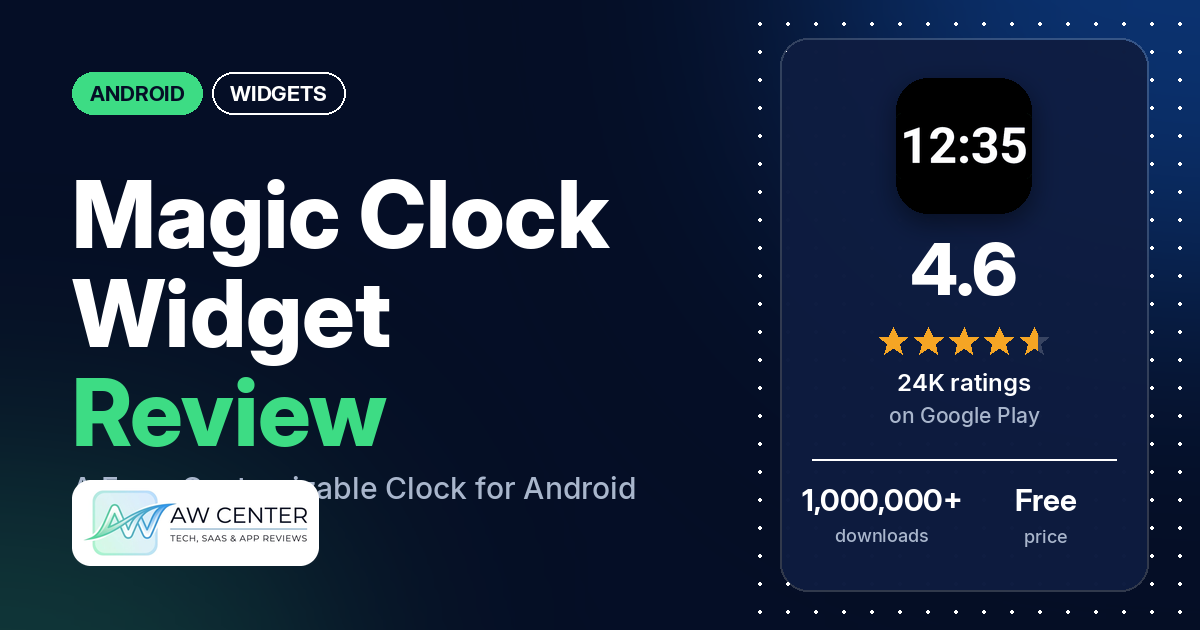
Magic Clock Widget is a free Android app from NRS Magic LTD that adds a customizable digital clock widget to your home screen, with the date, your next alarm and a choice of time zone. It’s free with no in-app purchases listed, and it shows ads.
Quick verdict
Magic Clock Widget fits you if you want a free digital clock widget you can style in detail. Customization is the most common praise in our sample, and several reviewers say they like the look. The main complaints are about how it behaves. Several reviewers want a tap on the clock to open their clock app instead of the widget settings; several say the next-alarm line shows alarms they didn’t set; and several have trouble with the linked or small font sizes. The app shows ads. About 5% of its Google Play ratings are 1 or 2 stars.
Magic Clock Widget at a glance
| Developer | NRS Magic LTD |
|---|---|
| Store listing | Magic Clock Widget on Google Play |
| Price | Free, no in-app purchases listed |
| Ads | Yes (Google Play marks the app as containing ads) |
| Play Store rating | 4.6 stars from 23,743 ratings |
| Downloads | 1,000,000+ |
| Version / last updated | 2.1.2 / October 15, 2026 |
| Requires | Not in our data |
| First released | July 17, 2024 |
| Data checked | October 17, 2026 |
What is Magic Clock Widget?
Magic Clock Widget is a home screen clock widget for Android. The listing describes it as a highly customizable clock widget with time and date formats, a next-alarm display, time zone support, layouts and sizes, backgrounds, and color and font settings. It doesn’t replace your clock or alarm app: a January 2026 developer reply says the app “includes only widgets and does not replace your clock app”. An April 2025 developer reply says the app has “only wide and tall (stacked) digital clock widgets”.
Key features
- Time and date formats: the listing says you can choose 12-hour or 24-hour time and different date styles.
- Next alarm: the listing says the widget can show your next scheduled alarm.
- Time zones: the listing names time zone support. Developer replies say to switch off “Use device timezone” in the widget settings to pick another zone.
- Layouts and sizes: the listing says you can choose a layout and adjust the widget’s size.
- Backgrounds: a variety of backgrounds. A June 2025 developer reply says a transparent background is under “Background” > “Widget background type”.
- Colors and fonts: the listing says you can personalize colors, fonts and other details.
Magic Clock Widget vs. what a widget app should have
The Status column shows where we found each feature. “Listed” means the Google Play listing names it. “Partial” means the listing covers part of it. “Reviews only” or “Reviews and developer replies” means we found it outside the listing. “Not listed” means we found nothing in the listing to show the app has it. The table checks what the app offers, not how well each feature works.
Must have
| Feature | Status | Notes |
|---|---|---|
| Home screen widgets in several sizes | Listed | The listing says layouts and sizes can be adjusted. A developer reply names a wide and a tall (stacked) widget. |
| Lock screen widgets | Not listed | Two reviewers say it doesn’t work on their lock screen; one reviewer says they use it there. A June 2025 developer reply says Android didn’t offer lock screen widgets at the time, and a September 2026 reply says Samsung’s default lock screen allows only a few widgets. |
| Design editor (text, images, shapes, layout) | Partial | Colors, fonts, layouts and backgrounds are listed. A January 2025 developer reply says there’s no built-in shape option. |
| Ready-made designs or templates | Partial | The listing names various layouts. Developer replies mention templates. |
| Common data (time, date, weather, calendar, battery) | Partial | Time, date and the next alarm. No weather, calendar or battery data is listed. |
| Stays up to date | Not listed | No refresh settings are listed. One reviewer says the widget keeps lagging with the minutes. |
| Transparent or wallpaper-matching background | Reviews and developer replies | Not named in the listing. Two reviewers mention a transparent or removed background, and a developer reply explains the setting. |
Should have
| Feature | Status | Notes |
|---|---|---|
| Usable free tier | Listed | The app is free, and Google Play lists no in-app purchases. |
| Tap actions that open apps | Reviews and developer replies | Developer replies say tapping the alarm opens the alarm app, the date opens the calendar, and the rest opens the settings. The replies describe no setting to change this. |
| Help, tutorials or a support contact | Reviews and developer replies | Developer replies give [email protected]. One reviewer says they couldn’t find a way to send feedback in the app. |
| Restoring purchases on a new device | Not listed | Google Play lists no in-app purchases. |
| Smartwatch faces or complications | Not listed | |
| Sharing or importing designs | Not listed | |
| Music or now-playing data | Not listed | |
| Health and fitness data | Not listed |
Nice to have
| Feature | Status | Notes |
|---|---|---|
| 12/24-hour choice | Listed | |
| Seconds display | Reviews only | One reviewer says it can show seconds. |
| Date formats | Listed | One reviewer couldn’t get their preferred date format, and one wants ordinal dates (1st, 2nd, 3rd). |
| Time zones or a world clock | Listed | One reviewer couldn’t find a way to show two clocks in one widget. A November 2025 developer reply points to the developer’s other app, World Clock & Widget, for that. |
| Launcher integration and compatibility | Reviews and developer replies | One reviewer says it works well with Nova Launcher. One using Microsoft Launcher on Android 16 says they had to reinstall after every restart; the developer’s reply says it couldn’t reproduce this. |
| Tablet and desktop support | Reviews only | Two reviewers use it on a tablet. |
| No ads | Not listed | Google Play marks the app as containing ads. |
| One-time purchase instead of a subscription | Not listed | The app is free with no in-app purchases listed. |
| Custom data sources, charts or automation | Not listed |
Common problems
Most of these reports come from 1- to 3-star reviews, and about 5% of all Google Play ratings are 1 or 2 stars. Reports run from 2024 to 2026, and newer versions may behave differently. The developer replied to almost every review in our sample. The replies below are dated and may have changed.
| Problem | What reviewers report | When | What the developer replies say |
|---|---|---|---|
| Tapping the clock opens the settings | Several reviewers want a tap on the widget to open the clock or alarm app instead of the widget settings. | September 2024 to October 2026 | Tap the next alarm or the alarm icon to open the alarm app, and the date to open the calendar. An August 2025 reply says the alarm icon can be set to always show, in the alarm clock section of the widget settings. |
| Next alarm shows an alarm you didn’t set | Several reviewers say the next-alarm line shows a random time, an alarm they didn’t set, or calendar reminders. A few mention Samsung devices or apps. | June 2025 to June 2026 | Some apps, such as Samsung Calendar, put event alarms into the device’s alarms API. Replies from January and June 2026 suggest turning off the alarm or notification in calendar events, or switching to Google Calendar. |
| Can’t set an alarm | Several reviewers can’t find how to set or open alarms. | May 2025 to January 2026 | The app only shows alarms set by other apps, usually the clock app, and doesn’t replace it. |
| Clock text too small, or sizes linked | A few reviewers say making the date bigger makes the time smaller, or the reverse. A few others say the clock text is too small. | March 2025 to August 2026 | The app uses the largest font that fits. Resize the widget or remove the date and alarm. A February 2026 reply says the linked sizes are intended. |
| Date cut off at the bottom | Two reviewers say the bottom of the widget, with the date, is cut off. One names a Pixel 9 on Android 14. | July to September 2025 | A September 2025 reply suggests adding a new line at the end of the date as a temporary patch. |
| Can’t add the widget | A few reviewers couldn’t get the widget onto the home screen. | June 2025 to July 2026 | Place the widget from the home screen with a long press, not from the app. |
| Broken after an update | One reviewer says that after updating to version 2.0.7 the app showed a blank screen and the widget showed no time, while 2.0.6 worked. | August 2026 | The reply asks whether the app was installed from Google Play. |
Pros (from user reviews)
- Customization: the most common praise in our sample. Several reviewers like the number of options and settings, or say they changed the font, size, color and background to what they wanted. A few say it has more options than other apps they tried. A few others say it could be more adjustable, or don’t like the colors or corner shape.
- Looks: several reviewers say the widget looks good or nice. One says the colors and face styles are not very good.
- Better than the built-in clock widget: a few reviewers say it does more than the clock widget that came with their phone or tablet.
- Easy to use: a few reviewers call it easy to use or user friendly. A few others say it was hard to install, hard to understand, or that the settings are tedious.
- Free: a few reviewers point out that it’s free. Two say it has no ads, but Google Play marks the app as containing ads, and a few reviewers complain about them.
- Works without problems for some: a few reviewers say it works well or without glitches, including one who says it has worked for years. Others report problems (see Cons).
- Time zones: two reviewers praise the time zone options, including one who calls it the best world time widget of the ones they tried.
Cons (from user reviews)
- Tapping opens the settings: several reviewers want a tap on the clock to open their clock or alarm app, not the widget settings, and two say this cost a star or made them uninstall. Developer replies say tapping the alarm or the alarm icon opens the alarm app and tapping the date opens the calendar. One reviewer likes this setup.
- Wrong or phantom next alarm: several reviewers say the next-alarm line shows a time they didn’t set, and a few link it to calendar reminders. A February 2026 developer reply says the official Android API gives only the next alarm, and there’s no good way around it without risking hiding a real clock alarm.
- Confusion about alarms: several reviewers expected to set alarms in the app. It only shows alarms set by other apps.
- Font sizes: several reviewers have font-size trouble. A few say the time and date sizes are linked, and a few say the clock text is too small.
- Ads and privacy: a few reviewers complain about the ads, including one who would pay to remove them. Developer replies say the app uses only banner ads and has no in-app purchases. A few reviewers raise privacy worries.
- Setup and wasted space: a few reviewers couldn’t get the widget onto their home screen, and a few say it leaves too much empty space.
- Problems after updates: a few reviewers say an update broke something, such as a blank widget or smaller fonts.
- Lock screen: two reviewers say they can’t use it on their lock screen.
- Requests: two reviewers want more or their own fonts. Single reviewers ask for an analog clock, text shadow, shapes, rounded corners, two clocks in one widget, ordinal dates and a pin to stop accidental changes.
About three in ten reviews in our sample are 1 or 2 stars because of how the sample was drawn (see the last section). Across the rating breakdown, about 5% are 1 or 2 stars and 80.0% are 5 stars, so 1- and 2-star ratings are a small share of the total.
Rating breakdown
| Stars | Ratings | Share |
|---|---|---|
| 5 | 18,981 | 80.0% |
| 4 | 2,585 | 10.9% |
| 3 | 861 | 3.6% |
| 2 | 430 | 1.8% |
| 1 | 861 | 3.6% |
Source: Google Play ratings histogram, checked October 17, 2026. The histogram adds up to 23,718 ratings, slightly fewer than the 23,743 total, and the shares are of the histogram total. Shares are rounded.
Pricing
Magic Clock Widget costs you nothing, and Google Play lists no in-app purchases. Google Play marks the app as containing ads, and a February 2025 developer reply says ads are its only revenue: bottom banner ads in the confirmation screen. One reviewer in April 2025 says they were shown a free trial followed by a charge; the developer’s reply says the app is “completely free and doesn’t include any paid features” and that the reviewer may have mistaken it for a different app.
Privacy and permissions
We couldn’t read the Google Play data safety section for Magic Clock Widget, so we make no claim about what it declares there. The Play Store’s permissions list shows: Google Play license check, full network access, prevent device from sleeping, set an alarm, and view network connections. The listing doesn’t explain what each permission is used for. A few reviewers raise privacy worries. Developer replies say the app uses standard banner ad providers and that it states which data is shared with third parties.
Who it’s for
Pick Magic Clock Widget if you want a free digital clock widget with control over fonts, colors, formats and time zone, and you’re fine with banner ads. It’s a weaker fit if you want a tap on the clock to open your clock app (developer replies describe no setting for that), if you use calendar reminders that may show up as the next alarm, if you want a large clock with a small date, or if you want a lock screen widget.
FAQ
Is Magic Clock Widget free?
Yes. You can get it free on Google Play, with no in-app purchases listed. Google Play marks the app as containing ads, and developer replies say these are banner ads.
Why does tapping the clock open the settings?
Developer replies say this is how the widget works. Replies from 2024 to 2026 say tapping the next alarm or the alarm icon opens the alarm app, tapping the date opens the calendar, and tapping anywhere else opens the widget settings. An August 2025 reply says the alarm icon can be set to always show.
Why does the widget show an alarm I didn’t set?
Several reviewers in our sample report this. The widget shows the next alarm that Android reports, and some apps, such as Samsung Calendar, add event reminders there. Developer replies suggest you turn off the alarm or notification in those calendar events, or switch to Google Calendar.
Can it show a different time zone?
Yes. The listing names time zone support, and developer replies say to switch off “Use device timezone” in the widget settings and pick the zone you want. For several clocks in one widget, a November 2025 developer reply points to the developer’s other app, World Clock & Widget.
How this review was put together
We haven’t tested Magic Clock Widget. This review is based on public information from official sources: the app’s Google Play or App Store listing and rating breakdown, the developer’s website when there is one, and recent user reviews on the store with the developer’s replies. Features and claims are the developer’s own descriptions; what users like and dislike comes from the store reviews. Everything was checked on October 17, 2026. Apps change with every update, so check the store listing before you install.