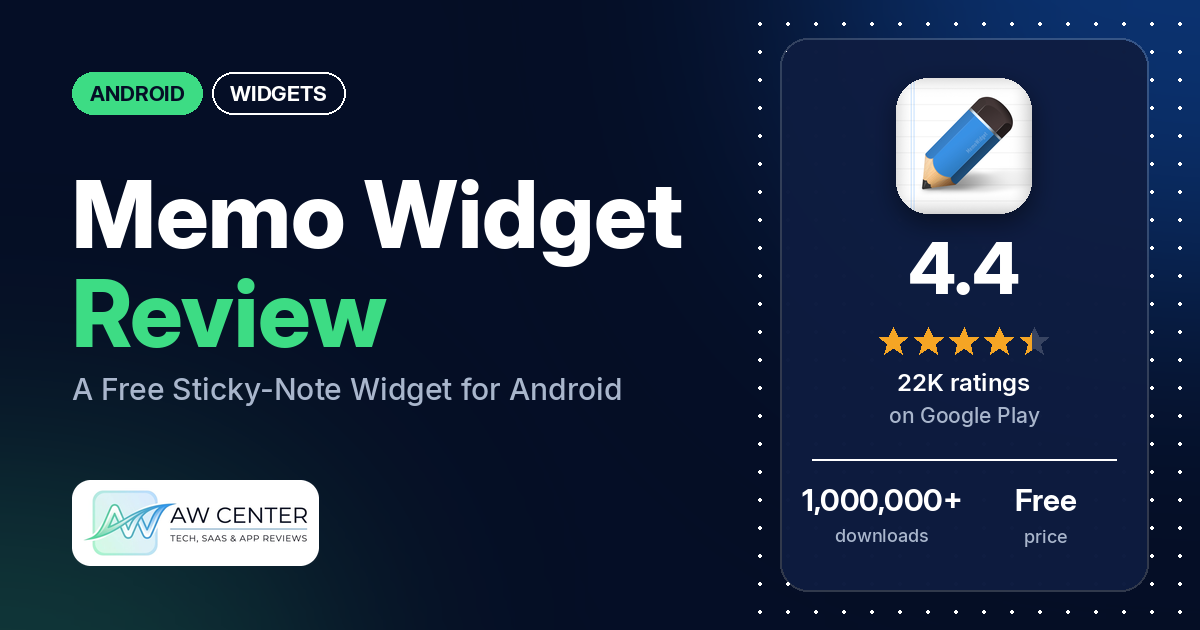
Memo Widget (listed as “Memo Widget (to-dos&ideas)”) is a free Android app that puts notes and to-do lists on your home screen. It shows ads, and the listing says a Premium subscription removes them and adds sync, a passcode and photo uploads.
Quick verdict
If you want a plain sticky-note or checklist widget with a transparent background, Memo Widget is an easy pick. Many reviewers call it simple or easy to use, and several single out the customization and the transparency option. The catch is reliability and cost. Several reviewers say notes were lost, overwritten or duplicated, including a few in 2026, and several dislike the Premium subscription. Across all ratings, 71.1% are 5 stars and 8.0% are 1 or 2 stars. Back up your notes before you rely on it for anything important.
Memo Widget at a glance
| Developer | TheDayBefore, Inc. |
|---|---|
| Store listing | Memo Widget (to-dos&ideas) on Google Play |
| Price | Free, with in-app purchases from $2.99 to $14.49 per item |
| Ads | Yes |
| Play Store rating | 4.4 stars from 21,500 ratings (71% are 5-star) |
| Downloads | 1,000,000+ |
| Version / last updated | v5.2.1 / November 18, 2026 |
| Requires | Not in our data |
| First released | August 6, 2010 |
| Data checked | November 21, 2026 |
What is Memo Widget?
It is a memo app built around the home-screen widget. You write a note or a checklist, then place it on your home screen as a widget in the size you want. The listing says it also has to-do task management, color settings per memo, color groups, and an option to show a memo in the status bar. The app has been on Google Play since August 2010.
Key features
- Widget sizes: 1×1, 2×1, 2×2, 4×1, 4×2, 4×4, 5×1, 5×2 and 5×5, plus an adjustable size.
- Customization: text size and color, background color, border color, transparent background, text shadow, bold, italic, underline and text alignment.
- To-do tasks: to-do task management, with memos you can color-code by memo or by group.
- Premium (subscription): sync, ad removal, a passcode, background photos and pattern images, and photo uploads of up to 10 pictures in one memo.
- Backup: the listing says storage access is used for backing up and recovering memos.
Memo Widget vs. what a widgets app should have
“Listed” means the Google Play listing names the feature, and “Partial” means it covers part of it. “Reviews and developer replies” means we found it there instead. Memo Widget is a note widget, so several rows for widget-builder apps, such as weather or music data, don’t apply to it.
Must have
| Feature | Status | Notes |
|---|---|---|
| Home Screen widgets in several sizes | Listed | Nine fixed sizes and an adjustable size. |
| Lock Screen widgets | Reviews and developer replies | Reviewers describe notes on the lock screen, which developer replies call the first screen. The listing doesn’t mention it. |
| Design editor (text, images, shapes, layout) | Partial | Text, background and border styling, alignment and photo uploads (Premium). No shapes or layout editor is listed. Several reviewers want more font and color control. |
| Ready-made designs or templates | Partial | Premium adds background photos and pattern images. No templates are listed. |
| Common data (time, date, weather, calendar, battery) | Not listed | |
| Widgets that stay up to date | Reviews only | Several reviewers, 2015 to 2022, say widgets froze, vanished or showed nothing. |
| Transparent or wallpaper-matching backgrounds | Listed | A 2023 developer reply says where to set it: widget design settings, then Background, then Transparent. |
Should have
| Feature | Status | Notes |
|---|---|---|
| Smartwatch faces or complications | Not listed | |
| Tap actions that open apps | Not listed | |
| Sharing or importing designs | Not listed | One 2025 reviewer says you can share text out of the app but not into it. |
| Music or now-playing data | Not listed | |
| Health and fitness data | Not listed | |
| Help, tutorials or a support contact | Partial | The listing has one line on how to add the widget. Developer replies give [email protected]. |
| Usable free tier | Listed | Free with ads. A 2024 developer reply says you can use the app without a subscription. |
| Restoring purchases on a new device | Reviews and developer replies | A January 2024 reply says to use Restore your purchase under MemoWidget Premium in the app menu. |
Nice to have
| Feature | Status | Notes |
|---|---|---|
| Custom data sources (JSON, API) | Not listed | |
| Charts and gauges | Not listed | |
| Launcher integration and compatibility | Not listed | |
| Tablet and desktop support | Not listed | One 2024 reviewer calls the tablet experience noisy and not smooth. |
| Shortcuts or automation integration | Not listed | |
| One-time purchase instead of a subscription | Not listed | The listing describes Premium as a subscription. |
| No ads | Not listed | The free version has ads; Premium removes them. |
It covers notes, checklists and styling, and little else: no clock, weather or calendar data, and no templates.
Common problems and fixes
These come mostly from low-star reviews: 1- and 2-star ratings make up 8.0% of all ratings. The developer replies below are dated, so menus and versions may have changed.
| Problem | What reviewers report | What the developer’s replies say |
|---|---|---|
| Notes lost, overwritten or duplicated | Several reviewers, 2019 to 2026, including a few in 2026 (a note replaced by another note’s text, a memo wiped on a Pixel 10 Pro XL, text gone after tapping Done). | Update to the latest version (v5.1.3, June 2026; v5.0.82, March 2026). A January 2024 reply says a bug was fixed in v5.0.36 but that deleted data couldn’t be recovered. |
| Extra screen over the lock screen | Several reviewers, 2020 to 2024, say a screen or plus symbol appears when the phone wakes or unlocks. | Menu, then Settings, then turn Use First screen off; also turn Show on status bar off in the memo’s menu (November 2024). |
| Editor jumps to the bottom while typing | A few reviewers, 2023 to 2025. | A January 2025 reply says Grammarly’s writing assistant in the Samsung keyboard causes it; turn Writing Assistant off in the keyboard settings. |
| Notes missing after a phone change | Two reviewers, 2022 and 2023. | Back up to Google Drive in Settings, then use Restore in Google Drive on the new phone (September 2023). It only works if you made the backup first. |
| Ads return on a new phone after buying Premium | One reviewer, January 2024. | Use Restore your purchase in the app menu, with the same Google account. |
| Widget shows a black box | One reviewer, February 2025, on a Samsung Galaxy S25 Ultra. | The reply asks for a screenshot sent to the support email. |
Pros (from user reviews)
- Simple and easy to use: many reviewers call it simple or easy to use. A few find parts of it hard, such as setup or text formatting.
- Customization: several reviewers like how much they can change about how the widgets and notes look. Several others ask for more, mostly font choice and per-word color or bold.
- Transparent backgrounds: several reviewers like the transparent widget, two say it is why they chose the app, and one calls it the thing other notepad apps lack.
- Lists and reminders on the home screen: several reviewers use it for to-do lists, shopping lists or things to remember, and one says the list is there every time they look at the phone.
- Long-term use: several reviewers say they have used it for years, some across more than one phone. One 2024 reviewer says the backup and restore across two phones worked and was free.
Cons (from user reviews)
- Lost or changed notes: several reviewers say notes disappeared, overwrote each other, duplicated or failed to save, and a few of those reports are from 2026. Several others say backup or restore failed or notes didn’t move to a new phone.
- Lock screen takeover: several reviewers, 2020 to 2024, dislike an extra screen that appears when the phone wakes. A few other reviewers like having notes on the lock screen.
- Subscription price: several reviewers dislike the Premium subscription and ask for a one-time purchase or lifetime option. One 2026 reviewer calls the monthly subscription expensive, and a 2023 reviewer says restoring lost memos would cost $15 a year.
- Ads: several reviewers complain about ads, most of them from 2015 to 2019 and describing flashing, full-page or audio ads. One 2026 reviewer calls the ads across the bottom click bait.
- Antivirus and permission worries: several reviewers, mostly 2015 to 2017, say an antivirus app flagged it or ask why it needs certain permissions. We can’t verify those reports.
- Missing features: a few reviewers want an alarm or reminder for a note, and two want a find-in-text search inside a long note. One wants to share text into the app.
The sample adds extra low-star reviews, so complaints are overrepresented above. Across all ratings, 71.1% are 5-star and 8.0% are 1 or 2 stars.
Rating breakdown
| Stars | Ratings | Share |
|---|---|---|
| 5 | 15,258 | 71.1% |
| 4 | 3,002 | 14.0% |
| 3 | 1,501 | 7.0% |
| 2 | 212 | 1.0% |
| 1 | 1,501 | 7.0% |
Source: Google Play ratings histogram, checked November 21, 2026. The histogram adds up to 21,474 ratings, 26 fewer than the 21,500 total, and the shares are of the histogram total.
Pricing
Memo Widget is free with ads. Our data lists in-app purchases from $2.99 to $14.49 per item. The listing describes Premium as a subscription that adds sync, ad removal, a passcode, background photos and pattern images, and photo uploads. A 2024 developer reply says the app works without Premium. Reviewers quote costs and say they want a one-time purchase: one in September 2026 calls the monthly subscription expensive, and one in December 2023 mentions $15 a year.
Privacy and permissions
We couldn’t read the Google Play data safety section for this app, so we make no claim about what it declares there. The listing says storage access is used for backing up and recovering memos.
The Play Store permissions list shows: Google Play license check, control vibration, disable your screen lock, draw over other apps, full network access, modify or delete the contents of your USB storage, precise location (GPS and network-based), prevent device from sleeping, read Google service configuration, read phone status and identity, read the contents of your USB storage, receive data from Internet, run at startup, take pictures and videos, view Wi-Fi connections and view network connections. For a note app that is a long list. The listing explains only the storage permission, and the data doesn’t say what the others are used for.
Who it’s for
Memo Widget suits you if you want a plain note or checklist on your home screen, with a transparent background and enough styling to make it match your wallpaper. It is a weaker fit if your notes are valuable and you don’t back them up, if you want a one-time purchase instead of a subscription, or if you need alarms, search inside notes or fine control over fonts. If an extra screen shows up when your phone wakes, the developer’s replies say to turn Use First screen off in the settings.
FAQ
Is Memo Widget free?
Yes, it’s free to download and shows ads. Our data lists in-app purchases from $2.99 to $14.49 per item, and the listing describes Premium as a subscription for sync, ad removal, a passcode, extra backgrounds and photo uploads. A 2024 developer reply says you can use the app without a subscription.
How do I stop Memo Widget from showing a screen over my lock screen?
A November 2024 developer reply says to open the app, go to Menu, then Settings, and turn Use First screen off. The same reply says to turn Show on status bar off in the memo’s menu. These steps may have changed in newer versions.
Can I move my notes to a new phone?
A September 2023 developer reply says to make a Google Drive backup in the app (Menu, Settings, Backup) and then use Restore in Google Drive on the new phone. A reviewer in 2023 lost notes on a new phone, and the reply says restoring works only if a backup was made beforehand. The listing says Premium also adds sync.
Why does the editor jump to the bottom of my note?
A few reviewers reported this between 2023 and 2025. A January 2025 developer reply says Grammarly’s writing assistant on the Samsung keyboard causes it, and that turning Writing Assistant off in the keyboard settings stops it.
How this review was put together
We haven’t tested Memo Widget. This review is based on public information from official sources: the app’s Google Play or App Store listing and rating breakdown, the developer’s website when there is one, and recent user reviews on the store with the developer’s replies. Features and claims are the developer’s own descriptions; what users like and dislike comes from the store reviews. Everything was checked on November 21, 2026. Apps change with every update, so check the store listing before you install.