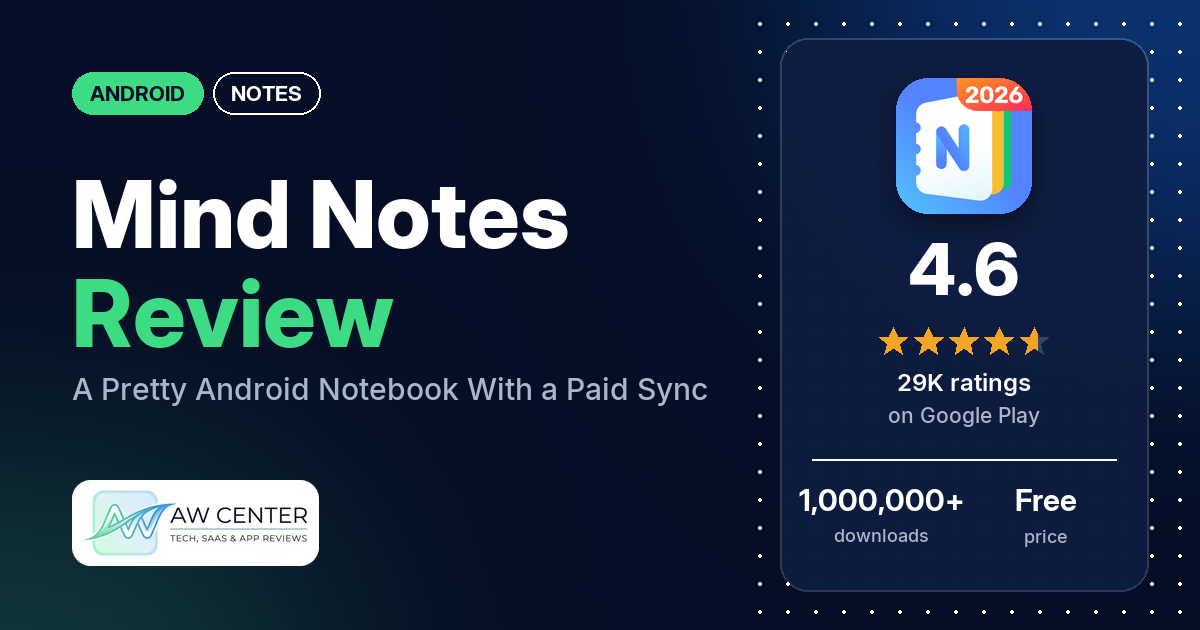
Mind Notes (listed as “Mind Notes: Note-Taking Apps”) is an Android notebook app from Gulooloo Tech with folders, checklists, themes, note locks and a sticky-note widget. It’s free to download with ads, and in-app purchases run from $3.49 to $59.99.
Quick verdict
If you want a good-looking notebook that keeps school or work notes in folders, that’s what the listing pitches Mind Notes for, and several reviewers praise it on exactly that point. The trouble starts when you pay. Several reviewers find too much behind the paywall, reviewers say sync isn’t free, and several who did pay report that sync or backup failed, some with no answer from support. If your notes need to be on more than one device, test sync and backup before you rely on it. Low ratings are a minority: 5.0% of all ratings are 1 or 2 stars.
Mind Notes at a glance
| Developer | Gulooloo Tech Co., Ltd. |
|---|---|
| Store listing | Mind Notes on Google Play |
| Price | Free, with in-app purchases of $3.49 to $59.99 per item |
| Ads | Yes |
| Play Store rating | 4.6 stars from 28,786 ratings (82% are 5-star) |
| Downloads | 1,000,000+ |
| Version / last updated | 1.1.05.0824 / August 24, 2026 |
| Requires | Not in our data |
| First released | July 20, 2022 |
| Data checked | October 25, 2026 |
What is Mind Notes?
It’s a notes and notebook app for Android. The listing pitches it for shopping lists, school notes and work schedules, with notes sorted into categories and multilayered folders, checklists, reminders, a calendar view and a home-screen widget. You can attach audio, photos, drawings and files, lock notes with a password, and export to PDF or pictures. It has been on Google Play since July 2022 and has passed 1,000,000 downloads.
Key features
- Folders and categories: multilayered folders, with notes sortable by time and searchable.
- Checklists and reminders: checklists for tasks, and reminders on notes and sticky notes.
- Formatting and drawing: bold, font size and font color, plus a drawing board.
- Attachments: audio, photos, drawings and files.
- Password lock: lock single notes or a whole category.
- Calendar mode: view your notes on a calendar.
- Sync and backup: the listing says notes sync between Android phones and tablets.
- Export and import: export notes to PDF or pictures, and import notes into notebooks.
- Themes and widget: notepad themes, colored notes and backgrounds, and a sticky-note widget with its own themes.
Mind Notes vs. what a notes app should have
“Listed” means the Google Play listing names the feature, and “Partial” means it covers part of it. “Reviews only” and “Reviews and developer replies” mean we found it there instead, and “Not listed” means we found it nowhere.
Must have
| Feature | Status | Notes |
|---|---|---|
| Fast note creation | Listed | The listing says you can take notes quickly. |
| Organization (tags, folders or flags) | Listed | Categories and multilayered folders. Two reviewers say there are no tags. |
| Search or filtering | Listed | A few reviewers ask for search inside notes. |
| Sync across devices | Listed | Android phones and tablets. Reviewers say it’s paid, and several report it failing. |
| Sharing or exporting | Listed | PDF and picture export. |
| Home-screen widget | Listed | Sticky-note widget. |
| Backup or recovery | Listed | A February 2026 reply says deleted notes are under Categories > Recently Deleted. Several reviewers report backups failing. |
Should have
| Feature | Status | Notes |
|---|---|---|
| Markdown or plain-text formatting | Partial | Bold, font size and color. No Markdown is mentioned. |
| Dictation or voice capture | Partial | Audio attachments are listed; dictation isn’t. |
| Themes and dark mode | Partial | Themes are listed. A January 2026 reply says free dark backgrounds are available. |
| Font and layout customization | Partial | Font size and color. Several reviewers want font styles or a default font size. |
| Share-sheet capture | Partial | The listing says importing notes into notebooks works, without detail. |
| Google Assistant or app shortcuts | Not listed | |
| Smartwatch capture | Not listed | One reviewer asks for a watch app. |
Nice to have
| Feature | Status | Notes |
|---|---|---|
| Automation or scripting | Not listed | |
| AI/LLM integration | Not listed | |
| Images or attachments | Listed | A few reviewers report photo problems. |
| Collaboration on a note | Not listed | |
| Web or Windows access | Not listed | Several reviewers ask. A September 2026 reply says there are no immediate plans for a web version. |
| Note lock or encryption | Partial | Password lock for notes or categories; encryption isn’t mentioned. |
| Accessibility features | Not listed | One reviewer finds the default text too small to read. |
The listing covers the basics. Reviewers find the weak spots in sync, backup and fonts.
Common problems and fixes
Most of these come from 1- to 3-star reviews, which make up 7.5% of all ratings. The developer’s replies are dated, and menu names may differ in newer versions.
| Problem | What reviewers report | What the developer’s replies say |
|---|---|---|
| Sync or backup doesn’t work | Several reviewers, April 2024 to September 2026, including paying users. Two saw a “file fetch” error. | Log in with the same Google account on every device and turn on auto-sync under Settings > Sync; if it still fails, email [email protected] with screenshots or a video (September 2026). |
| Paid features missing on a second device | A few reviewers, January to September 2026. | Log in to the Google Play Store with the account you bought with, open Mind Notes and tap “Restore Purchase” (2026). |
| Charged for a subscription after buying lifetime | Two reviewers, March and June 2026. | Buying lifetime doesn’t cancel an existing monthly or yearly subscription; cancel it yourself in Google Play (June 2026). |
| Want to lock the whole app | One reviewer, September 2026. | Sidebar Menu > Settings > Lock. To lock one note, long-press it or use “More” in the editor (September 2026). |
| Recovering a deleted note | Not a reported problem in our sample. | Deleted notes are under Categories > Recently Deleted (February 2026). |
| Dark backgrounds seem to cost money | One reviewer, January 2026, says dark backgrounds cost $11. | The reply says free dark backgrounds are available and some themed or decorative backgrounds are VIP-only (January 2026). |
| Arabic letters appear separated | Several reviewers report Arabic, right-to-left or Hindi text problems, April 2024 to September 2026. | No developer reply about Arabic text in our sample. |
| Editing a note changes its date | One reviewer, July 2026. | The developer asked for a screen recording to investigate (July 2026). |
Pros (from user reviews)
- Keeps notes organized: several reviewers praise the folders and categories, and one calls it a “Very good organizer for my chaos”. A few want more control, such as manual ordering or deeper sub-labels.
- Easy to use: several reviewers call it easy or intuitive. A few found it too busy or, in one case, couldn’t work out how to create a folder.
- Looks: several reviewers like the covers, backgrounds, templates and overall design. A few wish the free version had more covers, and one calls the designs ugly.
- Good for studying: several reviewers use it for school or study notes.
- Feature set: a few reviewers say it has everything they need, and one lists sync, voice, images, text and lists.
Cons (from user reviews)
- Paywall: several reviewers say too much is paid or call it expensive or “money hungry”. Reviewers say sync isn’t free, one says you get only 2 colors without a subscription, and two say they weren’t told it was paid. A June 2026 developer reply says most core features are free with no usage limit, and a February 2026 reply mentions plans for more free features and “more reasonable pricing options”.
- Sync and backup failures: several reviewers say sync or backup doesn’t work, and several of them say they paid. Two in September 2026 say local backup is slow or gets stuck, one of them once notes and images get heavy.
- Support: several reviewers, mostly in 2024 and 2025, say emails about sync, refunds or billing went unanswered.
- Typing and editing bugs: several reviewers report text glitches, such as random input with the Samsung keyboard, the note jumping to the bottom while typing, fonts reverting, or checklists behaving oddly. One says half their notes disappeared.
- Other languages: several reviewers say Arabic letters come out separated or right-to-left text isn’t supported, and one reports trouble with Hindi.
- Fonts: several reviewers want font styles or a default font size. One uninstalled because the default text was too small to read.
- No web or Windows app: several reviewers want to use it on a computer.
- Pop-ups and ads: a few reviewers complain about upgrade pop-ups, a few about ads, and a few about being asked for a rating right after installing.
- Purchases: a few reviewers couldn’t get their purchase to show on a second device, and two were charged for a subscription after buying lifetime access (see Common problems).
- Smaller issues: a few report crashes, a few report photo problems, a few dislike calendar items showing among notes, and two say reminders don’t always fire.
The reviews we read include extra low-star reviews on purpose, so complaints are overrepresented here. Across all ratings, 82.2% are 5-star and 5.0% are 1 or 2 stars.
Rating breakdown
| Stars | Ratings | Share |
|---|---|---|
| 5 | 23,604 | 82.2% |
| 4 | 2,950 | 10.3% |
| 3 | 719 | 2.5% |
| 2 | 223 | 0.8% |
| 1 | 1,214 | 4.2% |
Source: Google Play ratings histogram, checked October 25, 2026. The histogram adds up to 28,710 ratings, 76 fewer than the 28,786 total, and the shares are of the histogram total.
Pricing
Mind Notes is free to download and shows ads. In-app purchases run from $3.49 to $59.99 per item, and the listing doesn’t say what the paid tier (the developer’s replies call it VIP) includes. The developer’s replies say VIP removes ads and adds advanced features. From reviews: there are monthly, yearly and lifetime options; one reviewer quotes $15.99 a year (September 2026), and one mentions a $30.00 lifetime payment (March 2026). Reviewers also say sync is a paid feature. If you switch to lifetime, cancel your old subscription in Google Play yourself, per a June 2026 reply.
Privacy and permissions
We couldn’t read the Google Play data safety section for this app, so we make no claim about what it declares there. The listing says you can lock single notes or whole categories with a password.
The Play Store’s permissions list shows: Google Play license check, control vibration, create accounts and set passwords, full network access, install shortcuts, modify or delete the contents of your USB storage, prevent device from sleeping, read sync settings, read sync statistics, read the contents of your USB storage, receive data from Internet, record audio, run at startup, set an alarm, toggle sync on and off, uninstall shortcuts, view Wi-Fi connections, and view network connections.
Who it’s for
Mind Notes suits you if you keep notes on one Android device and want them sorted into themed notebooks and folders, with checklists, a calendar view and a widget. Several reviewers use it for study notes. It’s a weaker fit if you need reliable sync across devices, write in Arabic or another right-to-left script, want to use your notes on a computer, or dislike ads and upgrade prompts. If you do pay, try sync and backup right away.
FAQ
Is Mind Notes free?
It’s free to download, with ads and in-app purchases from $3.49 to $59.99. A June 2026 developer reply says most core features are free with no usage limit, and a January 2026 reply says VIP removes ads and adds advanced features. Reviewers say sync is paid.
Does Mind Notes sync between devices?
The listing says it syncs notes between Android phones and tablets. Reviewers say it’s a paid feature, and several report sync or backup failing. A September 2026 reply says to use the same Google account on every device and turn on auto-sync in Settings > Sync.
Why don’t my paid features show up on my tablet?
The developer’s replies say to log in to the Google Play Store with the account you used to buy, then open Mind Notes and tap “Restore Purchase”. A few reviewers had this problem in 2026.
Is there a Mind Notes app for Windows or the web?
No. The listing covers Android only, and a September 2026 reply says there are no immediate plans for a web version. Several reviewers ask for one.
How this review was put together
We haven’t tested Mind Notes. This review is based on public information from official sources: the app’s Google Play or App Store listing and rating breakdown, the developer’s website when there is one, and recent user reviews on the store with the developer’s replies. Features and claims are the developer’s own descriptions; what users like and dislike comes from the store reviews. Everything was checked on October 25, 2026. Apps change with every update, so check the store listing before you install.