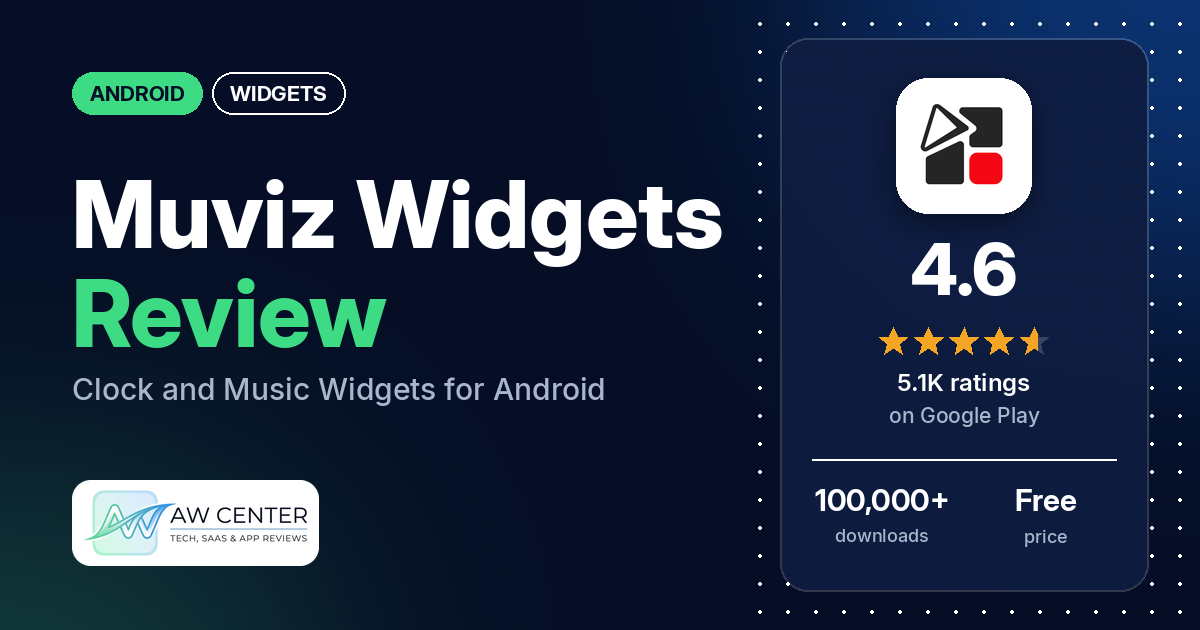
Muviz Widgets is an Android app from Sparkine Labs with ready-made clock, music and battery widgets that follow your phone’s Material You colours. It is rated highly on Google Play, but the problem reviewers report most is a clock widget that shows the wrong time.
Quick verdict
If you want good-looking clock and music widgets that match your phone’s colours, and you’re willing to pay for the full set, Muviz Widgets fits. Several reviewers praise the design, yet most of those reviews still rate it 3 stars or lower because of other problems. The main complaint, from many reviewers, is a clock widget that freezes, falls behind or stops updating. Several say much of the app, including some customization, needs payment, and several others report widgets that stopped working or vanished. Developer replies to the clock complaints ask reviewers to email support; none in our data gives a fix. About 4% of all its ratings are 1 or 2 stars, so these reports come from a small share of users. The clock reports, though, run from February to October 2026.
Muviz Widgets at a glance
| Developer | Sparkine Labs |
|---|---|
| Store listing | Muviz Widgets on Google Play |
| Price | Free, with in-app purchases ($2.49 per item) |
| Ads | Yes (Google Play marks the app as containing ads) |
| Play Store rating | 4.6 stars from 5,128 ratings |
| Downloads | 100,000+ |
| Version / last updated | 1.1.5.0 / October 5, 2026 |
| Requires | Not in our data |
| First released | December 17, 2025 |
| Data checked | October 17, 2026 |
What is Muviz Widgets?
Muviz Widgets is a collection of ready-made widgets, mostly clocks, plus a music widget and battery widgets. The listing says the widgets are for “your home screen and lock screen”, follow Material You or system colour theming by default, and can be changed with a built-in editor. It also says no third-party apps are required. Sparkine Labs, the maker of other Muviz apps, put it on Google Play in December 2025.
Key features
- Clock widgets: the listing names Android 14 and Android 15 style clocks, Google Pixel clocks, Nothing clocks and big retro clocks.
- Music widget: an iPhone or iOS style music widget. Colours can be taken from the current album art.
- Battery widgets: named in the listing’s widget list.
- Colours: Material You theming, automatic system colours, a set of stock colours, colours from the album art, or your own custom colours.
- Editor: the listing says widgets can be “extensively customised” with a built-in editor similar to other Muviz apps.
- No extra apps: the listing says the widgets work without any third-party apps.
- Battery use: the listing says the widgets are built to use as little memory and energy as possible.
- Support: the listing gives [email protected] as the contact for problems.
Muviz Widgets vs. what a widget app should have
The Status column shows where we found each feature. “Listed” means the Google Play listing names it. “Partial” means the listing covers part of it. “Reviews only”, “Permissions and reviews” or “Reviews and developer replies” means we found it outside the listing. “Not listed” means we found nothing in the listing to show the app has it. The table records whether the app offers a feature; it doesn’t rate how well that feature works.
Must have
| Feature | Status | Notes |
|---|---|---|
| Home screen widgets in several sizes | Partial | Home screen widgets are listed, and the listing says they are built for scalability. It doesn’t name sizes. One reviewer says the widget is too small. |
| Lock screen widgets | Listed | The listing says the widgets are for the home screen and lock screen. Two reviewers say they found no lock screen option or it didn’t work there. |
| Design editor (text, images, shapes, layout) | Listed | A built-in editor. Several reviewers say customization or colour changes need payment; a June 2026 developer reply says the theme colour can be changed for free. |
| Ready-made designs or templates | Listed | Pixel, Nothing, Android 14 and 15, and retro clock styles, a music widget and battery widgets |
| Common data (time, date, weather, calendar, battery) | Partial | Time and battery are listed. Weather and calendar widgets are not named in the listing; two reviewers mention a weather widget and one a week calendar view, and the permissions include calendar and approximate location. |
| Stays up to date | Not listed | The listing names no refresh settings. Many reviewers say the clock widget shows the wrong time or stops updating. |
| Transparent or wallpaper-matching background | Partial | Material You and system colour theming are listed; transparency isn’t mentioned |
Should have
| Feature | Status | Notes |
|---|---|---|
| Music or now-playing data | Listed | An iOS style music widget and album-art colours. One reviewer praises the vinyl music widget; one says the album art doesn’t change with the song until the widget is resized. |
| Help, tutorials or a support contact | Listed | [email protected]. Developer replies in our sample point reviewers to that address. |
| Usable free tier | Partial | Free with in-app purchases. Several reviewers say most widgets or features need payment; two say the free version gives enough. |
| Restoring purchases on a new device | Reviews and developer replies | Two reviewers say the app asked them to buy again after they had paid; the replies ask them to email support |
| Smartwatch faces or complications | Not listed | One reviewer uses a watch battery widget with a Galaxy Watch 7 and says it shows -1 |
| Tap actions that open apps | Not listed | |
| Sharing or importing designs | Not listed | |
| Health and fitness data | Not listed |
Nice to have
| Feature | Status | Notes |
|---|---|---|
| Launcher integration and compatibility | Reviews only | The listing says no third-party apps are required. A few reviewers say the app isn’t compatible with or supported on their phone. |
| One-time purchase instead of a subscription | Reviews only | A few reviewers mention a lifetime purchase |
| No ads | Not listed | Google Play marks the app as containing ads. A few reviewers say it has no ads. |
| Custom data sources, charts or automation | Not listed | |
| Tablet and desktop support | Not listed | |
| 12/24-hour choice | Not listed | |
| Seconds display | Not listed | |
| Date formats | Not listed | |
| Time zones or a world clock | Not listed | One reviewer says the time doesn’t update for their location |
Common problems
Most of the problems below come from 1- to 3-star reviews, and only about 4% of all ratings are 1 or 2 stars. All reports are from 2026; newer versions may behave differently. Developer replies in our sample are dated and may have changed. Almost all of them ask the reviewer to email [email protected], and none in our data gives a fix for the clock problem.
| Problem | What reviewers report | When | What the developer replies say |
|---|---|---|---|
| Clock shows the wrong time or stops | Many reviewers say the clock widget freezes, falls behind or doesn’t update on its own. Several say they have to reset, re-add or restart the widget to get the right time, and several say they had paid. | February 2026 to October 2026 | Replies from February to September 2026 ask reviewers to email support |
| Widgets stop working or vanish | Several reviewers say widgets stopped working, stopped loading or disappeared. A few say this happens after a restart, including one who says widgets took over 10 minutes to appear after a reboot. | March 2026 to October 2026 | Replies to two of these ask reviewers to email support |
| Paid content after buying | Two reviewers say the app asked them to buy again after they had paid for Widgets Pro or lifetime premium | September 2026 | Replies in September 2026 ask them to email support |
| Colours or customization locked | Several reviewers say customization or colour changes need payment. One says a default colour made the widgets invisible on their home screen. | February 2026 to July 2026 | A June 2026 reply says the “widget’s theme color can be changed for free” and that theme settings are under the theme icon in the top right corner of the homescreen |
| App not compatible with the phone | Two reviewers see a not-compatible message, one on a Pixel 10 Pro Fold and one on a Samsung Galaxy with Android 16. One says it isn’t supported on a Mi phone. | February 2026 to October 2026 | No reply in our data |
| Weather location wrong | One reviewer says the weather widget placed them in Lagos, Nigeria, whatever they did, and the city search was poor | February 2026 | The reply asks them to email support |
| Calendar shows the wrong week | One reviewer says the week calendar view jumps to the next week at the end of each month | June 2026 | The reply asks for a screenshot or screen recording by email |
Pros (from user reviews)
- Design and looks: several reviewers praise the design, the look of the widgets or the interface, and one says their home screen now looks premium. Most of these reviews rate the app 3 stars or lower because of other problems, mainly the clock. One reviewer says the widgets don’t look like the store’s cover photos.
- Easy to use: a few reviewers call it easy or simple to use, including one who compares it with other widget apps that have as many options.
- Worth paying for, for some: a few reviewers say the purchase was worth it, and a few mention a lifetime purchase. A few others say it wasn’t worth the money.
- No ads: a few reviewers say they saw no ads, although Google Play marks the app as containing ads.
- Works well for some: a few reviewers say it runs smoothly, works well with Android or tracks things in real time. One says the clock widget syncs with Samsung Clock. Many others report clock problems (see Cons).
- Customization: two reviewers praise the customization options. Several others say customization needs payment (see Cons).
- Free version enough for some: two reviewers say the free version gives enough widgets, including one who says most widgets can be used for free.
Cons (from user reviews)
- Clock shows the wrong time or stops updating: the most common complaint in our sample. Many reviewers say the clock widget freezes, is behind, or doesn’t update on its own, and one says it freezes overnight. Several say they have to reset, re-add or restart the widget to fix it, and several say they had paid for the app or premium. The reports run from February to October 2026.
- Much of the app needs payment: several reviewers say most widgets, or the ones they wanted, cost money, or that there is little to try for free. Several say customization, a gradient or a theme colour change needs payment. A June 2026 developer reply says the theme colour can be changed for free.
- Widgets stop working or vanish: several reviewers say widgets stopped working, stopped loading or disappeared, and a few say this happens after a restart. Two mention crashes or freezes.
- Purchases not recognised: two reviewers say the app asked them to pay again after buying.
- Compatibility and lock screen: a few reviewers say the app isn’t compatible with or supported on their phone. Two say it has no lock screen option or doesn’t work on the lock screen, although the listing names the lock screen.
- Wrong data in other widgets: two reviewers say a battery value is wrong, one of them for a Galaxy Watch 7. One says the weather widget used the wrong city, and one reports a week calendar bug at the end of each month.
- Requests: a few reviewers want more widgets. Single reviewers ask for a gradient option on every clock, their own fonts, a different colour for one digit, a dark mode with large print, and a Samsung One UI 7 clock. One says the app takes too much RAM and battery.
About a third of the reviews in our sample are 1- or 2-star because of how the sample was drawn (see the last section). Across the rating breakdown, about 4% are 1 or 2 stars and 74.7% are 5-star, so the problems above are reported by a small share of users.
Rating breakdown
| Stars | Ratings | Share |
|---|---|---|
| 5 | 3,750 | 74.7% |
| 4 | 943 | 18.8% |
| 3 | 127 | 2.5% |
| 2 | 25 | 0.5% |
| 1 | 178 | 3.5% |
Source: Google Play ratings histogram, checked October 17, 2026. The histogram adds up to 5,023 ratings, slightly fewer than the 5,128 total, and the shares are of the histogram total.
Pricing
You can install Muviz Widgets for free, and in-app purchases are listed at $2.49 per item. The listing doesn’t say which widgets or features are free and which are paid. A few reviewers mention a lifetime purchase. On the free version, reviewers disagree: several say most widgets or customization need payment, while two say the free version gives enough. Google Play marks the app as containing ads, though a few reviewers say they saw none.
Privacy and permissions
We couldn’t read the Google Play data safety section for Muviz Widgets, so we make no claim about what it declares there. The Play Store’s permissions list shows: Google Play license check, approximate location (network-based), full network access, modify system settings, prevent device from sleeping, read calendar events plus confidential information, run at startup, set an alarm, view Wi-Fi connections, and view network connections. The listing doesn’t explain what each permission is used for. One reviewer says the app uses too much RAM and battery, while the listing says the widgets are built to use as little memory and energy as possible.
Who it’s for
Muviz Widgets fits you if you want Pixel, Nothing or Android 14 and 15 style clocks, or an iOS style music widget, in your phone’s Material You colours, and you’re fine paying for the widgets you want. It’s a weaker fit if you need a clock widget you can rely on without checking it: many reviewers say the time freezes or falls behind, and several had paid when it happened. It’s also a weaker fit if you want a fully free app or a lock screen widget. If you use a weather widget, don’t rely on a single app for severe weather warnings.
FAQ
Why does the Muviz Widgets clock show the wrong time?
Many reviewers in our sample report a clock widget that freezes, falls behind or doesn’t update on its own, from February to October 2026. Several say resetting, re-adding or restarting the widget brings back the right time. Developer replies to these reviews ask users to email [email protected] and don’t give a fix.
Is Muviz Widgets free?
You can install it for free; in-app purchases are listed at $2.49 per item. Several reviewers say most widgets or customization options need payment, while two say the free version gives enough widgets. A June 2026 developer reply says the theme colour can be changed for free.
Does Muviz Widgets work on the lock screen?
The listing says the widgets are for the home screen and lock screen. Two reviewers in February 2026 say they found no lock screen option or that it didn’t work there.
Do I need KWGT or another app to use Muviz Widgets?
No. The listing says no third-party apps are required, so the widgets work on their own. It also says they can be edited with a built-in editor similar to other Muviz apps.
How this review was put together
We haven’t tested Muviz Widgets. This review is based on public information from official sources: the app’s Google Play or App Store listing and rating breakdown, the developer’s website when there is one, and recent user reviews on the store with the developer’s replies. Features and claims are the developer’s own descriptions; what users like and dislike comes from the store reviews. Everything was checked on October 17, 2026. Apps change with every update, so check the store listing before you install.