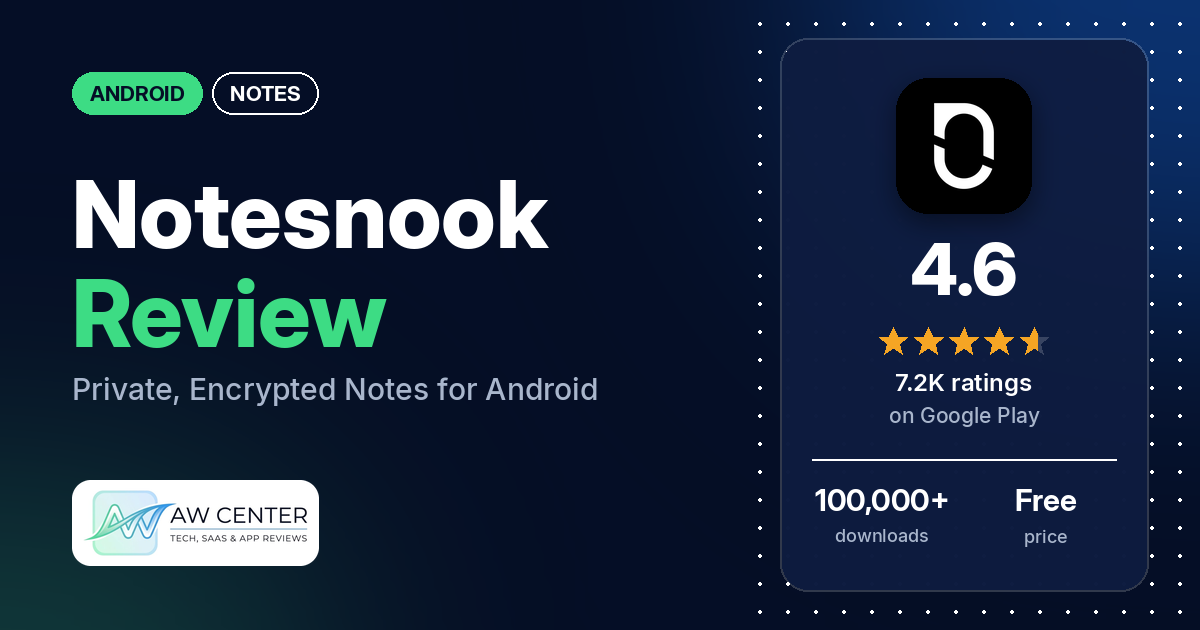
Notesnook Secure Private Notes is a free notes app for Android that its Google Play listing describes as private, end-to-end encrypted and open source, with sync across your devices. Paid plans add extras such as task lists and app lock.
Quick verdict
If you want private notes that sync between your phone, computer and browser, Notesnook does that. Privacy, security and encryption get the most praise in our sample, from many reviewers. Several call it easy to use, praise the free version or say sync works well. The most common complaint is that too many features need a paid plan: many reviewers object, and several say app lock or checklists moved from the free version to paid plans. Several others report sync problems, sign-in problems, or losing access to their notes. About 6% of all its ratings are 1 or 2 stars, so these are minority reports, though several of them recur.
Notesnook at a glance
| Developer | Streetwriters (Private) Limited |
|---|---|
| Store listing | Notesnook Secure Private Notes on Google Play |
| Price | Free, with optional in-app purchases ($0.99–$399.99 per item) |
| Ads | None (the listing says “No ads, no trackers”) |
| Play Store rating | 4.6 stars from 7,180 ratings (83% of the ratings in the store’s rating breakdown are 5-star) |
| Downloads | 100,000+ |
| Version / last updated | 3.4.14 / October 8, 2026 |
| Requires | Not in our data |
| First released | April 27, 2020 |
| Data checked | October 14, 2026 |
What is Notesnook?
Notesnook is a notes app built around privacy. The listing says it “encrypts every note on your device before it ever reaches the cloud,” that end-to-end encryption is always on and can’t be switched off, and that the apps and the sync server are open source under AGPLv3. It names phones, tablets, laptops and browsers, and says the free plan has no limit on notes or devices.
Key features
- Encryption: the listing says notes are encrypted on your device, in transit and at rest, with XChaCha20-Poly1305 and Argon2, and that even notebook and tag names are encrypted. It says a privacy mode blocks screenshots and app previews.
- Open source and self-hosting: the listing says the apps and the sync server are open source, and that you can run your own server.
- Editor: tables, task lists, outline lists, callouts, code blocks with syntax highlighting, math and chemistry formulas, a Markdown editor with Markdown shortcuts, photos, file attachments and embeds.
- Organization: nested notebooks, tags, colour notes, favourites, pinned notes, side-menu shortcuts and an archive. The listing says you can link notes to each other and see which notes link back to one.
- Search and history: the listing names note version history and search, and says search “stays instant even at 10,000 notes.”
- Quick capture: a home-screen widget, notes from the notification drawer, notes pinned to your notifications, and sharing text, links and images into Notesnook from other apps.
- Tasks and reminders: task lists and reminders, including recurring ones.
- Locking: app lock with a PIN, password or biometrics, and an encrypted vault behind a second password.
- Offline use: the listing says you can write notes offline and they sync when you’re back online.
- Sharing: “Monographs” publish a note as a link, optionally with a password.
- Web clipper: the listing says you can clip articles from your browser into a notebook.
- Import, export and backup: import from other note apps and from Markdown, HTML and plain text files; export as PDF, HTML, Markdown or plain text; encrypted backups you can restore on any device.
- Themes: dark mode, light mode and a theme builder.
Notesnook vs. what a notes app should have
The Status column shows where we found each feature. “Listed” means the Google Play listing names it. “Partial” means the listing covers part of it. “Reviews only” means reviewers describe it but the listing doesn’t. “Not listed” means neither the listing nor the reviews in our sample show the app has it. This checklist is a first version for notes apps and will change as we review more of them. It records whether the app offers a feature; it doesn’t rate how well that feature works.
Must have
| Feature | Status | Notes |
|---|---|---|
| Fast note creation | Listed | Home-screen widget and notes from the notification drawer |
| Organization (tags, folders or flags) | Listed | Nested notebooks, tags, colours and pins; a few reviewers complain about how notebooks work (see Cons) |
| Search or filtering | Listed | A few reviewers complain about search (see the problems table) |
| Sync across devices | Listed | Unlimited devices on the free plan, per the listing; several reviewers report sync problems |
| Send or export text to other apps | Listed | Export as PDF, HTML, Markdown or plain text; a few reviewers mention exporting notes, and one says exporting is poor |
| Home-screen widget | Listed | One reviewer wants the widget to show the whole note, not just the title and first line, and one says widgets don’t work properly |
| Backup or recovery | Listed | Encrypted backups and version history; one reviewer says they can see a note’s local history and restore an older version if needed |
Should have
| Feature | Status | Notes |
|---|---|---|
| Markdown | Listed | Two reviewers say Markdown support or Markdown shortcuts need a paid plan |
| Dictation or voice capture | Not listed | |
| Themes and dark mode | Listed | Dark mode, light mode and a theme builder |
| Font and layout customization | Not listed | Two reviewers say the text is too small and ask for a way to make it larger |
| Share-sheet capture | Listed | Share text, links and images into Notesnook from any app |
| Google Assistant or app shortcuts | Not listed | |
| Smartwatch capture | Not listed |
Nice to have
| Feature | Status | Notes |
|---|---|---|
| Automation or scripting | Not listed | |
| AI/LLM integration | Not listed | |
| Images or attachments | Listed | Two reviewers object that adding images needs an account |
| Collaboration on a note | Not listed | A few reviewers say collaboration is missing. Monographs share a note as a link, per the listing |
| Web or Windows access | Listed | The listing names browsers and laptops; reviewers also name Linux |
| Note lock or encryption | Listed | App lock and the vault come with Pro, per the listing |
| Accessibility | Not listed |
Common problems reviewers report
None of the reviews in our sample have a developer reply, so the table gives only the problem and when it was reported, with no fix. Newer versions may behave differently.
| Problem | What reviewers report | When |
|---|---|---|
| Sync fails or stalls | Several reviewers say sync fails, never finishes or takes a long time. One says they occasionally need to force stop or reinstall the app, and one says backing up unsynced notes and logging out and back in is the only fix they’ve found | February 2025 to October 2026 |
| Can’t sign up or log in | Several reviewers say they couldn’t create an account or log in. Two say the confirmation or verification email never arrived | January 2025 to September 2026 |
| Lost access to notes | Several reviewers say they lost access to their notes or account. Two say they lost their notes after resetting their password | November 2024 to July 2026 |
| Freezes or crashes | Several reviewers say the app freezes or crashes. Two say it freezes on a blank screen | September 2024 to September 2026 |
| Search | A few reviewers. One says search won’t show which notes contain the word, one says it doesn’t highlight the word inside the note, and one says locked notes can’t be searched | October 2024 to October 2026 |
| Web clipper | A few reviewers say the web clipper is unreliable, useless or acts up. One says it only works with the web app open | December 2025 to October 2026 |
Pros (from user reviews)
- Privacy and encryption: the most common praise in our sample. Many reviewers praise the app’s privacy, security or encryption, and a few name end-to-end encryption. On the other side, several object that locking the app needs a paid plan, and one says the app lock is “supposedly” not an extra layer of encryption on mobile, “just a UI lock.”
- Easy to use: several reviewers call it easy to use, simple or user-friendly. Several others find the interface hard to use, confusing or unintuitive.
- Free version: several reviewers praise how much the free version includes. Many others say too much needs a paid plan (see Cons).
- Sync: several reviewers say sync works well across their devices. Several others report sync problems (see the table above).
- Computer and web apps: several reviewers like that it runs on computers or in a browser as well as on their phone, and two name the Linux app. A few others say something works on the website but not in the Android app.
- Fast and smooth: several reviewers call it fast, smooth or responsive. One says every tap takes seconds to respond on their phone, and several report freezes or crashes.
- Open source: several reviewers value that it’s open source. Two ask why an open-source app has paid plans.
- Moving from other apps: several reviewers say they moved from Evernote or call it a good Evernote replacement, and several say the same about Google Keep. A few say importing their old notes went well. Two others had import problems: one says line breaks were lost in a Google Keep import, and one says the OneNote import didn’t work.
- Looks and themes: several reviewers praise the design or interface, and a few praise the themes. Two others say the text is too small.
- No ads: a few reviewers say they like that it has no ads.
- Exporting: a few reviewers mention exporting notes, for example as Markdown. One says exporting notes is poor.
Cons (from user reviews)
- Too much behind the paywall: the most common complaint in our sample. Many reviewers say features they consider basic need a paid plan. Several say, in reviews from November 2025 to September 2026, that locking the app needs a paid plan, and a few of them say app lock used to be free. Several object that checklists or task lists need a paid plan, and a few say they used to be free; one October 2026 reviewer lists checklists among the free features. Two say Markdown support or shortcuts need a paid plan, and a few say the storage limit is too small.
- Price and subscription: several reviewers say the paid plans cost too much, and a few want a one-time purchase instead of a subscription. A few others call the pricing affordable, reasonable or “awesome.”
- Account required: a few reviewers object that the app requires an account, and two say they need to sign in just to add images. Two others object that they can’t choose not to sync their notes, one of them without paying.
- Prompts to upgrade: two reviewers find the upgrade button or popups to buy a plan annoying.
- Sync problems: several reviewers say sync fails or stalls, and one says they lost large sections of notes when moving between laptop and phone.
- Sign-in and lost access: several reviewers couldn’t sign up or log in, and several say they lost access to their notes or account. Two say resetting their password cost them their notes, and one says there is no way to recover a forgotten password.
- Bugs, freezes and crashes: several reviewers mention bugs or glitches, and several say the app freezes or crashes. One says in August 2026 that they can’t select and delete blocks of text, and one says the scroll position and cursor jump around. One says notes were silently deleted.
- Notebooks: a few reviewers complain about how notebooks work, such as where notes in a notebook show up or how to get to the right notebook. One February 2026 reviewer says the Android app has no real folders or nested notebooks; the listing names nested notebooks, and one newer reviewer praises creating sub-folders.
- Missing features: a few reviewers want drawing, handwriting or stylus support, and a few say collaboration is missing.
- Support: a few reviewers complain about customer support, and two say it never replied. One reviewer praises the support and the Discord community.
About a third of the reviews in our sample are 1 or 2 stars because of how the sample was drawn (see the last section). Low ratings, where most of these complaints appear, are a small share of all ratings: about 6% are 1 or 2 stars, and 82.9% are 5-star.
Rating breakdown
| Stars | Ratings | Share |
|---|---|---|
| 5 | 5,948 | 82.9% |
| 4 | 551 | 7.7% |
| 3 | 245 | 3.4% |
| 2 | 183 | 2.6% |
| 1 | 245 | 3.4% |
Source: Google Play ratings histogram, checked October 14, 2026. The histogram adds up to 7,172 ratings, slightly fewer than the 7,180 total, and the shares are of the histogram total.
Pricing
You can use Notesnook for free, and in-app purchases run from $0.99 to $399.99 per item. The listing says the free plan includes unlimited notes, unlimited devices, 50 notebooks, 50 tags and full end-to-end encryption, with “No credit card, no trial countdown.” It says paid plans add task lists, callouts, recurring reminders and more storage, that Pro adds app lock, the encrypted vault and full-quality images, and that plans start at $19.99 a year. Several reviewers say app lock or checklists used to be free. One February 2026 reviewer complained of a 5-tag limit; the listing now says 50 tags on the free plan. One July 2026 reviewer says sync and backup moved behind the paywall, while the listing says the free plan syncs across unlimited devices and another July 2026 reviewer says backups and syncing are free. Check the listing for current plans and prices.
Privacy and permissions
We couldn’t read the Google Play data safety section for Notesnook, so we make no claim about what data it collects. The listing says notes are end-to-end encrypted, that there are “zero trackers, zero ads, zero telemetry on your notes,” and that the code is open source. The app’s permissions list includes full network access, view network connections, view Wi-Fi connections, take pictures and videos, draw over other apps, run at startup, prevent device from sleeping, control vibration, change your audio settings, download files without notification, and Google Play license check. Two reviewers say resetting their password lost their notes, and one advises keeping your encryption keys saved somewhere.
Who it’s for
Notesnook fits you if you want encrypted notes that sync between an Android phone, a computer and a browser, and you like an open-source app. It’s a weaker fit if you want app lock or checklists without paying, want to use it without an account or without syncing, or need drawing, handwriting or collaboration. Given the reports of lost access, keep your password and recovery details safe before you rely on it.
FAQ
Is Notesnook free?
Yes. The listing says the free plan includes unlimited notes, unlimited devices, 50 notebooks, 50 tags and end-to-end encryption. Paid plans add task lists, recurring reminders and more storage, and Pro adds app lock and the encrypted vault; the listing says plans start at $19.99 a year. Several reviewers say app lock or checklists used to be free.
Is Notesnook end-to-end encrypted?
The listing says end-to-end encryption is always on and can’t be switched off, using XChaCha20-Poly1305 and Argon2, and that even notebook and tag names are encrypted. Many reviewers in our sample praise its privacy, security or encryption. Two reviewers say resetting their password cost them their notes, so keep your password and keys somewhere safe.
Does Notesnook work offline?
The listing says you can write notes with no internet connection and that they sync when you’re back online. Two reviewers say the app works offline. One October 2026 reviewer says there’s no offline use.
Can you run your own Notesnook sync server?
The listing says the sync server is open source and that you can run your own. One reviewer praises it for self-hosting but wishes for better documentation. Another says the install was rough and that the app still pushes its own cloud server when you self-host.
How this review was put together
We haven’t tested Notesnook. This review is based on public information from official sources: the app’s Google Play or App Store listing and rating breakdown, the developer’s website when there is one, and recent user reviews on the store with the developer’s replies. Features and claims are the developer’s own descriptions; what users like and dislike comes from the store reviews. Everything was checked on October 14, 2026. Apps change with every update, so check the store listing before you install.