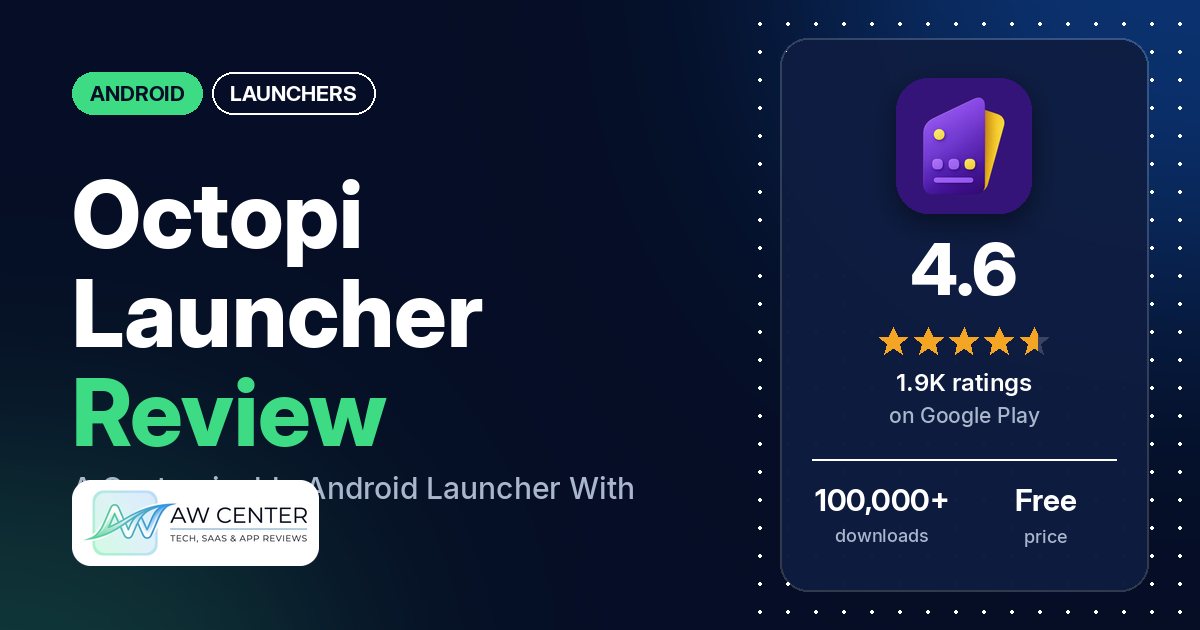
Octopi Launcher (listed on Google Play as “Octopi Launcher • Home Screens”) is a free Android launcher with a one-time payment to unlock extra features. Google Play lists no ads.
Quick verdict
If you like to tune your home screen in detail, especially on a foldable phone, Octopi Launcher is built for you. Several reviewers praise the customization options and several like it on foldables, while several say they moved to it from Nova Launcher. The most common complaint we counted is updates that break things. Crashes or freezes, lag, and trouble arranging icons, folders and the dock come up too, each reported by several reviewers. Only 3.7% of all ratings are 1 or 2 stars. Still, you should expect each of these complaints to turn up in several reviews in our sample.
Octopi Launcher at a glance
| Developer | OctopiAppFactory |
|---|---|
| Store listing | Octopi Launcher on Google Play |
| Price | Free, with in-app purchases from $0.99 to $5.99 per item |
| Ads | None (Google Play lists no ads) |
| Play Store rating | 4.6 stars from 1,886 ratings (73% are 5-star) |
| Downloads | 100,000+ |
| Version / last updated | 1.922 / October 5, 2026 |
| Requires | Not in our data |
| First released | May 27, 2025 |
| Data checked | October 17, 2026 |
What is Octopi Launcher?
Octopi Launcher replaces your phone’s home screen and app drawer. The listing calls it “a brand new home screen launcher for Android, with a few cool features”, including widget stacks, separate layouts for portrait and landscape, and support for foldable phones. It is free, and the listing says you can “Unlock additional features using a one-time payment”. It has been on Google Play since May 2025 and was last updated in October 2026.
Key features
- Widgets: the listing names widget stacks that can scroll automatically, glass widgets, and the option to float or pin a widget on top of home screens.
- App drawer: the listing says drawer icons can be shown as tiles, and names app drawer folders, favorite apps, tags for organizing apps, an index bar and a reachability mode.
- Icon gestures: the listing says you can launch different apps using swipes on an icon.
- Layouts: the listing says you can have different layouts in portrait and landscape mode, and on foldables “totally different layouts on each screen”.
- Icons: the listing names icon pack and shortcut support, resizing individual home screen icons, and notification badges.
- Other options: the listing names hiding the status and navigation bars, private space and work profile support, and locking the home screen layout.
- Screen off: the listing says the app uses the AccessibilityService permission to enable screen off functionality, and does not use it to collect any data.
Octopi Launcher vs. what a launcher app should have
The Status column shows where we found each feature. “Listed” means the Google Play listing names it. “Partial” means the listing covers part of it. “Reviews only” means we found it in user reviews, not the listing, and “Reviews and developer replies” means it shows up in reviews and the developer’s replies to them. “Not listed” means neither the listing nor the reviews in our sample show the app has it. Our launcher checklist is still an early version and will change as we review more launchers. It records what the app offers and doesn’t measure how well each feature works.
Must have
| Feature | Status | Notes |
|---|---|---|
| Home screen with the apps you choose | Listed | The listing names home screen layouts, resizable icons and a layout lock. |
| Searchable, sortable app list | Partial | The listing names an index bar. Reviewers describe a drawer search that can open an app automatically. Two reviewers ask to sort apps inside drawer folders. |
| Folders or grouping | Listed | App drawer folders and tags. Several reviewers report folder bugs. |
| Hiding apps | Reviews only | Two reviewers mention hiding apps in the app drawer. |
| Easy setup as the default launcher | Reviews only | Reviewers describe setting it as their default and switching back to their phone’s own launcher. Several say it takes time to learn or set up. |
| Gestures and navigation settings | Listed | Swipes on an icon to launch different apps. |
| Usable free tier | Listed | Free, with a one-time payment for extra features. Several reviewers say the free version is enough. |
Should have
| Feature | Status | Notes |
|---|---|---|
| Notification filtering | Not listed | |
| Icon styles and third-party icon packs | Listed | Two reviewers say icon packs don’t work with it. |
| Themes and wallpapers | Reviews only | One reviewer mentions a theme tab with an option based on the wallpaper, which they say doesn’t work on some devices. Another says you can set different wallpapers for a folding phone when it is open or closed. |
| Font and text-size options | Reviews only | One reviewer says you can use fonts. Another says they can’t adjust the font size, and a third wants to change the text color. |
| Built-in widgets | Not listed | The listing names glass widgets and widget stacks but doesn’t say whether the launcher has its own clock, date, battery or weather widgets. One reviewer asks for built-in widgets. |
| Standard Android widgets from other apps | Listed | Widget stacks and pinned widgets. A few reviewers say widgets don’t refresh. |
| Renaming apps | Reviews only | One reviewer says they renamed all their apps, and the apps then disappeared from the app drawer. |
| Backup and restore | Reviews only | One reviewer says restoring settings showed a blank screen after an update. Another asks for backups that include the wallpaper. |
| Works without internet | Not listed | The listing doesn’t say. The app asks for full network access. |
Nice to have
| Feature | Status | Notes |
|---|---|---|
| Focus tools (screen-time stats, app timers, blocking) | Not listed | |
| Double-tap to lock or turn off the screen | Partial | The listing names screen off functionality but not double-tap. One reviewer likes its CRT screen-off effect. |
| Extra sort options | Not listed | A few reviewers ask for sorting inside folders or a custom order. |
| Automatic light and dark themes | Not listed | |
| Notification dots or badges | Listed | One reviewer says badges don’t show in the new dock. |
| Website shortcuts | Reviews and developer replies | One reviewer says it doesn’t allow browser shortcuts on the home screen. The developer’s reply says this only works when it is set as the default launcher. |
| Tablet and e-reader support | Reviews only | One reviewer praises its tablet layouts. Another uses it on a tablet and dislikes getting a different desktop when they rotate it. |
| No ads | Listed | Google Play lists no ads, and no reviewer in our sample says they saw any. |
| One-time purchase for all devices | Partial | The listing says one-time payment. Two reviewers say Pro didn’t carry over to another device. |
Common problems and fixes
The developer replied to about a quarter of the reviews in our sample, often asking the reviewer to email. Replies may be out of date, and newer versions may behave differently.
| Problem | What reviewers report | What the developer’s replies say |
|---|---|---|
| Home screen locked and settings can’t be reached | Two reviewers, May and October 2026, locked the layout and then couldn’t get back to settings. | Tap and hold the lock button at the top until it disappears (October 2026). Another reply suggests tapping and holding at the far left or right edge of the screen (May 2026). |
| Icons hard to move between pages because pages change too fast | One reviewer, June 2026, whose edit says changing animations back to 1 fixed it. Another says a recent-apps problem turned out to be caused by having animations turned off. | A reply dated June 2026 says this is likely caused by setting “animator duration scale” to off or .5x in developer settings, and that a fix was coming in version 1.812. |
| Home screen rearranged or broken after an Android update or a screen resolution change | Two reviewers, April and August 2026. One names a Pixel 9 Pro XL. | The reply to one reviewer says the cause was the screen resolution being reverted from max to high in a recent Android QPR beta, and that changing it back to max should fix it (August 2026). |
| Crashes, freezes or black screens | Several reviewers report crashes, freezes or black screens, January to September 2026. Two later say a fix arrived. | Replies in June 2026 say fixes are in v1.82. An August 2026 reply says a freeze should be fixed in the v1.895 beta, and that v1.894 was still in beta testing. |
| Icon packs not working | Two reviewers, March and September 2026. | It supports most icon packs, and restarting Octopi Launcher may help (September 2026). |
| Shortcuts from other apps or the browser missing | A few reviewers, April and May 2026. | Only the default launcher can access shortcuts, so set Octopi Launcher as the default (May 2026). |
| Home-screen folder stops working after changing its icon to a grid view | One reviewer, September 2026. | The reply asks whether the folder was also resized, since that makes it a “large folder” and is a possible cause (September 2026). |
| Can’t reorder home-screen folders | One reviewer, September 2026. | Select the “Arrange items” option after long pressing on them (reply dated September 2026). |
| Battery drain | A few reviewers, November 2025 to August 2026. | Battery use may be high while you are actively using it, such as when configuring it for the first time. The reply also asks whether notification badges are on (August 2026). |
| Pro not available on a new device | Two reviewers, February and July 2026. One says there is no button to restore a purchase. | The reply says this is not the intended design, and that even the cheapest purchase is meant to give lifetime Pro access without a subscription (July 2026). |
| Can’t find tabs | One reviewer, July 2026. | Tabs are called tags in Octopi Launcher. Long press an app to add it to a tag (July 2026). |
Pros (from user reviews)
- Customization: several reviewers praise how much you can customize. On the other side, a few say the customization is lacking or limited, and two say the default settings look bad.
- Foldable phones: several reviewers praise it on a foldable phone, and several of them like setting separate layouts for the inner and outer screens. A few report problems on foldables, such as landscape layouts that don’t fit or an app drawer that is hard to open. Two want a way to copy one screen’s layout to the other, and one who synced the two layouts can’t find a way to undo it.
- A replacement for Nova Launcher: several reviewers say they moved to it from Nova Launcher and are happy with it. Several others say it isn’t enough to replace Nova yet, or that they went back.
- Usable free version: several reviewers say the free version is enough. A few call Pro cheap or reasonably priced, several say they paid for Pro, and a few say they bought the developer a coffee or a breakfast. One says Pro “only unlocks some extra visual features”.
- Active developer: several reviewers praise the developer’s support or regular updates. Two say they emailed the developer and got no response, though the developer’s replies to both say otherwise or ask them to resend.
- Fast and smooth: several reviewers call it fast or smooth. Several others say it is slow or laggy, two of them when scrolling the app drawer.
- Easy to use: several reviewers call it easy to use or intuitive. Several others say it takes time to learn or set up, and one asks for a written user manual.
- Stable: a few reviewers say it is stable or has no glitches. Several others report crashes or freezes (see Cons).
- Gestures: a few reviewers praise the gestures, including swiping on an icon to open different apps. A few others say gestures break or are too limited.
- Folders, search and effects: a few reviewers praise the folders, two like custom folder icons, and a few praise the search, two of them its option to open an app on its own. A few like the animations or effects, and two single out a CRT or TV effect.
- No ads: a few reviewers point out there are no ads, as the listing says, and no reviewer in our sample says they saw any.
Cons (from user reviews)
- Updates that break things: several reviewers say an update caused a problem, from April to September 2026. A few say an update changed or lost their home-screen layout. The developer’s replies to some of them point to fixes in later versions.
- Crashes and freezes: several reviewers report crashes, freezes or black screens, one of them on a Samsung S25 Ultra and one on Android 15. Two of them later say a fix arrived.
- Arranging icons: several reviewers say moving, aligning or spacing icons on the home screen is hard. A few others want more control over icon sizes and spacing.
- Dock problems: several reviewers report dock trouble, such as apps that won’t stay in place, uneven spacing, or a dock stuck too low on the screen. A few want to put folders in the dock.
- Folders: several reviewers report folder bugs, a few say folders are hard to manage, and a few want to sort apps inside folders.
- Lag: several reviewers say it is slow or laggy, including when scrolling, swiping between pages or waking the phone.
- Widgets don’t refresh: a few reviewers say widgets don’t refresh properly. One says they have to clear the cache and restart, and another that a widget only refreshes after being resized. Two report trouble with KWGT widgets.
- Home button: a few reviewers say the home button sometimes doesn’t work.
- Settings are hard to find: a few reviewers say the settings are scattered or disorganized. A developer reply from September 2026 says there are plans to reorganize them and that a global settings search is available.
- Battery: a few reviewers say it drains the battery, and no reviewer in our sample praises its battery use.
- Rotation: a few reviewers report problems when they rotate the screen, such as a drawer that breaks or a layout that doesn’t fit.
- Missing features: a few reviewers want web or universal search, and a few want a Google feed page (Google Discover, Feed or Now). Two want a different wallpaper for each page.
More than a quarter of the reviews in our sample are 1- or 2-star because of how the sample was drawn (see the last section). Across all ratings, 3.7% are 1 or 2 stars and 73.4% are 5-star, so 1- and 2-star ratings are a small share of the total.
Rating breakdown
| Stars | Ratings | Share |
|---|---|---|
| 5 | 1,375 | 73.4% |
| 4 | 319 | 17.0% |
| 3 | 109 | 5.8% |
| 2 | 17 | 0.9% |
| 1 | 53 | 2.8% |
Source: Google Play ratings histogram, checked October 17, 2026. The histogram adds up to 1,873 ratings, slightly fewer than the 1,886 total, and the shares are of the histogram total.
Pricing
You can download Octopi Launcher for free. Google Play lists in-app purchases from $0.99 to $5.99 per item, and the listing says you can “Unlock additional features using a one-time payment”, at “a special price for this launch period”. A developer reply from July 2026 says even the cheapest purchase is meant to give lifetime Pro access without recurring subscriptions, and a May 2026 reply says the app has no ads and no subscriptions and that existing features will not be locked behind a paywall. If you are deciding whether to pay, several reviewers say the free version is enough for them. Two say a Pro purchase didn’t carry over to another device, which matters if you switch phones.
Privacy and permissions
We couldn’t read the Google Play data safety section for Octopi Launcher, so we make no claim about what it declares there. The listing says the app uses the AccessibilityService permission to enable screen off functionality and “does not use this AccessibilityService for collection of any data”.
The Play Store’s permissions list for the app shows: adjust your wallpaper size, control vibration, expand/collapse status bar, full network access, modify system settings, set wallpaper, and view network connections. One reviewer says they won’t use it because it is closed source.
Who it’s for
Octopi Launcher fits you if you want a highly customizable home screen or own a foldable and want separate layouts for each screen. It also suits you if you want a launcher with no ads and a one-time payment. It’s a weaker fit if you want a launcher that works well with little setup, or if a broken layout after an update would be a real problem for you. If you do install it, spend the first days checking that the home button, widgets and dock behave as you expect on your phone.
FAQ
Is Octopi Launcher free?
Yes. It’s free to download, and the listing says a one-time payment unlocks additional features. Google Play lists in-app purchases from $0.99 to $5.99 per item. Several reviewers say the free version is enough for them.
Does Octopi Launcher work on foldable phones?
Yes, the listing names foldables support, with totally different layouts on each screen. Several reviewers praise it on foldable phones, where they like having separate layouts for the inner and outer screens. A few report problems on foldables, such as landscape layouts that don’t fit.
How do I unlock a locked home screen layout in Octopi Launcher?
A developer reply from October 2026 says there is a lock button at the top, and that you tap and hold on it until it disappears. An earlier reply, from May 2026, suggests tapping and holding at the far left or right edge of the screen to reach settings. This may have changed in newer versions.
Why can’t Octopi Launcher add shortcuts from my browser or other apps?
Developer replies from May 2026 say only the default launcher can access shortcuts. So set Octopi Launcher as your default launcher first. A few reviewers report missing shortcuts, and this may not fix every case.
How this review was put together
We haven’t tested Octopi Launcher. This review is based on public information from official sources: the app’s Google Play or App Store listing and rating breakdown, the developer’s website when there is one, and recent user reviews on the store with the developer’s replies. Features and claims are the developer’s own descriptions; what users like and dislike comes from the store reviews. Everything was checked on October 17, 2026. Apps change with every update, so check the store listing before you install.