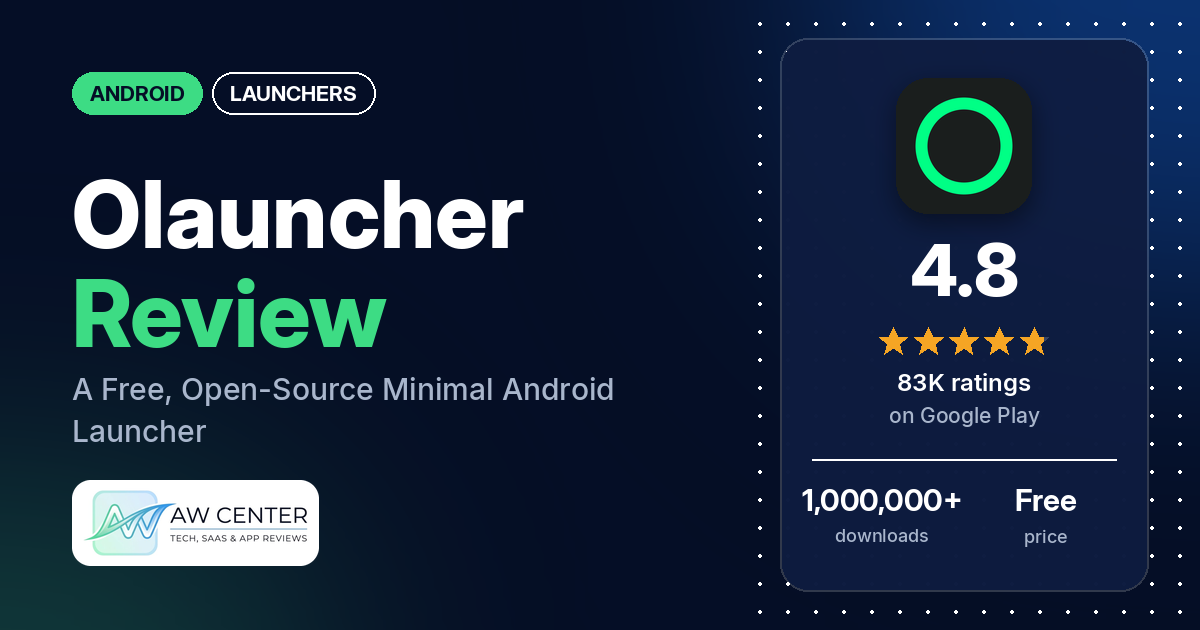
Olauncher (listed on Google Play as “Olauncher. Minimal AF Launcher”) is a free Android launcher that replaces your home screen with a minimal one that has no icons.
Quick verdict
If you want a plain home screen with no icons, Olauncher is free and, the listing says, ad-free. The most common praise in our sample is that it cuts screen time or distractions. Several reviewers also like that it is free, ad-free, simple and light. The complaints we counted most often are pop-ups asking for a rating or promoting features, wallpapers that change or won’t apply, and a home screen that sometimes doesn’t show. These are minority reports, since about 2% of all its ratings are 1 or 2 stars. Several of them recur, though.
Olauncher at a glance
| Developer | Digital Minimalism |
|---|---|
| Store listing | Olauncher on Google Play |
| Price | Free (no in-app purchases in our data) |
| Ads | None (the listing says “AF stands for AdFree”) |
| Play Store rating | 4.8 stars from 83,362 ratings (90% are 5-star) |
| Downloads | 1,000,000+ |
| Version / last updated | v6.9.1 / September 2, 2026 |
| Requires | Not in our data |
| First released | July 17, 2020 |
| Data checked | October 17, 2026 |
What is Olauncher?
Olauncher replaces your phone’s home screen. The listing opens with “Are you using your phone, or is your phone using you?” and describes the app as a “minimal AF Android launcher with just enough features”, where AF stands for ad-free. It describes a home screen with no icons, a few gestures and a new wallpaper each day, and says the app collects no data and is open source under the GPLv3 license. It has been on Google Play since July 2020 and was last updated in September 2026.
Key features
- Minimal home screen: the listing describes a clean home screen with no icons, ads or distractions, meant to help you cut screen time.
- Customization: the listing says you can resize text, rename apps, hide apps you don’t use, show or hide the status bar, and change how app names are aligned.
- Gestures: the listing names double-tap to lock the screen, swiping left or right to open apps, and swiping down for notifications.
- Daily wallpaper: the listing says it provides a new wallpaper every day, and that you can still set any wallpaper from your phone settings or your Gallery or Photos app.
- Launcher features: the listing names dark and light themes, dual apps support, work profile support and auto app launch.
- Hidden extras: the listing says a few niche features are available but hidden, and points to the About page in the launcher’s settings for the full list.
- Double-tap to lock: the listing says this uses Android’s Accessibility Service, is optional and disabled by default, and doesn’t collect or share any data.
Olauncher vs. what a launcher app should have
The Status column shows where we found each feature. “Listed” means the Google Play listing names it. “Partial” means the listing covers part of it. “Reviews only” means we found it in user reviews, not the listing. “Not listed” means neither the listing nor the reviews in our sample show the app has it. Our launcher checklist is still an early version and will change as we review more launchers. It records what the app offers and doesn’t measure how well each feature works.
Must have
| Feature | Status | Notes |
|---|---|---|
| Home screen with the apps you choose | Partial | The listing describes a minimal home screen with no icons. Two reviewers say it holds up to eight apps and want more. |
| Searchable, sortable app list | Partial | The listing names auto app launch, and reviewers describe a search that opens the app as you type. We found no sort options, and two reviewers ask for an A-Z scroller. |
| Folders or grouping | Not listed | |
| Hiding apps | Listed | The listing’s FAQ explains where to find hidden apps. |
| Easy setup as the default launcher | Reviews only | One reviewer calls it easy to set up, and another praises the setup instructions. Two say they couldn’t set it, or keep it, as the default. |
| Gestures and navigation settings | Listed | Two reviewers say they can’t turn off the left and right swipes, and two more ask for an option to. |
| Usable free tier | Listed | Free, with no in-app purchases in our data. |
Should have
| Feature | Status | Notes |
|---|---|---|
| Notification filtering | Not listed | |
| Icon styles and third-party icon packs | Not listed | The listing describes a home screen with no icons. |
| Themes and wallpapers | Listed | Dark and light themes and a daily wallpaper. Several reviewers report wallpaper problems. |
| Font and text-size options | Partial | The listing says you can resize text. One reviewer asks to change the font style and color. |
| Built-in widgets | Reviews only | Reviewers mention a clock, the date under it, and a screen-time counter. One says the battery percentage disappeared from the date line. |
| Standard Android widgets from other apps | Not listed | A few reviewers ask for widgets. |
| Renaming apps | Listed | Two reviewers couldn’t find it or asked for it. One says renaming stopped working after an update. |
| Backup and restore | Not listed | |
| Works without internet | Not listed | The listing doesn’t say. The app asks for full network access, and one reviewer says they need a VPN to get its wallpapers. |
Nice to have
| Feature | Status | Notes |
|---|---|---|
| Focus tools (screen-time stats, app timers, blocking) | Reviews only | Two reviewers mention a screen-time display on the home screen. We found no app timers or blocking, and two reviewers ask for a way to limit access to the full app list. |
| Double-tap to lock the screen | Listed | Optional, off by default. One reviewer says it doesn’t work properly. |
| Extra sort options | Not listed | |
| Automatic light and dark themes | Partial | The listing names dark and light themes, but not switching automatically. |
| Notification dots or badges | Not listed | |
| Website shortcuts | Not listed | |
| Tablet and e-reader support | Not listed | One reviewer asks for the launcher to follow screen orientation for an e-ink tablet. |
| No ads | Listed | A few reviewers say they saw ads or promotions. |
| One-time purchase for all devices | Not listed | The app is free, with no in-app purchases in our data. |
Common problems and fixes
Most of the problems below come from 1- to 3-star reviews, which make up about 3.5% of all ratings. The developer replied to few reviews in our sample, so some rows have no fix. Replies and the listing’s FAQ may be out of date, and newer versions may behave differently.
| Problem | What reviewers report | What the listing or the developer’s replies say |
|---|---|---|
| Pop-ups asking for a rating or promoting features | Several reviewers, February to October 2026. | Replies in May 2026 say the app asks for a review only once, and that pop-ups are how it tells users about features. |
| Search opens the wrong app, or opens apps when you don’t want it to | A few reviewers, March to October 2026. | Press the space bar first, then type, and auto launch is turned off for that search (April 2026). |
| Your own wallpaper won’t apply, or the daily wallpaper keeps changing it | Several reviewers report wallpaper problems, March to October 2026. | Set any wallpaper you want from the Photos or Gallery app or your phone settings (March 2026, and the listing’s FAQ). We found no reply about the daily wallpaper coming back after being turned off. |
| Home screen doesn’t show, or the phone opens on the app list | Several reviewers, February to October 2026. One names a POCO M6 Pro. | No developer reply in our sample. |
| Recent apps or switching between apps stops working | A few reviewers, May to October 2026. One names a Redmi Note. | No developer reply in our sample. |
| Gesture navigation doesn’t work with the launcher | One reviewer says it forces button navigation, and another says Google’s Circle to Search doesn’t work from the Home button. | The listing’s FAQ says some devices don’t support gestures with a downloaded launcher, and only the phone maker can fix that with an update. |
| Can’t turn off the left and right swipes | Two reviewers say they can’t find a way to turn them off, and two more ask for an option to, March to September 2026. | No developer reply in our sample. |
| Can’t find hidden apps | Not a reported problem in our sample. | The listing’s FAQ says to long-press anywhere on the home screen to open settings, then tap “Olauncher” at the top. |
| Promotions in the settings screen | One reviewer, July 2026, calls them ads. | The developer replied the same day that these are its own apps, some of them paid, and that this is how it makes money because Olauncher is free. |
Pros (from user reviews)
- Less screen time and fewer distractions: the most common praise in our sample. Several reviewers say it helps cut screen time, phone use or distractions, and one says it cut their phone use by 60%. A few others say it helps them focus or concentrate. Two bring up dumb phones: one says it removed the urge to buy one, and another recommends it if you want one. On the other side, two reviewers want a way to limit access to the full app list, which opens with a swipe up.
- No ads: several reviewers point out there are no ads, as the listing says. A few disagree, saying they saw ads or promotions (see Cons).
- Free: several reviewers praise that it is free. Two mention a paid version with more features; our data lists Olauncher itself as free with no in-app purchases.
- Simple and clean: several reviewers call it simple or clean. A few find it too limited or too simple, and two say the interface could look better.
- Light and smooth: several reviewers call it light, fast or smooth. One says it is battery saving. On the other side, a few say it made their phone or their apps slow.
- Easy to use: a few reviewers say it is easy to use, set up or navigate. One reviewer, who says they are 61, found it too difficult to use.
- Customizable: a few reviewers say it is customizable or configurable. A few others want more options, such as clock size or font style and color. One says the font-size setting makes it more accessible, and another says it makes their phone easier to use with aging eyesight.
- Search that opens apps for you: two reviewers praise the search that opens an app once you’ve typed enough letters. A few others dislike it (see Cons).
- Wallpapers: a few reviewers like the wallpapers. Several others report wallpaper problems (see Cons).
- Long-time use: a few reviewers say they have used it for years, and two praise that it is open source.
Cons (from user reviews)
- Pop-ups and nag messages: several reviewers complain about pop-ups or messages asking them to rate or recommend the app, or promoting features such as the daily wallpapers. Several of these are about requests to rate the app. The developer’s replies say it asks for a review only once.
- Ads or promotions: a few reviewers say they saw ads, which conflicts with the listing’s “AdFree” promise. One of them says the promotions are in the footer of the settings screen, and the developer replied that these are its own apps.
- Wallpaper problems: several reviewers report wallpaper trouble, such as a photo that is stretched, a wallpaper that won’t change, or the lock screen changing along with the daily wallpaper. Two say the wallpaper keeps changing even after they turned the daily wallpaper off or set a black background.
- Home screen doesn’t show: several reviewers say the home screen sometimes doesn’t load, gets stuck, or opens on the app list instead. Two say the keyboard or search bar opens on its own.
- Crashes: a few reviewers say the launcher keeps crashing, one of them on a Redmi A2+ (in a review written in Russian).
- Recent apps and multitasking: a few reviewers say switching between open apps stops working, or that apps close when they switch away. Two say the navigation buttons glitch or stop working.
- Auto-launch in search: a few reviewers dislike the auto-launch in search, saying it opens the wrong app or opens apps when they don’t want it to. One says there is no setting to turn it off. A developer reply suggests pressing the space bar before typing.
- Gestures: two reviewers say they can’t turn off the left and right swipes, and two more ask for an option to. Two report an “app not found” error, one of them when swiping up. One says double-tap to lock doesn’t work properly.
- Problems after an update: a few reviewers say a recent update caused a bug, such as crashes, a stuck launcher, or renaming and hiding apps no longer working.
- Missing features: a few reviewers ask for widgets. Two want more than eight apps on the home screen, two want an A-Z scroller in the app list, and one says it lacks work profile (Knox) support, though the listing says it supports work profiles.
- Safety worries and serious trouble: a few reviewers ask whether the launcher is safe or worry about their data. The developer replied to one that it is free and open source. A few others describe serious trouble they blame on the launcher, such as a phone that was messed up or locked by the device administrator, or an uninstall button that was greyed out. We couldn’t check these reports.
- No reply from support: two reviewers say they contacted the developer about a problem and got no response.
Nearly a third of the reviews in our sample are 1- or 2-star because of how the sample was drawn (see the last section). Across all ratings, about 2% are 1 or 2 stars and 90.0% are 5-star, so 1- and 2-star ratings are a small share of the total.
Rating breakdown
| Stars | Ratings | Share |
|---|---|---|
| 5 | 74,992 | 90.0% |
| 4 | 5,417 | 6.5% |
| 3 | 1,192 | 1.4% |
| 2 | 552 | 0.7% |
| 1 | 1,192 | 1.4% |
Source: Google Play ratings histogram, checked October 17, 2026. The histogram adds up to 83,345 ratings, slightly fewer than the 83,362 total, and the shares are of the histogram total.
Pricing
You can download Olauncher for free, and our data shows no in-app purchases. The listing says “AF stands for AdFree”. Two reviewers mention a paid version with more features, and one of them says it wasn’t clear about that until after setting the app up. The developer’s reply to another reviewer says the apps promoted in the settings screen are its own apps, some of them paid, and that this is how it makes money because Olauncher is completely free.
Privacy and permissions
We couldn’t read the Google Play data safety section for Olauncher, so we make no claim about what it declares there. The listing says “No data collection” and that the app is open source under the GPLv3 license. It says the Accessibility Service is used only for the double-tap to turn off the screen, is optional and disabled by default, and doesn’t collect or share any data.
The Play Store’s permissions list for the app shows: expand/collapse status bar, full network access, prevent device from sleeping, run at startup, set an alarm, set wallpaper, update component usage statistics, and view network connections. A few reviewers raise safety or privacy worries, and the developer’s reply to one of them (September 2026) points to the app being free and open source.
Who it’s for
Olauncher fits you if you want a text-only home screen with a few apps and want to pick up your phone less. It also suits you if you don’t want to pay or see ads in the launcher. It’s a weaker fit if you want icons, widgets or more than eight home-screen apps, dislike pop-ups asking for a rating, or rely on gesture navigation and app switching on a phone where reviewers report trouble. If you do install it, spend the first days checking that the home screen, recent apps and wallpaper behave as you expect.
FAQ
Is Olauncher free?
Yes. It’s free to download, and our data shows no in-app purchases. The listing says it is ad-free, and the developer’s reply to one reviewer says Olauncher is completely free. Two reviewers mention a paid version with more features.
Does Olauncher have ads?
The listing says “AF stands for AdFree”, and several reviewers say there are no ads. A few reviewers say they saw ads or promotions, and the developer replied to one of them that the apps promoted in settings are its own. Several reviewers also complain about pop-ups asking for a rating or promoting features.
How do I find hidden apps in Olauncher?
The listing’s FAQ says to long-press anywhere on the home screen to open settings, then tap “Olauncher” at the top to see your hidden apps. The listing also says some niche features are hidden, and that the About page in settings lists them.
Can I stop Olauncher opening apps automatically when I search?
A developer reply from April 2026 says that if you press the space bar and then type, auto launch is turned off for that search. One reviewer says there is no setting to turn it off for good. This may have changed in newer versions.
How this review was put together
We haven’t tested Olauncher. This review is based on public information from official sources: the app’s Google Play or App Store listing and rating breakdown, the developer’s website when there is one, and recent user reviews on the store with the developer’s replies. Features and claims are the developer’s own descriptions; what users like and dislike comes from the store reviews. Everything was checked on October 17, 2026. Apps change with every update, so check the store listing before you install.