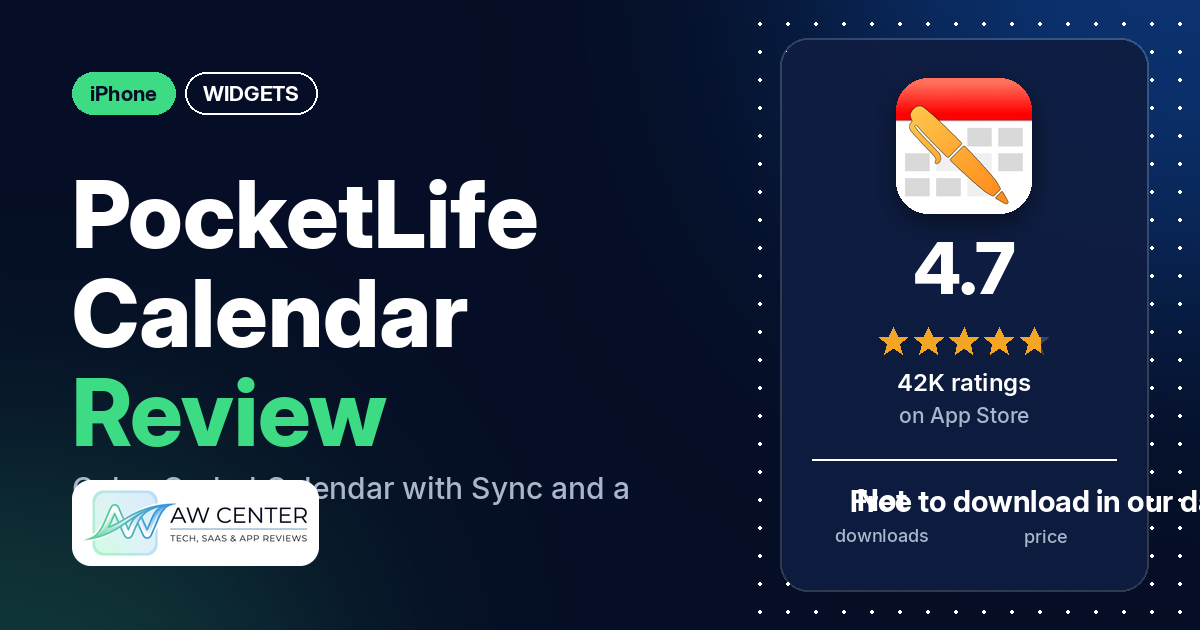
PocketLife Calendar is an iPhone and iPad calendar with color-coded events, calendar sharing and sync with Google, Outlook, iCloud and Yahoo. It has 4.7 stars from 41,757 ratings, and the most common complaint in our review sample is events that disappear.
Quick verdict
If you want a calendar you can color-code and share with family, many reviewers call it easy to use, and many say they have used it for years. A few say it beats Apple’s calendar. The risk is your data. Several reviewers say events or whole schedules vanished, and a few say they could not get support to help. Reviewers also complain about paying: several object to the price or to paying for future years. If you rely on it for appointments, keep a backup in another calendar. The newest review in our data is from July 2026 and the app was last updated on November 16, 2026, so some reports may describe older versions.
PocketLife Calendar at a glance
| Developer | OvalKey Ltd. |
|---|---|
| Store listing | PocketLife Calendar on the App Store |
| Price | Free to download in our data; the listing describes a free Lite version with ads and an event limit, an in-app upgrade, and an optional yearly Calendar Store add-on from $1.99 |
| Ads | The listing says the Lite version contains adverts and the in-app upgrade removes them |
| App Store rating | 4.7 stars from 41,757 ratings |
| Downloads | Not in our data |
| Version / last updated | 27.2 / November 16, 2026 |
| Requires | iOS 17.6 or later |
| First released | February 26, 2010 |
| Data checked | November 21, 2026 |
What is PocketLife Calendar?
PocketLife is a calendar app for iPhone, iPad and Apple Watch that shows your events in List, Day, Week, Agenda, Year and Month views. The listing says you can create events in natural language, show several calendars at once, and share calendars with friends and family. You can also change the colors, fonts and month pictures, and use your own photos for them.
Key features
- Sync: the listing names Google, Outlook, iCal, Yahoo and iCloud.
- Sharing: share calendars with friends and family, send an email of your events, or send .ics iCalendar files. AirDrop and AirPrint are supported.
- Views: List, Day, Week, Agenda, Year and Month, with gestures to change the display and any day as the start of the week.
- Events and reminders: natural-language event creation, custom recurring events, and multiple calendars on one screen.
- Looks: personalize colors, fonts and pictures, with month pictures you can replace with your own photos.
- Wallpaper: create an image of the month view to use as your phone wallpaper.
- Devices: a universal app for iPhone and iPad, with an Apple Watch app and a Notification Center widget.
- Protection: Face ID and Touch ID.
PocketLife Calendar vs. what a widgets app should have
PocketLife is a calendar first and a widget app second, so the widget rows below come out thin. “Listed” means the App Store listing names the feature, “Partial” means it covers part of it, and “Not listed” means neither the listing nor the reviews in our sample show it.
Must have
| Feature | Status | Notes |
|---|---|---|
| Home Screen widgets in several widget families | Partial | The listing names a Notification Center Widget and no sizes |
| Lock Screen widgets | Not listed | |
| A design editor (text, images, shapes, layout) | Partial | The listing says you can personalize colors, fonts and pictures |
| Ready-made designs or templates | Not listed | |
| Common data (time, date, weather, calendar, battery) | Partial | Calendar events are listed; the Calendar Store add-on includes weather calendars, per the listing |
| Widgets that stay up to date | Not listed | |
| Transparent or wallpaper-matching backgrounds | Not listed |
Should have
| Feature | Status | Notes |
|---|---|---|
| Smartwatch faces or complications | Partial | The listing says Apple Watch; it doesn’t mention watch faces or complications |
| Tap actions that open apps | Not listed | |
| Sharing or importing designs | Not listed | You can share calendars and send .ics files |
| Music or now-playing data | Not listed | |
| Health and fitness data | Not listed | |
| Help, tutorials or a support contact | Not listed | A few reviewers say they could not reach support |
| A usable free tier | Partial | The listing says the Lite version is fully functional except for ads and a limit on events |
| Restoring purchases on a new device | Not listed |
Nice to have
| Feature | Status | Notes |
|---|---|---|
| Custom data sources (JSON, API) | Not listed | |
| Charts and gauges | Not listed | |
| Live Activities / Dynamic Island | Not listed | |
| Tablet and desktop support | Partial | The listing says iPhone and iPad; two reviewers say it syncs with their Mac calendar |
| Shortcuts or automation integration | Not listed | |
| One-time purchase instead of a subscription | Partial | The listing describes an in-app upgrade plus later calendar years as small purchases and a yearly add-on subscription; one reviewer says a lifetime option was never offered |
| No ads | Partial | The listing says the in-app upgrade removes the adverts |
The listing has a full calendar, a widget and a watch app, and no Lock Screen widgets, templates or widget design tools.
Common problems reviewers report
The data we collected has no developer replies, so this table lists problems and dates, not fixes. Reviews run from December 2025 to July 2026, and newer versions may behave differently.
| Problem | What reviewers report | When |
|---|---|---|
| Events or schedules disappear | Several reviewers say entries were deleted or erased, some more than once; one says a restore from iCloud worked the first time and not the next two | February to July 2026 |
| Sync problems | A few reviewers: calendars not syncing between spouses, sync issues this year, and not always syncing to phones | January to February 2026 |
| Events won’t save or edit | Two reviewers say changes weren’t saved; one says the app crashes after editing an event | February to April 2026 (the crash: March 2026) |
| Holiday calendars | A few reviewers: two could not remove a holiday calendar or its notifications, and one disliked which holidays appeared | February to June 2026 |
| Scam entries | Two reviewers say scam entries or alerts appeared on their calendar; one says it happened as soon as the calendar was linked | June 2026 |
Pros (from user reviews)
- Easy to use: many reviewers call it easy, simple or user-friendly.
- Long-term use: many reviewers say they have used it for years, and several give a number, up to more than 10 years.
- Color coding: several reviewers like coloring events by family member or event type.
- Sync and sharing: several say it keeps their calendars together, works across their devices or syncs with a spouse or family. Others report sync trouble (see Cons).
- Better than the built-in calendar: a few reviewers say they prefer it to Apple’s calendar. One says you can see your events, not just dots. One reviewer who used it for more than 10 years went back to the free Apple calendar.
- Price: a few reviewers say they don’t mind paying or call the price reasonable or inexpensive. Others complain about it (see Cons).
- Search: two reviewers like searching back through past events.
Cons (from user reviews)
- Lost events: the most common complaint in our sample. Several reviewers say events or whole schedules were deleted or erased, and some say it happened more than once. One could not get the data back after reinstalling.
- Price and paying for future years: several reviewers object. One says it went from $1.99 to $6.99, one says $10.88 a year is too much for the glitches, and one wanted a lifetime option. Two say the app asks for more payment to schedule far ahead or for each year’s functionality, which matches the listing’s note about later calendar years.
- Support: a few reviewers say they couldn’t reach support or got no reply after an initial answer.
- Sync: a few reviewers report calendars that don’t sync. Two more dislike that it syncs with the phone’s calendar: one says changes showed up in the Apple calendar and not in PocketLife.
- Holiday calendars: a few reviewers complain about holiday entries. Two could not remove them or their notifications, and one disliked which holidays appeared.
- Scam entries and ads: two reviewers say scam alerts or entries appeared on their calendar, one right after linking it. One reviewer who uses the free version says some ads were inappropriate, and one calls the app spyware without saying why.
- Layout and color gaps: two say names and numbers move to the second line of an event. Reviewers ask for more colors, saving a color, filtering by color, a day notes box, a search button, a printing option, bigger text and showing multi-day events as one bar. Each request comes from one or two reviewers.
- Widget: one reviewer wants reminders to show in the widget.
We have no star breakdown for the 41,757 ratings in the data we collected, so we can’t say how common these complaints are across all ratings. Most reviews in our sample are 5-star, and several of the 1-star reviews are about lost events.
Pricing
PocketLife shows as free in the App Store data. The listing’s note says it is not a free app, and that a Lite version is fully functional except for adverts and a limit on the number of events you can add. A small in-app upgrade removes the limit and the adverts. Later calendar years beyond the current and next year are small in-app purchases. A separate Calendar Store add-on from SchedJoules costs from $1.99 for one year, with a one-month free trial and auto-renewal; the listing says prices vary by location. The listing doesn’t give the upgrade price. Reviewers quote $6.99 (March 2026) and $10.88 a year (January 2026).
Privacy and permissions
We couldn’t read the App Store privacy label for this app, so we make no claim about what data it collects. The listing mentions Face ID and Touch ID protection and links to the developer’s privacy policy and terms of service. Two reviewers report scam entries on their calendar and one calls the app spyware; neither explains how it happened.
Who it’s for
This app fits you if you want a colorful, customizable calendar that syncs with Google, Outlook or iCloud and can be shared with family, and you don’t mind paying. It is a weaker fit if you want a widget-heavy setup, since the listing mentions only a Notification Center widget. Think twice if lost events would cost you: keep your important dates in a second calendar, and check recent reviews before you pay.
FAQ
Is PocketLife Calendar free?
It shows as free in the App Store data. The listing says there is a free Lite version with adverts and a limit on events, and an in-app upgrade that removes both. The Calendar Store add-on costs from $1.99 a year after a one-month free trial.
Does PocketLife sync with Google and Outlook?
The listing says it syncs with Google, Outlook, iCal, Yahoo and iCloud. A few reviewers say sync works across their devices, and a few report sync problems, so test it with your own account before you move over.
Why did my PocketLife events disappear?
Several reviewers say events or whole calendars were erased, from February to July 2026. The data we collected has no developer replies and no cause. The listing’s note says that to stop old events being removed you set Sync to All Events in the Calendars section of the iPhone Settings app.
Does PocketLife have a widget or Apple Watch app?
Per the listing, it has a Notification Center widget and Apple Watch support. It doesn’t name Lock Screen widgets or widget sizes, and one reviewer asks for reminders to show in the widget.
How this review was put together
We haven’t tested PocketLife Calendar. This review is based on public information from official sources: the app’s Google Play or App Store listing and rating breakdown, the developer’s website when there is one, and recent user reviews on the store with the developer’s replies. Features and claims are the developer’s own descriptions; what users like and dislike comes from the store reviews. Everything was checked on November 21, 2026. Apps change with every update, so check the store listing before you install.