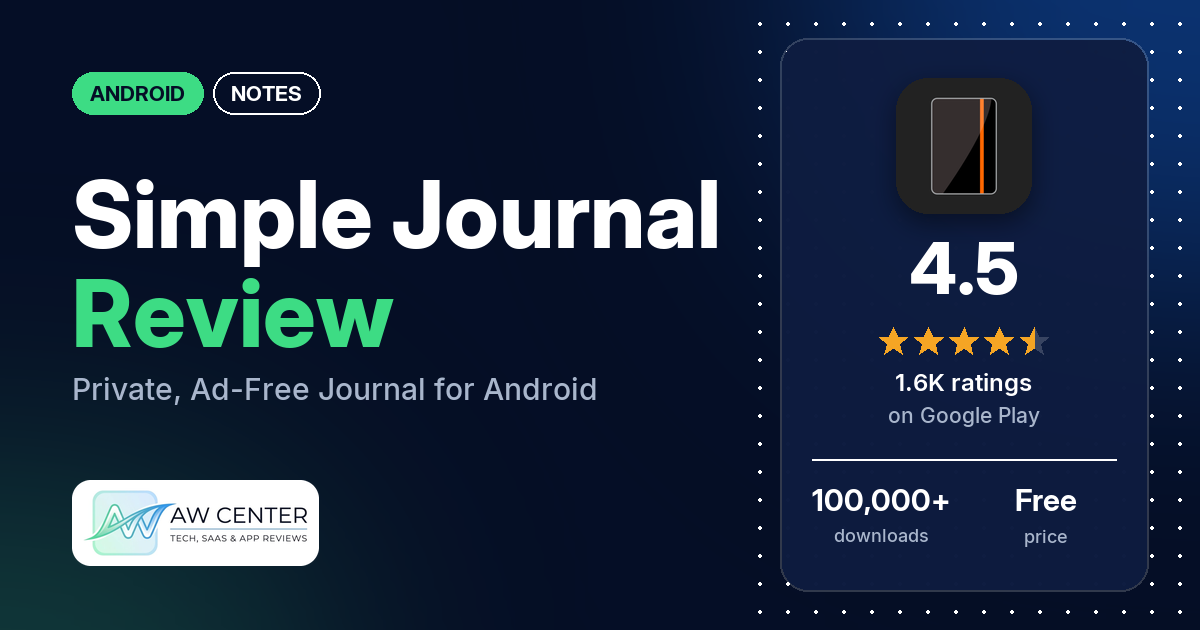
Simple Journal is a private journal and notes app for Android with no ads, a fingerprint or password lock, and entries stored on your phone by default. It’s free to use, and a Pro upgrade adds encrypted sync to your Google Drive.
Quick verdict
If you want a plain place to write, with a lock and no ads, Simple Journal fits, and many reviewers call it simple or easy to use. It holds 4.5 stars from 1,582 ratings. The catch is backup. Your entries stay on the phone unless you export them by hand (free) or pay for Pro’s Google Drive sync, and several reviewers say they lost entries. Several reviewers also object to the price of Pro or to paying for backup.
Simple Journal at a glance
| Developer | Magille Ltd |
|---|---|
| Store listing | Simple Journal on Google Play |
| Price | Free, with in-app purchases of $0.99 to $79.99 per item |
| Ads | None |
| Play Store rating | 4.5 stars from 1,582 ratings (73% are 5-star) |
| Downloads | 100,000+ |
| Version / last updated | 4.20.1 / October 19, 2026 |
| Requires | Not in our data |
| First released | February 25, 2014 |
| Data checked | November 2, 2026 |
What is Simple Journal?
It’s a journal and notes app built around a plain editor. The listing says it was designed “with privacy in mind: No ads. No forced cloud subscriptions,” and that “your entries are stored on your device by default.” You can split entries into several journals, add images and lock the app. It has been on Google Play since February 2014.
Key features
- Editor: a distraction-free editor with continuous auto-save, basic formatting (bold, italic, underline, highlight, strikethrough), auto-indent, font customization and keyboard shortcuts.
- Organization: multiple journals or categories, inline images, optional location tags and search across all journals or only the open one.
- Lock: unlock with a fingerprint (the default), a Simple Journal password or your device credential. A scrambled mode lets you write without unlocking.
- Backup: free export and import for manual backups and moving to a new device.
- Pro: encrypted sync to your own Google Drive across Android and Chromebook devices, printable HTML exports, encrypted exports (AES-256), exports of single journals, home screen shortcuts, pinned entries, custom color themes, font size control with the volume keys, advanced sorting and word and character counters.
Simple Journal vs. what a notes app should have
“Listed” means the Google Play listing names the feature and “Partial” means it covers part of it. “Not listed” means the listing doesn’t name it; the notes say what reviewers report about it.
Must have
| Feature | Status | Notes |
|---|---|---|
| Fast note creation | Partial | The listing names a scrambled mode for writing without unlocking. Home screen shortcuts are a Pro feature. |
| Organization (tags, folders or flags) | Listed | Multiple journals or categories. Pinned entries and advanced sorting are Pro. |
| Search or filtering | Listed | Search all journals at once or only the open one. |
| Sync across devices | Listed | Pro only: encrypted sync to your Google Drive across Android and Chromebook devices. One reviewer says there is no auto-sync and that a sync from one device can overwrite edits made on another. |
| Sharing or exporting | Partial | Export and import are free; printable HTML exports are Pro. Sharing to other apps isn’t listed, and a few reviewers want an easier way to share or print entries. |
| Home-screen widget | Not listed | The listing names home screen shortcuts (Pro), not a widget. |
| Backup or recovery | Listed | Free manual export and import; Google Drive sync with Pro. |
Should have
| Feature | Status | Notes |
|---|---|---|
| Markdown or plain-text formatting | Listed | Bold, italic, underline, highlight and strikethrough. Markdown isn’t mentioned. |
| Dictation or voice capture | Not listed | One reviewer asks how to journal by speech. |
| Themes and dark mode | Listed | Light and dark themes; custom color themes are Pro. |
| Font and layout customization | Listed | Font customization; font size with the volume keys is Pro. |
| Share-sheet capture | Not listed | |
| Google Assistant or app shortcuts | Partial | Home screen shortcuts are Pro. Google Assistant isn’t mentioned. |
| Smartwatch capture | Not listed |
Nice to have
| Feature | Status | Notes |
|---|---|---|
| Automation or scripting | Not listed | |
| AI/LLM integration | Not listed | One reviewer thanks the developer for leaving AI features out. |
| Images or attachments | Listed | Inline images. Two reviewers find pictures hard to view. |
| Collaboration on a note | Not listed | |
| Web or Windows access | Not listed | The listing names Chromebooks for Pro sync. A few reviewers ask for a computer or web version, and the developer’s replies point to a Chromebook or a Bluetooth keyboard. |
| Note lock or encryption | Listed | Fingerprint, password or device credential lock. AES-256 encryption for Pro sync and exports. |
| Accessibility features | Not listed | A few reviewers found the text too small; the developer’s replies point to the font size setting. |
The listing puts the lock, multiple journals and manual export in the free version. Sync, home screen shortcuts and custom color themes need Pro.
Common problems
These come from user reviews and the developer’s replies to them. The app was last updated on October 19, 2026 (version 4.20.1), so older reports may not apply to the current version.
| Problem | What reviewers report | When |
|---|---|---|
| Entries disappeared | Several reviewers say their entries vanished, two of them after an update. The developer’s replies say the app doesn’t delete anything by itself and that something likely cleared the app’s data. | February 2019 to May 2026 |
| Entries lost when changing phones | A few reviewers lost entries after moving to a new phone or losing the old one. A developer reply from July 2026 says Android’s own backup and device-to-device transfers only carry up to 25MB per app, which is why the app has its own backup options. | January 2025 to July 2026 |
| Typing problems in the editor | Several reviewers. Two say the text jumps to the bottom while they edit, and a few say formatting or pictures disappear. The developer’s replies blame third-party keyboards and writing assistants, such as Grammarly or the spell-checker in Samsung’s keyboard, and point to the “keyboard fix” setting. A September 2026 reply says version 4.19 added settings to block content capture and spell-checkers. | June 2023 to July 2026 |
| Lock didn’t work | A few reviewers say the lock never came on or they couldn’t turn it on. Developer replies from January 2021 say the lock settings were reworded and the unlock system revised. | November 2019 to September 2023 |
| Forgot the password | A few reviewers are locked out. The developer’s replies suggest setting up fingerprints on the device. | October 2021 to June 2023 |
| Can’t set a custom password | One reviewer. The developer replied that it was fixed for the next release. | August 2026 |
| Can’t find how to delete an entry | Several reviewers. The developer’s replies say to long-tap the entry to edit it; delete is in the menu. | February 2019 to January 2024 |
| Text too small | A few reviewers find the text too small, and two ask how to make it bigger. The developer’s replies say font size is in the settings. | November 2018 to May 2026 |
| App won’t open or keeps closing | A few reviewers. | October 2018 to January 2024 |
Pros (from user reviews)
- Simple to use: many reviewers call it simple, straightforward or easy to use. A few others find it too basic or its interface too plain, and a few say it was hard to figure out.
- No ads: several reviewers praise the lack of ads. One says it’s easier to write when “TikTok isn’t being violently shoved in my face every few minutes.” Two others object to an in-app prompt: one calls the “back up your notes” banner an ad, the other calls a prompt you pay to remove a nag.
- Separate journals: several reviewers like keeping several journals in one app, and two like giving each journal its own color. A few others find it hard to locate a given journal or entry.
- Free backups: a few reviewers praise the free export and import for backups, and one used it to move to another device.
- Lock: a few reviewers praise the password, code or fingerprint lock.
- Helpful developer: a few reviewers praise the developer’s help or customer service. The developer has replied to most of the reviews we read.
- Long-time users: a few reviewers say they have used it for years, one for about six.
Cons (from user reviews)
- Price: several reviewers say Pro costs too much, and several object to paying for backup. The developer’s replies point out that manual export is free.
- Lost entries: several reviewers lost entries, whether they vanished, were deleted by accident or were left on an old or lost phone.
- Editor glitches: several reviewers had trouble while typing, from jumping text to lost formatting.
- Hard-to-find options: several reviewers couldn’t find how to delete an entry. A few find the text too small, and two ask how to make it bigger.
- Lock problems: a few reviewers say the lock didn’t work, and a few forgot their password and are locked out.
- No computer version: a few reviewers want to write on a computer or in a browser.
- Smaller requests: a few want more customization, a few want more color options, two want a calendar or backdated entries, and one asks for voice input.
The reviews we read include extra low-star reviews on purpose, so complaints are overrepresented here. Across all ratings, 73.0% are 5-star and 8.7% are 1 or 2 stars.
Rating breakdown
| Stars | Ratings | Share |
|---|---|---|
| 5 | 1,150 | 73.0% |
| 4 | 227 | 14.4% |
| 3 | 62 | 3.9% |
| 2 | 75 | 4.8% |
| 1 | 62 | 3.9% |
Source: Google Play ratings histogram, checked November 2, 2026. The histogram adds up to 1,576 ratings, 6 fewer than the 1,582 total, and the shares are of the histogram total.
Pricing
Simple Journal is free, has no ads and lists in-app purchases from $0.99 to $79.99 per item. The free version covers the editor, the lock, multiple journals, images, search, themes and manual export. Pro adds Google Drive sync and the other extras in the feature list. In an October 2024 reply, the developer gave the Pro prices as $2.99 a month, $29.99 a year or $79.99 once for lifetime access, said both subscriptions have free trials and said the lifetime option has a money-back guarantee. Prices may have changed since, so check them in the app. One reviewer in December 2021 says highlighting, bold and italics needed Pro; the current listing names basic formatting as a free feature.
Privacy and permissions
The listing says entries are stored on your device by default and that Pro sync goes to your own Google Drive, with optional AES-256 encryption. We couldn’t read the Google Play data safety section for this app, so we make no claim about what it declares there.
The Play Store’s permissions list shows: approximate location (network-based), full network access, precise location (GPS and network-based), prevent device from sleeping, read sync settings, run at startup, and view network connections. The listing names location tags as an optional feature.
Who it’s for
Simple Journal suits you if you want a private, ad-free journal on one Android phone and you’re willing to export a backup now and then. Pay for Pro if you write on a phone and a tablet or Chromebook, or want a copy of your journal in your Google Drive. Look elsewhere if you need a computer or web version, or if you won’t pay for sync and are unlikely to back up by hand, since several reviewers lost entries.
FAQ
Is Simple Journal free?
Yes. The app is free with no ads, and the listing names the free features, including the lock, multiple journals and manual export. Pro is an in-app purchase; in an October 2024 reply the developer gave the price as $2.99 a month, $29.99 a year or $79.99 for lifetime access.
Does Simple Journal back up my entries?
Not on its own in the free version. Entries are stored on your device, and you can export and import them for free. Pro adds encrypted sync to your Google Drive. Several reviewers lost entries, and the developer’s replies stress keeping backups.
Can I lock Simple Journal?
Yes. The listing says you can unlock with a fingerprint (the default), a Simple Journal password or your device credential. A few reviewers forgot their password and were locked out; the developer’s replies suggest setting up fingerprints on the device.
Does Simple Journal work on a computer?
The listing names Android and Chromebook devices for Pro sync and doesn’t mention a Windows or web version. A few reviewers ask for a computer or web version. The developer’s replies suggest a Chromebook or a Bluetooth keyboard for now.
How this review was put together
We haven’t tested Simple Journal. This review is based on public information from official sources: the app’s Google Play or App Store listing and rating breakdown, the developer’s website when there is one, and recent user reviews on the store with the developer’s replies. Features and claims are the developer’s own descriptions; what users like and dislike comes from the store reviews. Everything was checked on November 2, 2026. Apps change with every update, so check the store listing before you install.