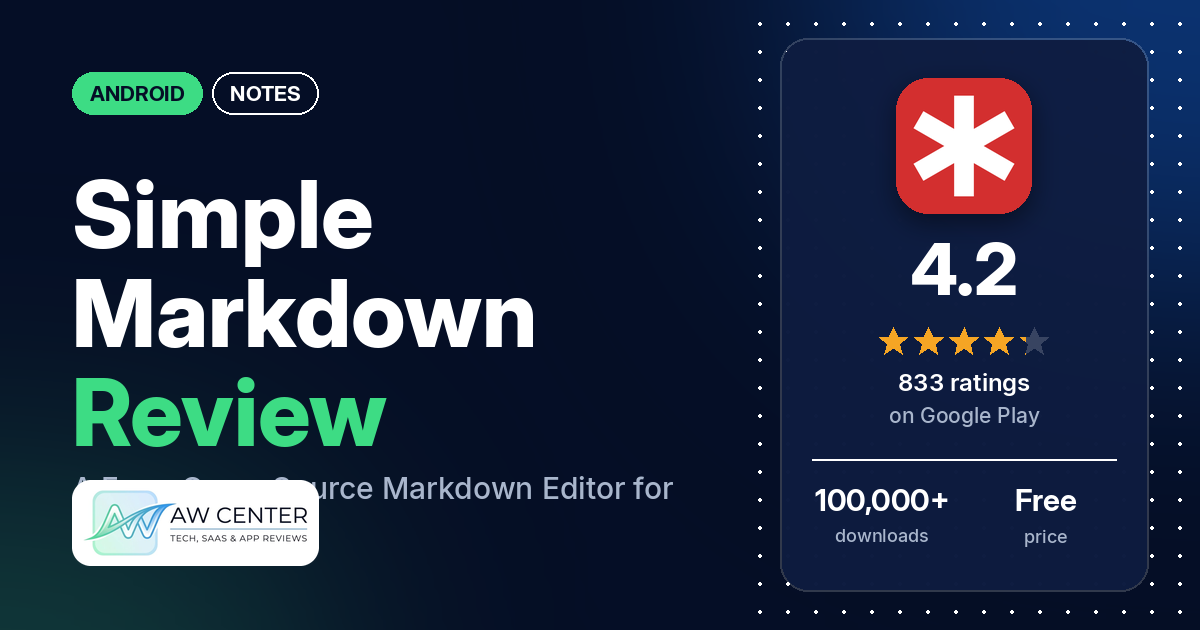
Simple Markdown is a free, open-source app for Android that lets you open, edit and preview Markdown files, then share them with other apps.
Quick verdict
If you want a plain, ad-free app for reading and editing Markdown files on an Android phone or tablet, Simple Markdown fits. The most common praise in our sample is that it’s simple, with many reviewers saying so; several also like it for reading Markdown files, for having no ads, or for being easy to use or light. Lost work is the most serious complaint. Several reviewers say edits or whole files were lost, and several say the app crashes or closes, often right after opening a file. Several others point to missing search, missing LaTeX support, or trouble scrolling wide tables and code. These are minority reports, since about 14% of its ratings are 1 or 2 stars, though several of them recur.
Simple Markdown at a glance
| Developer | William P Brawner |
|---|---|
| Store listing | Simple Markdown on Google Play |
| Price | Free, with optional in-app purchases ($0.99–$9.99 per item) |
| Ads | None |
| Play Store rating | 4.2 stars from 833 ratings (69% of the ratings in the store’s rating breakdown are 5-star) |
| Downloads | 100,000+ |
| Version / last updated | 2026.8 / August 21, 2026 |
| Requires | Not in our data |
| First released | August 28, 2017 |
| Data checked | October 17, 2026 |
What is Simple Markdown?
Simple Markdown is a Markdown editor. The listing says it is open source and “allows you to quickly and easily edit markdown files, and then share them as you please.” The listing is short: it links to the project’s GitHub page for bug reports and code, and invites users to contact the developer directly. It doesn’t describe features beyond editing and sharing.
Key features
- Markdown editing: the listing says you can quickly edit Markdown files and share them.
- Open source: the listing links to the source code on GitHub and says you can contribute to it.
- What reviewers and developer replies add: the listing doesn’t name these, but reviewers and the developer’s replies describe them. One reviewer says you swipe or tap Edit and Preview tabs to switch views, and that a tablet in landscape shows both side by side. Two reviewers list autosave as a plus, while a few others say autosave didn’t keep their changes. Two reviewers mention a dark mode, and one an AMOLED theme. The developer’s replies point to a “Lock Swiping” toggle in the three-dot menu. One reviewer says saving and loading files from Google Drive works.
Simple Markdown vs. what a notes app should have
The Status column shows where we found each feature. “Listed” means the Google Play listing names it. “Partial” means the listing covers part of it. “Reviews only” means reviewers describe it but the listing doesn’t. “Not listed” means neither the listing nor the reviews in our sample show the app has it. Simple Markdown edits Markdown files and isn’t a full notes app, so many notes features don’t apply. This checklist is a first version for notes apps and will change as we review more of them. It records what the app offers and doesn’t measure how well each feature works.
Must have
| Feature | Status | Notes |
|---|---|---|
| Fast note creation | Partial | The listing says you can “quickly and easily edit markdown files”; no widget or quick-capture shortcut is named |
| Organization (tags, folders or flags) | Not listed | Files live wherever you store them; two reviewers like that it isn’t limited to one folder |
| Search or filtering | Not listed | Several reviewers say there is no search or find and replace |
| Sync across devices | Not listed | One reviewer says saving and loading from Google Drive works; a few report problems with Dropbox |
| Send or export text to other apps | Listed | The listing says you can share files “as you please”; a few reviewers want PDF export, printing or an export function |
| Home-screen widget | Not listed | |
| Backup or recovery | Not listed | Several reviewers report lost work (see the problems table) |
Should have
| Feature | Status | Notes |
|---|---|---|
| Markdown | Listed | The app’s main purpose; several reviewers say LaTeX or math isn’t supported, and a few say checkboxes or task lists aren’t |
| Dictation or voice capture | Not listed | |
| Themes and dark mode | Reviews only | Two reviewers mention a dark mode, and one an AMOLED theme |
| Font and layout customization | Not listed | Two reviewers say they can’t change the font size |
| Share-sheet capture | Not listed | |
| Google Assistant or app shortcuts | Not listed | |
| Smartwatch capture | Not listed |
Nice to have
| Feature | Status | Notes |
|---|---|---|
| Automation or scripting | Not listed | |
| AI/LLM integration | Not listed | |
| Images or attachments | Not listed | One reviewer says images inserted with an HTML link element don’t show |
| Collaboration on a note | Not listed | |
| Web or Windows access | Not listed | |
| Note lock or encryption | Not listed | |
| Accessibility | Not listed |
Common problems reviewers report
The developer has replied to many of the reviews in our sample. Where a reply gives advice, we quote it with its date. Replies may be out of date, and newer versions may behave differently.
| Problem | What reviewers report | When |
|---|---|---|
| Lost work | Several reviewers say edits or whole files were lost, and a few of these reports are from 2025 or 2026. A few say it happened after switching to another app, and a few after rotating the screen. In a July 6, 2025 reply, the developer said there is an autosave feature, that a new file you haven’t explicitly saved ends up in internal storage, and that you may still be able to recover the file as long as you haven’t deleted the app. In October 2020 the developer said the rotation bug “should be fixed with the latest release (0.8.9)”; one reviewer reported losing work on rotation in June 2025 | January 2020 to October 2026 |
| Crashes when opening a file | Several reviewers say the app crashes or closes right after opening a file, and a few say it happened with larger files. One gives a file size of 163 KB. In an August 2, 2025 reply to one of them, the developer said it “might be running out of memory” but would have to experiment to be sure | July 2025 to August 2026 |
| Saving fails or goes wrong | Several reviewers say saving gives an error, saves to the wrong place, or overwrites the original file when using “save as”. A few say autosave didn’t keep their changes, and one reviewer, in 2022, says the app couldn’t save because it needed a permission there was no option to grant. Two others, in 2023, say the app complained about a missing permission. The developer’s replies ask for details by email or as a GitHub issue | March 2020 to June 2026 |
| Wide tables or code don’t scroll sideways | Several reviewers have trouble scrolling wide tables or code blocks sideways, and one says it conflicts with switching between the editor and the preview. In an August 15, 2026 reply, the developer suggested the “Lock Swiping” toggle in the overflow menu (“Three dots in the upper right corner”) and then using the buttons to switch between edit and preview. The reviewer it replied to later added “Lock Swiping fixed the issue” | February 2023 to August 2026 |
| Dropbox files | A few reviewers say files from Dropbox don’t open or save. One says the app reports that a Dropbox file “Does not appear to be a text file”. In a May 9, 2025 reply, the developer called this “a known issue, specifically from Dropbox” and said they are working on a better solution | August 2020 to November 2025 |
Pros (from user reviews)
- Simple: the most common praise in our sample. Many reviewers call it simple, minimal, clutter-free or bloat-free. Two others call it too simple.
- Reading Markdown files: several reviewers praise it for opening, reading or viewing Markdown files. Two of them say it’s better for reading than for editing or saving. A few others want a preview-only view in landscape, where the editor and preview show side by side, and two want files to open in preview first.
- No ads: several reviewers say they like that it has no ads.
- Easy to use: several reviewers call it easy to use or easy to navigate. One of them says they always forget that new file and save are in the top-right menu, and two others had trouble getting the keyboard to appear.
- Light and fast: several reviewers call it light, lightweight, fast or performant. A few others say it lags or is slow, and one says it froze loading a 40,000-word text file.
- Preview: a few reviewers praise the preview or the rendering. Several others say the preview leaves things out or shows some elements wrongly, such as tables, checkboxes, equations, images or line breaks, and one finds the preview style ugly.
- Free and open source: a few reviewers mention that it’s free, and two call it FOSS (free and open-source software). A few say they left a tip or bought the developer a coffee.
- Files from anywhere: two reviewers like that it can edit files stored anywhere rather than in one folder, and one says saving and loading files from Google Drive works. A few others had problems with Dropbox, and two say they couldn’t save to OneDrive.
- Responsive developer: two reviewers call the developer responsive, and one says the developer’s suggestion fixed their problem.
Cons (from user reviews)
- Lost work: the most serious complaint in our sample. Several reviewers say edits or whole files were lost, a few after switching to another app and a few after rotating the screen. One says a file was corrupted beyond recovery. Two others list autosave as a plus.
- Crashes: several reviewers say the app crashes or closes, and several say it happens right after opening a file. A few tie it to larger files.
- Saving problems: several reviewers say saving fails, saves to the wrong place, or overwrites the wrong file.
- No search: several reviewers say there is no search, or no find and replace, inside a document. Two want undo.
- Wide tables and code: several reviewers have trouble scrolling wide tables or code sideways. The developer’s replies point to the “Lock Swiping” toggle (see the table above).
- No LaTeX or math: several reviewers say LaTeX or math equations aren’t supported. In an August 21, 2025 reply, the developer said there’s an open issue for LaTeX support on GitHub and that they’re happy to review code contributions.
- Checkboxes: a few reviewers, in reviews from 2020 to January 2025, say checkboxes or task lists aren’t supported or render poorly. In 2020 replies, the developer said they planned to add checkbox support eventually.
- Copy and paste: a few reviewers report problems with pasting, such as a size limit, freezing after a paste, or not being able to edit afterward.
- Missing extras: a few reviewers want PDF export, printing or another export option, and two want to change the font size. One wants right-to-left language support.
- Editing jumps: two reviewers, both in 2023, say the page or cursor jumps while they edit, and one says they can’t see what they’re typing.
About a third of the reviews in our sample are 1 or 2 stars because of how the sample was drawn (see the last section). Low ratings, where most of these complaints appear, are a smaller share of all ratings: about 14% are 1 or 2 stars, and 68.7% are 5-star.
Rating breakdown
| Stars | Ratings | Share |
|---|---|---|
| 5 | 561 | 68.7% |
| 4 | 105 | 12.9% |
| 3 | 33 | 4.0% |
| 2 | 33 | 4.0% |
| 1 | 85 | 10.4% |
Source: Google Play ratings histogram, checked October 17, 2026. The histogram adds up to 817 ratings, fewer than the 833 total, and the shares are of the histogram total.
Pricing
You can use Simple Markdown for free. It has in-app purchases from $0.99 to $9.99 per item. The listing doesn’t say what the purchases are for. A few reviewers say they left a tip, and one says the tip option is in the menu. Google Play lists no ads, and several reviewers say it has none. Check the listing for current prices.
Privacy and permissions
We couldn’t read the Google Play data safety section for Simple Markdown, so we make no claim about what data it collects. The app’s permissions list includes full network access and view network connections. The listing says the app is open source. One reviewer, in September 2026, asked about heavy background data use. The developer replied, “The code is open source so there’s nothing nefarious going on”, and said it may be the error reporter: they had shut down its server, but the app keeps trying to send error reports and retries when that fails.
Who it’s for
Simple Markdown fits you if you want a plain, ad-free app to open, read and make quick edits to Markdown files on Android, and you like open-source software. It’s a weaker fit if you write long documents on your phone, need search, LaTeX, checkboxes or PDF export, or keep your files in Dropbox. Given the reports of lost work, save often and keep a copy of anything important elsewhere.
FAQ
Is Simple Markdown free?
Yes. Simple Markdown is free on Google Play, with optional in-app purchases from $0.99 to $9.99 per item, and Google Play lists no ads. The listing doesn’t say what the purchases are for. A few reviewers say they left a tip for the developer.
Is Simple Markdown open source?
Yes. The listing says it is an open-source Markdown editor and links to its code on GitHub, where you can also report bugs. Two reviewers in our sample call it FOSS, and in a 2026 reply the developer also pointed users to Codeberg for issues.
Does Simple Markdown support LaTeX or math?
Not according to reviewers. Several reviewers in our sample say LaTeX or math equations aren’t supported. In an August 2025 reply, the developer said there is an open issue for LaTeX support on GitHub and that they’d review code contributions.
Can I scroll wide tables in Simple Markdown?
Several reviewers have trouble scrolling wide tables or code sideways, and one says it conflicts with switching between the editor and the preview. In an August 2026 reply, the developer suggested turning on “Lock Swiping” in the three-dot menu in the upper right and then using the buttons to switch views. One reviewer says that fixed the problem.
How this review was put together
We haven’t tested Simple Markdown. This review is based on public information from official sources: the app’s Google Play or App Store listing and rating breakdown, the developer’s website when there is one, and recent user reviews on the store with the developer’s replies. Features and claims are the developer’s own descriptions; what users like and dislike comes from the store reviews. Everything was checked on October 17, 2026. Apps change with every update, so check the store listing before you install.