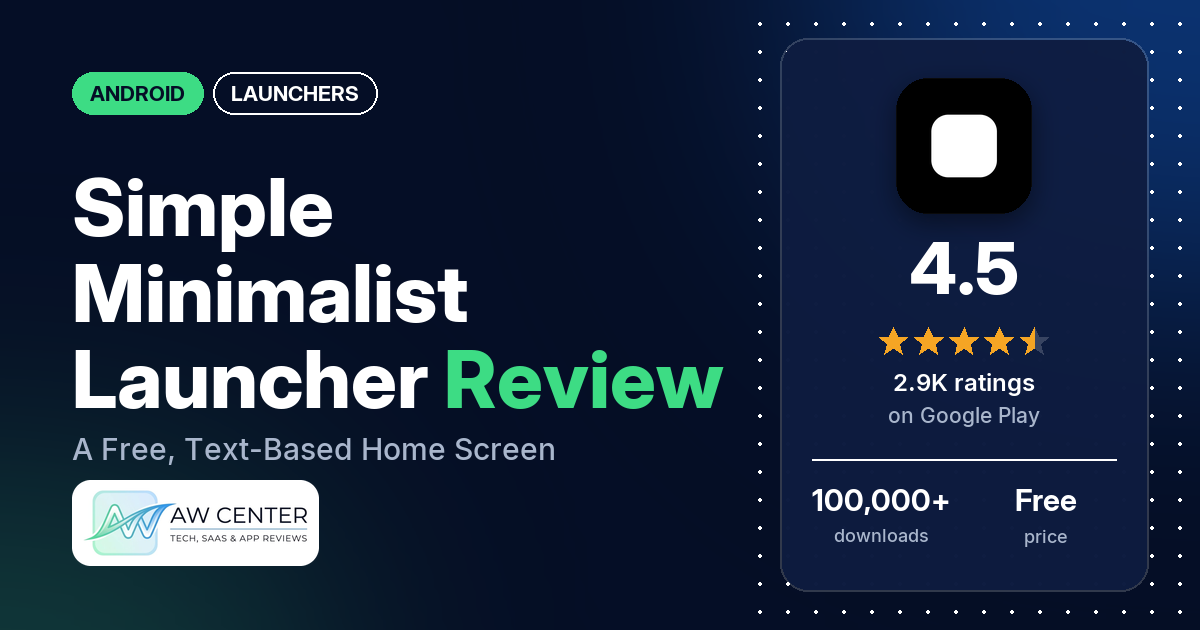
Simple Minimalist Launcher (the listing calls it Simple Launcher) replaces your Android home screen with pinned app names, a clock and the widgets you pick. It’s free, with no ads and no in-app purchases in our data, though the developer’s replies from September 2026 say a subscription is on the way.
Quick verdict
If you want a calm, text-based home screen and still like to tweak fonts, colors and widgets, this launcher costs nothing and shows no ads. The most common praise is for the clean design. Several reviewers also like that it’s free or ad-free, and several say it helped them cut distractions or screen time. The complaints are about stability: several reviewers report crashes or a launcher that freezes, and a few dislike forced updates and the required usage access permission. Low ratings are a small share, since about 6% of all ratings are 1 or 2 stars.
Simple Minimalist Launcher at a glance
| Developer | dinoo |
|---|---|
| Store listing | Simple Minimalist Launcher on Google Play |
| Price | Free (no in-app purchases in our data) |
| Ads | None |
| Play Store rating | 4.5 stars from 2,876 ratings (76% are 5-star, counted against all ratings) |
| Downloads | 100,000+ |
| Version / last updated | 2.5.2 / September 5, 2026 |
| Requires | Not in our data |
| First released | May 8, 2025 |
| Data checked | October 25, 2026 |
What is Simple Minimalist Launcher?
It’s a launcher: the app that draws your home screen and app list. The listing describes “a clean, text-based home screen” with “no icon grid and no endless scrolling”, where you see only the apps you pin, a clock and your widgets, and everything else is one search away. It pitches the app at people doing a digital detox or trying to cut screen time. The first release was in May 2025, and version 2.5.2 came out on September 5, 2026.
Key features
- Pinned apps and layouts: pin and reorder apps in styles such as a plain list, pills, bento, tiles or a “screen time list”. You can split the home screen into tiles and save several layouts. Pinned apps can show notification badges.
- Widgets: clock, date, battery, screen time and unlock count, day, month and year progress bars, music controls, the next calendar event, notes, images and quick settings tiles such as the torch and Do Not Disturb. A widget board can also hold widgets from your other apps.
- Weather: eight weather widget styles. The listing says you search for a city by name and the app never asks for location permission.
- Search: type to find an app, or send the same words to the web, contacts, the dialer or maps. Options include an auto-open keyboard, auto-launch on a single match, an alphabet scroll bar and short “search codes” that open one app.
- Themes and fonts: Material You colors, light and dark presets, a theme editor where you set a color for every surface, and 30+ built-in fonts or your own. Wallpaper opacity and blur are adjustable.
- Organizing: hide, rename and color app names, style folders, show or hide work profile apps, and long-press an app to see its screen time for today.
- Gestures: swipes in four directions, double tap and long press, each mapped to an app, a folder, search, settings, the notification shade or screen lock.
The weather widget is handy for a glance, but don’t rely on a single app for severe weather warnings.
Simple Minimalist Launcher vs. what a launcher app should have
“Listed” means the Google Play listing names the feature, and “Partial” means it covers part of it. “Reviews and developer replies” means we found it there, not in the listing, and “Not listed” means we found it nowhere. The checklist records what the app offers, not how well each feature works.
Must have
| Feature | Status | Notes |
|---|---|---|
| Home screen with the apps you choose | Listed | Pin and reorder apps, with several layout styles. Two reviewers say their pinned-app or folder setup was lost after a restart. |
| Searchable, sortable app list | Partial | Search, recent apps and an alphabet scroll bar are listed; sort options are not. One reviewer says the letter scroll is broken. |
| Folders or grouping | Listed | Folders with their own styling. |
| Hiding apps | Listed | One reviewer asks for a gesture to reach hidden apps instead of going through settings. |
| Easy setup as the default launcher | Reviews and developer replies | A few reviewers call it easy to use or set up. Two say you must make it the default before you can try it, and two couldn’t get it set as the default. |
| Gestures and navigation settings | Listed | Adjustable swipe friction and haptics. |
| Usable free tier | Listed | The whole app is free in our data. |
Should have
| Feature | Status | Notes |
|---|---|---|
| Notification filtering | Not listed | The listing names notification badges only. One reviewer asks for notification blocking. |
| Icon styles and third-party icon packs | Not listed | The home screen is text-based. One reviewer asks for icons. |
| Themes and wallpapers | Listed | Several reviewers say they couldn’t use their own wallpaper or background (see Common problems). |
| Font and text-size options | Partial | 30+ fonts and font import are listed; text size isn’t. One reviewer says you can’t change the text size in the app drawer or settings. |
| Built-in widgets | Listed | Two reviewers ask to resize widgets. |
| Standard Android widgets from other apps | Listed | On a separate widget board. |
| Renaming apps | Listed | |
| Backup and restore | Not listed | |
| Works without internet | Not listed | The listing doesn’t say. The app asks for full network access. |
Nice to have
| Feature | Status | Notes |
|---|---|---|
| Focus tools (screen-time stats, app timers, blocking) | Partial | Screen time and unlock widgets and per-app screen time are listed. No timers or blocking; two reviewers ask for them, and another asks for a focus mode. |
| Double-tap to lock the screen | Listed | Uses the Accessibility Service, which the listing says is only for screen lock. |
| Extra sort options | Not listed | |
| Automatic light and dark themes | Partial | Light and dark presets and Material You colors; automatic switching isn’t mentioned. |
| Notification dots or badges | Listed | Badges on pinned apps. |
| Website shortcuts | Not listed | Search can send your words to the web. |
| Tablet and e-reader support | Not listed | One reviewer says gestures stopped working on an Honor tablet. |
| No ads | Listed | No reviewer in our sample reports ads. |
| One-time purchase for all devices | Not listed | Nothing is paid yet. One reviewer asks for a lifetime option if a pro version arrives. |
For a launcher sold on minimalism, the feature list is long. What’s missing is mostly focus tools such as timers or blocking, plus icons and backup.
Common problems and fixes
Most of these come from 1- to 3-star reviews, which make up about 9% of all ratings. The developer’s replies are dated, and newer versions may behave differently.
| Problem | What reviewers report | What the developer’s replies say |
|---|---|---|
| Crashes, or search freezes until you force-stop the app | Several reviewers, May 2025 to September 2026. | Replies on September 6, 2026 say version 2.5.2 fixes it and ask anyone still affected to email [email protected]. |
| Update screen blocks the launcher | A few reviewers, December 2025 to September 2026, object to forced updates. One says they were stuck on the update screen and couldn’t use the home screen. | A September 6, 2026 reply says the next update would stop forcing updates. |
| Can’t try it without making it the default | Two reviewers, August 2025 and July 2026. | An August 2025 reply says there are no plans to change this, since Android lets you switch back to your old launcher. |
| Can’t add more pinned apps | One reviewer, July 2026. | Long-press the home screen and add as many pinned apps as you want (July 2026). |
| Can’t set your own wallpaper or background | Several reviewers, May 2025 to October 2026. | A September 2025 reply says a lock screen wallpaper option was in v2.3.7 and home screen wallpaper was being worked on. The current listing names wallpaper opacity and blur. |
| Screen time widget shows far too many hours | Two reviewers, December 2025 and June 2026 (one saw 57 hours, the other 18+). | A June 2026 reply says the team would investigate. |
| Folder items won’t stay in your order | One reviewer, August 2026. | The setting is in settings, just below manage folders (August 2026). The reviewer says the “selected” order still didn’t work. |
| Three back gestures to leave search | One reviewer, June 2025. | A June 2025 reply says you can swipe down to dismiss search since v2.2.3. |
| Phone’s gesture navigation stops working | A few reviewers, November 2025 to July 2026, one on an Honor tablet. | A December 2025 reply asks for details by email. |
Pros (from user reviews)
- Clean, simple look: several reviewers call it clean, simple or minimal, and one says it feels “pleasing and boring, perfect app for detox”. A few disagree: one suggests renaming it “Complex launcher”, one finds the settings too technical, and one calls it too limited.
- Free and ad-free: several reviewers praise that it costs nothing, and several point out there are no ads. One asks “why is this free?” after finding other minimalist launchers hard to set up. A September 2026 reviewer asks the developer not to put features behind a paywall, and the developer’s replies that month say a subscription is coming.
- Less screen time: several reviewers say it cuts distractions or helps them focus, or recommend it for a digital detox. One says their phone time fell from 6 hours to 2 hours or less. A few want more, such as app timers or a focus mode.
- Customization: several reviewers like the themes, fonts and other options. Several others want more control, such as text size in the app drawer, widget size or fully custom themes.
- Smooth and fast: a few reviewers call it smooth or fast, and one praises the “super fast App Seach”. A few others say it lags or loads slowly (see Cons).
- Easy to use: a few reviewers say it is easy to set up or use.
- Compared with other launchers: a few reviewers compare it favorably with Nova Prime, Niagara or Olauncher. One prefers Olauncher after gestures stopped working on their tablet.
- Active development: a few reviewers say it keeps improving or look forward to features on the roadmap.
Cons (from user reviews)
- Crashes and freezes: several reviewers say the launcher crashes, freezes on the home button, or gets stuck on search or the home screen until they force-stop it. One says it froze at least once in every three presses of the home button. The developer’s replies in September 2026 say version 2.5.2 fixes the crashes.
- Lag: a few reviewers say it is slow or sluggish. One describes a delay of about five seconds with a “getting things ready for you” message.
- Forced updates: a few reviewers object to being made to update, and one says they were stuck on the update screen until it finished. Another asks why it updated twice in a day. The developer replied that a critical crash bug needed two updates.
- Usage access and Accessibility: a few reviewers don’t want to grant usage access, which they say is required. One says they were asked for the Accessibility permission every time, and another reports constant problems with that permission.
- Setting it as the default: two reviewers dislike having to make it the default before trying it, and two couldn’t get past that step. One says the screen went black after setting it.
- Wallpaper: several reviewers say they couldn’t use their own wallpaper or background, in reviews from May 2025 to October 2026. One says random images started replacing their chosen lock screen.
- Gestures: a few reviewers say the phone’s gesture navigation stopped working. A few others report trouble with the launcher’s own swipes, such as swipe down for notifications working about 2 times out of 5.
- Restart and widget bugs: two reviewers lost folders or pinned-app settings after a restart, two say the intro guide keeps coming back, and two say the screen time widget showed far too many hours.
- Recent apps: a few reviewers want a recent apps view or say the recent apps box doesn’t work.
- Data: one reviewer says the app “steals data” but gives no detail. The listing says there is no data collection.
Complaints are a small part of the picture: in the rating breakdown, 6.5% of ratings are 1 or 2 stars and 77.2% are 5-star.
Rating breakdown
| Stars | Ratings | Share |
|---|---|---|
| 5 | 2,185 | 77.2% |
| 4 | 391 | 13.8% |
| 3 | 69 | 2.4% |
| 2 | 46 | 1.6% |
| 1 | 138 | 4.9% |
Source: Google Play ratings histogram, checked October 25, 2026. The histogram adds up to 2,829 ratings, fewer than the 2,876 total, and the shares are of the histogram total.
Pricing
Simple Minimalist Launcher is free, and our data shows no in-app purchases and no ads. That may change. In September 2026 the developer replied to one reviewer “I will bring subscription soon” and told another that they had sat down to build a subscription. One reviewer mentions waiting for a pro version and asks for a lifetime purchase option. The listing doesn’t say what a subscription would include.
Privacy and permissions
We couldn’t read the Google Play data safety section for this app, so we make no claim about what it declares there. The listing says “No ads and no data collection” and that the app doesn’t ask for location permission; the weather widget uses a city you search for. It says the Accessibility Service is used only to lock the screen when you double tap or assign lock to a gesture, and that no data is collected or shared through it.
The Play Store’s permissions list shows: Google Play license check, access Bluetooth settings, control vibration, full network access, modify system settings, pair with Bluetooth devices, read calendar events plus confidential information, run at startup, set wallpaper, update component usage statistics, and view network connections. A few reviewers object to the usage access request, and one claims the app steals data without saying how.
Who it’s for
This launcher suits you if you want a text-based home screen that still lets you change fonts, colors, layouts and widgets, and you don’t want to pay or see ads. It also suits you if you want screen time numbers on the home screen to keep yourself honest. It’s a weaker fit if you need app timers or blocking, want icons or your own wallpaper, or won’t grant usage access. Given the crash and freeze reports, check that you’re on version 2.5.2 or later and watch the first few days for problems.
FAQ
Is Simple Minimalist Launcher free?
Yes. It’s free to download, and our data shows no in-app purchases and no ads. Developer replies from September 2026 say a subscription is planned. The listing doesn’t say what it would cost or include.
Does Simple Minimalist Launcher need location permission for weather?
The listing says no: you search for a city by name, and the app never asks for location permission. Its permissions list does include full network access. Don’t rely on a single app for severe weather warnings.
Why does Simple Minimalist Launcher use the Accessibility Service?
The listing says it uses the Accessibility Service only to lock the screen when you double tap, or when you assign lock to a gesture. It says no data is collected or shared through it. One reviewer says they were asked for it every time, and another reports constant problems with the permission.
How do I add more apps to the home screen?
A developer reply from July 2026 says to long-press the home screen and add as many pinned apps as you want. The listing says you can pin and reorder apps and pick from several pinned styles. This may work differently in newer versions.
How this review was put together
We haven’t tested Simple Minimalist Launcher. This review is based on public information from official sources: the app’s Google Play or App Store listing and rating breakdown, the developer’s website when there is one, and recent user reviews on the store with the developer’s replies. Features and claims are the developer’s own descriptions; what users like and dislike comes from the store reviews. Everything was checked on October 25, 2026. Apps change with every update, so check the store listing before you install.