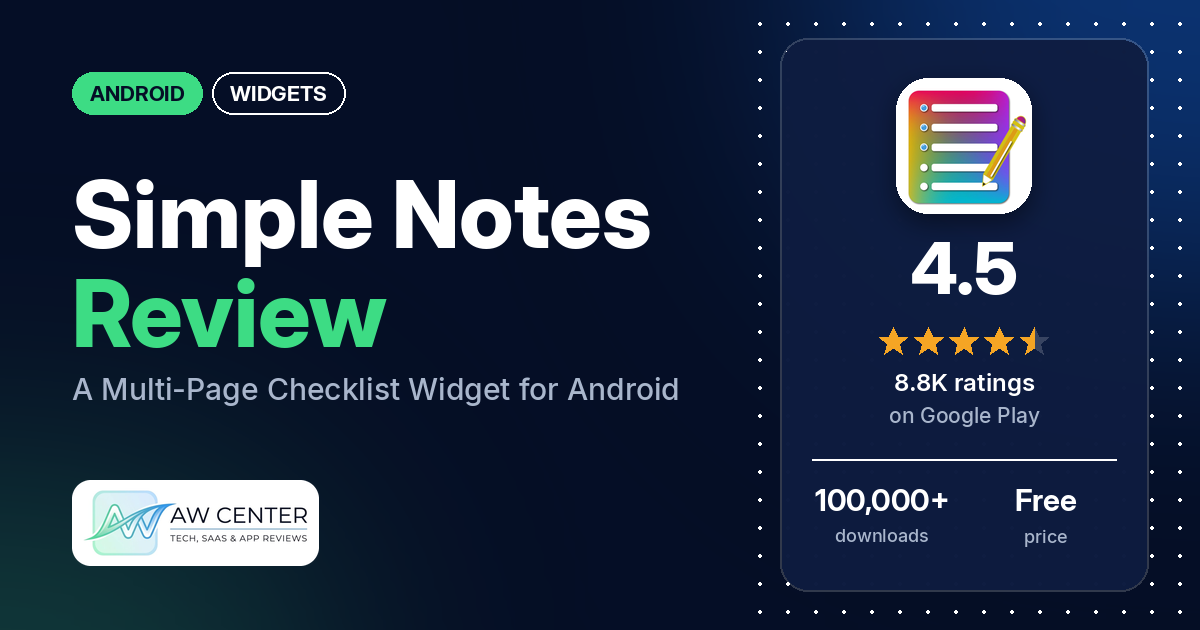
Simple Notes – Widget is a free Android app that puts a multi-page note and checklist widget on your home screen. It shows ads. The listing says the Premium upgrade removes them and adds color customization, sorting and Dropbox sync, and our data lists one in-app purchase at $6.99.
Quick verdict
If you want a plain checklist on your home screen that you can flip through page by page, Simple Notes does that, and many reviewers call it simple or easy to use. Expect to hit the paywall: the listing puts color customization and sorting behind Premium, and several reviewers, mostly from 2017 to 2021, say they were annoyed to find that out. Ads are the other complaint, and a few reviewers say they got worse between 2021 and 2026. A few reviewers also report crashes after an update in April 2026. Across all ratings, 76.2% are 5 stars and 8.9% are 1 or 2 stars.
Simple Notes – Widget at a glance
| Developer | Qvyshift LLC |
|---|---|
| Store listing | Simple Notes – Widget on Google Play |
| Price | Free, with an in-app purchase at $6.99 |
| Ads | Yes |
| Play Store rating | 4.5 stars from 8,758 ratings (76% are 5-star) |
| Downloads | 100,000+ |
| Version / last updated | 6.4.10 / October 7, 2026 |
| Requires | Not in our data |
| First released | January 27, 2013 |
| Data checked | November 21, 2026 |
What is Simple Notes – Widget?
It is a notepad and to-do list that lives mainly as a home-screen widget. The listing says one widget can hold unlimited pages and notes, and that you can add tasks by voice, set reminders, prioritize notes and share them. Reviewers use it for grocery lists, daily plans and quick notes. The listing adds that the widget is not an app icon: you find it in the widgets tab and drag it to your home screen.
Key features
- Pages and notes: unlimited pages and notes in a single widget.
- Tasks and reminders: task management, reminders and note priorities.
- Voice input: add tasks by voice and have them converted to text.
- Sharing and import: share notes with others and import notes from other apps.
- Backup: backup and restore of your data, as named in the listing.
- Premium upgrade: widget color customization, sorting of pages and notes, Dropbox sync and no ads.
Simple Notes – Widget vs. what a widgets app should have
“Listed” means the Google Play listing names the feature, and “Partial” means it covers part of it. “Reviews only” means we found it in reviews. Simple Notes is a note widget, so rows for widget-builder apps, such as weather or music data, mostly don’t apply.
Must have
| Feature | Status | Notes |
|---|---|---|
| Home Screen widgets in several sizes | Reviews only | The listing names no sizes. Reviewers say 3×3 is the smallest (2019), there is no 2×3 or 2×4 (2020), and the note can’t be made narrower (2026). |
| Lock Screen widgets | Not listed | |
| Design editor (text, images, shapes, layout) | Partial | The listing mentions extensive customization options, and widget color customization needs Premium. Several reviewers want more font and color control. |
| Ready-made designs or templates | Not listed | |
| Common data (time, date, weather, calendar, battery) | Not listed | One 2019 reviewer asks for a calendar and a timer or alarm. |
| Widgets that stay up to date | Reviews only | One February 2025 reviewer says the widget stopped accepting edits or page changes; several others report crashes. |
| Transparent or wallpaper-matching backgrounds | Not listed | Two 2026 reviewers say divider lines can be set to transparent but now show black. A 2014 reviewer asked for transparency. |
Should have
| Feature | Status | Notes |
|---|---|---|
| Smartwatch faces or complications | Not listed | |
| Tap actions that open apps | Not listed | |
| Sharing or importing designs | Partial | The listing says you can share notes and import notes from other apps, not designs. |
| Music or now-playing data | Not listed | |
| Health and fitness data | Not listed | |
| Help, tutorials or a support contact | Partial | The listing explains how to add the widget. The data has four developer replies, 2017 to 2021, and a 2021 reviewer says two emails went unanswered. |
| Usable free tier | Listed | The listing says basic features are free. Sorting and widget colors need Premium. |
| Restoring purchases on a new device | Not listed | One 2018 reviewer says a new phone asked them to pay for Premium again. |
Nice to have
| Feature | Status | Notes |
|---|---|---|
| Custom data sources (JSON, API) | Not listed | |
| Charts and gauges | Not listed | |
| Launcher integration and compatibility | Not listed | |
| Tablet and desktop support | Not listed | |
| Shortcuts or automation integration | Not listed | |
| One-time purchase instead of a subscription | Partial | The listing calls Premium an upgrade and our data lists one $6.99 item. It doesn’t say whether the purchase is one-time. |
| No ads | Partial | The free version has ads; the listing says Premium removes them. |
It does one job, multi-page checklists on the home screen, and leaves out clock, weather, calendar and templates.
Common problems and fixes
Most of these come from low-star reviews: 1- and 2-star ratings make up 8.9% of all ratings. The data has only four developer replies, so most rows have no fix to report. Newer versions may behave differently.
| Problem | What reviewers report | What the developer’s replies say |
|---|---|---|
| Sort order doesn’t stick | Several reviewers, 2020 to 2024, say sorted notes or lists go back to the old order after you change pages. Sorting is a Premium feature, and some of them say they paid. | No developer reply in our sample. |
| More ads | A few reviewers, 2021 to 2026, say ads became more frequent, including an ad after every note save (September 2026). | No developer reply in our sample. The listing says Premium removes ads. |
| Crashes or won’t open | Several reviewers across 2017 to 2026, including a few in April 2026 who say it stopped working or crashed after an update. | No developer reply in our sample. |
| Backup fails | A few reviewers, 2020 and 2021, say backup stopped working, on Android 10 or on a Samsung Note 10. Some mention Google Drive. | No developer reply in our sample. |
| Notes missing after a phone change or reinstall | A few reviewers, 2017 to 2021. | A 2017 reply says a transfer feature would come in a future release. |
| Voice notes stopped working | One reviewer, April 2021. | A May 2021 reply says the problem was fixed in the latest version. |
| Notes are blurred until you tap them | One reviewer, 2018, wants to see notes at all times. | A January 2019 reply says to open Security and set Locking type to None. |
Pros (from user reviews)
- Simple and easy to use: many reviewers say it is simple, easy or straightforward. A few say they couldn’t work out how to enter a note, or that it isn’t user-friendly.
- Multi-page widget: several reviewers like flipping through pages and ticking items off right on the home screen.
- Grocery and daily lists: a few reviewers use it for grocery or shopping lists, and one says it lets them mark off items while they shop.
- Voice input: a few reviewers mention voice or speech-to-text notes.
- Long-term use: several reviewers say they have used it for years.
- Premium is worth it to some: a few reviewers who bought it say it was worth the money.
Cons (from user reviews)
- Features behind Premium: several reviewers, mostly 2017 to 2021, say colors, fonts or sorting need the paid version, and two 2019 reviewers say they downloaded it for the colors. A 2024 reviewer calls the purchase a waste of money.
- Ads: several reviewers complain about ads, some describing pop-ups or sound. A few say they increased between 2021 and 2026.
- Crashes and lost notes: several reviewers report crashes or an app that won’t open, and a few say they lost notes after a crash or a reinstall.
- Sorting that resets: several reviewers say sorted order doesn’t stay.
- Backup and transfer: several reviewers had trouble with backup, restore or moving notes to a new phone, mostly in 2017 to 2021.
- Widget size and layout: a few reviewers say the widget is too big, and a few want to hide the page number.
- Missing features: two reviewers say it only suits checklists. One 2026 reviewer asks for search.
The sample adds extra low-star reviews, so complaints are overrepresented above. Across all ratings, 76.2% are 5-star and 8.9% are 1 or 2 stars.
Rating breakdown
| Stars | Ratings | Share |
|---|---|---|
| 5 | 6,653 | 76.2% |
| 4 | 1,043 | 12.0% |
| 3 | 253 | 2.9% |
| 2 | 347 | 4.0% |
| 1 | 432 | 4.9% |
Source: Google Play ratings histogram, checked November 21, 2026. The histogram adds up to 8,728 ratings, 30 fewer than the 8,758 total, and the shares are of the histogram total.
Pricing
Simple Notes is free with ads, and the listing says basic features are free. Premium adds widget color customization, sorting of pages and notes, Dropbox sync and no ads. Our data lists one in-app purchase price, $6.99. Reviewers disagree on value: one in 2021 calls the paid version very expensive, while a few others say it was worth it, including a September 2026 reviewer who bought it to reorder notes and avoid ads.
Privacy and permissions
We couldn’t read the Google Play data safety section for this app, so we make no claim about what it declares there. The listing doesn’t discuss privacy.
The Play Store permissions list shows: control vibration, full network access, modify or delete the contents of your USB storage, prevent device from sleeping, read the contents of your USB storage, receive data from Internet, run at startup, view Wi-Fi connections and view network connections. There is no location, contacts or camera permission. One 2019 reviewer called it too many permissions for a simple checklist app.
Who it’s for
Simple Notes suits you if you want a basic multi-page checklist on your home screen for groceries, plans or quick notes, and you either accept the ads or pay for Premium. It is a weaker fit if you want color and font control in the free version, if you need sorting that you can count on, or if your notes are important and you haven’t backed them up. Check the recent reviews for crash reports before you move important notes in.
FAQ
Is Simple Notes – Widget free?
Yes, it’s free to download and shows ads. The listing says basic features are free. Premium, listed with one in-app purchase at $6.99 in our data, adds widget colors, sorting, Dropbox sync and no ads.
Where is the Simple Notes widget after I install it?
The listing says the widget is not an app icon. Open the widgets tab, or find the widget in the menu, and drag it to your home screen.
Does Simple Notes back up my notes?
The listing says backup and restore of data is a feature, and that Premium adds Dropbox sync. Several reviewers, mostly 2017 to 2021, report problems with backup, restore or moving notes to a new phone, including a few whose backup stopped working in 2020 and 2021. Newer versions may differ.
Can I stop the widget from blurring my notes?
A January 2019 developer reply says the blur is a security option. Open Security and set Locking type to None. That reply is from an older version, so the menu may have changed.
How this review was put together
We haven’t tested Simple Notes – Widget. This review is based on public information from official sources: the app’s Google Play or App Store listing and rating breakdown, the developer’s website when there is one, and recent user reviews on the store with the developer’s replies. Features and claims are the developer’s own descriptions; what users like and dislike comes from the store reviews. Everything was checked on November 21, 2026. Apps change with every update, so check the store listing before you install.