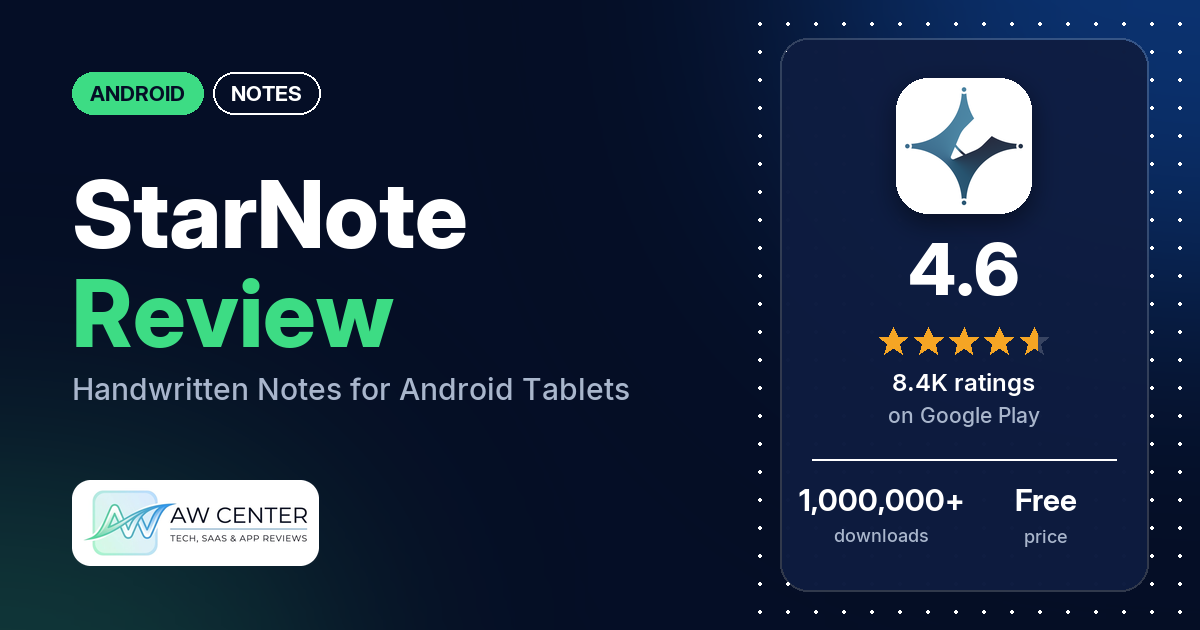
StarNote is a handwriting-first notes app for Android tablets: you write with a stylus or S Pen, mark up PDFs and keep each subject in its own notebook. It’s free with no ads, and the listing says Pro is a one-time purchase with no subscription.
Quick verdict
If you take class notes with a stylus on an Android tablet and don’t want another subscription, StarNote is worth a look. Several reviewers praise the low one-time price, and several like the pen tools and how much the app does. Several reviewers say notes don’t sync between devices, several couldn’t sign in, and a few paid without getting Pro. Low ratings are a small share: 6.8% of all ratings are 1 or 2 stars.
StarNote at a glance
| Developer | StarNote |
|---|---|
| Store listing | StarNote on Google Play |
| Price | Free, with in-app purchases of $0.99 to $59.99 per item |
| Ads | None |
| Play Store rating | 4.6 stars from 8,395 ratings (78% are 5-star) |
| Downloads | 1,000,000+ |
| Version / last updated | 1.5.4 / October 15, 2026 |
| Requires | Not in our data |
| First released | May 9, 2025 |
| Data checked | November 2, 2026 |
What is StarNote?
It’s a note-taking app built around handwriting. The listing pitches it at students who take class notes, annotate PDFs and review lectures on Android tablets, and says it also runs on supported phones. You get pens, highlighters, shapes, layers and a lasso tool, notebooks per subject, PDF markup and AI summaries of audio recordings. It has been on Google Play since May 2025 and has passed 1,000,000 downloads.
Key features
- Handwriting tools: pens, highlighters, erasers, shapes, text, layers and a lasso tool, with “smooth, low-latency ink” for a stylus or S Pen.
- PDF annotation: import PDFs, then highlight, underline, draw and write on them.
- Notebooks: separate notebooks per subject, with hyperlinks, tags, folders and page tools.
- Templates: templates for study notes, student planners and daily organization.
- AI audio summaries: turn long audio into short summaries and keep them with your notes.
- Study aids: a tape tool that hides key information so you can test yourself, and picture-in-picture for taking notes during lessons.
- Import and export: import documents, images and PDFs, and export notes as PDF.
StarNote vs. what a notes app should have
“Listed” means the Google Play listing names the feature, and “Partial” means it covers part of it. “Reviews only” and “Reviews and developer replies” mean we found it there instead, and “Not listed” means we found it nowhere.
Must have
| Feature | Status | Notes |
|---|---|---|
| Fast note creation | Partial | The listing is about handwritten notebooks, not quick capture. One reviewer mentions a Quick Notes option. |
| Organization (tags, folders or flags) | Listed | Notebooks, folders and tags. One reviewer hit a limit on folders inside folders. |
| Search or filtering | Reviews only | A few reviewers want better search: one says it misses text, and one wants to search inside a PDF. An October 2026 reply says OCR is in development. |
| Sync across devices | Reviews and developer replies | A September 2026 reply says cloud sync was about to ship. Several reviewers report missing or failing sync. |
| Sharing or exporting | Listed | Export as PDF. Several reviewers report export problems. |
| Home-screen widget | Not listed | A few reviewers ask for one. |
| Backup or recovery | Partial | The listing mentions PDF export for backup. Reviewers mention local and Google Drive backups, and a few report problems with them. |
Should have
| Feature | Status | Notes |
|---|---|---|
| Markdown or plain-text formatting | Partial | A text tool is listed. Markdown isn’t mentioned. |
| Dictation or voice capture | Partial | AI audio summaries are listed; dictation isn’t. |
| Themes and dark mode | Reviews only | One reviewer says the dark mode doesn’t cover the PDF background, and one finds the theme options limited. |
| Font and layout customization | Reviews only | Two reviewers want tighter line spacing in text boxes. |
| Share-sheet capture | Partial | Importing documents, images and PDFs is listed; the share sheet isn’t mentioned. |
| Google Assistant or app shortcuts | Not listed | |
| Smartwatch capture | Not listed |
Nice to have
| Feature | Status | Notes |
|---|---|---|
| Automation or scripting | Not listed | |
| AI/LLM integration | Listed | AI audio summaries. A few reviewers want more AI, such as an assistant or Gemini. |
| Images or attachments | Listed | Two reviewers report images failing to load or the app closing when adding one. |
| Collaboration on a note | Not listed | One reviewer asks for real-time shared notes. |
| Web or Windows access | Not listed | A few reviewers ask for a PC or web version. |
| Note lock or encryption | Not listed | |
| Accessibility features | Not listed | One reviewer finds the toolbar too small to read on a Redmi Pad. |
The listing is strong on writing and PDFs. Sync, search and a widget are where reviewers find gaps.
Common problems and fixes
Most of these come from low-star reviews. The developer’s replies are dated, and menus may differ in newer versions.
| Problem | What reviewers report | What the developer’s replies say |
|---|---|---|
| Notes don’t sync between devices | Several reviewers, November 2025 to September 2026, including two in September 2026 who say cloud sync isn’t working. | A November 2025 reply says Android-to-iOS sync was still in development and manual backup and import was the way for now. A September 2, 2026 reply says cloud sync “should be available this week”. |
| Can’t sign in or sign up | Several reviewers, October 2025 to October 2026, describe verification codes that never arrive, endless loading or timeouts. | Two July 2026 replies say the login issue has been fixed. An August 2026 reply says it can happen if you sign in with a different email than the one you registered. |
| Paid, but Pro is missing | A few reviewers, April to October 2026, including after clearing storage or switching devices. | If you bought through Google Play, send the GPA order number from Google’s confirmation email to support (October 2026). |
| Payment won’t go through | A few reviewers, January to October 2026, with cards or PayPal. | You can buy through Google Play or the official website, and email [email protected] about payment problems (August 2026). |
| Play Store says the app isn’t compatible | Several reviewers, March to October 2026, on tablets such as the Xiaomi Pad 6 and Pad 7 and a Huawei MatePad. | Don’t uninstall, to protect local notes, and email [email protected] with your Android or HyperOS version (March 2026). A June 2026 reply says the Play Store message may be a glitch and the website version works. |
| App crashes or won’t open | Several reviewers, December 2025 to July 2026. | Don’t uninstall, to avoid losing notes; email [email protected] with your device model and OS version (April 2026). |
| Handwriting missing from a PDF export | One reviewer, October 2026, who later found a way to export. | Try exporting in Non-editable Mode, then report it through Help & Feedback (October 2026). |
| Free notebook limit reached early | One reviewer, September 2025, says they made only 3 notebooks. | The free version allows 10 notebooks, and deleted ones count until you remove them from the Recycle Bin (September 2025). |
| Google Drive backup fills up | One reviewer, June 2026. | Backup re-uploads notes on purpose to prevent data loss; this is being optimized and should improve with cloud sync (June 2026). |
| S Pen button won’t erase | One reviewer, August 2026. | Turn on the S Pen button shortcut in Settings > Pen Settings (August 2026). |
Pros (from user reviews)
- Price: several reviewers call it affordable or cheap and like paying once instead of monthly. One lifetime buyer says it was “definitely worth it”. Two others object to paying at all or call it too expensive.
- Pen and writing tools: several reviewers praise the pens, brushes, color palette or pressure sensitivity. One says the latency is perfect but the strokes still feel odd.
- Feature set: several reviewers say it has everything they need for notes.
- Good for study: several reviewers use it for university, medical school or exam prep.
- An Android answer to tablet note apps: a few reviewers say it’s the note app they’d been looking for on Android. Two compare it favourably to GoodNotes and one to Samsung Notes; two others say Samsung Notes is better.
- Developers who listen: a few reviewers say the team responds to requests and fixes issues quickly. A few others say updates are slow.
- Free version: two reviewers say the free version is generous.
Cons (from user reviews)
- Sync: several reviewers want notes to sync between their tablet and phone, or say sync doesn’t work, including one who bought Pro for it. One reviewer in September 2026 says cloud sync now works.
- Language support: several reviewers ask for languages such as Arabic, Hindi, Marathi or Kurdish, or report Hindi text breaking in PDF exports.
- Lag and writing feel: several reviewers mention lag, latency or strokes that don’t feel smooth. A few ask for high refresh rate support on tablets such as the Xiaomi Pad 7 and Pad 8.
- Sign-in problems: several reviewers couldn’t log in, sign up or get back into their account.
- Purchases: a few reviewers say payment fails, and a few paid but didn’t get Pro or lost it later.
- Handwriting beautification and recognition: several reviewers want handwriting beautification, and a few say converting handwriting to text works poorly or lags.
- Device support: several reviewers say the Play Store marks their tablet as not compatible.
- Crashes and export: several reviewers report crashes or the app not opening, and several report export problems.
- Support: a few reviewers say they got no reply or couldn’t find a way to contact support.
- Free limit: a few reviewers object to the 10-notebook limit in the free version.
- Smaller requests: a few want a PC or web version, a few want a home-screen widget, a few want better search, and a few report stylus button or haptic problems.
The reviews we read include extra low-star reviews on purpose, so complaints are overrepresented here. Across all ratings, 78.5% are 5-star and 6.8% are 1 or 2 stars.
Rating breakdown
| Stars | Ratings | Share |
|---|---|---|
| 5 | 6,546 | 78.5% |
| 4 | 1,155 | 13.8% |
| 3 | 77 | 0.9% |
| 2 | 77 | 0.9% |
| 1 | 487 | 5.8% |
Source: Google Play ratings histogram, checked November 2, 2026. The histogram adds up to 8,342 ratings, 53 fewer than the 8,395 total, and the shares are of the histogram total.
Pricing
StarNote is free to download with no ads, and in-app purchases run from $0.99 to $59.99 per item. StarNote’s listing says the core tools are free and Pro is a one-time purchase with no monthly subscription; an October 2026 developer reply says the same. On the free tier you get up to 10 notebooks, per the developer’s replies, and one reviewer says Pro adds covers, stickers and unlimited notebooks. What Pro costs isn’t in the listing, so check the price in the app before you buy.
Privacy and permissions
We couldn’t read the Google Play data safety section for this app, so we make no claim about what it declares there.
The Play Store’s permissions list shows: change your audio settings, control flashlight, control vibration, draw over other apps, full network access, modify or delete the contents of your USB storage, prevent device from sleeping, read Google service configuration, read the contents of your USB storage, record audio, take pictures and videos, view Wi-Fi connections, and view network connections. One reviewer objected to the color picker asking to record the screen; a January 2026 reply says Android requires it to read the color you tap and that nothing is recorded, saved or uploaded.
Who it’s for
StarNote suits you if you write by hand on an Android tablet, annotate a lot of PDFs and would rather pay once than subscribe. Several reviewers use it for university or exam study. It’s a weaker fit if you need your notes on a phone, an iPad and a computer at once, write in a language reviewers say isn’t supported, such as Arabic or Marathi, or use a tablet the Play Store doesn’t list as compatible. If you buy Pro, keep your order number from Google’s confirmation email.
FAQ
Is StarNote free?
Yes, it’s free to download and has no ads. The developer’s replies say the free version allows up to 10 notebooks. Pro is a one-time purchase, and in-app purchases range from $0.99 to $59.99.
Does StarNote have a subscription?
No. The listing says Pro is a one-time purchase with no monthly subscription, and an October 2026 developer reply says it’s a lifetime purchase, not a subscription.
Does StarNote sync between devices?
The listing doesn’t mention sync. A September 2, 2026 developer reply says cloud sync “should be available this week”, and one reviewer later that month says it now works. Several reviewers, including two in September 2026, say sync is missing or doesn’t work.
What should I do if StarNote won’t open?
The developer’s replies say not to uninstall it, so you don’t lose your notes. Email [email protected] with your device model and OS version, or use Help & Feedback in the app’s settings.
How this review was put together
We haven’t tested StarNote. This review is based on public information from official sources: the app’s Google Play or App Store listing and rating breakdown, the developer’s website when there is one, and recent user reviews on the store with the developer’s replies. Features and claims are the developer’s own descriptions; what users like and dislike comes from the store reviews. Everything was checked on November 2, 2026. Apps change with every update, so check the store listing before you install.