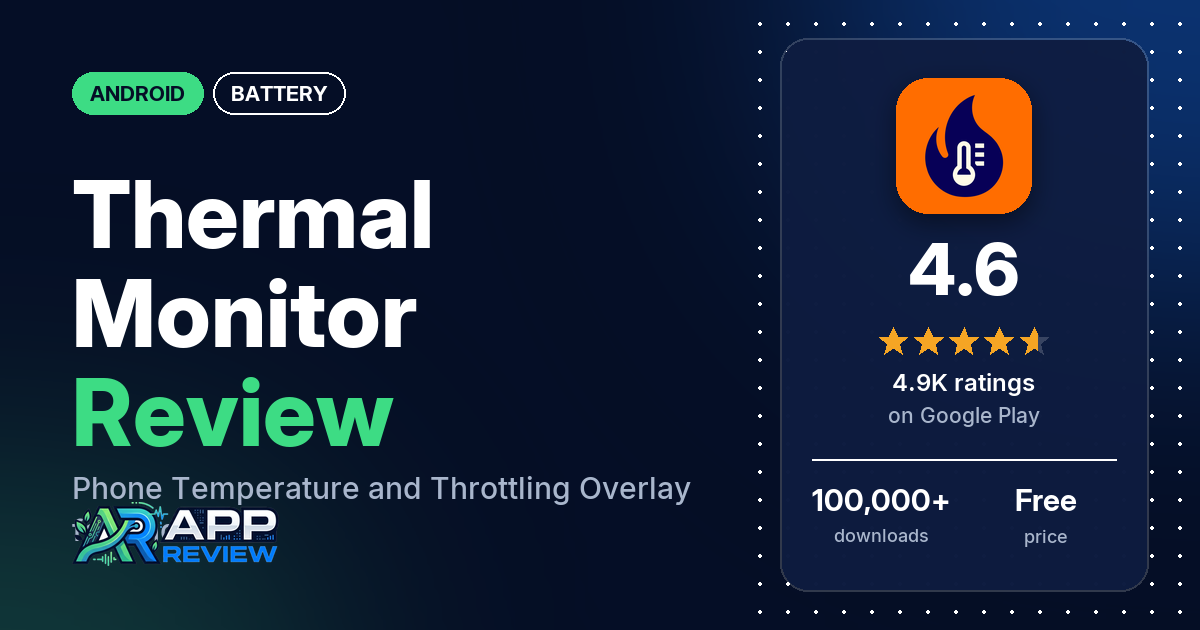
Thermal Monitor – Phone Temp is a free Android app that shows your phone’s temperature and whether it is throttling performance, in a small floating widget over your games and apps. It has no ads; the extra Premium features are an in-app purchase, listed at $1.99.
Quick verdict
If you game on your phone and want to see when heat starts slowing it down, Thermal Monitor does that with very little on screen. Several reviewers use it while gaming, several call it light, and two like the voice that tells them when throttling starts. The catch is which sensors your phone exposes. The listing says every device reports battery temperature and throttling state, but CPU and GPU readings depend on the phone, so several reviewers only get the battery reading, and two paid for Premium hoping for a CPU reading they never got. Across all ratings, 3.0% are 1 or 2 stars.
Thermal Monitor at a glance
| Developer | Rollerbush (no website listed) |
|---|---|
| Store listing | Thermal Monitor – Phone Temp on Google Play |
| Price | Free, with an in-app purchase of $1.99 per item |
| Ads | None |
| Play Store rating | 4.6 stars from 4,930 ratings (75.1% of the ratings in the store’s rating breakdown are 5-star) |
| Downloads | 100,000+ |
| Version / last updated | 3.11.0 / September 20, 2026 |
| Requires | Not in our data |
| First released | January 28, 2020 |
| Data checked | October 20, 2026 |
What is Thermal Monitor?
Thermal Monitor reads the temperature and throttling data that Android makes available and shows it in real time. The listing is open about its limits: all temperature apps read the same data from the operating system, only some phones allow CPU and GPU readings, and the throttling state is the reading to rely on. It shows the data in a floating widget, a status bar icon, notifications and spoken updates. It has been on Google Play since January 2020.
Key features
- Real-time readings: phone temperature and thermal throttling state.
- Floating widget: a small, customizable overlay that sits on top of other apps.
- Status bar and voice: a status bar icon, temperature notifications and spoken updates.
- Light footprint: no ads, no internet requirement, a tiny app size and low RAM and CPU use, according to the listing.
- Premium (one-time): more widget customization (colors, opacity, which icons and data to show), a custom notification icon, a choice of sensor (battery, CPU, GPU or ambient, where the phone supports it), several temperatures at once, a choice of update interval with an extra decimal, and warnings when temperature or throttling reach critical levels.
Thermal Monitor vs. what a battery app should have
“Listed” means the Google Play listing names the feature, “Partial” means it covers part of it, and “Reviews only” or “Reviews and developer replies” means we found it outside the listing. Thermal Monitor watches heat, not charge, so the charge-alarm rows don’t apply to it.
Must have
| Feature | Status | Notes |
|---|---|---|
| Full-charge alert at a level you choose | Not listed | |
| Low-battery alert at a level you choose | Not listed | |
| Alerts that fire reliably in the background | Partial | Temperature and throttling warnings are a Premium feature. Several reviewers say the widget disappears in games, and a few say the app shuts down or gets killed |
| Sound and vibration options | Partial | Spoken updates. Several reviewers want a sound alarm at a set temperature |
| Easy to dismiss an alert | Not listed | |
| Low battery use by the app itself | Listed | A few reviewers say it slowed or heated their phone |
Should have
| Feature | Status | Notes |
|---|---|---|
| Custom alert sound and volume | Not listed | |
| Quiet hours or a schedule | Not listed | |
| Battery details (temperature, voltage, current) | Partial | Battery temperature is listed. Two reviewers say the battery current reading shows zero or doesn’t work |
| Charge history or usage chart | Not listed | A few reviewers ask for history or graphs |
| Help or a support contact | Reviews and developer replies | Replies point to [email protected] |
| Clear pricing | Partial | Premium features are listed; a reply says Premium is a one-time payment |
Nice to have
| Feature | Status | Notes |
|---|---|---|
| Battery health or capacity estimates | Not listed | |
| Time-left or time-to-full estimates | Not listed | |
| Home screen widget or status bar readout | Listed | Status bar icon and a floating widget; a reply says there is no home screen widget |
| Tablet support | Reviews only | Two reviewers use it on a phone or tablet; one says it doesn’t work on a Galaxy Tab A9+ |
| No ads or an ad-free option | Listed | |
| No account required | Not listed |
Its job is heat and throttling. The listing doesn’t mention charge alarms or battery health readings.
Common problems and fixes
The developer answers most reviews, often with steps to try. Those steps are dated below and may have changed since.
| Problem | What reviewers report | When | What the developer’s replies suggest |
|---|---|---|---|
| No CPU temperature | Several reviewers only get battery temperature, some after buying Premium | August 2023 to July 2026 | Sensors depend on the phone; you can check which sensors are available before you buy (March 2026). Refunds by email (2024 and 2025) |
| Widget disappears in games | Several reviewers, three of them on Red Magic phones. One fixed it by setting battery optimization from auto to allow | October 2024 to October 2026 | Look for a whitelist in the phone’s Game Mode, Game Space or Game Hub (January 2026), or remove games from Gaming Space (July 2026) |
| Premium didn’t unlock | Two reviewers | June to September 2026 | Clear the app’s storage, open it and continue the purchase; you can’t be charged twice (September 2026). Or email the order ID (June 2026) |
| Notification won’t go away | A few reviewers can’t remove it, and one says there are too many notifications | November 2022 to July 2026 | Android requires it; remove the app’s notification permission to keep only the widget, though a silent “displaying over other apps” notice stays (July 2026) |
| Throttling status stuck | A few reviewers say it stays on one level whatever the temperature | August 2022 to August 2025 | A fix in version 3.4 (September 2024); one reviewer says the bug was still there in 3.4 |
Pros (from user reviews)
- Made for gaming: several reviewers use it while gaming, and several like the throttling status or warnings. Two like the voice that announces throttling, and one says it tells them when to take a break.
- Light and simple: several reviewers call it lightweight, and several say it is simple or easy to use. A few others say it slowed their phone, drained the battery or made it hotter, which the developer’s replies dispute.
- The widget: several reviewers like the floating widget, the design or the interface.
- Accurate for some: several reviewers say the readings are accurate or real time. Several others say the temperature was wrong or stuck (see Cons).
- Free and ad-free: several reviewers point out it has no ads, several praise it as free, and one says the free version has everything they need. A few bought Premium and are happy with it, and one calls the price reasonable.
- Support: a few reviewers praise the developer’s support, and one got an answer within an hour.
Cons (from user reviews)
- No CPU reading on some phones: several reviewers only see battery temperature, including owners of a Galaxy S22 Ultra, a Pixel 8a and a Xiaomi 14T. The listing says this depends on the device.
- Paying for extras: several reviewers object to features being in Premium or say Premium isn’t worth it, and two say their purchase didn’t unlock or sync.
- Readings that look wrong: several reviewers say the temperature was off, stuck or different from another app, and a few say the throttling status stayed on one level.
- Widget closed by the phone: several reviewers say the widget disappears during games, three of them on Red Magic phones, and a few others say the app shuts down or gets killed.
- Missing features: several reviewers want a sound alarm at a set temperature, several want an FPS counter, and several want readings on the lock screen. A few ask for history or graphs. The developer’s replies say a game frame rate can’t be read (2026). On the lock screen, a 2024 reply says the overlay isn’t allowed there, and a September 2026 reply says readings would likely be out of date but the idea may be explored.
- Notifications: several reviewers dislike the ongoing notification or the reminders about it.
- Tone of some replies: several of the developer’s replies to low ratings are sharp; one from November 2025 ends “Or you can just behave like a loser.”
Across all ratings, 3.0% are 1 or 2 stars and 75.1% are 5-star.
Rating breakdown
| Stars | Ratings | Share |
|---|---|---|
| 5 | 3,691 | 75.1% |
| 4 | 882 | 17.9% |
| 3 | 196 | 4.0% |
| 2 | 0 | 0.0% |
| 1 | 147 | 3.0% |
Source: Google Play ratings histogram, checked October 20, 2026. The histogram adds up to 4,916 ratings, slightly fewer than the 4,930 total, and the shares are of the histogram total. It shows no 2-star ratings.
Pricing
The app is free with no ads, and the free version shows battery temperature and throttling state. The listing shows one in-app purchase price, $1.99, and a developer reply from September 2026 says Premium is a one-time payment. It adds customization, sensor choice and warnings. Before you buy it for CPU or GPU readings, check which sensors your phone offers: a reply from March 2026 says you can see that without paying. The developer’s replies have offered refunds by email.
Privacy and permissions
We couldn’t read the Google Play data safety section, so we make no claim about what it declares. The permissions list is short: draw over other apps, full network access, run at startup and view network connections. The listing says the app doesn’t need the internet; a developer reply from January 2026 says data is stored only on the phone and nothing is shared externally unless you buy Premium. One reviewer in January 2024 says their internet stopped working while the app ran.
Who it’s for
Thermal Monitor fits you if you game or run heavy apps and want a small overlay that shows when your phone is throttling. The free version covers that. Skip Premium if you only want a CPU reading and your phone doesn’t offer one, and skip the app if you need a loud alarm at a set temperature, an FPS counter or readings on the lock screen.
FAQ
Can Thermal Monitor show my CPU temperature?
Only if your phone allows it. The listing says every device reports battery temperature and throttling state, while CPU and GPU readings depend on the device and need Premium. Several reviewers only got battery temperature, and a developer reply from March 2026 says you can check the available sensors before you pay.
Is Thermal Monitor Premium a subscription?
No. A developer reply from September 2026 says Premium is a one-time payment, and the listing shows an in-app purchase of $1.99.
Why does the Thermal Monitor widget disappear during games?
Several reviewers say the floating widget vanishes in games, mostly on gaming phones such as Red Magic. The developer’s replies say some of these phones close other apps when a game starts and suggest looking for a whitelist in Game Mode, Game Space or Game Hub. One reviewer fixed it by changing the app’s battery optimization from auto to allow.
Does Thermal Monitor have a high temperature alarm?
It has a visual warning: the developer’s replies say the widget turns red, and the listing names temperature and throttling warnings as a Premium feature. It can also speak updates. Several reviewers want a sound alarm at a set temperature, which the replies call a good idea.
How this review was put together
We haven’t tested Thermal Monitor. This review is based on public information from official sources: the app’s Google Play or App Store listing and rating breakdown, the developer’s website when there is one, and recent user reviews on the store with the developer’s replies. Features and claims are the developer’s own descriptions; what users like and dislike comes from the store reviews. Everything was checked on October 20, 2026. Apps change with every update, so check the store listing before you install.