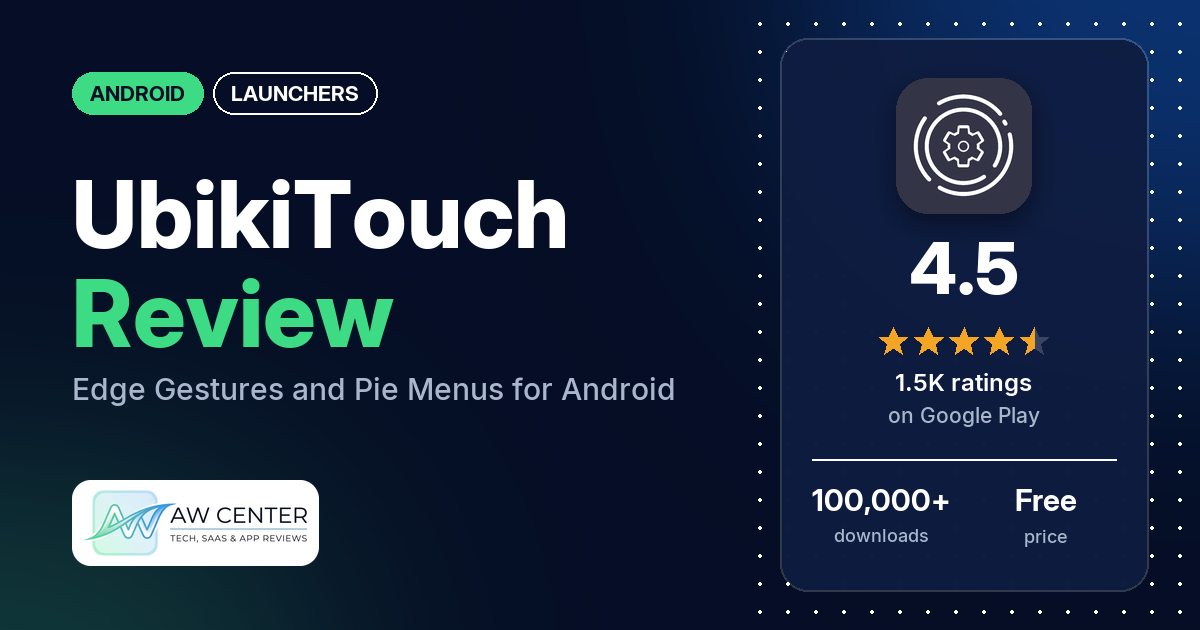
UbikiTouch adds swipe triggers to the edges of your Android screen that open pie menus, a cursor or actions you record yourself. Several reviewers use it for one-handed control. It has no ads, and a Pro version is sold as an in-app purchase at $2.99.
Quick verdict
If you miss Samsung’s One Hand Operation+ or want custom gestures on any Android phone, UbikiTouch is very flexible, and several reviewers call it stable once it’s set up. Expect to spend time configuring it: several reviewers find it complicated, though two say the learning curve pays off. The recurring problems are Android’s Accessibility Service switching off, bugs after updates in 2026, and a few reviewers who couldn’t buy or unlock Pro. About 8.5% of all ratings are 1 or 2 stars.
UbikiTouch at a glance
| Developer | Toneiv Apps |
|---|---|
| Store listing | UbikiTouch on Google Play |
| Price | Free, with a $2.99 in-app purchase (Pro) |
| Ads | None |
| Play Store rating | 4.5 stars from 1,452 ratings (77% are 5-star) |
| Downloads | 100,000+ |
| Version / last updated | 1.17.10 / October 13, 2026 |
| Requires | Not in our data |
| First released | May 13, 2019 |
| Data checked | October 25, 2026 |
What is UbikiTouch?
UbikiTouch doesn’t replace your home screen. It sits on top of your phone and adds trigger zones on the screen edges. Swipe one and you get a menu or an action: go back, go home, switch to the previous app, toggle Wi-Fi or Bluetooth, launch an app, or run a sequence of taps you recorded inside another app. The listing says it was built so that it doesn’t need Internet permission, and it requires Android’s Accessibility Service to work. It has been on Google Play since May 2019, and the developer takes bug reports on GitHub.
Key features
- Edge triggers: up to 15 independent triggers with your own position, size and colors, and up to 10 actions per trigger.
- Menus: pie, curve, wave or cursor menus, each customizable.
- Per-app actions: the listing’s “unique feature”. You define an action for a screen in an app (press a button, select an item, swipe) and can chain actions into longer tasks.
- Global actions: back, recent apps, home, previous app, Bluetooth, Wi-Fi, GPS, auto-rotate, split screen, sound, brightness, a cursor, and launching apps or shortcuts such as a Dropbox folder, Gmail label, contact or route.
- Pro version: per-app tasks for unlimited apps, all 15 triggers, more actions including launching apps and shortcuts, a remote cursor, a Recent Applications menu, volume and brightness sliders, and full menu customization.
UbikiTouch vs. what a launcher app should have
UbikiTouch works alongside your launcher, so most home-screen rows below are “Not listed” because they don’t apply. “Listed” means the Google Play listing names the feature, “Partial” means it covers part of it, and “Reviews only” means we found it only in reviews.
Must have
| Feature | Status | Notes |
|---|---|---|
| Home screen with the apps you choose | Not listed | Not a home-screen app. |
| Searchable, sortable app list | Not listed | |
| Folders or grouping | Not listed | |
| Hiding apps | Not listed | |
| Easy setup as the default launcher | Not listed | Not a default launcher; it needs the Accessibility Service turned on instead. |
| Gestures and navigation settings | Listed | This is the whole app. |
| Usable free tier | Partial | Free with no ads. Several features need Pro, and several reviewers dislike the paywall. |
Should have
| Feature | Status | Notes |
|---|---|---|
| Notification filtering | Not listed | |
| Icon styles and third-party icon packs | Not listed | Two reviewers ask for icon pack support in the recent apps menu. |
| Themes and wallpapers | Partial | Trigger colors, and menu animation, size and color in Pro. |
| Font and text-size options | Not listed | |
| Built-in widgets | Not listed | |
| Standard Android widgets from other apps | Not listed | |
| Renaming apps | Not listed | |
| Backup and restore | Reviews only | Two reviewers mention a backup option. |
| Works without internet | Listed | The listing says the app doesn’t need Internet permission. |
Nice to have
| Feature | Status | Notes |
|---|---|---|
| Focus tools (screen-time stats, app timers, blocking) | Not listed | |
| Double-tap to lock the screen | Not listed | The listing points to an FAQ page for the full action list. |
| Extra sort options | Not listed | |
| Automatic light and dark themes | Not listed | |
| Notification dots or badges | Not listed | |
| Website shortcuts | Partial | Launches shortcuts such as a Dropbox folder, Gmail label, contact or route (Pro). |
| Tablet and e-reader support | Not listed | One reviewer says the recent apps menu doesn’t detect when a folding phone is unfolded. |
| No ads | Listed | |
| One-time purchase for all devices | Partial | Pro is a $2.99 in-app purchase. One reviewer asks how to move Pro to another Google account. |
The rows that fit a gesture app (gestures, working offline and no ads) are listed.
Common problems and fixes
Most of these come from 1- to 3-star reviews, which make up 14.2% of all ratings. Most of the 1- and 2-star reviews in our sample date from 2019 to 2023, and the developer’s replies may be out of date.
| Problem | What reviewers report | What the listing or the developer’s replies say |
|---|---|---|
| Gestures stop working, or the Accessibility Service keeps switching off | Several reviewers, 2019 to 2026, including after a restart. | Turn on “Keep accessibility running” under the required permissions (2023 reply). On Huawei, add UbikiTouch to protected apps under Settings > Advanced settings > Battery manager; on Xiaomi, allow autostart and set battery saver to No restrictions (listing). |
| Triggers don’t work properly alongside Android’s own gestures | A few reviewers, 2020 to 2025. | With native gestures on, Android lets the app use no more than 20% of each side (December 2024 and January 2025). |
| Can’t hide the navigation bar | A few reviewers, 2019 to 2023. | Google removed this option in Android 11 (January 2023). |
| “Previous app” opens the wrong app | Two reviewers, March and May 2026. | Add the unwanted apps to the recent apps blacklist (2026). |
| Conflicts with a banking app | One reviewer, June 2026. | Add the banking app to the app blacklist (June 2026). |
| Pro purchase doesn’t go through | A few reviewers, 2025 and 2026. | A June 2026 reply blamed a Play Store problem and said version 1.16.11 should fix it. |
| Pro features still locked after paying | Two reviewers, April and August 2026. | Restart the phone; if that fails, email [email protected] with your system details (September 2026). |
| Crashes after updating | One reviewer, July 2026. | Version 1.17.2 should resolve it (July 2026). The reviewer confirms the fix. |
| Long-press delay gets in the way over the keyboard | A few reviewers report keyboard conflicts, 2021 to 2026. | A shorter 70 to 100 ms long-click delay was “available very soon” (October 2026). |
Pros (from user reviews)
- Flexible and customizable: several reviewers praise how much you can configure, from multiple triggers per edge to recorded custom actions. One calls it “certainly the most useful thing I’ve seen in a phone app”.
- One-handed use: several reviewers use it for one-handed control, and a few of them say it replaces Samsung’s One Hand Operation+ on any Android phone. Two say it makes very large phones easier to use.
- Stable once set up: several reviewers say it runs smoothly or “just works”. One says it has been “rock solid stable” for a year. Several others, from 2020 to 2026, say it slows the phone or uses battery or RAM; a July 2026 developer reply says recent versions use less memory and battery.
- Pro is worth it: a few reviewers say Pro is worth paying for, one calling it “1000% worth paying for premium”. Several others, from 2019 to 2025, dislike that useful features are paywalled.
- Fixes arrive: a few reviewers say bugs they hit were later fixed, and one calls the developer “very responsive”.
Cons (from user reviews)
- Learning curve: several reviewers find it complicated, overwhelming or “too geeky”, or the tutorial unclear. Two reviewers say it takes time to configure but is worth it.
- Accessibility Service drops out: several reviewers say gestures stop working until they turn the Accessibility Service back on, sometimes after every restart.
- Bugs after updates: several reviewers in 2026 report problems after an update, such as crashes, lost settings, trigger positions resetting, or vibration running in battery saver. One reviewer confirms the crash fix, and another says vibration finally felt right after version 1.17.7; the developer’s other replies say a fix is in progress or ask for details.
- Crashes and freezes: several reviewers, from 2020 to 2026, say it crashed, froze or stopped working.
- Pro purchase trouble: a few reviewers couldn’t buy Pro or found it didn’t unlock after paying.
- Android limits: a few reviewers couldn’t hide the navigation bar or found triggers limited when Android’s own gestures are on. The developer’s replies blame Android changes.
- Keyboard conflicts: a few reviewers say triggers interfere with typing.
- Privacy worries: a few reviewers in 2019 and 2020 were alarmed by Android’s warning that an Accessibility app can observe what you type. The developer replied that the warning comes with the Accessibility Service and that the app has no Internet access.
Complaints are overrepresented in the reviews above, because the sample adds extra low-star reviews. Across all ratings, 78.0% are 5-star and 8.5% are 1 or 2 stars.
Rating breakdown
| Stars | Ratings | Share |
|---|---|---|
| 5 | 1,114 | 78.0% |
| 4 | 112 | 7.8% |
| 3 | 81 | 5.7% |
| 2 | 71 | 5.0% |
| 1 | 51 | 3.6% |
Source: Google Play ratings histogram, checked October 25, 2026. The histogram adds up to 1,429 ratings, 23 fewer than the 1,452 total, and the shares are of the histogram total.
Pricing
UbikiTouch is free and has no ads. Pro is an in-app purchase listed at $2.99 per item. The listing says Pro adds per-app tasks for unlimited apps, up to 15 triggers, more actions (including launching apps and shortcuts), a remote cursor, a Recent Applications menu, volume and brightness sliders, and full menu customization. One reviewer asks how to move Pro to a new Google account after closing the old one.
Privacy and permissions
We couldn’t read the Google Play data safety section for this app, so we make no claim about what it declares there. The listing says UbikiTouch was built so it doesn’t need Internet permission, and that it doesn’t send data over the Internet without your knowledge. It says the Accessibility Service is used only for the app’s functions: detecting the app in front to apply your rules, showing trigger zones and menus, recording custom actions, and performing navigation, touch and custom actions. It says no data is collected or sent across a network.
The Play Store’s permissions list shows: access Bluetooth settings, connect and disconnect from Wi-Fi, control vibration, directly call phone numbers, draw over other apps, modify secure system settings, modify system settings, pair with Bluetooth devices, run at startup, and view Wi-Fi connections. There is no full network access in that list, which matches the listing.
Who it’s for
UbikiTouch suits you if you have a large phone, want one-handed control, or are leaving a Samsung and miss One Hand Operation+. It’s also a fit if you like building your own shortcuts and don’t mind spending time on setup. It’s a weaker fit if you want something that works out of the box, if you’d rather not give an app Accessibility access, or if you rely on Android’s own gesture navigation and want full-height triggers. Try the free version first, since Pro is a separate $2.99 purchase.
FAQ
Is UbikiTouch free?
Yes, it’s free and has no ads. Pro is a $2.99 in-app purchase that unlocks unlimited per-app tasks, all 15 triggers, more actions, a remote cursor, a Recent Applications menu, volume and brightness sliders and full menu customization.
Why does UbikiTouch need the Accessibility Service?
The listing says it uses the Accessibility Service to detect the app in front, show trigger zones and menus, record custom actions, and perform navigation and touch actions. It says no data is collected or sent, and the app doesn’t request Internet permission.
Why do my UbikiTouch gestures stop working?
The cause reviewers describe most often is the Accessibility Service switching off. A 2023 developer reply points to a “Keep accessibility running” option under the required permissions. The listing also gives battery and autostart settings to change on Huawei and Xiaomi phones.
Can UbikiTouch hide the navigation bar?
Not on newer Android versions. A January 2023 developer reply says Google removed the option in Android 11. On phones using Android’s own gestures, a December 2024 reply says the app can use no more than 20% of each side for its triggers.
How this review was put together
We haven’t tested UbikiTouch. This review is based on public information from official sources: the app’s Google Play or App Store listing and rating breakdown, the developer’s website when there is one, and recent user reviews on the store with the developer’s replies. Features and claims are the developer’s own descriptions; what users like and dislike comes from the store reviews. Everything was checked on October 25, 2026. Apps change with every update, so check the store listing before you install.