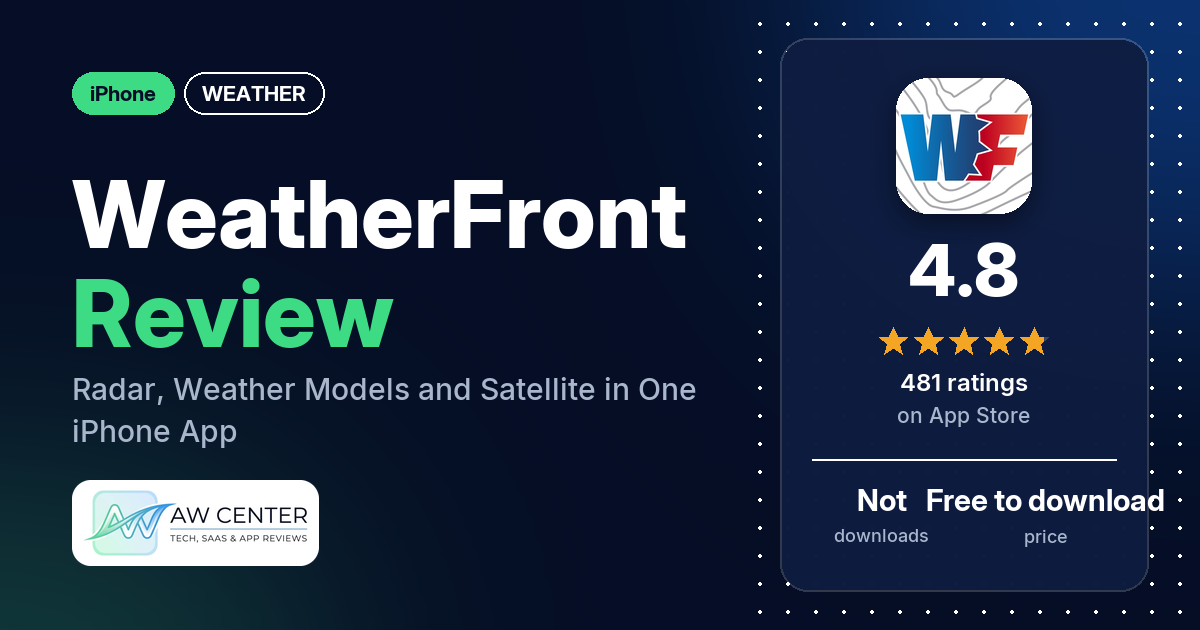
WeatherFront – Radar & Models is a free iPhone app from WeatherFront LLC that puts radar, satellite images, forecast models, observations and NWS/NOAA outlooks in one app. It has 4.8 stars from 481 App Store ratings, and the main complaint in its reviews is the paid subscription.
Quick verdict
WeatherFront is for you if you want to read radar, forecast models, soundings and satellite images yourself. Most reviewers in our sample give it 5 stars. Several like having their weather data in one app. The model data draws praise from several reviewers, and several compare the app favourably with RadarScope. Money is the weak spot. The listing gives no prices, reviewers quote $9.99 to $10 a month, and a few complain about the subscription, two of them saying most products or features need it.
WeatherFront at a glance
| Developer | WeatherFront LLC |
|---|---|
| Store listing | WeatherFront on the App Store |
| Price | Free to download; the listing gives no prices. Reviewers quote a $9.99 or $10 monthly subscription (February to May 2026) |
| Ads | Not stated in the listing |
| App Store rating | 4.8 stars from 481 ratings |
| Downloads | Not in our data |
| Version / last updated | 1.25.0 / October 27, 2026 |
| Requires | iOS 15.6 or later |
| First released | May 3, 2025 |
| Data checked | November 17, 2026 |
What is WeatherFront?
WeatherFront is an iPhone app for looking at weather data directly. The listing says you can view “radar, satellite, model data, observations, and outlooks” in one interface, zoom and pan model output, and click on a location to show a model sounding. It’s aimed at anyone from “a meteorologist, storm chaser, weather enthusiast, emergency manager, or simply someone who likes to stay informed,” in the listing’s words. One reviewer in May 2026 says Max Velocity, whom they call their favorite meteorologist, recently partnered with WeatherFront.
Key features
- Radar: Super-Res Reflectivity, Super-Res Velocity, Super-Res Storm-Relative Velocity, Dual-Polarization Products and a Dual-Pane Mode. The listing says you can press and hold anywhere on the screen to switch to the nearest radar.
- Models: HRRR and RRFS, NCEP and NSSL CAMs, NAM and GFS, ECMWF (Open data), ECMWF-AIFS and GraphCast GFS, plus point soundings. HRRR and GFS temperature and precipitation type are also listed.
- Satellite: GOES-19 ABI and RGB products, CONUS Images (5-min) and Rapid Scan Meso Sectors (1-min).
- NWS/NOAA products: SPC Outlooks, Convective Watches, Warnings and Advisories, and Mesoscale Discussions.
- Observations: RTMA Surface Analysis and HRRR Analysis.
- Maps: street level mapping, detailed basemaps and offline maps. The listing says you choose the domain size and level of detail for offline maps, for storm chases or damage surveys in rural areas.
What data WeatherFront shows
| Data | What the listing names |
|---|---|
| Radar | Super-Res Reflectivity, Super-Res Velocity, Super-Res Storm-Relative Velocity, Dual-Polarization Products |
| Models | HRRR & RRFS, NCEP & NSSL CAMs, NAM & GFS, ECMWF (Open data), ECMWF-AIFS & GraphCast GFS |
| Satellite | GOES-19 ABI & RGB Products, CONUS Images (5-min), Rapid Scan Meso Sectors (1-min) |
| NWS/NOAA products | SPC Outlooks, Convective Watches, Warnings, & Advisories, Mesoscale Discussions |
| Observations | RTMA Surface Analysis, HRRR Analysis |
Two reviewers add details. One in December 2025 says the app recently added composite MRMS radar over selectable regions, and one in April 2026 mentions hi-resolution ensemble data (HREF). Don’t rely on a single app for severe weather warnings; check official alerts too.
WeatherFront vs. what a weather app should have
“Listed” means the App Store listing names the feature, “Partial” means it covers part of it, and “Reviews only” means reviewers describe it but the listing doesn’t. “Not listed” means neither the listing nor the reviews in our sample show it.
Must have
| Feature | Status | Notes |
|---|---|---|
| Current conditions and feels-like | Partial | Observations (RTMA Surface Analysis, HRRR Analysis) are listed; feels-like isn’t |
| Hourly forecast | Not listed | One reviewer asks for “City Charts” showing the data from the models |
| Daily forecast of 7+ days | Not listed | |
| Chance of precipitation | Not listed | The listing names HRRR and GFS precipitation type |
| Wind, humidity, UV index | Not listed | |
| Severe weather alerts | Partial | Convective Watches, Warnings and Advisories are listed among the NWS/NOAA products; alert notifications aren’t |
| Radar map | Listed | Super-Res Reflectivity, Velocity and Storm-Relative Velocity, Dual-Polarization Products |
| Home-screen widgets | Not listed | |
| Current location and search | Not listed | The listing says you can press and hold anywhere to switch to the nearest radar |
| Unit options (°F/°C) | Not listed |
Should have
| Feature | Status | Notes |
|---|---|---|
| Notification or lock-screen weather | Not listed | |
| Air quality | Not listed | |
| Multiple saved locations | Not listed | |
| Choice of data source | Partial | Models listed include HRRR, NAM, GFS, ECMWF and GraphCast GFS |
| Layout customization | Partial | Dual-Pane Mode is listed; two reviewers praise customizing the map or radar display |
| Light and dark themes | Not listed | |
| Sunrise, sunset, moon phase | Not listed | |
| Multiple languages | Not listed |
Nice to have
| Feature | Status | Notes |
|---|---|---|
| Animated wind or global map | Partial | The listing says you can check model forecasts across the globe; animated wind isn’t listed |
| Side-by-side provider comparison | Not listed | Dual-Pane Mode is listed with the radar products |
| Photography times (golden/blue hour) | Not listed | |
| Weather photos | Not listed | |
| Pollen | Not listed | |
| Lightning strike information | Not listed | The listing mentions seeing a cluster of lightning strikes and switching radars; no lightning layer is listed |
| Custom temperature alerts | Not listed | |
| Rain-incoming notifications | Not listed | |
| Written forecast summary | Not listed |
Pros (from user reviews)
- All in one app: several reviewers like having their weather data in one app. One says “It brings together radar, satellite, outlooks, and forecast models,” and another calls it “the Swiss Army knife of all Weather apps.”
- Model data: the models get praise from several reviewers. One full-time storm chaser gives it “10/10 for model availability,” and another names the NSSL CAMs and HREF ensemble data.
- What you get for free: several reviewers praise how much is free. “Even without the advanced subscription, this app is packed with enough features for the average person,” one writes in March 2026.
- Value of the subscription: a few reviewers say the subscription is worth the price. One who worked 15 years in the weather enterprise says “for $10 a month the value is exceptional.”
- Interface: the interface or design wins praise from several reviewers, and a few call it easy to use. One reviewer in July 2025 disagrees, finding it “a little hard to use since it doesn’t explain what each thing does.”
- Compared with RadarScope: several reviewers compare it favourably with RadarScope, and a few say they have dropped or no longer need other radar subscriptions. One reviewer in August 2025 sees nothing that sets it apart from RadarScope, Radar Omega or Weatherwiseapp pro.
- Storm chasing: chasing comes up in several reviews, and one plans to make it “my main chase app for the season.”
- Keeps improving: the app keeps adding features or getting better, several reviewers say. One praises customer service, saying the team will reach out if you leave them a message.
Cons (from user reviews)
- Paywall complaints: a few reviewers complain about the subscription. Two say most products or features are behind a paywall. One wants satellite products and hail modes for free. One in May 2026 says a pop-up asks you to pay 9.99 before you can explore, and another that month says you can get the same information from the NWS at no cost. Every review below 4 stars in our sample is one of these.
- Learning curve: one reviewer says it doesn’t explain what each thing does. Another, who used RadarScope for years, says it will take some getting used to.
- Mac or desktop version (requested): a few reviewers ask for one, and one says they would cancel a subscription they already have if it had a desktop version.
- CarPlay (requested): two reviewers ask for a way to view radar or use the app in CarPlay while driving.
- Past radar and events (requested): two reviewers want to look back, one at historical radar data and one at tornadoes or events from a day or two before.
- Other requests: one reviewer asks for “City Charts” from the model data. One wants a “Precipitation Depiction” with snow in blue and rain in green. One asks to select several radars at once, and one wants 3D, cross sections, a VAD wind profile and radar and satellite at the same time.
Most reviews in our sample are 5 stars. The data we collected doesn’t include a star breakdown of all 481 ratings, so we can’t say how common these complaints are across all of them.
Pricing
WeatherFront is free to download. The listing doesn’t mention a subscription or give any prices, but reviewers describe one. One reviewer in May 2026 turns down “$9.99/month,” and two reviewers, in February and April 2026, put it at $10 a month. Another in April 2026 mentions a “19 dollar pro subscription” without saying how often it bills. One reviewer in December 2025 became a “paid plus subscriber” to support the developer, and one in August 2025 says they cancelled a free trial “so it wouldn’t automatically update”. Two reviewers say satellite data needs the subscription; one adds hail modes and the other most model data. Check the App Store for current prices before you subscribe.
Privacy and permissions
We couldn’t read the App Store privacy label for WeatherFront, and our data has no permissions list, so we make no claim about what data it collects. The listing links to terms of service and a privacy policy.
Who it’s for
WeatherFront suits you if you want to look at the data yourself: radar products, forecast models, soundings, satellite images and SPC outlooks in one app. Several reviewers mention storm chasing, and one worked 15 years in the weather enterprise. It’s a weaker fit if you don’t want to pay, since a few reviewers complain about the subscription. If you mainly use a Mac or CarPlay, note that a few reviewers ask for a desktop version and two for CarPlay.
FAQ
Is WeatherFront free?
WeatherFront is free to download, and the listing gives no prices. Reviewers describe a paid subscription and quote $9.99 or $10 a month between February and May 2026. Several reviewers praise how much you get for free, while a few complain about the subscription.
Which weather models does WeatherFront show?
The listing names HRRR and RRFS, NCEP and NSSL CAMs, NAM and GFS, ECMWF (Open data), ECMWF-AIFS and GraphCast GFS, plus point soundings. It says you can zoom and pan model data and click on a location for a sounding. Several reviewers praise the model data.
Does WeatherFront work on a Mac or in CarPlay?
The listing gives the requirement as iOS 15.6 or later and doesn’t mention a Mac version or CarPlay. A few reviewers ask for a Mac or desktop version, and two ask for CarPlay.
Can you use WeatherFront maps offline?
The listing says you can choose the domain size and level of detail for offline maps, for storm chases or damage surveys in rural areas. It also lists street level mapping and detailed basemaps.
How this review was put together
We haven’t tested WeatherFront. This review is based on public information from official sources: the app’s Google Play or App Store listing and rating breakdown, the developer’s website when there is one, and recent user reviews on the store with the developer’s replies. Features and claims are the developer’s own descriptions; what users like and dislike comes from the store reviews. Everything was checked on November 17, 2026. Apps change with every update, so check the store listing before you install.