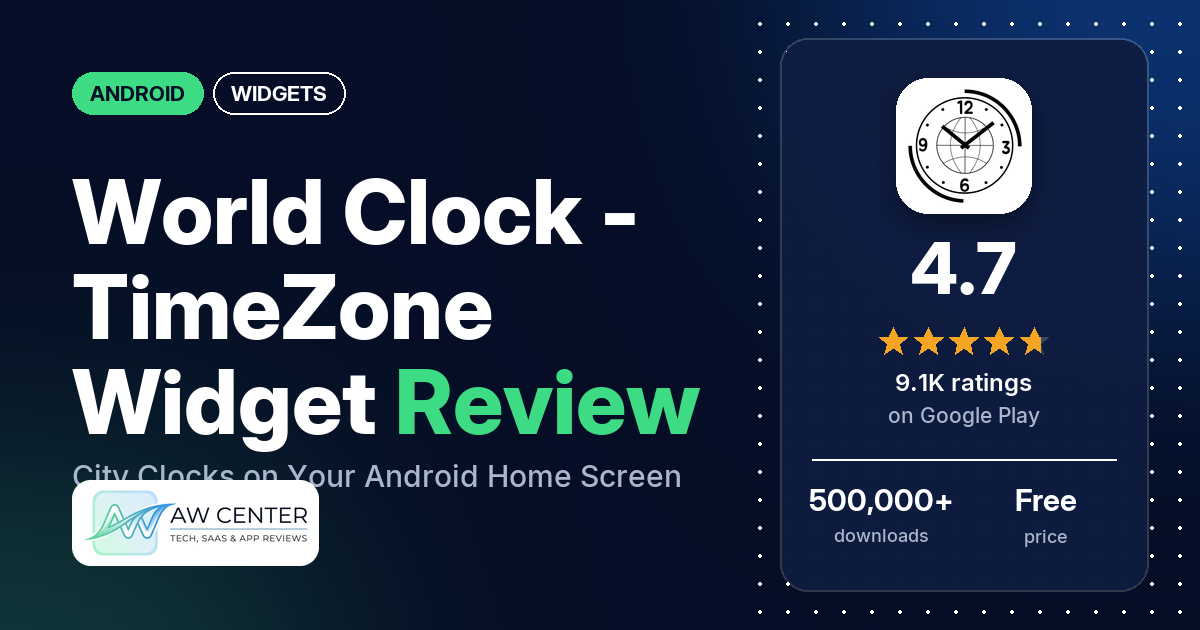
World Clock – TimeZone Widget is a free Android app from Bokeria Inc. that lists the time in the cities you pick and puts world clocks on your home screen. The app has 4.7 stars from 9,118 ratings. You get ads unless you buy Premium, a one-time purchase that removes them.
Quick verdict
If you call or message people in other time zones, this is a simple way to see their time next to yours. Several reviewers like having all their cities on one screen, and several say the times are accurate. The widget is the weak spot: several reviewers, from 2020 to June 2026, say it stopped updating or didn’t work at all, and older reviews complain it held only two cities. A developer reply from October 2026 says version 1.22.11 added a resizable widget for up to 4 cities.
World Clock – TimeZone Widget at a glance
| Developer | Bokeria Inc. |
|---|---|
| Store listing | World Clock – TimeZone Widget on Google Play |
| Price | Free; in-app purchases ($1.99 per item) |
| Ads | Yes (a one-time Premium purchase removes banner and interstitial ads) |
| Play Store rating | 4.7 stars from 9,118 ratings (86.1% of the star breakdown is 5-star) |
| Downloads | 500,000+ |
| Version / last updated | 1.22.13 / October 31, 2026 |
| Requires | Not in our data |
| First released | December 17, 2019 |
| Data checked | November 2, 2026 |
What is World Clock – TimeZone Widget?
World Clock – TimeZone Widget is a world clock and time zone converter. You add cities from a list, see their times and dates together, and move a time slider or set a date and time to see the same moment everywhere on your list. The listing says the clock, the time zone conversion and the widgets are free to use.
Key features
- City comparison: add locations from the city and time zone list, see the time and date for several of them together, and reorder the list so the clocks you use most are easy to find.
- Time slider: explore other times of day, then return to the current time. You can also change the date and time for one location to compare the same moment across your list.
- Home screen widgets: a standard or a large world clock widget, with the locations you choose, and custom widget colors and text size.
- Display options: 12-hour or 24-hour time, UTC offsets and time differences on the list, and a choice of app theme.
- Premium: an optional one-time purchase that removes banner and interstitial ads. The listing says it is not a subscription.
World Clock – TimeZone Widget vs. what a widgets app should have
Listed means the store listing says it. Not listed means we found it in neither the listing nor the reviews. Reviews only and Reviews and developer replies mean it comes up only there. Rows for music, health data, custom data sources and charts don’t apply to a clock app and are left out.
Must have
| Feature | Status | Notes |
|---|---|---|
| Home screen widgets in several sizes | Listed | Standard or large widget. A developer reply from October 2026 says version 1.22.11 adds a resizable “City list (up to 4)” widget. |
| Lock screen widgets | Reviews and developer replies | One reviewer asked in 2022; a developer reply from December 2023 says it isn’t supported. |
| Design editor | Partial | Widget colors and text size only. |
| Ready-made designs or templates | Not listed | |
| Common data (time, date, weather, calendar, battery) | Partial | Time and date only. |
| Widgets that stay up to date | Reviews and developer replies | Several reviewers say the widget stopped updating. See Common problems. |
| Transparent background | Reviews only | One reviewer on a Galaxy Z Fold 5 (January 2024) could reach the transparency slider only with the phone folded. |
Should have
| Feature | Status | Notes |
|---|---|---|
| Smartwatch faces or complications | Not listed | |
| Tap actions | Reviews and developer replies | Tapping the widget opens its settings, not the app (one reviewer, 2021; developer replies in October 2026 also say to tap the widget to edit it). |
| Sharing or importing designs | Not listed | |
| Help or support contact | Listed | [email protected] |
| A usable free tier | Listed | Clock, conversion and widgets are free, with ads. |
| Restoring purchases on a new device | Not listed |
Nice to have
| Feature | Status | Notes |
|---|---|---|
| Launcher compatibility | Not listed | |
| Tablet and desktop support | Not listed | |
| Shortcuts or automation | Not listed | |
| One-time purchase instead of a subscription | Listed | Premium is a one-time purchase. |
| No ads | Partial | The app has ads; Premium removes them. |
| 12/24-hour choice | Listed | |
| Seconds display | Not listed | |
| Date formats | Reviews only | One reviewer (August 2024) says the widget’s date includes the day of the week. |
| Time zones or a world clock | Listed | Also UTC offsets and time differences. |
Common problems
Widget behavior depends on the phone and Android version, and most of these reports are from 2023 or earlier, so newer versions may behave differently.
| Problem | What reviewers report | When |
|---|---|---|
| Widget doesn’t update or work | Several say the widget shows a frozen time, needs the refresh button, or doesn’t work at all. One says it stayed stuck after reinstalling. A developer reply from 2021 says the time can take a few minutes (1~5) to refresh after a reboot. | 2020 to June 2026 |
| Only two cities on a widget | A few wanted more than two cities on one widget. One developer reply from October 2026 says the app had single-city and dual-city widgets; another says version 1.22.11 adds a widget for up to 4 cities. | 2021 to 2023 |
| Wrong time in some zones | A few say some cities showed the wrong time. A 2020 developer reply says version 1.6.7 fixed one such issue. | 2020 to 2022 |
| Missing city or country | A few couldn’t find a place, such as Medina or Montenegro. A 2022 developer reply says new cities including Medina would be added. | 2022 to 2025 |
| List order | A few had trouble putting their cities in the order they wanted. A March 2025 developer reply says the ↕ button at the top right changes the order. | 2023 to 2025 |
| 12-hour vs. 24-hour | Two reviewers had trouble with the time format. A developer reply from October 2026 says to turn off “24 hours time format” in Settings for AM/PM. | 2023 |
| Daylight saving time | One reviewer asked why daylight saving time wasn’t showing. A developer reply from October 2026 says fixed-offset entries don’t adjust for it, while city-based entries follow local rules. | 2023 |
Pros (from user reviews)
- All your cities on one screen: several reviewers like seeing many locations listed together. One has 13 cities saved for family and friends.
- Staying in touch: several use it to keep up with people, or with work, in other countries. One used the widget on a month-long trip to see the time and date back home.
- Accurate times: several reviewers say the times are accurate. A few others, from 2020 to 2022, report wrong times in some zones.
- Easy to use: several reviewers say the app is easy to pick up and use.
- The widget, when it works: a few praise the widget. One likes that it is small and its date shows the day of the week.
- No ads for some: a few reviewers from 2023 to 2025 saw no ads. A November 2024 developer reply says ads had recently been introduced, and a June 2025 reply says they may not appear right after installation.
Cons (from user reviews)
- Widget not updating: several reviewers say the widget froze, needed a manual refresh or didn’t work. The newest of these is from June 2026.
- Few cities per widget: a few wanted more than two cities on one widget. Check the current widget menu, since a developer reply says version 1.22.11 added a 4-city widget.
- Widget options: one reviewer wants more customization for the widgets, and one in 2021 found the display options poor. Another, also in 2021, says the widget doesn’t shrink when you shrink the font, and that tapping it opens the widget settings instead of the app.
- Missing places and sorting: a few couldn’t find a city or country, and a few had trouble ordering their list the way they wanted.
- Ads: a few reviewers from 2020 to 2022 complain about ads; two would pay to remove them, which is what Premium does.
Rating breakdown
| Stars | Ratings | Share |
|---|---|---|
| 5 | 7,825 | 86.1% |
| 4 | 635 | 7.0% |
| 3 | 181 | 2.0% |
| 2 | 90 | 1.0% |
| 1 | 362 | 4.0% |
Source: Google Play ratings histogram, checked November 2, 2026. Shares are of the 9,093 ratings in the star breakdown.
Only 5.0% of the ratings in the star breakdown are 1 or 2 stars. In many replies dated 2022 to 2025, the developer asked reviewers who gave fewer than 5 stars to change their rating to 5 stars.
Pricing
The app is free. The listing says the world clock, time zone conversion and widgets are free to use, and that the app contains ads. An optional one-time Premium purchase removes banner and interstitial ads; it is not a subscription. Google Play lists in-app purchases at $1.99 per item, and the listing says to check the in-app purchase screen for current pricing.
Privacy and permissions
We couldn’t read the Data safety section of the listing. The app asks for these permissions: full network access, view network connections, receive data from Internet, prevent device from sleeping and control vibration.
Who it’s for
It suits you if you keep in touch with family, friends or colleagues in other countries and want their times in one list, with a slider to find a good time to call. It is free if you can live with ads, and Premium is a one-time purchase.
Look elsewhere if you need a widget you can count on to update every time, since several reviewers say theirs froze. A developer reply from 2023 says Lock Screen widgets aren’t supported, and the listing doesn’t mention seconds on the clock.
FAQ
Is World Clock – TimeZone Widget free?
Yes. The listing says the world clock, time zone conversion and widgets are free to use, with ads. A one-time Premium purchase removes banner and interstitial ads and is not a subscription.
How many cities can the widget show?
The listing mentions a standard and a large world clock widget. One developer reply from October 2026 says the app had single-city and dual-city widgets; another says version 1.22.11 adds a resizable “City list (up to 4)” widget you add from your phone’s widget menu.
Why isn’t my world clock widget updating?
Several reviewers report a frozen widget. The developer’s replies ask them to email [email protected], and one asks for the phone model and Android version. A 2021 reply says the time can take a few minutes (1~5) to refresh after you restart the phone.
Does it handle daylight saving time?
The developer says yes, for cities. A developer reply from October 2026 says city-based entries follow local time zone rules, while fixed-offset entries don’t adjust for daylight saving time.
How this review was put together
We haven’t tested World Clock – TimeZone Widget. This review is based on public information from official sources: the app’s Google Play or App Store listing and rating breakdown, the developer’s website when there is one, and recent user reviews on the store with the developer’s replies. Features and claims are the developer’s own descriptions; what users like and dislike comes from the store reviews. Everything was checked on November 2, 2026. Apps change with every update, so check the store listing before you install.