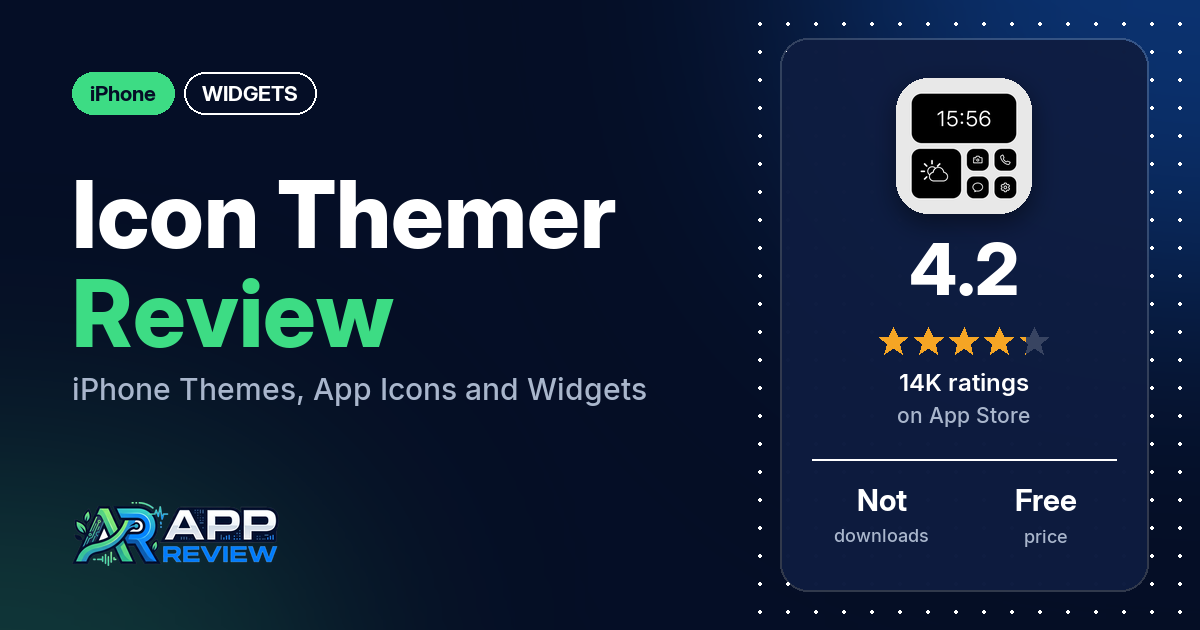
Icon Themer: Asthetic Themekit is a free iPhone app that restyles your home screen and lock screen with themes, custom app icons, wallpapers and matching widgets. Full access takes a subscription or a $15.99 lifetime unlock, and in the reviews we could collect, the main complaint is how little is free.
Quick verdict
If you want ready-made aesthetic themes and are willing to pay, Icon Themer bundles icons, wallpapers and widgets in one place, and several reviewers like how the themes look. If you hoped to theme your phone for free, many reviewers say there is little you can do without premium. Several also report icons that act as bookmarks or open the wrong app, and several report bugs. Every review in our sample is from December 2021 to September 2022, while the current version, 9.1.7, came out in October 2026, so the app may have changed since. It has 4.2 stars from 14,177 ratings.
Icon Themer: Asthetic Themekit at a glance
| Developer | FLOWMATIC PTE. LTD |
|---|---|
| Store listing | Icon Themer: Asthetic Themekit on the App Store |
| Price | Free; subscriptions of $4.99 a week, $6.99 a month or $14.99 a year, or $15.99 one time for lifetime access |
| Ads | Not stated in the listing; a few reviewers complain about ads |
| App Store rating | 4.2 stars from 14,177 ratings |
| Downloads | Not in our data |
| Version / last updated | 9.1.7 / October 12, 2026 |
| Requires | iOS 15.0 or later |
| First released | September 26, 2020 |
| Data checked | October 19, 2026 |
What is Icon Themer: Asthetic Themekit?
Icon Themer is a home screen theming app. The listing says you can pick a theme (“screenkit”) with wallpapers, app icons and matching widgets and set it up on your Home Screen and Lock Screen in a few taps, or build your own icons with a color and background. It also has lock screen widget packs. The listing says the customization options need iOS 16 or later, although the app itself requires iOS 15.0.
Key features
- Themes and screenkits: ready-made aesthetic themes with wallpapers, app icons and matching widgets.
- App icon changer: replace iOS app icons with ones from the library or your own images. The listing says there are more than 100 icon threads and that no shortcuts are needed.
- Icon maker: set an icon’s color and background, with a preview of how it looks on the home screen.
- Wallpapers: collections such as Anime, Animals, Nature, Landscape and Festival.
- Widgets: home screen widgets that match the themes, and lock screen widget packs.
Icon Themer: Asthetic Themekit vs. what a widgets app should have
The Status column shows where we found each feature. “Listed” means the App Store listing names it, “Partial” means the listing covers part of it, and “Reviews only” means we found it in user reviews. “Not listed” means we found no sign of it. Icon Themer is mainly a theme and icon app, so many rows written for widget editors don’t apply to it.
Must have
| Feature | Status | Notes |
|---|---|---|
| Home Screen widgets in several widget families | Partial | Widgets that match the themes are listed; sizes aren’t |
| Lock Screen widgets | Listed | Lock screen widget packs; the listing says customization needs iOS 16 or later |
| Design editor (text, images, shapes, layout) | Partial | Icon maker with color, background and your own images; no widget editor is described |
| Ready-made designs or templates | Listed | Themes and screenkits |
| Common data (time, date, weather, calendar, battery) | Not listed | |
| Stays up to date | Not listed | |
| Transparent or wallpaper-matching backgrounds | Partial | Themes come with matching wallpapers and widgets |
Should have
| Feature | Status | Notes |
|---|---|---|
| Usable free tier | Partial | The listing says unsubscribed users can use the free features. Many reviewers say little is free; several say the free parts are good. |
| Help or a support contact | Listed | [email protected] |
| Tap actions that open apps | Partial | Custom icons open your apps. Several reviewers say icons acted as bookmarks, failed or opened the wrong app. |
| Restoring purchases on a new device | Not listed | |
| Sharing or importing designs | Not listed | |
| Smartwatch faces or complications | Not listed | |
| Music, health or fitness data | Not listed |
Nice to have
| Feature | Status | Notes |
|---|---|---|
| One-time purchase | Listed | Lifetime access for $15.99 |
| Tablet support | Reviews only | Two reviewers mention an iPad |
| Shortcuts or automation | Not listed | The listing says no shortcuts are needed; one reviewer says you need the Shortcuts app |
| Custom data sources, charts or Live Activities | Not listed | |
| No ads | Not listed | A few reviewers complain about ads, two of them after paying |
Icon Themer is about how your phone looks. Its widgets come with themes; it shows no data such as weather or calendar in the listing.
Common problems reviewers report
The data we collected doesn’t include developer replies, so there are no fixes here. All of these reports are from December 2021 to September 2022, so the current version may behave differently.
| Problem | What reviewers report | When |
|---|---|---|
| Icons act as bookmarks or don’t open the app | Several reviewers. A few say the icon is a bookmark or a second copy of the app, one says it opens Icon Themer first, and others report a “link could not be found” error or the wrong app opening. | December 2021 to August 2022 |
| App won’t open or shows errors | Several reviewers; a few say it won’t open at all, one after an update. One reports an “error response status code was unacceptable: 401” message. | December 2021 to August 2022 |
| Widgets don’t install or work | A few reviewers | December 2021 to April 2022 |
| Ads after paying | Two reviewers who paid for premium or a lifetime subscription | August and September 2022 |
Pros (from user reviews)
- Good-looking themes: several reviewers like the art, themes and wallpapers, and one changes their phone for Christmas and Halloween. A few others find the free designs or the icons dated or unattractive.
- Free options for some: several reviewers say it is free or that the free features are good, and one says it has more free features than other theme apps. That runs against the paywall complaints below.
- Make your own icons: a few reviewers like creating or fully customizing their own icons; one made a Doctor Strange theme. A few say you have to pay to make your own.
- Easy for some: a few reviewers call it easy to use, while a few others found it confusing or hard to figure out.
Cons (from user reviews)
- Most things cost money: the most common complaint by far. Many reviewers say almost everything needs premium, and a few say only about two themes or items were free. Several mention a price of about $15.
- Icons that don’t behave like app icons: several reviewers say the new icons were bookmarks or duplicates, opened through Icon Themer, failed with an error or opened the wrong app. One says you also need the Shortcuts app, although the listing says no shortcuts are needed.
- Bugs: several reviewers report bugs, errors or an app that won’t open.
- Ads: a few reviewers complain about ads, including two who say they still saw ads after paying. One says it was “barely any ads”.
- Widgets: a few reviewers couldn’t install the widgets or say the free ones don’t work, and two say the widgets cost money.
- Missing apps: one reviewer could only change icons for mostly built-in Apple apps, and two others couldn’t find icons for Roblox or Minecraft.
More than half of the reviews in our sample are 1- or 2-star, which is far more negative than the 4.2 overall rating. The data we collected doesn’t include a star breakdown of the 14,177 ratings, so we can’t say how common these complaints are across all of them. The reviews are also from 2021 and 2022.
Pricing
Icon Themer is free to download. The listing says unsubscribed users can only use the free features, and subscribers get unlimited access for $4.99 a week, $6.99 a month or $14.99 a year, or $15.99 once for lifetime access. Subscriptions renew automatically unless you turn auto-renew off at least 24 hours before the period ends. If you’d rather not pay, many reviewers in our sample say little is free, though their reviews are from 2021 and 2022. One reviewer says they couldn’t cancel their subscription.
Privacy and permissions
We couldn’t read the App Store privacy label for Icon Themer, and our data doesn’t include a permissions list, so we make no claim about either. One reviewer in May 2022 says the app asked for their location and that the reason given in Settings was to show the local weather. The listing’s privacy policy, terms of use and support email are on vulcanlabs.co, a different name from the developer shown on the App Store.
Who it’s for
Icon Themer fits you if you want a ready-made aesthetic look for your iPhone, with matching icons, wallpapers and widgets, and you’re happy to subscribe or pay $15.99 once. It’s a weaker fit if you want to theme your phone for free, or if you need widgets that show data such as weather or a calendar. Keep in mind that the reviews we could collect are about four years older than the current version.
FAQ
Is Icon Themer free?
It’s free to download, and the listing says unsubscribed users can use the free features. Full access costs $4.99 a week, $6.99 a month, $14.99 a year or $15.99 once for lifetime. Many reviewers in our 2021 and 2022 sample say little is free without premium.
Does Icon Themer need the Shortcuts app?
The listing says icons change instantly and no shortcuts are needed. One reviewer in January 2022 says you also had to download the Shortcuts app, and a few say the new icons acted as bookmarks or second copies of an app.
Does Icon Themer have lock screen widgets?
Yes. The listing offers lock screen widget packs and says its customization options need iOS 16 or later. No reviewer in our sample mentions them.
How this review was put together
We haven’t tested Icon Themer: Asthetic Themekit. This review is based on public information from official sources: the app’s Google Play or App Store listing and rating breakdown, the developer’s website when there is one, and recent user reviews on the store with the developer’s replies. Features and claims are the developer’s own descriptions; what users like and dislike comes from the store reviews. Everything was checked on October 19, 2026. Apps change with every update, so check the store listing before you install.