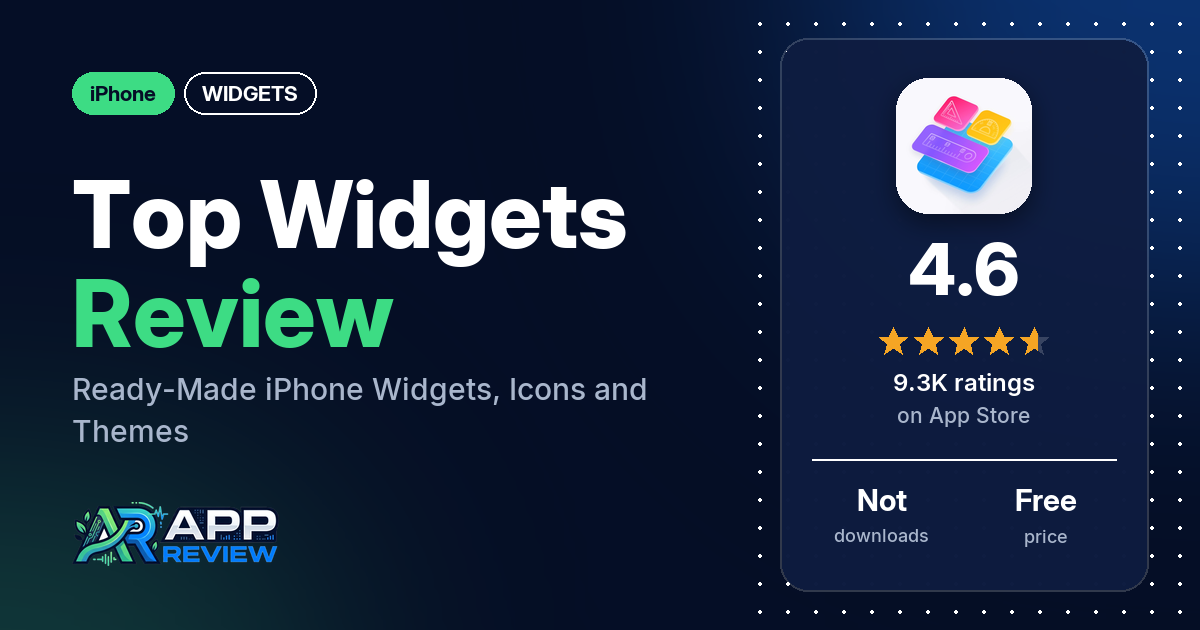
Top Widgets⁺ Icons & Themes is a free iPhone app with ready-made widgets, icons, wallpapers and themes for your Home Screen. The listing says it has more than 5,000 designs; the complaint reviewers raise most often is ads.
Quick verdict
Top Widgets suits you if you want cute, ready-made widgets and can live with ads. Several reviewers like the designs. Ads come up more often: many reviewers complain about them, and several say an ad or a stray swipe sent them into another app. Expect complaints, too, about parts of the app being in Chinese, about the app not opening or crashing, and about widgets that won’t appear on the Home Screen or Lock Screen. It’s free to download; reviewers describe VIP items that you either pay for or unlock by watching ads.
Top Widgets at a glance
| Developer | Chengdu Tiange Technology Co., Ltd |
|---|---|
| Store listing | Top Widgets⁺ on the App Store |
| Price | Free (in-app purchase prices not in our data) |
| Ads | Not stated in the listing; many reviewers report ads |
| App Store rating | 4.6 stars from 9,298 ratings |
| Downloads | Not in our data |
| Version / last updated | 3.0.2 / September 25, 2026 |
| Requires | iOS 15.0 or later |
| First released | April 7, 2023 |
| Data checked | October 18, 2026 |
What is Top Widgets?
Top Widgets is a library of ready-made widgets, wallpapers, icons and themes for iPhone. You pick a design and adjust its fonts, colors and background instead of building a widget from nothing. The listing says the designs come from more than 5,000 creators and are “Updated Continuously”. It also says the app is built for OS27 and supports the new extra-large portrait widget, which fills a whole Home Screen page.
Key features
- Four widget sizes: small, medium, large and extra-large, with a preview of the extra-large widget while you edit.
- Designs: the listing says there are 5,000+ original designs for widgets, wallpapers, icons and themes.
- X-Panel: shows battery, storage, network “and more” in real time.
- Calendar, mood and tasks: a Work Calendar for recording daily moods, a Mood Tracker you tap on the Home Screen, and a Today widget for daily tasks.
- Quick Launch: one-tap access to apps and functions you pick.
- Step Counter: steps, calories and activity from Apple Health (HealthKit).
- Charging and StandBy: charging animations and horizontal StandBy widgets.
- DIY Home Screen: change fonts, colors and backgrounds.
- Sharing: turn a widget you made into a Live Photo to share.
- Weather widget: the listing mentions it when explaining the location permission. Don’t rely on a single app for severe weather warnings.
Top Widgets vs. what a widget app should have
The Status column shows where we found each feature. “Listed” means the App Store listing names it. “Partial” means the listing covers part of it. “Reviews only” means reviewers describe it but the listing doesn’t. “Not listed” means neither the listing nor the reviews in our sample show the app has it. Watch faces and custom data sources don’t apply much to an app built around ready-made designs.
Must have
| Feature | Status | Notes |
|---|---|---|
| Home Screen widgets in several sizes | Listed | Small, medium, large and extra-large |
| Lock Screen widgets | Partial | The listing names StandBy widgets and charging effects for the lock screen; two reviewers say they couldn’t add a Lock Screen widget |
| Design editor | Partial | Fonts, colors and backgrounds; the listing doesn’t mention editing layout or shapes |
| Ready-made designs | Listed | 5,000+ designs, the listing says |
| Time, date, weather, calendar and battery | Listed | Clocks, schedules, battery and a weather widget; a few reviewers in 2024 say temperature was Celsius only |
| Widgets that stay up to date | Partial | The listing says X-Panel and the Step Counter show data in real time; one reviewer in November 2023 says a time widget showed the wrong hour after the clock change |
| Transparent backgrounds | Reviews only | Two reviewers say the transparent option didn’t work for them |
Should have
| Feature | Status | Notes |
|---|---|---|
| Smartwatch faces or complications | Not listed | |
| Tap actions that open apps | Listed | Quick Launch |
| Sharing or importing designs | Partial | Share a widget as a Live Photo |
| Music or now-playing data | Not listed | |
| Health and fitness data | Listed | Steps, calories and activity through HealthKit |
| Help, tutorials or support | Reviews only | Reviewers mention a tutorial, an FAQ and a help robot; one says the FAQ, Comment and Feedback sections are in Chinese |
| A usable free tier | Reviews only | Reviewers describe VIP items, some unlockable by watching ads; a few say widgets they wanted needed VIP or a subscription |
| Restoring purchases on a new device | Not listed |
Nice to have
| Feature | Status | Notes |
|---|---|---|
| Custom data sources (JSON, API) | Not listed | |
| Charts and gauges | Not listed | |
| Live Activities / Dynamic Island | Reviews only | Two reviewers say the Dynamic Island effects didn’t work for them |
| Tablet and desktop support | Not listed | One reviewer says they couldn’t get a design on their iPad |
| Shortcuts or automation integration | Not listed | |
| One-time purchase instead of a subscription | Reviews only | One reviewer in November 2025 describes weekly and monthly subscriptions and a one-time payment |
| No ads | Not listed | Many reviewers report ads |
Two reviewers also mention CarPlay designs, which the listing doesn’t name. One of them says there are too few.
Common problems reviewers report
Our data has no developer replies, so there are no fixes here. Older reports may describe earlier versions of the app.
| Problem | What reviewers report | When |
|---|---|---|
| Ads open other apps | Several reviewers say an ad or a light swipe sent them to another app, a website or the App Store; two say they couldn’t close ads | November 2023 to May 2026 |
| App won’t open or crashes | Several reviewers | June 2024 to November 2025 |
| Widgets missing from the widget list | Several reviewers had trouble adding widgets; two say Top Widgets didn’t show up in the widget options (one saw only the old Top Widget app there) | January 2024 to April 2025 |
| Parts of the app in Chinese | Several reviewers; one in January 2024 says you can choose English in the app settings, and one in May 2026 says changing the language didn’t work | October 2023 to May 2026 |
| Transparent widgets | Two reviewers; one kept getting a “SCREEn SIZE ERROR” after submitting a screenshot | November 2023 and March 2026 |
| Celsius only | A few reviewers say the weather widget had no Fahrenheit option | January to June 2024 |
Pros (from user reviews)
- The designs: several reviewers like the widgets, calling them cute, cool or fun, and one mentions widgets that animate. A few want more or different designs, such as more idol icons, 4K wallpapers or more CarPlay designs.
- Making the phone your own: a few reviewers say the app helped them style their Home Screen or Lock Screen. One Russian-language reviewer says they learned to make “really cool” widgets with it.
- It works: a few reviewers say the app works well. Several others say it won’t open or crashes (see Cons).
- Worth it despite ads: two reviewers who mention the ads still find the app worth using.
Cons (from user reviews)
- Ads: many reviewers complain about ads, and one says they appear “every 5 seconds”. Several say an ad or a light swipe opened another app, such as WeChat or a shopping app, or sent them to Safari or the App Store. Two say they couldn’t close the ads.
- Language: several reviewers say much of the app, its FAQ, or the app names in launcher widgets are in Chinese or another language they can’t read. One reviewer in January 2024 says English can be chosen in the app settings.
- Won’t open or crashes: several reviewers say the app hangs on launch, shows a white or black screen, or crashes back to the Home Screen or Lock Screen.
- Getting widgets onto the screen: several reviewers had trouble adding widgets, two of them on the Lock Screen. Two say Top Widgets didn’t appear in the widget options at all.
- Paywall: a few reviewers say widgets they wanted needed VIP or a subscription, and one says widgets they already had were locked after an update. A few mention unlocking widgets by watching ads: one says that option is gone, one hit a limit on ads, and one says the ads didn’t load.
- Lag and glitches: a few reviewers say widgets lag or the app glitches. One says animated icons drained the battery.
- Celsius only: a few reviewers in 2024 wanted Fahrenheit for the weather widget.
- Other single reports: one reviewer says they were charged $92.75 instead of a discounted price of around $50, one couldn’t buy more widgets, one was asked for a WeChat login, one says uninstalling the app deleted their widgets, and one says photos don’t crop to the widget’s size.
Almost half the reviews in our sample are 1- or 2-star, and about a quarter are 5-star, which is more negative than the 4.6-star average suggests. The data we collected doesn’t include a star breakdown of the 9,298 ratings, so we can’t say how common these complaints are across all of them.
Pricing
Top Widgets is free to download. The listing doesn’t describe the paid tiers, and our data doesn’t include in-app purchase prices. Reviewers describe VIP widgets that you pay for, with some unlockable by watching ads. One reviewer in November 2025 mentions weekly and monthly subscriptions and a one-time payment, and says they were charged $92.75. Check the prices in the app before you pay.
Privacy and permissions
We couldn’t read the App Store privacy label for Top Widgets, so we make no claim about what data it collects. The listing says it asks for HealthKit access to show steps in step widgets, location access for the weather widget, and photo access when you add a background image or save images to your phone. It links to a privacy policy and a user agreement. One reviewer in September 2025 says the account needs a WeChat login. One reviewer in May 2024 says they got many calls from China after registering; we can’t verify that.
Who it’s for
Top Widgets fits you if you want lots of cute, ready-made widgets and themes and you can tolerate frequent ads. Skip it if ads that open other apps would bother you, if you need the whole app in English, or if you want to design widgets from scratch. Several reviewers couldn’t get it to open or couldn’t add widgets, so check that it works on your iPhone before you pay for anything.
FAQ
Is Top Widgets free?
Top Widgets is free to download. Reviewers describe VIP widgets that need payment, and some that you can unlock by watching ads. Our data doesn’t include the in-app purchase prices, so check them in the app.
Does Top Widgets have ads?
The listing doesn’t mention ads, but many reviewers complain about them. Several say an ad or a light swipe opened another app, a website or the App Store.
Can I use Top Widgets in English?
Several reviewers say parts of the app are in Chinese or another language. One reviewer in January 2024 says you can choose English in the app settings, while one in May 2026 says changing the language didn’t work. One reviewer says the FAQ, Comment and Feedback sections are in Chinese.
Does Top Widgets support the extra-large widget?
Yes, the listing says it supports the new extra-large portrait widget in OS27, which fills a whole Home Screen page. It also offers small, medium and large widgets.
How this review was put together
We haven’t tested Top Widgets ourselves. This review is built from the App Store listing, the app’s overall rating, and 100 user reviews from Apple’s public US reviews feed dating from October 2023 to September 2026. We took the newest reviews the feed returns (up to five pages). Many of them are written in Chinese or Russian. The data we collected doesn’t include a star breakdown or developer replies. Feature descriptions come from the store listing, and we checked the bigger claims against what reviewers report. Where reviewers disagreed, we’ve said so. Older reviews may describe earlier versions of the app. Information was checked October 18, 2026, and features, prices and ratings can change, so check the store listing for current details.