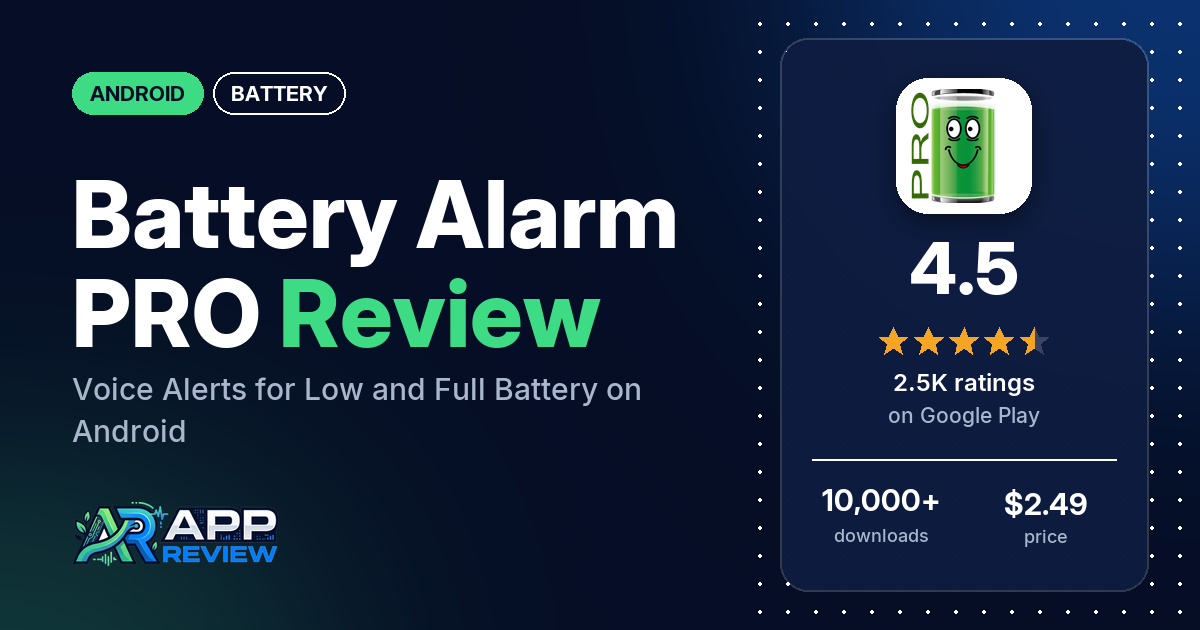
Battery Alarm PRO is a $2.49 Android app that warns you, by voice, sound or notification, when your battery drops to a low level or charges to a high level you set. It has no ads and no in-app purchases, and 4.5 stars from 2,505 ratings.
Quick verdict
If you want a simple, loud reminder to plug in or unplug, Battery Alarm PRO does that job: several reviewers say it works reliably, and several have used it for years. Several also use it as a charge-limit reminder at 80% to 95% on phones that don’t stop charging there. The catch is your phone’s battery optimization, which can put the app to sleep. Several reviewers say the alarm didn’t fire for that reason; the listing and the developer’s replies point to setup guides for each brand. Try the free version first, as the listing suggests. Across all ratings, 6.8% are 1 or 2 stars.
Battery Alarm PRO at a glance
| Developer | Zoran Vujacic |
|---|---|
| Store listing | Battery Alarm PRO on Google Play |
| Price | $2.49, no in-app purchases |
| Ads | None |
| Play Store rating | 4.5 stars from 2,505 ratings (81.4% of the ratings in the store’s rating breakdown are 5-star) |
| Downloads | 10,000+ |
| Version / last updated | 130 / June 6, 2026 |
| Requires | Not in our data |
| First released | October 3, 2019 |
| Data checked | October 20, 2026 |
What is Battery Alarm PRO?
Battery Alarm PRO is the paid version of Battery Alarm. You set two sliders, a minimum and a maximum battery level, and the app warns you when the battery crosses either one; setting a slider to 0 turns that warning off. It also shows battery temperature, current, voltage and health, and which apps use the most battery. The listing says it doesn’t use the internet, GSM, GPS or Wi-Fi and that its battery use is minimal. It has been on Google Play since October 2019.
Key features
- Low and high alarms: a minimum and a maximum level on two sliders.
- Voice alerts: spoken warnings in 31 languages, with a male or female voice.
- Alarm delay: from 5 seconds to 12 hours.
- Sounds and widget: alert sound selection and a home screen widget.
- Quiet notification bar: an option to hide the icon from the notification bar.
- Battery info: percentage, health, temperature, voltage and current, plus a battery usage list by app.
- Refund window: the listing promises a refund if you’re not satisfied within 10 days.
Battery Alarm PRO vs. what a battery app should have
“Listed” means the Google Play listing names the feature, “Partial” means it covers part of it, and “Reviews only” or “Reviews and developer replies” means we found it outside the listing.
Must have
| Feature | Status | Notes |
|---|---|---|
| Full-charge alert at a level you choose | Listed | Maximum battery slider |
| Low-battery alert at a level you choose | Listed | Minimum battery slider |
| Alerts that fire reliably in the background | Partial | The listing gives setup steps for Xiaomi, Huawei and OnePlus phones. Several reviewers say the alarm didn’t fire |
| Sound and vibration options | Partial | Alert sound selection and voice alerts; vibration appears only in the permissions |
| Easy to dismiss an alert | Not listed | One reviewer wants each alarm to go off only once; a reply suggests a 12-hour snooze |
| Low battery use by the app itself | Listed | The listing says battery consumption is minimal |
Should have
| Feature | Status | Notes |
|---|---|---|
| Custom alert sound and volume | Listed | One reviewer says a custom sound applies to both the low and high alarm |
| Quiet hours or a schedule | Reviews and developer replies | Replies point to an in-app Do not disturb time setting; one reviewer says it doesn’t follow Android’s Do Not Disturb |
| Battery details (temperature, voltage, current) | Listed | Two reviewers want a charge current display |
| Charge history or usage chart | Partial | A list of apps by battery use; no charge history listed |
| Help or a support contact | Listed | Email and setup guides on the developer’s site |
| Clear pricing | Listed | $2.49 once, with a free version to try first |
Nice to have
| Feature | Status | Notes |
|---|---|---|
| Battery health or capacity estimates | Listed | Battery health |
| Time-left or time-to-full estimates | Not listed | |
| Home screen widget or status bar readout | Listed | A widget |
| Tablet support | Reviews only | One reviewer uses it on a tablet; another says it goes quiet when their tablet sleeps |
| No ads or an ad-free option | Listed | |
| No account required | Not listed |
Common problems and fixes
The developer answers most complaints with setup steps and a link to brand guides on batteryalarm.app. The replies are dated and may have changed since.
| Problem | What reviewers report | When | What the listing or the developer’s replies suggest |
|---|---|---|---|
| Alarm doesn’t fire; the app stops in the background | Several reviewers, on Samsung, OnePlus, Redmi, Vivo and other phones; several of them in 2025 | 2020 to November 2025 | Lock the app in recently used apps, turn off battery optimization for it and allow autostart; follow the guide for your phone brand (2020 to 2025) |
| Alarm goes off at night | One reviewer says it ignores Android’s Do Not Disturb, and another was woken to hear the phone was charged | November 2023 and August 2025 | Set the Do not disturb time inside the app (2023 and 2025) |
| Alarm repeats every 30 seconds | One reviewer wants it to go off once | June 2026 | Set the snooze to 12 hours (June 2026) |
| Back button stopped working | One reviewer after an update | May 2026 | A navigation bug from that update; a fix was on the way (May 2026) |
Pros (from user reviews)
- Reliable: several reviewers say it works as intended, and several have used it for years; one ran the free version for about 1,500 hours before buying Pro.
- Your levels, your way: several reviewers like setting their own low and high levels and having the alert repeat until they act, and several like the voice alerts. One Motorola owner set the low alarm to 3%.
- A charge-limit reminder: several reviewers use the high alarm to unplug at 80% to 95% on phones like the Pixel 9 and Pixel 10.
- Worth $2.49: several reviewers say Pro is worth paying for. One says the purchase carried over to a new phone without paying again.
- Simple, with a cute mascot: several reviewers call it simple or easy, and a few like the animated battery character.
Cons (from user reviews)
- Stopped in the background: several reviewers say the alarm didn’t fire, or only sounded once they woke the screen or opened the app, because the phone put it to sleep. One fixed it by locking the app in recently used apps, as the developer suggested; one in March 2025 says nothing worked on Motorola, TCL, Samsung and LG phones.
- Silent voice: a few reviewers say the voice alert stopped or never spoke.
- Night alarms: one reviewer says it doesn’t follow Android’s Do Not Disturb, and another was woken to hear the phone was charged. The developer’s replies point to the app’s own quiet-time setting instead.
- Settings that move: two reviewers say a touch or swipe changes the slider settings by accident, and one says the settings change on their own.
- Missing extras: two reviewers want a charge current display and a few want smartwatch support.
Across all ratings, 6.8% are 1 or 2 stars and 81.4% are 5-star.
Rating breakdown
| Stars | Ratings | Share |
|---|---|---|
| 5 | 2,021 | 81.4% |
| 4 | 123 | 5.0% |
| 3 | 170 | 6.8% |
| 2 | 47 | 1.9% |
| 1 | 123 | 5.0% |
Source: Google Play ratings histogram, checked October 20, 2026. The histogram adds up to 2,484 ratings, slightly fewer than the 2,505 total, and the shares are of the histogram total.
Pricing
Battery Alarm PRO costs $2.49 once, with no ads and no in-app purchases. The listing asks you to try the free Battery Alarm first to check it works on your phone, and promises a refund if you’re not satisfied within 10 days. In several replies to complaints, the developer suggests a refund. A 2020 reply says that if you change phones, signing in with the same Google account lets you download it again at no extra cost.
Privacy and permissions
We couldn’t read the Google Play data safety section, so we make no claim about what it declares. The permissions list is short: Google Play license check, control vibration, modify system settings, prevent device from sleeping and run at startup. The listing says the app doesn’t use the internet, GSM, GPS or Wi-Fi, and there is no network permission in the list.
Who it’s for
Battery Alarm PRO suits you if you want a spoken or loud warning at a low level so your phone never dies unexpectedly, or at 80% to 95% so you unplug before it’s full. It’s a good fit if you dislike ads and subscriptions. Install the free version first and follow the guide for your phone brand; skip it if your phone keeps closing background apps no matter what you set.
FAQ
Why didn’t Battery Alarm PRO go off?
The developer’s replies point to the phone stopping it in the background. They suggest locking the app in recently used apps, turning off battery optimization for it and allowing autostart, and the listing links to guides for Xiaomi, Huawei and OnePlus phones. One reviewer fixed it this way; another says nothing worked on their phones.
Can Battery Alarm PRO stop charging at 80%?
The listing describes alarms, not a charge limit: it alerts you when the battery reaches the maximum level you set, so you can unplug. Several reviewers use it this way on phones without a working charge limit.
Is there a free version of Battery Alarm?
Yes. The listing asks you to try the free version first to make sure it works on your phone. Pro adds voice alerts in many languages, an alarm delay, a widget, sound selection and an option to hide the notification icon.
How this review was put together
We haven’t tested Battery Alarm PRO. This review is based on public information from official sources: the app’s Google Play or App Store listing and rating breakdown, the developer’s website when there is one, and recent user reviews on the store with the developer’s replies. Features and claims are the developer’s own descriptions; what users like and dislike comes from the store reviews. Everything was checked on October 20, 2026. Apps change with every update, so check the store listing before you install.