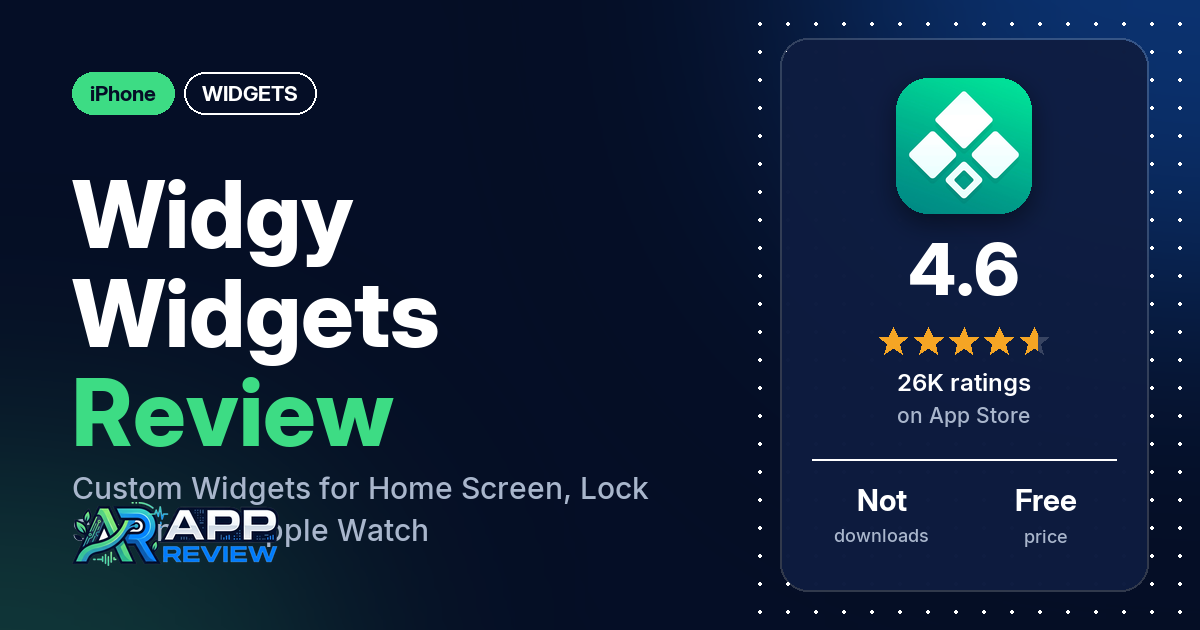
Widgy Widgets is a free iPhone app for designing your own widgets for the Home Screen, Lock Screen and Apple Watch.
Quick verdict
Widgy suits you if you want full control over how your widgets look and you’re willing to learn a detailed editor. In our sample of App Store reviews, customization is the most common praise, and several reviewers like that extra slots are a one-time purchase rather than a subscription. The most common complaints are a learning curve, how little the free version allows, and widgets breaking after app or iOS updates, transparent backgrounds in particular. The app is free to try; in-app purchases unlock more widget slots and features.
Widgy Widgets at a glance
| Developer | Woodsign jdoo |
|---|---|
| Store listing | Widgy Widgets on the App Store |
| Price | Free, with optional in-app purchases for more widget slots and features |
| Ads | Not stated in the listing |
| App Store rating | 4.6 stars from 26,129 ratings |
| Downloads | Not in our data |
| Version / last updated | 27.0.1 / September 17, 2026 |
| Requires | iOS 17.0 or later |
| First released | October 10, 2020 |
| Data checked | October 14, 2026 |
What is Widgy Widgets?
Widgy is a widget designer for iPhone. The listing says it “brings custom widgets to your Home Screen, Lock Screen and Apple Watch.” You can start from a design shared by the Widgy community, change it, or build your own from scratch in a layered editor. The free version lets you try it; paid unlocks add widget slots.
Key features
- Community designs: the listing says you can explore and import widgets shared by the Widgy community, then personalize them.
- Layered editor: arrange text, photos, symbols, shapes and charts in layers, and adjust colors, fonts, gradients and layout while you see the result.
- Everyday data: clocks, weather displays, calendars and countdowns, plus reminders and activity data. The listing says available data depends on the sources and permissions you choose.
- Beyond the Home Screen: Lock Screen widgets, Apple Watch personalization through Watchy, and Live Activities and Dynamic Island layouts on supported devices.
- Dashboards: charts, gauges and custom data sources.
- Sharing: share widgets with a QR code, a link or a file.
- Apple Health: with your permission, Widgy can show data from Apple Health.
Widgy Widgets vs. what a widget app should have
The Status column shows where we found each feature. “Listed” means the App Store listing names it. “Partial” means the listing covers part of it. “Reviews only” means reviewers describe it but the listing doesn’t. “Not listed” means neither the listing nor the reviews in our sample show the app has it. This checklist is a first version for widget apps and will change as we review more of them.
Must have
| Feature | Status | Notes |
|---|---|---|
| Home Screen widgets | Listed | |
| Lock Screen widgets | Listed | |
| Design editor | Listed | Text, photos, symbols, shapes and charts in layers |
| Ready-made designs | Listed | Community designs you can import |
| Time, date, weather and calendar data | Listed | Several reviewers say the weather is inaccurate |
| Refresh settings | Reviews only | One reviewer mentions an auto refresh setting; several report widgets or clocks not updating |
| Transparent backgrounds | Reviews only | Several reviewers report transparency problems after iOS updates |
Should have
| Feature | Status | Notes |
|---|---|---|
| Smartwatch widgets or faces | Listed | Apple Watch, through Watchy |
| Tap actions that open apps | Reviews only | Several reviewers say a tap opens Widgy first |
| Sharing and importing designs | Listed | QR code, link or file |
| Music or now-playing data | Reviews only | A few reviewers say it works only with Apple Music |
| Health and fitness data | Listed | Apple Health, with permission |
| Help, tutorials or support | Reviews only | Reviewers mention YouTube and Reddit; a few couldn’t find a way to contact support |
| Usable free tier | Partial | The listing says you can try it free; reviewers say the free version allows one widget per slot type |
| Restoring purchases | Reviews only | Several reviewers say a purchase wasn’t restored or recognized |
Nice to have
| Feature | Status | Notes |
|---|---|---|
| Custom data sources | Listed | Two reviewers say a widget can’t be edited when its JSON endpoint goes down |
| Charts and gauges | Listed | |
| Live Activities and Dynamic Island | Listed | On supported devices |
| iPad and Mac | Reviews only | Reviewers use it on iPad; two say transparency is missing on Mac |
| Shortcuts integration | Reviews only | A few reviewers use Shortcuts as tap actions |
| One-time purchase, no subscription | Reviews only | Several reviewers say so |
| No ads | Reviews only | One reviewer says there are no ads |
Common problems reviewers report
Our data has no developer replies, so there are no fixes here. Each row gives the problem and when reviewers reported it. Widget behavior depends a lot on the iOS version, and newer versions of the app may behave differently.
| Problem | What reviewers report | When |
|---|---|---|
| Transparent backgrounds fail or don’t line up | Several reviewers; two say a Liquid Glass border won’t go away | March 2024 to September 2026, mostly after iOS 18 (2024) and iOS 26 (2025) |
| Widgets or clocks stop updating | Several reviewers; a few say deleting and re-adding the widget, restarting, or refreshing in the app helps only for a while | March 2024 to September 2026 |
| Widgets go blank, black or disappear | Several reviewers; a few say they lost widgets they had made | March 2024 to December 2025 |
| Tapping a widget opens Widgy first | Several reviewers; a few say Shortcuts adds another stop before the target app | October 2024 to November 2025 |
| Purchases not restored | Several reviewers say a purchase wasn’t restored or recognized, or they were asked to pay again | April 2024 to January 2026 |
| Inaccurate weather | Several reviewers; two want a different weather source | August 2024 to August 2025 |
| Adding or editing images | Several reviewers report problems adding, sizing or cropping images | September 2024 to June 2026 |
| App won’t open or closes | A few reviewers | July 2024 to September 2026 |
| Memory-limit errors | A few reviewers; one says buying the full unlock didn’t fix it | August 2025 to January 2026 |
| Explore section is blank | A few reviewers; two say reinstalling didn’t help | March 2024 to May 2026 |
If you use Widgy to show weather, don’t rely on a single app for severe weather warnings.
Pros (from user reviews)
- Customization: this is the most common praise in our sample. Several reviewers call it highly customizable, flexible or close to limitless, and several say it does more than other widget apps. One compares it to KWGT on Android, and one who switched from Android says they couldn’t have made the move without it.
- Ready-made designs and community: several reviewers praise the shared designs or the user community, and a few mention Reddit. A few, though, say the Explore section showed up blank for them.
- One-time purchase: several reviewers like that extra slots are a one-time purchase rather than a subscription, and several say the upgrade is worth the money. A few others say it isn’t worth it, and two say they were asked to pay again, once after an update and once on iPad.
- Editing tools aren’t paywalled: a few reviewers say all the customization features are free and only the number of widgets is limited. Several others feel the opposite: most things worth using cost money.
- Developer: a few reviewers praise the developer as responsive or active in the community, naming Reddit and Discord. A few others criticize slow fixes or the developer’s conduct; one quotes a dismissive email reply to a refund request.
Cons (from user reviews)
- Learning curve: many reviewers say Widgy is hard to learn, confusing or complicated, in reviews from 2024 to September 2026. Several who rate it highly also mention a learning curve, and a few say it pays off once you learn it. Several others call it intuitive, simple or easy to use.
- Price and the free limit: many reviewers object to the price or to how little the free version allows. The most common specific complaint is that only one widget can be used without paying. A few reviewers who rate it highly say they can live with the limit, and a few point out that you can create as many designs as you like and swap them into the one slot.
- Updates that break widgets: many reviewers say an app update or a new iOS version broke their widgets, their transparent backgrounds or the app itself. The reports cluster in March 2024, around iOS 18 in late 2024, around iOS 26 in late 2025, and again in September 2026. One reviewer in March 2024 said an iOS update, 17.4.1, fixed the widget problems of the time. The table above lists specific problems.
- Tap actions: several reviewers say tapping a widget opens Widgy before the app they set, or instead of it. One suspects this is an Apple restriction rather than a Widgy bug.
- App name under widgets: several reviewers objected to the Widgy name label shown under widgets, mostly in August and September 2024. Two reviewers had welcomed its removal in March 2024. One says the label is an Apple requirement and that switching Home Screen icons to the Large size hides it.
- Apple Watch: several reviewers report problems with watch features. Two say a custom watch face goes away and has to be re-applied from the iPhone app; one of them had paid.
- Other complaints: a few reviewers say music widgets work only with Apple Music, a few couldn’t find a way to contact support, and a few report unexpected charges or a refused refund. Two say the app doesn’t run on iOS 16, which matches the listing’s iOS 17.0 requirement.
More than half of the reviews in our sample are 1- or 2-star, which is far more negative than the 4.6 overall rating. The data we collected doesn’t include a star breakdown of the 26,129 ratings, so we can’t say how common these complaints are across all of them.
Pricing
Widgy is free to download. The listing says “Optional in-app purchases unlock additional widget slots and features,” but our data doesn’t include the in-app purchase prices. Reviewers describe separate unlocks for Home Screen, Lock Screen and Apple Watch slots, plus an “Unlock all” option, and quote prices from $5.99 to $9 per unlock. The $5.99 and $6 quotes are from March to September 2024; reviews from late September 2024 onward quote $7 to $9. One reviewer says unlocking the screens cost $16, and another says full access costs nearly $24. Check the listing for current prices before you buy.
Privacy and permissions
We couldn’t read the App Store privacy label for Widgy, so we make no claim about what data it collects. The listing says that, with your permission, Widgy can show data from Apple Health, and that Health access and other permissions are optional and depend on the widgets you choose. One reviewer says location features didn’t work and they found no option to grant location permission in Settings.
Who it’s for
Widgy fits you if you want to design your own widgets down to the layer, or you’re happy to start from community designs and adjust them. It works best if you’ll put time into learning the editor and don’t mind paying once for more slots. It’s a weaker fit if you want something simple, want more than one widget for free, rely on Spotify or YouTube Music for music widgets, or need widgets that keep working right after a major iOS update.
FAQ
Is Widgy Widgets free?
Yes, Widgy is free to download and try. The listing says optional in-app purchases unlock additional widget slots and features. Reviewers say the free version allows one widget per slot type, and that extra slots are a one-time purchase rather than a subscription.
Is Widgy hard to use?
Many reviewers in our sample say it is hard to learn or confusing, including several who rate it highly. Reviewers suggest starting from ready-made community designs and tweaking them, and one points to the user community on YouTube and Reddit for help. Several others call it intuitive, simple or easy to use.
Does Widgy work with Apple Watch?
Yes. The listing says you can personalize your Apple Watch with Watchy. Several reviewers report watch problems, and two say a custom watch face goes away and has to be re-applied from the iPhone app.
Why did my Widgy widgets stop working after an update?
Many reviewers say an app update or a new iOS version broke their widgets, often their transparent backgrounds. Reports cluster around iOS 18 in 2024 and iOS 26 in 2025. The data we collected doesn’t include developer replies, so we can’t say which fixes the developer recommends.
How this review was put together
We haven’t tested Widgy Widgets ourselves. This review is built from the App Store listing, the app’s overall rating, and 250 user reviews from Apple’s public US reviews feed dating from March 2024 to September 2026. We took the newest reviews the feed returns (up to five pages). The data we collected doesn’t include a star breakdown or developer replies. Feature descriptions come from the store listing, and we checked the bigger claims against what reviewers report. Where reviewers disagreed, we’ve said so. Older reviews may describe earlier versions of the app. Information was checked October 14, 2026, and features, prices and ratings can change, so check the store listing for current details.