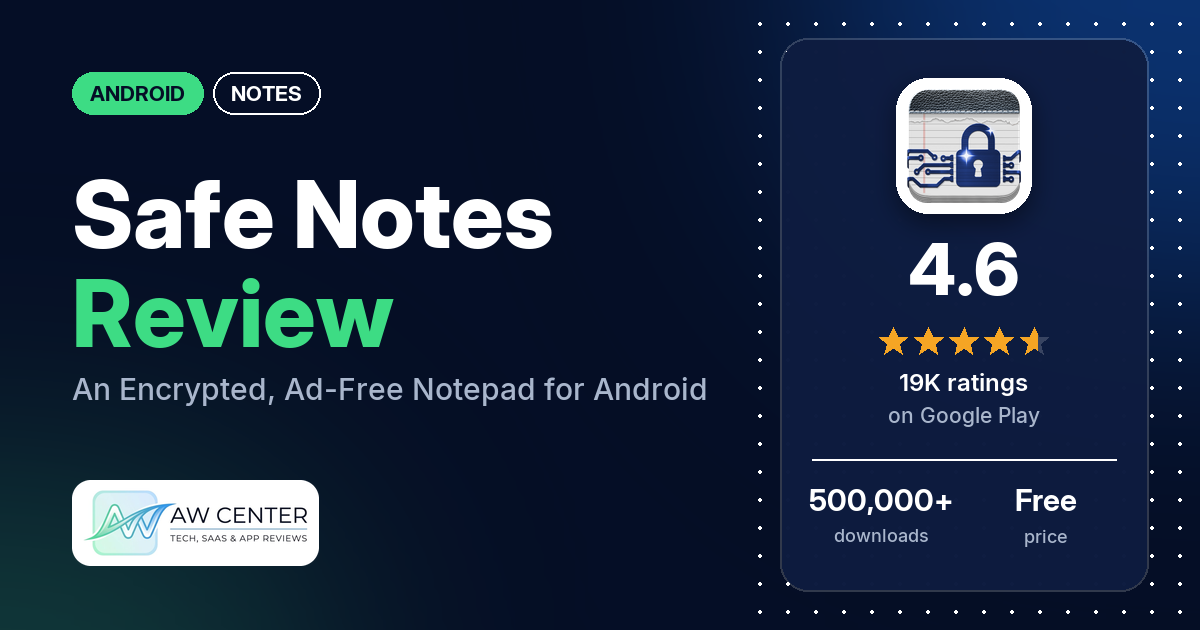
Safe Notes is the official Android app for ProtectedText.com: a free, ad-free notepad that encrypts individual notes with a password and can sync them to the website. The listing is blunt about the trade-off: your password is never stored, so a lost password “can never be recovered”, and the app makes no automatic backup.
Quick verdict
If you want a plain notepad where you can lock sensitive notes without ads or an account, Safe Notes does that, and several reviewers praise it for being simple, private and ad-free. Treat it carefully, though. Several reviewers say notes vanished or were overwritten by another note, several say a correct password stopped working, and several want a real backup. If you use it, sync important notes to ProtectedText.com as the listing recommends, and keep your passwords somewhere safe. Low ratings are a minority: 5.3% of all ratings are 1 or 2 stars.
Safe Notes at a glance
| Developer | Notepad (ProtectedText.com) |
|---|---|
| Store listing | Safe Notes on Google Play |
| Price | Free, with in-app purchases of $2.00 to $49.99 per item |
| Ads | None |
| Play Store rating | 4.6 stars from 19,377 ratings (79% are 5-star) |
| Downloads | 500,000+ |
| Version / last updated | 3.2 / August 28, 2026 |
| Requires | Not in our data |
| First released | May 14, 2016 |
| Data checked | October 25, 2026 |
What is Safe Notes?
Safe Notes is a simple notepad with optional encryption. You can lock any note or to-do list with a password, lock the whole app with a PIN, and sync single notes to ProtectedText.com, where you open them in a browser at an address you choose. The listing calls ProtectedText.com an “open source and non-profit service” and says no registration or email address is needed. It has been on Google Play since May 2016.
Key features
- Encrypted notes: lock individual notes and to-do lists with a password. The listing says the password is removed from your phone once a note is locked.
- PIN lock: lock the whole app with a PIN.
- Web sync: sync single notes to ProtectedText.com and open them in any browser; only encrypted text is stored there.
- Sharing: share a note by giving a friend its address and password on ProtectedText.com.
- Customization: note colors, fonts, text size and sorting order.
- Long notes and search: up to about 250,000 characters per note, plus search.
- Security details: AES encryption with salts, SHA512 hashing, and SSL for all data, per the listing.
Safe Notes vs. what a notes app should have
“Listed” means the Google Play listing names the feature, and “Partial” means it covers part of it. “Reviews only” means we found it only in reviews, and “Not listed” means we found it nowhere.
Must have
| Feature | Status | Notes |
|---|---|---|
| Fast note creation | Listed | The listing says taking notes is “as easy as it gets”. |
| Organization (tags, folders or flags) | Partial | Colors and sorting order; no folders. A few reviewers ask for folders or categories. |
| Search or filtering | Listed | Two reviewers say search doesn’t scroll to the result. |
| Sync across devices | Partial | Note by note, through ProtectedText.com. A few reviewers report upload errors. |
| Sharing or exporting | Partial | Share a note’s web address and password. One reviewer says export works one note at a time. |
| Home-screen widget | Not listed | |
| Backup or recovery | Partial | No automatic backup, per the listing; syncing to ProtectedText.com is the way to keep a copy. Several reviewers want a real backup. |
Should have
| Feature | Status | Notes |
|---|---|---|
| Markdown or plain-text formatting | Not listed | |
| Dictation or voice capture | Reviews only | One reviewer dictates with Google voice typing, and another likes “the voice feature”. |
| Themes and dark mode | Partial | Note colors and fonts; no dark mode is mentioned. |
| Font and layout customization | Listed | Fonts, text size and sorting order. |
| Share-sheet capture | Not listed | |
| Google Assistant or app shortcuts | Not listed | |
| Smartwatch capture | Not listed |
Nice to have
| Feature | Status | Notes |
|---|---|---|
| Automation or scripting | Not listed | |
| AI/LLM integration | Not listed | One reviewer likes that there’s “no AI slop”. |
| Images or attachments | Not listed | A few reviewers ask for pictures. |
| Collaboration on a note | Partial | Others can open a shared note on ProtectedText.com with its password. |
| Web or Windows access | Listed | Through a web browser at ProtectedText.com. |
| Note lock or encryption | Listed | Several reviewers want notes to lock again automatically when they leave them. |
| Accessibility features | Not listed |
Encryption is the strong point; organization and backup are the weak ones.
Common problems and fixes
Most of these come from low-star reviews; 1- to 3-star ratings make up 7.0% of all ratings. The developer replied to very few reviews in our sample, so most rows rely on the listing.
| Problem | What reviewers report | What the listing or the developer’s replies say |
|---|---|---|
| Forgot the password | Several reviewers ask how to reset it. | The listing says the password isn’t stored anywhere, so a lost password can never be recovered. |
| Moving to a new phone | Several reviewers want a backup or a way to transfer notes. | Upload your notes to ProtectedText.com, download them on the new phone, then optionally delete them online. Google may also copy the app’s data to a new phone (listing). |
| Losing your phone | Not a reported problem in our sample. | Notes stored only on the phone are lost with it, so the listing recommends keeping notes synced to ProtectedText.com. |
| Notes deleted after an update | Two reviewers, June 2024 and December 2025. | The developer replied that an update fixing the issue was published (December 2025). |
| App locks up | One reviewer, December 2025. | Update the app; the developer says the fix was published (December 2025). |
| Screen jumps to the bottom while typing | Several reviewers, January 2024 to July 2026. | No current developer reply in our sample. |
| Can’t get back to notes from settings | A few reviewers, September and October 2026, say they had to close the app. | No developer reply in our sample. |
| Upload to ProtectedText.com fails | A few reviewers; one blames a Captcha on the site (May 2026). | No developer reply in our sample. |
Pros (from user reviews)
- Simple: several reviewers call it easy, simple or straightforward. One describes it as “Straight and to the point. Nothing fancy.”
- No ads: several reviewers point out it has no ads, and one adds that other note apps showed them ads related to what they had just written.
- Private and encrypted: several reviewers value locking sensitive notes, and two like that it doesn’t track them or share their data. One likes locking individual notes “WITHOUT an online server or ads”.
- Long-term use: several reviewers say it has worked for them for years, and one says it has “never failed me – EVER!”
- Colors: a few reviewers like color-coding notes to tell them apart.
- Web access and size: a few reviewers use the browser sync to reach notes on other devices, and a few like how lightweight it is.
Cons (from user reviews)
- Lost or overwritten notes: several reviewers say notes disappeared, and several say a note was overwritten with the contents of another, sometimes a page of passwords. These reports run from 2023 to October 2026. A December 2025 developer reply says an update fixed one cause.
- Password trouble: several reviewers say their correct password stopped working, and two say locked notes opened without the password. Several others forgot their password and found there’s no way to recover it, as the listing warns.
- Auto-scrolling: several reviewers say the screen jumps to the bottom of the note while they type, which makes editing long notes hard.
- No auto-lock: several reviewers want a note to lock again when they leave it or close the app.
- No real backup: several reviewers want a backup or an easy way to move every note to a new phone. A few say sync or export works one note at a time.
- Crashes: several reviewers report freezes or crashes, and one says the app got buggy after the December 2025 update.
- Stuck in settings: a few reviewers in September and October 2026 say there’s no way back from settings to their notes except closing the app.
- Missing features: a few want fingerprint unlock, a few want folders, a few want better text editing, and a few want pictures.
The sample adds extra low-star reviews, so complaints are overrepresented above. Across all ratings, 79.4% are 5-star and 5.3% are 1 or 2 stars.
Rating breakdown
| Stars | Ratings | Share |
|---|---|---|
| 5 | 15,382 | 79.4% |
| 4 | 2,617 | 13.5% |
| 3 | 332 | 1.7% |
| 2 | 332 | 1.7% |
| 1 | 698 | 3.6% |
Source: Google Play ratings histogram, checked October 25, 2026. The histogram adds up to 19,361 ratings, 16 fewer than the 19,377 total, and the shares are of the histogram total.
Pricing
Safe Notes is free and has no ads. Our data lists in-app purchases from $2.00 to $49.99 per item, but the listing doesn’t say what they buy. One reviewer mentions a donation reminder that has since been fixed, and another calls the in-app purchases “greedy”. When a reviewer claimed the app locked notes until they paid, the developer replied in December 2025 that no one will ever ask for money to unlock anything.
Privacy and permissions
We couldn’t read the Google Play data safety section for this app, so we make no claim about what it declares there. The listing says your password never leaves your device, that ProtectedText.com stores only encrypted text, and that the service “can’t decrypt your notes even if we wanted to”. It says the app never stores copies of your notes behind your back and makes no automatic backup, including to Google’s cloud.
The Play Store’s permissions list is short: full network access, prevent device from sleeping, and view network connections.
Who it’s for
Safe Notes suits you if you want a plain, ad-free notepad on Android with a lock on the notes that matter, and you like the idea of reaching them from a browser without creating an account. It’s a weaker fit if you need folders, pictures, rich formatting or fingerprint unlock, or if losing a note would be a disaster and you won’t sync it. Whatever you store here, keep a second copy of anything you can’t afford to lose.
FAQ
Can I recover a forgotten Safe Notes password?
No. The listing says the password is never stored, so the developer can’t decrypt your notes and a lost password can never be recovered. Several reviewers say they lost access to notes this way.
Does Safe Notes back up my notes?
Not automatically. The listing says the app makes no backup anywhere, including Google’s cloud. To keep a copy or move to a new phone, sync each note to ProtectedText.com and download it again on the other device.
Is Safe Notes free?
Yes. It’s free and has no ads. Our data lists in-app purchases from $2.00 to $49.99 per item, but the listing doesn’t say what they are for.
Does Safe Notes work offline?
Yes, notes are stored on your phone, and syncing to ProtectedText.com is optional. One reviewer likes that they can reach their ProtectedText notes offline in the app, while a 2024 reviewer calls it “NOT AN OFFLINE NOTEPAD”.
How this review was put together
We haven’t tested Safe Notes. This review is based on public information from official sources: the app’s Google Play or App Store listing and rating breakdown, the developer’s website when there is one, and recent user reviews on the store with the developer’s replies. Features and claims are the developer’s own descriptions; what users like and dislike comes from the store reviews. Everything was checked on October 25, 2026. Apps change with every update, so check the store listing before you install.