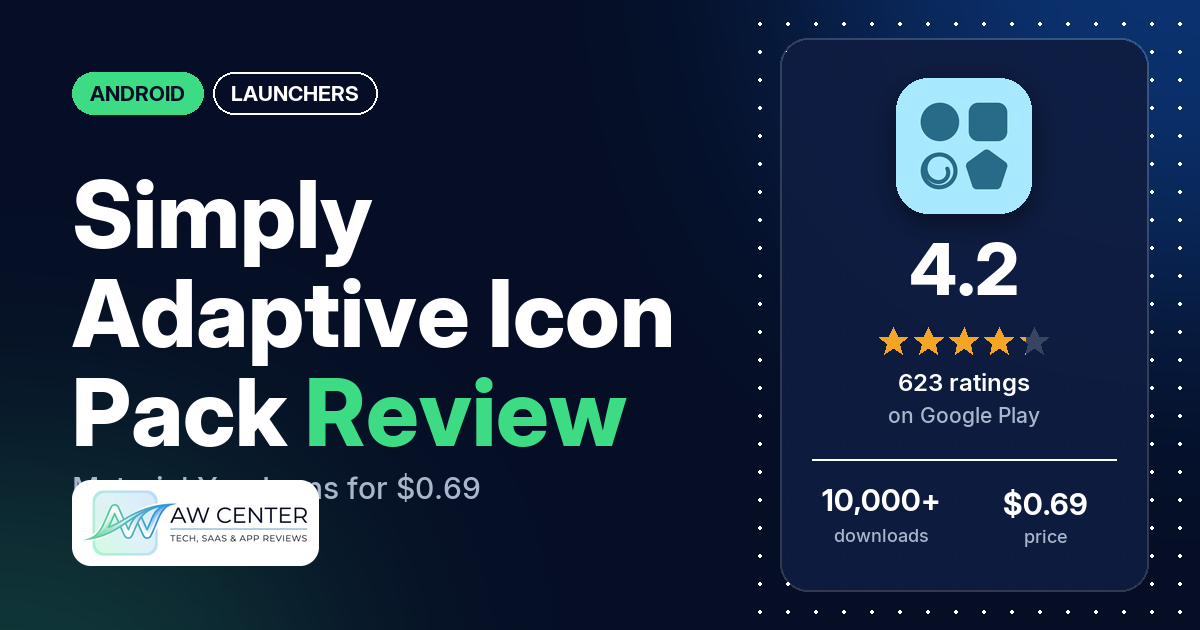
Simply Adaptive Icon Pack is a $0.69 Android icon pack from PizzApp Design with more than 30,000 Material You icons. The listing says the icons adapt to the main colours of your wallpaper, but you need a supported launcher, and many reviewers say the colours didn’t change for them.
Quick verdict
If you run a launcher the listing names, such as Lawnchair, Nova or Smart, and want icons in the Material You style, it costs $0.69 and has no ads. Several reviewers praise the look of the icons, and several say it covers most or all of their apps. Colour is the weak spot. Many reviewers say the icon colours didn’t change for them, several on Samsung One UI report trouble, and a few say it doesn’t work with Microsoft Launcher. In the store’s rating breakdown, 15.0% of ratings are 1 star and none are 2 stars.
Simply Adaptive Icon Pack at a glance
| Developer | PizzApp Design |
|---|---|
| Store listing | Simply Adaptive Icon Pack on Google Play |
| Price | $0.69, with in-app purchases from $0.99 to $2.99 per item |
| Ads | None |
| Play Store rating | 4.2 stars from 623 ratings (72.5% of the ratings in the store’s rating breakdown are 5-star) |
| Downloads | 10,000+ |
| Version / last updated | 7.2 / November 3, 2026 |
| Requires | Not stated (the listing mentions Android 12+) |
| First released | December 16, 2024 |
| Data checked | November 5, 2026 |
What is Simply Adaptive Icon Pack?
It’s a set of Material You icons for your home screen. The listing says “A Third-Party Launcher or OEM Compatibility is required for it to work,” and describes icons that follow your wallpaper’s colours, shift tone between Day and Night modes and take the shape you pick in a supported launcher. PizzApp Design first released it on Google Play in December 2024 and last updated it to version 7.2 on November 3, 2026.
Key features
- Icons: the listing counts 30,000+ Material You icons and 50,000+ apps themed, covering system, Google, stock OEM, social, media and game apps.
- Adaptive colours: icons adapt to the dominant accents of your wallpaper and shift colour tones between Day and Night modes, the listing says.
- Shapes: the listing says the icons adjust to your preferred shape, “from rounded squares to teardrops and more”, in supported third-party launchers.
- Icon masking: apps without their own icon get a mask in the theme’s accent colour.
- Dynamic calendars: listed for supported launchers.
- Wallpapers: the listing mentions exclusive dynamic wallpapers.
- Icon requests: free and premium requests from inside the app. The listing says missing icons are added in future updates.
- Dashboard and FAQ: a Material You dashboard, plus an FAQ section inside the app.
- Supported launchers: Hyperion, Kiss, Kvaesisto, Lawnchair, Niagara, Nothing, Nova Launcher, Pixel (with Shortcut Maker), Poco, Samsung One UI (with Theme Park), Smart, Square and Tinybit. The listing adds that it “may be compatible with other launchers not listed here”.
Simply Adaptive Icon Pack vs. what a launcher app should have
“Listed” means the Google Play listing names the feature. This is an icon pack, so most launcher rows are your launcher’s job; it covers the icon and wallpaper rows.
Must have
| Feature | Status | Notes |
|---|---|---|
| A home screen with the apps you choose | Not listed | Provided by your launcher |
| A searchable, sortable app list | Not listed | |
| Folders or grouping | Not listed | |
| Hiding apps | Not listed | |
| Easy setup as the default launcher | Not listed | The listing says a third-party launcher or OEM compatibility is required |
| Gestures and navigation settings | Not listed | |
| A usable free tier | Not listed | Paid app, $0.69 |
Should have
| Feature | Status | Notes |
|---|---|---|
| Notification management or filtering | Not listed | |
| Icon styles and third-party icon packs | Listed | 30,000+ icons; shapes in supported third-party launchers |
| Themes, wallpapers and backgrounds | Listed | Exclusive dynamic wallpapers |
| Font and text-size options | Not listed | |
| Built-in widgets | Not listed | |
| Support for standard Android widgets | Not listed | |
| Renaming apps | Not listed | |
| Backup and restore of the layout | Not listed | |
| Working without an internet connection | Not listed |
Nice to have
| Feature | Status | Notes |
|---|---|---|
| Focus tools | Not listed | |
| Double-tap to lock the screen | Not listed | |
| Extra sort options | Not listed | |
| Automatic light and dark themes | Partial | Icons only: the listing says colour tones shift between Day and Night modes. Two reviewers say dark mode didn’t switch on its own |
| Notification dots or badges | Not listed | |
| Website shortcuts | Not listed | |
| Tablet and e-reader support | Not listed | |
| No ads | Listed | Google Play shows no ads |
| A one-time purchase that covers all devices | Not listed | Paid app with in-app purchases |
Common problems and fixes
The developer’s replies quoted here date from April 2025 to October 2026, so they may be out of date. Version 7.2 may behave differently.
| Problem | What reviewers report | When | What the developer’s replies suggest |
|---|---|---|---|
| Icon colours don’t change | Many reviewers. Some say the icons stayed one colour (blue, purple, brown, grey or green); others say the icons didn’t follow a new wallpaper, or only changed after the pack was applied again | April 2025 to October 2026 | Check that “Themed Icons” is on in your phone’s settings and that you use a compatible launcher (April 2025). In October 2026: “please reapply the icon pack or use Smart Launcher as it updates automatically the colors” |
| Samsung One UI | Several reviewers on Samsung or One UI report colours or the pack not working, or being stuck with one icon shape | August 2025 to October 2026 | Enable “Themed Accent” for icons in the One UI home screen settings, then apply the pack by making a new theme in Theme Park (October 2026). For shapes, use the latest Good Lock version (May 2026) |
| Nova Launcher colours | Several reviewers. One says it got the colours working by setting system icons first and then reapplying the pack; another says the developer’s suggestion didn’t work and changing icon shapes did | July 2025 to May 2026 | Use the colour accent or custom palette option under Nova’s “Style” settings (July 2025) |
| Microsoft Launcher | A few reviewers say it doesn’t work there. One says Microsoft Launcher does support icon packs and this was the only one of theirs that didn’t work | May 2025 to July 2026 | Microsoft Launcher doesn’t support “Adaptive” third-party icons (January 2026) |
| Moto Launcher | Two reviewers say it doesn’t work with Moto Launcher | March 2026 | “Motorola Launcher are not fully supported for now due to technical limitations” (March 2026) |
| Shapes don’t apply | A few reviewers, on One UI, OxygenOS and OnePlus launchers among others | April 2025 to May 2026 | “OnePlus launcher don’t support custom shape” (April 2025) |
| Icons lost after an update | A few reviewers say an update removed icons or replaced some with letters. One says the issues were later fixed | October 2025 to July 2026 | Email the missing icons to the developer (October 2025) |
Pros (from user reviews)
- The look: several reviewers praise how the icons look. Two call them clean, and one calls it a “cohesive, proper” Material You look.
- Coverage: several reviewers say it covers most or all of their apps. Two put it at 99%, and one says only 18 of their icons were left unthemed.
- Adaptive colours: a few reviewers like the adaptive colours. One who changes wallpaper with her mood calls them “incredibly useful”.
- Works with some launchers: one reviewer says it was easy to set up with Nova Launcher, one says everything “applied flawlessly in Smart Launcher”, one says it works fine on Lawnchair, and one says it works with Oppo’s ColorOS launcher “even if not officially supported”.
- Price: a few reviewers call it cheap or worth the money.
- Icon requests: one reviewer says the developer added every missing icon they requested within a month.
- Wallpapers: one reviewer gives credit for the wallpapers inside the app.
Cons (from user reviews)
- Colours don’t change: many reviewers say the icon colours didn’t change for them, the most common complaint by a wide margin. Several say they can’t pick a colour themselves or ask how to. A few say it picked the wrong colour, such as bright blue on a dark purple wallpaper, and two say the colour changes late.
- Launcher and phone trouble: several reviewers on Samsung One UI and several on Nova report trouble, and a few on Microsoft Launcher say it doesn’t work there. Others name Moto Launcher, ColorOS, the OnePlus launcher, Poco launcher, Action Launcher and Nothing launcher.
- Not warned before buying: one reviewer says they should have been told before paying that it only works with certain launchers, and another says that information is hidden deep in the description. An August 2025 developer reply says the description lists the compatible launchers.
- Missing icons: a few reviewers point to apps without an icon, such as WhatsApp for one reviewer.
- Updates: a few reviewers say an update removed icons or replaced some with letters. One later edited their review to say the issues were fixed.
- Shapes: a few reviewers say they couldn’t get the shape they wanted. One says “most Launchers require you to set shapes manually”.
- Dark mode: a few reviewers report dark-mode problems. Two say the icons didn’t switch to dark mode on their own, and one says the icons’ dark-mode shade didn’t match the system default on Pixel after an update.
- Refunds: a few reviewers say they couldn’t get a refund.
- Icon requests: one reviewer says a premium request still hadn’t been filled after a couple of months, one says the developer promised a missing icon and never added it, and one reports an error with icon requests.
- Other reports: one reviewer says it slightly slows the phone, one says the icons are not HD, and one says “resource not valid” appears when picking a single icon. A few one-star reviews give no reason.
Rating breakdown
| Stars | Ratings | Share |
|---|---|---|
| 5 | 451 | 72.5% |
| 4 | 50 | 8.0% |
| 3 | 28 | 4.5% |
| 2 | 0 | 0.0% |
| 1 | 93 | 15.0% |
Source: Google Play ratings histogram, checked November 5, 2026. The histogram adds up to 622 ratings, one fewer than the 623 total, and the shares are of the histogram total.
Pricing
You pay $0.69 on Google Play. There are no ads, and in-app purchases run from $0.99 to $2.99 per item. The listing doesn’t say what those purchases are, though it mentions free and premium icon requests. A few reviewers say they couldn’t get a refund, so check that your launcher is on the supported list before you buy.
Privacy and permissions
We couldn’t read the Google Play data safety section, so we make no claim about what it declares. The permissions list is Google Play license check, full network access, set wallpaper and view network connections. The listing doesn’t explain them.
Who it’s for
It suits you if you use a launcher from the listing’s supported list and want Material You icons that cover a lot of apps, for $0.69. Think twice if the adaptive colours are the reason you’re buying: many reviewers say the colours didn’t change for them, including several on Samsung One UI and several on Nova. Skip it if you use Microsoft Launcher or Moto Launcher, which the developer’s replies say aren’t supported or not fully supported.
FAQ
Which launchers does Simply Adaptive Icon Pack support?
The listing names Hyperion, Kiss, Kvaesisto, Lawnchair, Niagara, Nothing, Nova Launcher, Pixel (with Shortcut Maker), Poco, Samsung One UI (with Theme Park), Smart, Square and Tinybit. It says it may work with other launchers too. The developer’s replies say Microsoft Launcher doesn’t support it (January 2026) and Motorola launchers aren’t fully supported (March 2026).
Why don’t my icons change colour with my wallpaper?
Many reviewers report this. The developer’s replies say to turn on Themed Icons or themed accents in your launcher or phone’s theme settings. An October 2026 reply says to reapply the icon pack or use Smart Launcher, “as it updates automatically the colors”. One reviewer on Nova got it working by setting system icons first and then reapplying the pack.
Does it work on Samsung phones?
The listing names Samsung One UI with Theme Park. Several reviewers on Samsung or One UI report problems with colours or shapes. The developer’s replies say to enable themed accents for icons in the One UI home screen settings and then apply the pack by making a new theme in Theme Park.
How much does Simply Adaptive Icon Pack cost?
It costs $0.69 on Google Play, with no ads and in-app purchases from $0.99 to $2.99 per item. The listing mentions free and premium icon requests but doesn’t say what the in-app purchases are.
How this review was put together
We haven’t tested Simply Adaptive Icon Pack. This review is based on public information from official sources: the app’s Google Play or App Store listing and rating breakdown, the developer’s website when there is one, and recent user reviews on the store with the developer’s replies. Features and claims are the developer’s own descriptions; what users like and dislike comes from the store reviews. Everything was checked on November 5, 2026. Apps change with every update, so check the store listing before you install.