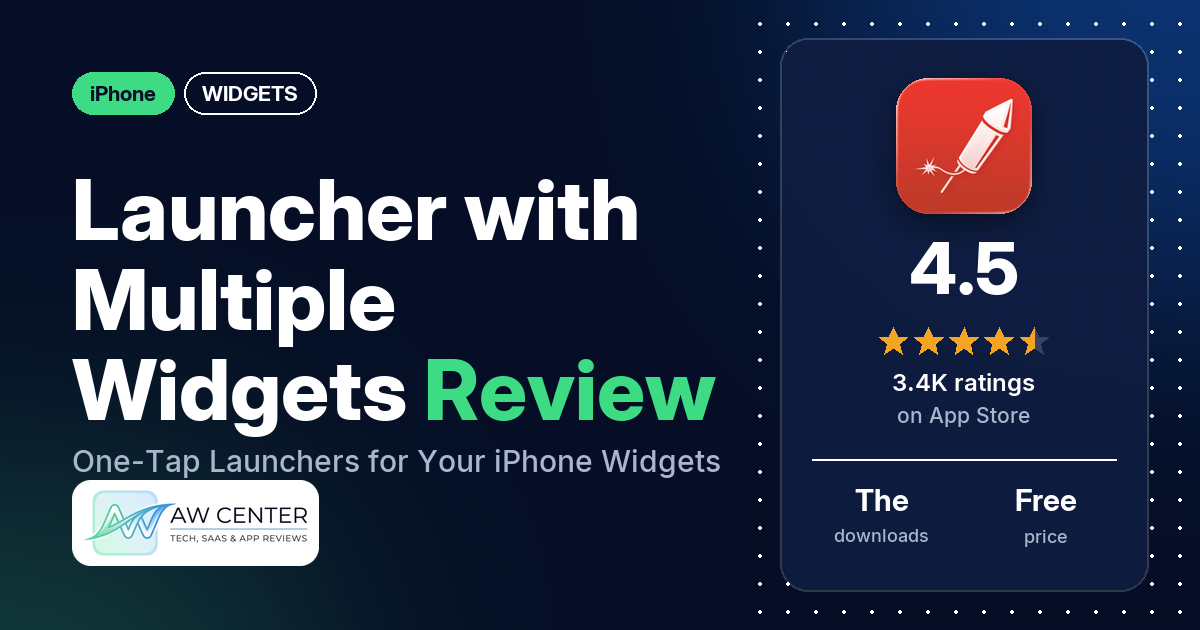
Launcher with Multiple Widgets, from Cromulent Labs, turns iPhone widgets into rows of one-tap buttons for your apps, contacts, websites and shortcuts, on the Home Screen, the Lock Screen and in the Dynamic Island. It is free to download, has 4.5 stars from 3,394 ratings, and sells a Premium upgrade that the listing says unlocks folders, icon sizes and unlimited widgets.
Quick verdict
If you want your most-used apps and people one tap away, this does it. Many reviewers call it useful or convenient, or say it makes reaching their apps faster or easier, and many praise the developer’s support. Reliability and setup are where it slips: many reviewers say their widgets stopped working, went blank or disappeared, and several found it hard to set up or use. The newest of those widget reports in our data is from December 2024.
Launcher with Multiple Widgets at a glance
| Developer | Cromulent Labs, Inc |
|---|---|
| Store listing | Launcher with Multiple Widgets on the App Store |
| Price | Free, with Launcher Premium; the listing mentions auto-renewing subscriptions (prices not in our data) |
| Ads | Not stated in the listing |
| App Store rating | 4.5 stars from 3,394 ratings |
| Downloads | The listing says over 5 million |
| Version / last updated | 5.8.2 / September 22, 2026 |
| Requires | iOS 17.0 or later |
| First released | September 17, 2014 |
| Data checked | November 17, 2026 |
What is Launcher with Multiple Widgets?
It is a launcher that lives inside widgets. You build “launchers” in the app (an app, a contact to call or message, a website, a map destination, a Shortcut or a music launcher), group them into widgets, and tap them from the Home Screen, the Lock Screen, Live Activities, the Dynamic Island or an Apple Watch. The listing says it has been a Top 10 Productivity App in over 80 countries. It first appeared on the App Store in September 2014.
Key features
- What a launcher can do: call, message, email or FaceTime your frequent contacts; get directions or search for nearby businesses; open websites, in a browser you pick; run Shortcuts, send a canned email or message, or perform actions inside other apps; start music; open any app.
- Widget types: Home Screen widgets in small, medium, large, extra large portrait and extra large (iPad) sizes; circular and rectangular Lock Screen widgets; Live Activities widgets for the Lock Screen and Dynamic Island, which the listing says the app can restart automatically to keep them running 24/7.
- Quick Widget (iOS 27): the listing says it opens any app or shortcut straight from the widget, “with no detour through the Launcher app”.
- Apple Watch: calls, messages, map directions and music from your wrist.
- Free features: custom icons and backgrounds with colors or images, simulated transparent backgrounds made from your wallpaper, Shortcut launchers for every app, launchers that open most screens in Settings, one-tap toggles for Wifi, Bluetooth, Low Power Mode, DND, Cellular Data and Airplane Mode, launcher triggers that send a notification at set times or places, and custom launchers for apps that aren’t supported yet.
- Launcher Premium: widgets that change by day, time or location; icon sizes from tiny to huge, with dozens of launchers in one widget; hidden icon labels; folders; stacked widgets; iCloud backup and restore; unlimited widgets.
- Looks and access: icons that adapt to tinted, clear and dark Home Screens on iOS 26 and iOS 27, accessibility for the sight-impaired, and 12 languages.
Launcher with Multiple Widgets vs. what a widgets app should have
“Listed” means the App Store listing names the feature, “Partial” means it covers part of it, and “Reviews only” means reviewers describe it but the listing doesn’t. This is a launcher, so the data and design rows that suit a widget editor mostly don’t apply.
Must have
| Feature | Status | Notes |
|---|---|---|
| Home Screen widgets in several widget families | Listed | Small, medium, large, extra large portrait and extra large (iPad) |
| Lock Screen widgets | Listed | Circular and rectangular, plus Live Activities |
| A design editor (text, images, shapes, layout) | Partial | Icon and background colors or images; icon sizes with Premium |
| Ready-made designs or templates | Not listed | |
| Common data (time, date, weather, calendar, battery) | Not listed | |
| Widgets that stay up to date | Partial | The listing says it restarts the Live Activities widget through the day. Many reviewers say widgets stopped working or went blank (newest report December 2024) |
| Transparent or wallpaper-matching backgrounds | Listed | Simulated transparent backgrounds from an imported wallpaper |
Should have
| Feature | Status | Notes |
|---|---|---|
| Smartwatch faces or complications | Partial | Apple Watch calls, messages, directions and music; no complications named |
| Tap actions that open apps | Listed | |
| Sharing or importing designs | Not listed | |
| Music or now-playing data | Partial | Music launchers; no now-playing data listed |
| Health and fitness data | Not listed | |
| Help, tutorials or a support contact | Reviews only | Reviewers mention tutorial videos and email support; several say the instructions or tutorials don’t help |
| A usable free tier | Listed | The listing names its free features; several reviewers say the useful parts are behind the paywall |
| Restoring purchases on a new device | Reviews only | One reviewer describes a Restore Purchases option in the menu; a few say it didn’t bring back what they paid for (September 2020 to May 2022) |
Nice to have
| Feature | Status | Notes |
|---|---|---|
| Custom data sources (JSON, API) | Not listed | |
| Charts and gauges | Not listed | |
| Live Activities / Dynamic Island | Listed | |
| Tablet and desktop support | Partial | An extra large iPad widget size; no desktop listed |
| Shortcuts or automation integration | Listed | Shortcut launchers and time or location triggers |
| One-time purchase instead of a subscription | Reviews only | Several reviewers describe the paid upgrade as a one-time purchase (most recently February 2026); the listing mentions auto-renewing subscriptions |
| No ads | Not listed |
The listing is about launching things; it doesn’t name widgets that show data such as the time, calendar or battery.
Common problems
Each report is dated, and the current version may behave differently. The data we collected doesn’t include developer replies.
| Problem | What reviewers report | When |
|---|---|---|
| Widgets blank, missing or not working | Many reviewers say the app or its widgets stopped working, went blank, disappeared or didn’t show up when adding a widget. Several of these reports are from September and October 2020, and several name iOS 14. A few say restarting brought their widgets back | July 2019 to December 2024 |
| Some apps can’t be added or won’t launch | Several reviewers say some of their apps aren’t available or show an error such as “Unable to open given launcher” | October 2018 to May 2026 |
| Launcher opens before the app | Several reviewers say tapping a launcher opens Launcher first and then the app they wanted | September 2020 to September 2022 |
| Asked to pay again | Several reviewers who had already paid say a new upgrade asked them to pay again, most of them in September 2020. A few say Restore Purchases didn’t help | April 2019 to June 2022 |
| Crashes | Two reviewers say it crashed, one when launching apps from the Lock Screen and one when using a quick action | December 2019 and October 2022 |
Pros (from user reviews)
- Saves time: many reviewers call it useful or convenient, or say it makes reaching their apps and contacts faster or easier. One uses it to text their wife and daughters; another uses it to open saved Google Maps routes to job sites.
- Support: many reviewers praise the support or say the developer answered them quickly. Two say the developer added apps they asked for. A few others say they got no reply or no real help.
- Customizing and organizing: several reviewers like how far they can customize or arrange their screens, and several mention folders or groups. A few like being able to make the icons smaller.
- Lock Screen and triggers: several reviewers like using it from the Lock Screen, and several like the time- and location-based options.
- Worth paying for, for some: several reviewers say paying for the upgrade was worth it, and several like that it was a one-time purchase.
Cons (from user reviews)
- Widgets that stop working: the largest group of complaints. Many reviewers say the app or its widgets stopped working, went blank or disappeared, the newest in December 2024.
- Hard to set up: several reviewers found it hard to set up or use, or say the instructions and tutorials don’t help. One retired programmer writing in December 2025 says they “do not have a clue how to make use of this app”. Several others disagree and call it easy or intuitive to use.
- Paywall: the useful features are locked behind Premium, or the app keeps asking you to upgrade, several reviewers say (most recently in September 2026).
- Paying twice: several reviewers who had already paid say they were asked to pay again after an update, most of them in September 2020.
- Not every app works: some apps can’t be added or won’t launch, according to several reviewers, the latest in May 2026.
- Extra step when launching: several reviewers say Launcher opens first before the app (reports from September 2020 to September 2022). The listing’s iOS 27 Quick Widget is described as opening apps with no detour through Launcher.
- Requests: several reviewers say a widget held too few launchers or wanted more per widget (the newest in September 2023; the listing now says Premium fits dozens of launchers in one widget), a few want to hide the “Launcher” name on or under their widgets, and a few ask for notification badges, which they say it lacks (most recently in September 2023). Two wish they could rearrange the icons in a widget; another reviewer explains it’s done from the edit icon in the app.
The data we collected doesn’t include a star breakdown of the 3,394 ratings, so we can’t say how common these complaints are across all of them. In our sample, 5-star reviews are the largest group and 1-star reviews the second largest.
Pricing
The app is free to download. Launcher Premium adds the features listed above (folders, icon sizes, time and location changes, iCloud backup, unlimited widgets), and the listing says subscriptions renew automatically unless canceled at least 24 hours before the period ends. Our data doesn’t include current prices. Reviewers describe different setups over time: a $1.99 option to unlock widgets (December 2020), $7.99 for Premium (October 2020), $9.99 for Premium (September 2025), a one-time fee (February 2026), and a subscription required after a 2-week trial (December 2025). Check the purchase screen before you pay.
Privacy and permissions
We couldn’t read the App Store privacy label, and our data has no permissions list, so we make no claim about what the app collects. The listing links to a privacy policy on cromulentlabs.com. Listed features include calling and messaging your contacts, directions and location triggers, and iCloud backup with Premium. One reviewer in October 2021 says setup first offers to connect your contacts and that you can choose not to.
Who it’s for
It suits you if you live in a set of apps, contacts and shortcuts and want them one tap away on the Home Screen, the Lock Screen or in the Dynamic Island, and you’re willing to spend time setting it up. Look elsewhere if you want something that works with no setup, if you need notification badges on your launchers, which a few reviewers say it lacks (most recently in September 2023), or if you don’t plan to pay: several reviewers say the useful parts sit behind Premium.
FAQ
Is Launcher with Multiple Widgets free?
It’s free to download, and Launcher Premium unlocks folders, icon sizes, time and location changes, iCloud backup and unlimited widgets. The listing mentions auto-renewing subscriptions. Several reviewers describe the paid upgrade as a one-time purchase (most recently in February 2026), while one in December 2025 says a subscription is required after a 2-week trial, so check the purchase screen.
Does it open apps directly?
The listing says the iOS 27 Quick Widget launches apps and shortcuts “with no detour through the Launcher app”. Several reviewers say that with other widgets, Launcher opened first and then the app; those reports run from September 2020 to September 2022.
Can it launch apps on the Apple Watch?
The listing names calls, messages, map directions and music for the Apple Watch. One reviewer in September 2022 says app launches can’t be added on the watch.
Why did my Launcher widget go blank?
Many reviewers report widgets that went blank, disappeared or stopped working, the newest in December 2024. A few say restarting brought them back. The data we collected doesn’t include developer replies, so we can’t say what the developer recommends.
How this review was put together
We haven’t tested Launcher with Multiple Widgets. This review is based on public information from official sources: the app’s Google Play or App Store listing and rating breakdown, the developer’s website when there is one, and recent user reviews on the store with the developer’s replies. Features and claims are the developer’s own descriptions; what users like and dislike comes from the store reviews. Everything was checked on November 17, 2026. Apps change with every update, so check the store listing before you install.