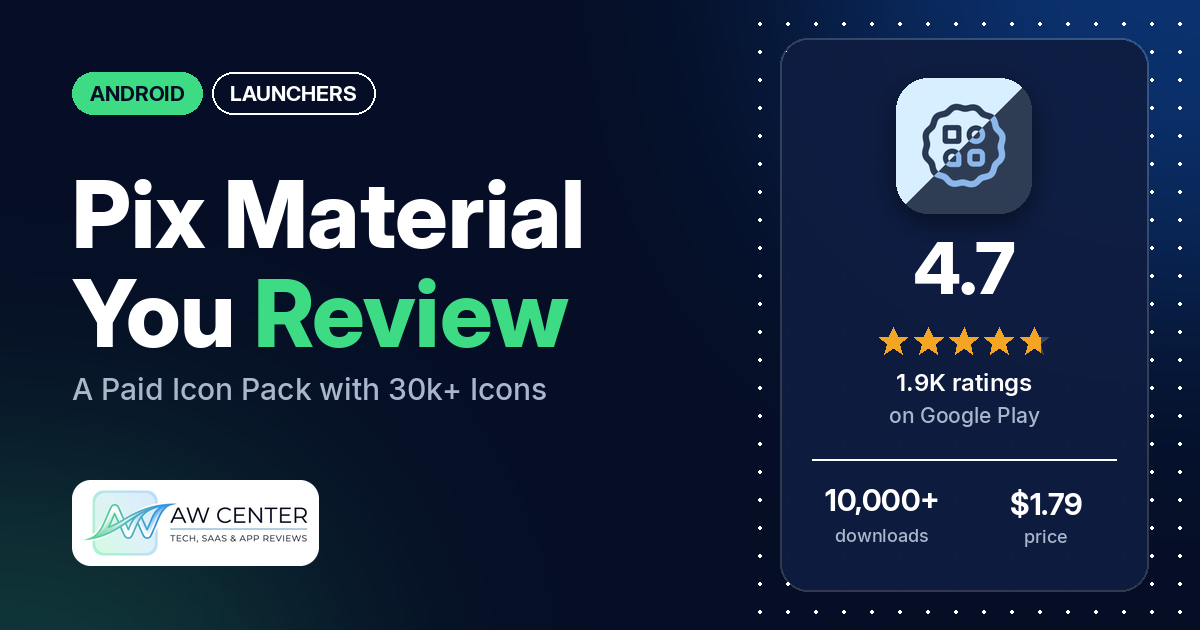
Pix Material You Light/Dark is a paid Android icon pack, listed at $1.79, with 30k+ adaptive icons that take their colors from your wallpaper or system accent and switch between light and dark mode. The listing says it also includes themed widgets for Android 12 and up, and that you need a custom launcher or a workaround to use the icons.
Quick verdict
If you want a large Material You icon pack and you already use a launcher the listing recommends, Pix is a strong pick: several reviewers praise how many apps it covers, and several call it the best icon pack they have used. The weak spot is automatic color. Many reviewers say the icons don’t change with the wallpaper or with light and dark mode, and the listing says that on launchers it doesn’t mark as automatic you have to reapply the pack after a change. Several also complain about ads in a paid app and about paying to request icons. Across all ratings, 85.8% are 5 stars and 4.6% are 1 or 2 stars.
Pix Material You Light/Dark at a glance
| Developer | PashaPuma Design |
|---|---|
| Store listing | Pix Material You Light/Dark on Google Play |
| Price | $1.79, with in-app purchases from $0.99 to $11.99 per item |
| Ads | None on Google Play; several reviewers report ads for the developer’s other packs |
| Play Store rating | 4.7 stars from 1,895 ratings (85% are 5-star) |
| Downloads | 10,000+ |
| Version / last updated | 6.1.7.Build / November 18, 2026 |
| Requires | Not in our data |
| First released | February 17, 2022 |
| Data checked | November 21, 2026 |
What is Pix Material You Light/Dark?
It is an icon pack for custom launchers. The icons recolor themselves from your wallpaper or system accent, and from light or dark mode, and the pack adds widgets and wallpapers. The listing says you must open the app once to check the license before the pack works. It has been on Google Play since February 2022, and the developer’s listing links to a Telegram support group.
Key features
- Icons: 30k+ adaptive icons that change color with the wallpaper or system accent and with light or dark mode.
- Widgets (Android 12+): weather, Pixel Numbers, analog clock, search, numbers clock and date glance widgets, each in several styles, plus tablet clock and tablet date widgets.
- Wallpapers: exclusive thematic wallpapers.
- Launcher guidance: the listing names launchers that change colors automatically, including Lawnchair, Hyperion, Kvaesitso, Smart Launcher, Niagara, Nova (beta), AIO and Stario, and others where you reapply the pack by hand.
Pix Material You Light/Dark vs. what a launcher app should have
“Listed” means the Google Play listing names the feature, and “Partial” means it covers part of it. Pix is an icon pack, so most launcher rows are your launcher’s job; it fills the icon, wallpaper and widget rows.
Must have
| Feature | Status | Notes |
|---|---|---|
| A home screen with the apps you choose | Not listed | Provided by your launcher |
| A searchable, sortable app list | Not listed | The listing’s search is a home-screen widget |
| Folders or grouping | Not listed | |
| Hiding apps | Not listed | |
| Easy setup as the default launcher | Not listed | The listing says you need a custom launcher or a workaround |
| Gestures and navigation settings | Not listed | |
| A usable free tier | Not listed | A paid app at $1.79 |
Should have
| Feature | Status | Notes |
|---|---|---|
| Notification management or filtering | Not listed | |
| Icon styles and third-party icon packs | Listed | 30k+ adaptive icons |
| Themes, wallpapers and backgrounds | Listed | Themed icons and exclusive thematic wallpapers |
| Font and text-size options | Not listed | |
| Built-in widgets | Listed | Weather, clock and date widgets for Android 12+. Reviewers in 2022 say the weather widget was missing on their phones |
| Support for standard Android widgets | Not listed | |
| Renaming apps | Not listed | |
| Backup and restore of the layout | Not listed | |
| Working without an internet connection | Not listed |
Nice to have
| Feature | Status | Notes |
|---|---|---|
| Focus tools | Not listed | |
| Double-tap to lock the screen | Not listed | |
| Extra sort options | Not listed | |
| Automatic light and dark themes | Partial | The listing says icons change with light or dark mode, but on launchers not marked as automatic you reapply the pack after a change |
| Notification dots or badges | Not listed | |
| Website shortcuts | Not listed | |
| Tablet and e-reader support | Partial | The listing names tablet clock and date widgets; two 2023 reviewers say icons look blurry on a tablet |
| No ads | Partial | Google Play shows no ads, but several reviewers report ads for the developer’s other packs |
| A one-time purchase that covers all devices | Not listed | A paid app, with in-app purchases |
It covers icons and widgets and leaves the launcher to someone else, so check that your launcher is on the listing’s lists before you buy.
Common problems and fixes
Most of these come from low-star reviews: 1- and 2-star ratings make up 4.6% of all ratings. The developer’s replies in the data run from 2022 to 2026, and some say a fix has shipped, so newer versions may differ.
| Problem | What reviewers report | What the developer’s replies say |
|---|---|---|
| Icon colors don’t follow the wallpaper or light and dark mode | Many reviewers, 2022 to 2025, on Nova, Lawnchair, Samsung One UI and other launchers. | Reapply the pack after a change, except on launchers that switch by themselves; ask the Telegram support group (2022 to 2024). For Samsung, turn on the wallpaper palette in system settings, or in Nova switch the palette to wallpaper, though the widgets then won’t change color (October 2024). |
| Doesn’t work with my launcher or phone | Several reviewers, 2022 to 2024, name the Pixel launcher, Samsung One UI, OnePlus and Microsoft Launcher. | A May 2024 reply says the Pixel launcher doesn’t support icon packs without root; the listing says it works only with Shortcut Maker on Android 13. For One UI, use Theme Park (October 2024). |
| Clock widget stuck or off by minutes | Several reviewers, 2024 to 2026. | Some manufacturers block background processes, so the widget can’t update every minute (October 2024). A November 2026 reply to an October 2026 report says to update the app, as it was fixed. |
| Search or Gemini button opens the wrong app | A few reviewers, 2024 to 2026. | The Gemini button stopped working after Gemini updates and a fix is planned (October 2026). For now you can pick another search app in the widget (March 2026). |
| Icon exists but isn’t applied, or the app is missing | Several reviewers, 2023 to 2025. | When an app changes its launch activity the icon stops matching; ask in the support group (May and September 2025). |
| Icon requests cost money or fail | Several reviewers, 2023 to 2025, say requests are paid; a few, 2022 to 2024, say the request button was broken or disabled. | Free requests were temporarily disabled (December 2023). Choose an email client in the request window, or use the rebuild premium request option in settings (February 2024). |
| Ads in a paid app | Several reviewers, 2024 to 2026, report ads in the paid app, including ads for the developer’s other packs and a pop-up on the widget screen. | A November 2026 reply to a February 2025 report about the pop-up says Done. |
Pros (from user reviews)
- Icon coverage: several reviewers say it covers more apps than other packs they tried, and a few say they never lack an icon.
- Looks: several reviewers describe the icons as clean, beautiful or well designed. A few find the colors too gray or want more vivid colors.
- Best pack: several reviewers call it the best icon pack or the best Material You pack they have used.
- Updates and support: several reviewers say icons are added regularly, and a few praise the developer’s support.
- Widgets: a few reviewers single out the widgets, and the clock widgets in particular.
- Value: two reviewers say it is worth the money.
Cons (from user reviews)
- Colors that don’t update: many reviewers say icon colors don’t follow the wallpaper or light and dark mode, even after reapplying. Several others want more control over the colors.
- Launcher support: several reviewers say it doesn’t work on their launcher or phone, and several say the clock or other widgets don’t work or sit out of sync.
- Ads in a paid app: several reviewers object to ads for the developer’s other packs, and one calls the pop-up on the widget screen intrusive.
- Paying for icon requests: several reviewers dislike paying again to request a missing icon, and a few say the request feature didn’t work.
- Missing or unapplied icons: several reviewers say some apps are missing, or have an icon in the pack that doesn’t get applied.
- Refunds: a few reviewers ask for a refund, and one says they couldn’t get one.
- Blurry icons: a few reviewers say icons look blurry, including two on tablets.
The sample adds extra low-star reviews, so complaints are overrepresented above. Across all ratings, 85.8% are 5-star and 4.6% are 1 or 2 stars.
Rating breakdown
| Stars | Ratings | Share |
|---|---|---|
| 5 | 1,606 | 85.8% |
| 4 | 108 | 5.8% |
| 3 | 72 | 3.8% |
| 2 | 50 | 2.7% |
| 1 | 36 | 1.9% |
Source: Google Play ratings histogram, checked November 21, 2026. The histogram adds up to 1,872 ratings, 23 fewer than the 1,895 total, and the shares are of the histogram total.
Pricing
Pix is a paid app listed at $1.79, and our data lists in-app purchases from $0.99 to $11.99 per item. The listing doesn’t describe the purchases. Reviewers say icon requests are paid: one in February 2024 puts the starting fee at $2.99, and one in December 2023 says the app cost 190 rupees. The developer’s replies say free requests were temporarily disabled in December 2023, and a few reviewers ask for refunds.
Privacy and permissions
We couldn’t read the Google Play data safety section for this app, so we make no claim about what it declares there. The listing doesn’t discuss privacy.
The Play Store permissions list shows: Google Play license check, add or modify calendar events and send email to guests without owners’ knowledge, approximate location (network-based), full network access, modify or delete the contents of your USB storage, modify system settings, precise location (GPS and network-based), prevent device from sleeping, read calendar events plus confidential information, read the contents of your USB storage, receive data from Internet, run at startup, set an alarm, set wallpaper, view Wi-Fi connections and view network connections. That is a long list for an icon pack. Neither the listing nor our data says what each one is used for. One March 2026 reviewer couldn’t set location access to all the time, and a reply says the widget updates every 30 minutes while the app is in standard use.
Who it’s for
Pix suits you if you want a big, Material You style icon pack and use one of the launchers the listing says change colors automatically, such as Lawnchair, Niagara or Nova. It is a weaker fit if you want to stay on the stock launcher and have icons recolor by themselves, if you dislike ads or paid requests in a paid app, or if you need an icon for a niche app today. If you want weather in a widget, don’t rely on one app for severe weather warnings.
FAQ
Does Pix Material You work with my default launcher?
The listing says you can use any launcher, but you need to reapply the pack after a wallpaper or theme change except on the launchers it marks as automatic. It says stock One UI needs Theme Park. A May 2024 developer reply says the Pixel launcher doesn’t support icon packs without root, while the listing says it works only with Shortcut Maker on Android 13.
Why don’t my icon colors change with my wallpaper?
Many reviewers report this. The listing and developer replies from 2022 to 2024 say to reapply the icon pack after you change the wallpaper or theme, unless your launcher is on the automatic list, and to ask the Telegram support group if that doesn’t work. An October 2024 reply gives a Samsung and a Nova setting for the palette.
Can I request a missing icon?
Yes, but several reviewers say requests cost money, starting at $2.99 according to a February 2024 reviewer. A December 2023 developer reply says free requests were temporarily disabled. A September 2025 reply also points to the Telegram group for icons that exist but aren’t applied.
Is Pix Material You free?
No. It is a paid app listed at $1.79, and our data lists in-app purchases from $0.99 to $11.99 per item. A few reviewers ask for refunds, and the data doesn’t say what the developer’s refund policy is.
How this review was put together
We haven’t tested Pix Material You Light/Dark. This review is based on public information from official sources: the app’s Google Play or App Store listing and rating breakdown, the developer’s website when there is one, and recent user reviews on the store with the developer’s replies. Features and claims are the developer’s own descriptions; what users like and dislike comes from the store reviews. Everything was checked on November 21, 2026. Apps change with every update, so check the store listing before you install.