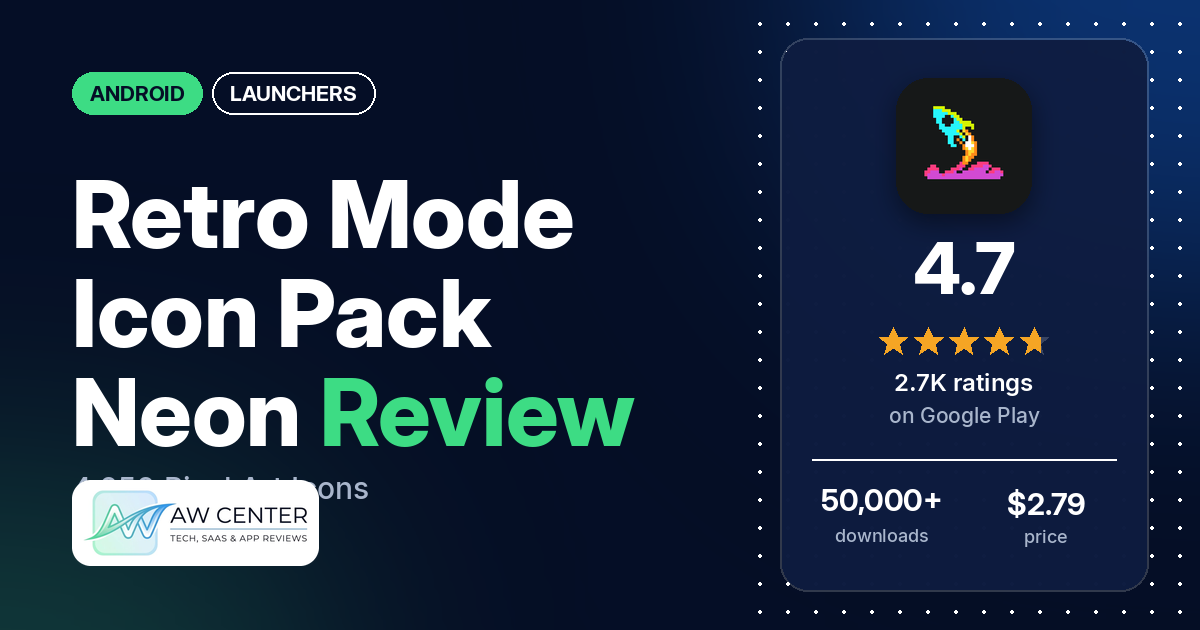
Retro Mode – Icon Pack (Neon) is a paid Android icon pack from Moertel Pixel Art: 4,050 pixel art icons in neon colours, 12 wallpapers and 6 widgets for $2.79. It has 4.7 stars from 2,665 ratings on Google Play, and the listing says phones with a stock Pixel, Motorola or Xiaomi launcher need a different launcher to use it.
Quick verdict
If you already run Nova, Lawnchair or another launcher from the listing’s list and like pixel art, this is a cheap, ad-free pack that also brings its own widgets and wallpapers. Many reviewers praise the icons, and several like the widgets, the wallpapers and the developer’s replies. Check your launcher first. Many reviewers, mostly on Google Pixel, Samsung, POCO and Motorola phones, say they couldn’t apply it, and several others say the clock widget runs minutes behind. In the store’s rating breakdown, 7.8% of ratings are 1 or 2 stars.
Retro Mode – Icon Pack (Neon) at a glance
| Developer | Moertel Pixel Art |
|---|---|
| Store listing | Retro Mode – Icon Pack (Neon) on Google Play |
| Price | $2.79, with in-app purchases from $1.99 to $32.99 per item |
| Ads | None |
| Play Store rating | 4.7 stars from 2,665 ratings (89.2% of the ratings in the store’s rating breakdown are 5-star) |
| Downloads | 50,000+ |
| Version / last updated | 2.2.0 / September 4, 2026 |
| Requires | Not stated |
| First released | March 24, 2023 |
| Data checked | November 21, 2026 |
What is Retro Mode – Icon Pack (Neon)?
Retro Mode replaces your app icons with hand-drawn pixel art. The listing says the developer draws every icon on a 20×20 pixel canvas and scales it up, in neon colours with no shadows and no outlines. It doesn’t change your home screen by itself: you apply it through a launcher on the listing’s supported list, or through Samsung’s Theme Park app. The app also holds the wallpapers, the widget editor and the icon request screens.
Key features
- Icons: the listing says 4050 icons are included, and that it is updated monthly. The changelog it prints stops at May 2024.
- Wallpapers: 12 wallpapers are included.
- Widgets: 6 widgets: digital clock (Android 10+), analog clock, date, greeting with time of day, calendar and text shortcut. You can pick from 8 widget colours, combine colours into gradients, and write widget text of up to 500 characters with 8 placeholders (day, month, year, hour, minute, am/pm, greeting, weekday).
- Icon requests: 5 free icon requests are included, and you can buy more from within the app. The listing says the developer draws roughly 100 new icons a month based on the most popular ones.
- Supported launchers: 20+ launchers, including Action, ADW, Before, Lawnchair, Niagara, Nothing, Nova (the one the developer recommends), OxygenOS, Smart and Square. ColorOS 12 and newer works, and so does Samsung OneUI 4.0 or newer with the free Theme Park app.
- Not supported: the listing says MIUI and POCO 3 or newer are not supported, and that stock launchers on Google Pixel, Motorola and Xiaomi phones can’t apply third-party icon packs.
Retro Mode – Icon Pack (Neon) vs. what a launcher app should have
“Listed” means the Google Play listing names the feature, and the other values mean we found it in user reviews, developer replies or both. Retro Mode is an icon pack, so most launcher rows are your launcher’s job; it fills the icon, wallpaper and widget rows.
Must have
| Feature | Status | Notes |
|---|---|---|
| A home screen with the apps you choose | Not listed | Provided by your launcher |
| A searchable, sortable app list | Not listed | |
| Folders or grouping | Not listed | |
| Hiding apps | Not listed | |
| Easy setup as the default launcher | Not listed | The listing says you need one of its supported launchers installed |
| Gestures and navigation settings | Not listed | |
| A usable free tier | Not listed | Paid app, $2.79 |
Should have
| Feature | Status | Notes |
|---|---|---|
| Notification management or filtering | Not listed | |
| Icon styles and third-party icon packs | Listed | 4050 icons in one pixel art style |
| Themes, wallpapers and backgrounds | Listed | 12 wallpapers |
| Font and text-size options | Not listed | |
| Built-in widgets | Partial | The listing names clock, date and calendar widgets; reviewers also mention a battery widget. The weather widget is a separate app, per a September 2025 developer reply |
| Support for standard Android widgets | Not listed | |
| Renaming apps | Not listed | |
| Backup and restore of the layout | Not listed | |
| Working without an internet connection | Not listed | The permissions list includes full network access |
Nice to have
| Feature | Status | Notes |
|---|---|---|
| Focus tools | Not listed | |
| Double-tap to lock the screen | Not listed | |
| Extra sort options | Not listed | |
| Automatic light and dark themes | Not listed | |
| Notification dots or badges | Not listed | |
| Website shortcuts | Not listed | |
| Tablet and e-reader support | Not listed | |
| No ads | Listed | Google Play shows no ads |
| A one-time purchase that covers all devices | Reviews and developer replies | A July 2025 developer reply says you pay once and get all future updates free; the listing also shows in-app purchases |
Common problems and fixes
The developer’s replies quoted here date from 2023 to 2026, so some may be out of date. Version 2.2.0 may behave differently.
| Problem | What reviewers report | When | What the developer’s replies say |
|---|---|---|---|
| Can’t apply the pack on a stock launcher | Several reviewers on a Google Pixel phone, a few on POCO or MIUI say it doesn’t work, two ask for Motorola support, and some say they only learned this after buying | June 2023 to January 2026 | The Pixel, Motorola, MIUI and POCO launchers don’t support icon packs, so you need a launcher such as Nova or Lawnchair (replies from 2023 to 2026) |
| Samsung phones need a helper app | Several reviewers on Samsung phones couldn’t apply the icons at first. One in January 2026 says you have to download another app to apply the theme | May 2023 to August 2026 | Samsung needs its own Theme Park app from the Galaxy Store, which you can uninstall later (May 2026). A reviewer in May 2026 took back an earlier 2-star rating, saying the problem is out of the developer’s control |
| Clock or date widget runs behind | Several reviewers say the clock lags by minutes and one says the calendar is a day behind. One in August 2025 says restarting the phone fixed it, and one in July 2025 says the developer helped them fix it | August 2024 to October 2025 | The cause is likely battery optimisation. Check the Widget Settings section in the app’s Settings tab for orange warnings, remove battery restrictions for Retro Mode and for your launcher, then reboot (replies from August 2024 to September 2026) |
| Icon request screen needs a sign-in | One reviewer in September 2026 objects to signing in to request icons on a paid pack | September 2026 | The sign-in exists because too many people who pirated the app were using the request feature (September 2026) |
| License check error | Two reviewers say the app wouldn’t open and showed a license check message | February and June 2024 | It’s a Google glitch that usually clears within an hour or two; restarting the phone often helps (2024 replies) |
Pros (from user reviews)
- The icons: many reviewers praise the pixel art, with words like “beautiful” and “high-quality”. One in September 2026 says it fits the work of the artist Hiroshi Nagai, and one in February 2026 says the icons stay readable.
- Coverage: several reviewers say the pack covers most or all of their apps. One in May 2026 says even apps without an icon look like they fit.
- Widgets: several reviewers like the widgets and how much you can edit them. One in July 2026 singles out the battery widget.
- Wallpapers: several reviewers praise the wallpapers that come with the pack.
- Developer support: several reviewers say the developer answered quickly or fixed a problem. One in July 2025 says the developer emailed back the same day.
- Price: several reviewers say it is worth the money. One in July 2025 calls the one-time purchase great.
Cons (from user reviews)
- Launcher support: many reviewers say they couldn’t apply the pack, mostly on Google Pixel, Samsung, POCO and Motorola phones. A few say they bought it before finding this out. The listing’s requirements section names Pixel, Motorola and Xiaomi stock launchers as unsupported.
- Clock widget delays: several reviewers say the clock or date widget shows the wrong time or day for a while, including after they changed battery settings.
- Updates: several reviewers, between October 2024 and July 2026, say updates had stopped or slowed. The developer’s replies from October 2024 to February 2025 say Google blocked an update over a background service policy, and a July 2025 reply says an update is out. In January 2026 one reviewer notes the listing’s line about around 100 new icons a month may no longer be accurate. A July 2026 reply says an icon update was due in about two weeks.
- Missing apps: several reviewers say apps they use have no icon, including regional apps in Australia, New Zealand and the Philippines. One in August 2025 says more than half their apps had none. The developer’s replies point to the in-app icon voting and request screens.
- Refunds: a few reviewers say they couldn’t get a refund. The developer’s replies say Google handles refunds.
- Icon requests: a few reviewers have complaints about requests: the sign-in, a paid request not delivered, and free requests not filled after months.
- Data collection: One reviewer in March 2024 questions the app’s data collection and says it tries to send personal information to advertisers thousands of times a day. The developer’s replies say the app uses Google Firebase for basic diagnostics on which widgets are used and which crash, and link to the source code.
- Smaller gaps: one reviewer wants a weather widget, one wants the calendar widget to show events, and one says some green apps look orange or yellow. Two reviewers say apps without an icon in the pack aren’t masked to match.
Rating breakdown
| Stars | Ratings | Share |
|---|---|---|
| 5 | 2,369 | 89.2% |
| 4 | 78 | 2.9% |
| 3 | 0 | 0.0% |
| 2 | 78 | 2.9% |
| 1 | 130 | 4.9% |
Source: Google Play ratings histogram, checked November 21, 2026. The histogram adds up to 2,655 ratings, slightly fewer than the 2,665 total, and the shares are of the histogram total.
Pricing
Retro Mode costs $2.79 on Google Play, with no ads. The listing also shows in-app purchases from $1.99 to $32.99 per item; it names extra icon requests as something you can buy. A July 2025 developer reply says there is no subscription and that all future updates are free after the one purchase. Several developer replies say Google handles refunds, so check the refund window before you buy.
Privacy and permissions
We couldn’t read the Google Play data safety section, so we make no claim about what it declares. The permissions list is Google Play license check, control vibration, full network access, modify or delete the contents of your USB storage, modify system settings, read Google service configuration, read the contents of your USB storage, receive data from Internet, run at startup, set wallpaper and view network connections. The listing doesn’t explain them. A July 2025 developer reply says adding events to the calendar widget would need a new permission, and the developer wants to keep permissions minimal.
Who it’s for
Retro Mode suits you if you run Nova, Lawnchair, Niagara or another supported launcher, or a Samsung phone with Theme Park, and want a full pixel art look with matching widgets and wallpapers. Skip it if you plan to stay on the stock Google Pixel, Motorola or Xiaomi launcher: the listing says it won’t work there, and many reviewers found out after paying. If the clock widget matters to you, plan on changing the battery settings for both the app and your launcher.
FAQ
Does Retro Mode work on a Google Pixel?
Not with the stock Pixel launcher. The listing says Pixel, Motorola and Xiaomi users need one of its supported launchers because the stock launcher doesn’t support third-party icon packs, and it recommends Nova. Several reviewers on Pixel phones say they couldn’t apply the pack.
How do I use it on a Samsung phone?
The listing says that on Android 12 with OneUI 4.0 or newer you can apply the icons with Samsung’s free Theme Park app. OneUI 3 and older doesn’t support icon packs, so the listing suggests an alternative launcher. A May 2026 developer reply says you can uninstall Theme Park afterwards.
Is Retro Mode a subscription?
No. It costs $2.79 on Google Play, and a July 2025 developer reply says you pay once and get all future updates for free. The listing also shows in-app purchases from $1.99 to $32.99 per item, such as extra icon requests.
How do I request a missing icon?
The listing says 5 free icon requests are included, and you can buy more in the app. Developer replies point to the Icons tab for requests and for voting on apps that need an icon, and one from September 2026 says the request feature now needs a sign-in.
How this review was put together
We haven’t tested Retro Mode – Icon Pack (Neon). This review is based on public information from official sources: the app’s Google Play or App Store listing and rating breakdown, the developer’s website when there is one, and recent user reviews on the store with the developer’s replies. Features and claims are the developer’s own descriptions; what users like and dislike comes from the store reviews. Everything was checked on November 21, 2026. Apps change with every update, so check the store listing before you install.