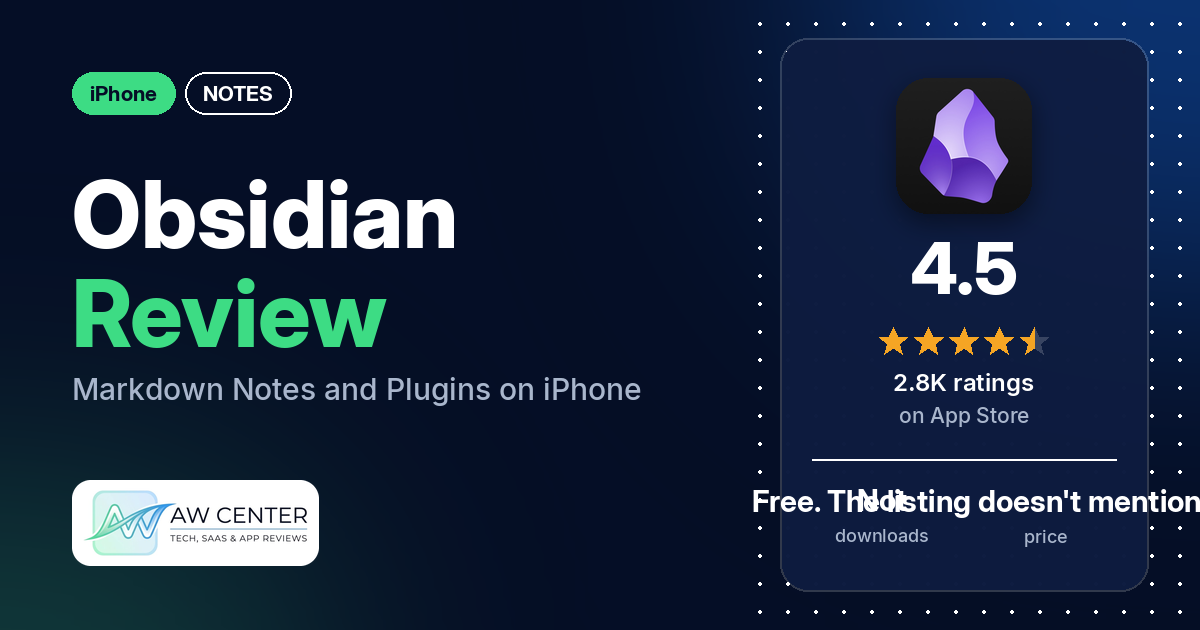
Obsidian is a free iPhone app from Dynalist Inc. that works on a local folder of plain text Markdown files and adds graph view, themes and community plugins. Most of the written reviews we read give it 5 stars, but about one in five gives 1 star, and the complaints cluster around slow opening, sync that only works through iCloud or a paid service, and bugs after updates.
Quick verdict
If you want notes as plain Markdown files that you control, with plugins to add whatever the app lacks, Obsidian is worth installing. Several reviewers praise the plugins, the flexibility and the local files, and several say it is as simple or as complex as you make it. Read the downsides before you commit. Several reviewers say the app is slow to open or stuck indexing, several say it lets you keep a vault only in iCloud, in Obsidian’s own paid sync or on the device, and several say an update broke something that had worked. Several also say the iPhone app is weaker than the desktop one.
Obsidian at a glance
| Developer | Dynalist Inc. |
|---|---|
| Store listing | Obsidian – Connected Notes on the App Store |
| Price | Free. The listing doesn’t mention paid sync; reviewers do |
| Ads | Not stated in the listing |
| App Store rating | 4.5 stars from about 2,833 ratings |
| Downloads | Not in our data |
| Version / last updated | 1.15.1 / November 12, 2026 |
| Requires | iOS 15.6 or later |
| First released | July 10, 2021 |
| Data checked | November 21, 2026 |
What is Obsidian?
The listing calls it a knowledge base that works on top of a local folder of plain text Markdown files, and a second brain. In practice you keep your notes in a vault, which one reviewer points out is just a folder, and link them together. The listing doesn’t mention the desktop apps, but several reviewers say they use Obsidian on a computer too.
Key features
- Notes as files: plain text Markdown files in a local folder, kept in vaults, including iCloud vaults.
- Linking and graph view: the listing names graph view. Reviewers also mention backlinks and linking notes together.
- Community plugins: the listing names community plugins, and reviewers use them for things the app doesn’t do by itself.
- Themes: listed, along with a customizable toolbar.
- Quick actions: pull down quick actions are listed.
- Tablet layout: sidebar pinning for tablet is listed.
Obsidian vs. what a notes app should have
“Listed” means the App Store listing names the feature. “Partial” means the listing covers part of it. “Not listed” means the listing doesn’t name it. “Reviews only” means we found it only in user reviews. The checklist records whether a feature is named, not how well it works.
Must have
| Feature | Status | Notes |
|---|---|---|
| Fast note creation | Partial | Pull down quick actions are listed. A few reviewers say slow opening gets in the way of quick notes |
| Organization (tags, folders or flags) | Partial | Vaults and sidebar pinning are listed. One reviewer (October 2026) says it works as a basic notes app with folders and tags |
| Search or filtering | Reviews only | Two reviewers say search broke or needed a re-index. A few use the Omnisearch community plugin |
| Sync across devices | Partial | iCloud vaults are listed. Reviewers also name a paid Obsidian Sync |
| Send or export text to other apps | Not listed | A few reviewers say they can’t export a PDF or print |
| Home-screen widget | Reviews only | Two reviewers describe a widget for quick notes or the daily note. One says widgets are missing |
| Backup or recovery | Not listed | A few reviewers say notes or files went missing |
Should have
| Feature | Status | Notes |
|---|---|---|
| Markdown or plain-text formatting | Listed | Plain text Markdown files |
| Dictation or voice capture | Reviews only | One reviewer (November 2026) mentions built-in quick capture and transcription |
| Themes and dark mode | Listed | Themes are listed; dark mode isn’t named |
| Font and layout customization | Partial | A customizable toolbar and themes are listed. One reviewer says it uses any font you can download on your phone |
| Share-extension capture | Reviews only | One reviewer (March 2026) mentions a share sheet dialog that broke their capture |
| Siri or Shortcuts support | Reviews only | Two reviewers say their Apple Shortcuts actions broke or show an error |
| Smartwatch capture | Not listed |
Nice to have
| Feature | Status | Notes |
|---|---|---|
| Automation or scripting | Partial | Community plugins are listed; scripting isn’t named |
| AI/LLM integration | Not listed | A few reviewers say they like that no AI is built in. A few others use AI with their vault through plugins or other tools |
| Images or attachments | Reviews only | A few reviewers mention images or photos in notes. One says photos make the cursor hard to place afterward |
| Collaboration on a note | Not listed | |
| Web or Windows access | Reviews only | Several reviewers mention desktop versions on Mac, Windows or Linux |
| Note lock or encryption | Reviews only | One reviewer says plugins can password protect notes and folders |
| Accessibility | Not listed |
The listing is short: files, graph view, plugins and themes. Search, widgets and automation depend on plugins or on what reviewers report.
Common problems reviewers report
The data we collected doesn’t include developer replies, so there are no fixes here, only the problem and when it was reported. Newer versions may behave differently.
| Problem | What reviewers report | When |
|---|---|---|
| Slow to open, indexing, black screen | Several reviewers say the app is slow to open, spends a long time indexing, hangs on loading plugins, or shows a black or blank screen. A few say the wait runs to minutes. Two mention a developer tip to turn on Keep Downloaded in the Files app for crashes or black screens; one thanks the developer, and the other is waiting to see if it holds | January 6 to November 7, 2026 |
| Vault location and sync choices | Several reviewers say the iPhone app keeps a vault only in Obsidian’s sync service, in iCloud or on the device. They want to choose another folder or a service such as Dropbox, OneDrive or Google Drive. One says a vault copied from a computer wouldn’t open, and one couldn’t point it at a vault in an iCloud subfolder | September 2, 2025 to November 16, 2026 |
| Paid sync and charges | Several reviewers object to paying for sync. Four say nothing told them about a charge before they signed up or made a vault, and two cite a $48 payment prompt at sign-up. One cites 45 to over 100 dollars to import old notes after switching phones, and one objects to $4 a month for sync | October 17, 2025 to October 12, 2026 |
| Sync errors | A few reviewers say sync overwrote notes, brought back deleted files, made duplicates or conflict files, or didn’t work | September 6, 2025 to May 29, 2026 |
| Broken after an update | Several reviewers say an update broke something that worked before: Apple Shortcuts actions, community plugins on mobile, or the header buttons. One says all their files and two years of data were gone after an update | January 16 to November 4, 2026 |
| Notes or files missing | A few reviewers say notes disappeared. One says Markdown files on an external drive vanished after a day of use, one says all their notes were wiped, and one says folders show fewer notes than they hold | October 29, 2025 to November 4, 2026 |
| Liquid Glass look | Several reviewers dislike the glass-style look or ask to move the toolbar back to the top. One later says an option to turn off glass on the edit screen made the app usable again | February 9 to 22, 2026 |
| Typing and cursor | Several reviewers report trouble with cursor placement, selecting text, spellcheck underlines on correct words, or deleting more than one character when typing Chinese. One says the 1.11 update fixed a cursor-placement bug | December 19, 2025 to October 8, 2026 |
| No PDF export or print | A few reviewers say the iOS app can’t export a PDF or print. One says the request has been open since 2021 | December 19, 2025 to February 21, 2026 |
| Search | Two reviewers say search stopped returning results or needed a re-index. One says it also broke the rest of the app until they reopened it | February 5 to June 30, 2026 |
| Older iOS versions | One reviewer says the app wouldn’t install on iOS 15.4 because it needs 15.6, which matches the listing. Another says it exits at once on iOS 15.7 | October 7 to 24, 2026 |
Pros (from user reviews)
- Plugins: several reviewers praise the community plugins for adding what the app lacks, from search to password protection.
- Plain Markdown files: several reviewers like that notes are local, plain text files with no lock-in.
- Flexible: several reviewers call it customizable, and several say it is as simple or as complex as you want.
- Obsidian Sync: several reviewers say the paid sync works well and they are glad to pay for it, while a few others report sync errors.
- Recent mobile update: several reviewers say a recent update, in early 2026, made the iPhone app better.
- Free and no built-in AI: a few reviewers value that it is free, and a few like that it has no built-in AI.
- Older iPads: two reviewers say the app still runs on an old iPad.
Cons (from user reviews)
- Slow start: several reviewers say it takes long to open or index, and a few say that gets in the way of quick notes.
- Vault location and sync: several reviewers want to pick any folder or cloud service, not only iCloud or Obsidian’s own sync.
- Cost surprises: several reviewers say paid sync or a charge caught them off guard, though the app is listed as free.
- Update bugs: several reviewers say updates broke plugins, shortcuts or the interface.
- Weaker than desktop: several reviewers say the phone app is behind the desktop app, and one calls it an incomplete port.
- Learning curve: several reviewers say it takes time or effort to learn or set up, and a few find the interface confusing.
- Missing export: a few reviewers can’t export a PDF or print.
The data we collected has no star breakdown, so the article doesn’t include a rating table.
Pricing
The listing price is Free, and the listing doesn’t mention paid sync. Reviewers do. Several name a paid Obsidian Sync, and one cites $4 a month. Two other reviewers say they were prompted for a $48 payment at sign-up. One reviewer cites 45 to over 100 dollars to import old notes after switching phones. Others pay for sync gladly. Check what the app charges before you create a vault, and know that the local-only and iCloud options exist, according to reviewers.
Privacy and permissions
We couldn’t read the App Store privacy label for Obsidian, so we make no claim about what data it collects. The listing describes a local folder of plain text Markdown files and iCloud vaults, and says nothing about accounts or analytics. A few reviewers praise keeping notes in files on their own device.
Who it’s for
Obsidian suits you if you want plain Markdown notes, already use or plan to use the desktop app, and don’t mind setting things up. Several reviewers say it is worth the time. Look elsewhere if you need to open quickly for short notes, want to keep a vault in Dropbox, OneDrive or Google Drive without paying for sync, or need PDF export on your phone.
FAQ
Is Obsidian free on iPhone?
The listing price is Free. The listing doesn’t mention paid sync, but several reviewers say Obsidian Sync costs money, with one citing $4 a month; two others report a $48 payment prompt at sign-up. Reviewers say you can also keep a vault in iCloud or only on the device.
Can I sync Obsidian with Dropbox, OneDrive or Google Drive?
Several reviewers say the iPhone app doesn’t let you. They say a vault can live only in Obsidian’s sync service, in iCloud or on the device, and they want to choose another folder or cloud service. The listing names iCloud vaults and nothing else.
Is the iPhone app as capable as the desktop app?
Several reviewers say it isn’t, and one calls the phone app a companion to the desktop one. Several reviewers say a recent mobile update improved the iPhone app, and one says it is now on par with Apple Notes. Plugins, which the listing names, are a large part of what makes it flexible.
Does Obsidian work on older iPads and iPhones?
The listing says it requires iOS 15.6 or later. Two reviewers (June and October 2026) say it runs on an old iPad, while one says it wouldn’t install on iOS 15.4 and another says it exits at once on iOS 15.7.
How this review was put together
We haven’t tested Obsidian. This review is based on public information from official sources: the app’s Google Play or App Store listing and rating breakdown, the developer’s website when there is one, and recent user reviews on the store with the developer’s replies. Features and claims are the developer’s own descriptions; what users like and dislike comes from the store reviews. Everything was checked on November 21, 2026. Apps change with every update, so check the store listing before you install.