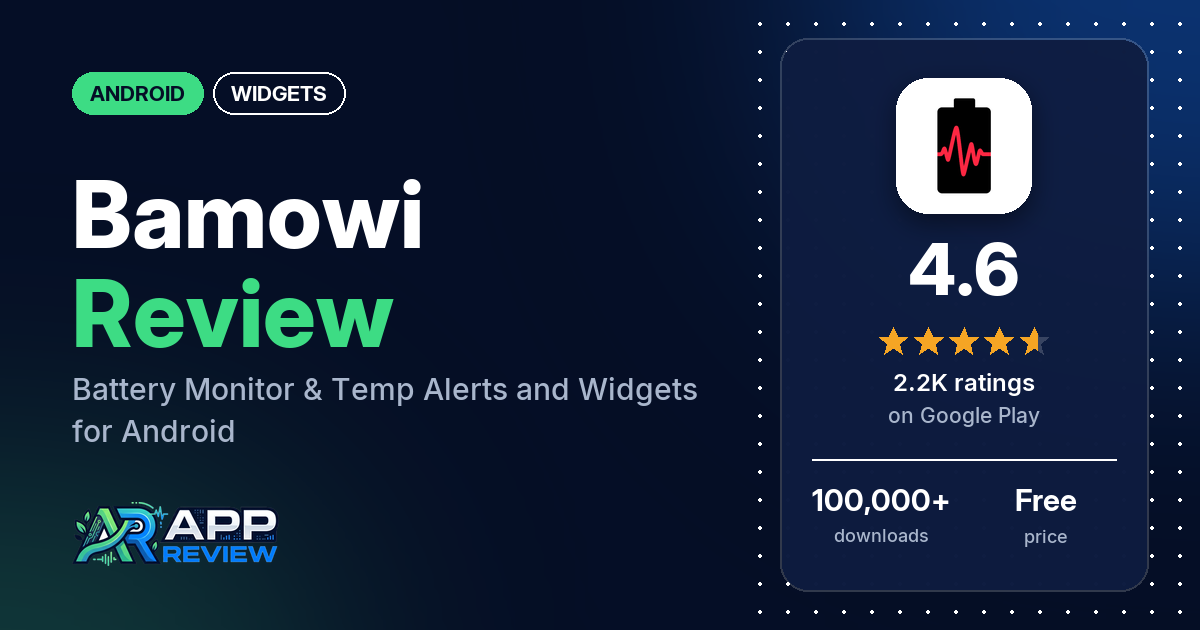
Bamowi: Battery Monitor & Temp is a free Android app that warns you when your battery gets too hot or too cold, shows the temperature in the status bar and adds two battery widgets to your home screen. It has 4.6 stars from 2,176 ratings, and its most common complaint is Android stopping it in the background.
Quick verdict
If you want to keep an eye on battery temperature, Bamowi is built for that. Many reviewers praise its temperature alerts and status bar readout, and several like the charge alerts and the charts. The widgets get a few compliments. Where it struggles is staying alive in the background: several reviewers say the notification or widget stopped updating, and the listing itself warns that the app may not work reliably on some Samsung, Xiaomi, Oppo and other models. A few reviewers also complain about ads in the free version, which the Pro unlock removes. Only about 6% of all ratings are 1 or 2 stars.
Bamowi: Battery Monitor & Temp at a glance
| Developer | Byte Sculptor Apps |
|---|---|
| Store listing | Bamowi: Battery Monitor & Temp on Google Play |
| Price | Free, with in-app purchases from $1.00 to $4.40 per item |
| Ads | Yes (Google Play label); the listing says Pro has no ads |
| Play Store rating | 4.6 stars from 2,176 ratings (81% of the ratings in the store’s rating breakdown are 5-star) |
| Downloads | 100,000+ |
| Version / last updated | 6.6.1 / September 27, 2026 |
| Requires | Not in our data (a July 2026 developer reply says it supports Android 10 to Android 17) |
| First released | June 9, 2017 |
| Data checked | October 19, 2026 |
What is Bamowi: Battery Monitor & Temp?
Bamowi is a battery monitor built around temperature. The listing says its main job is to alert you when the battery is too hot or too cold, and it also sends low-battery alerts and an alert at a charge level you set while charging, which the listing says protects the battery from overcharging. It logs battery data in the background for charts, a charging timeline and an estimate of battery health. The developer also has a separate, lighter app without the statistics and charts. Bamowi has been on Google Play since June 2017.
Key features
- Temperature alerts: notifications when the battery temperature goes above or below a limit, with Fahrenheit or Celsius.
- Charge alerts: a low-battery alert and an alert when charging reaches a level you choose.
- Battery data: the temperature in the notification bar, battery current and power, and the lowest and highest values with timestamps.
- Charts: level, temperature and voltage over the past days, alone or two at a time, plus a separate graph for battery current. You can zoom and scroll.
- Battery health: estimated capacity and health over time, and screen-on time over 4 weeks with a trend line.
- Charging timeline: every charging event with its duration, charge difference and speed, plus statistics such as the number of charges.
- Widgets: a ring widget for the battery level and a universal widget that shows your choice of level, temperature, voltage, screen time and time left. You pick the background and text color and the font size, and the listing says it adapts to any size.
Bamowi: Battery Monitor & Temp vs. what a widgets app should have
The Status column shows where we found each feature. “Listed” means the Google Play listing names it, “Partial” means the listing covers part of it, and “Reviews and developer replies” means we found it outside the listing. “Not listed” means we found no sign of it. Bamowi is a battery monitor that comes with widgets, so many rows written for full widget editors don’t apply to it.
Must have
| Feature | Status | Notes |
|---|---|---|
| Home screen widgets in several sizes | Listed | A ring widget and a universal widget; the listing says it adapts to any size |
| Lock screen widgets | Not listed | A 2024 developer reply says the temperature shows on the lock screen through the notification |
| Design editor (text, images, layout) | Partial | Background and text color, font size, and which values to show |
| Ready-made designs or templates | Not listed | |
| Common data (time, date, weather, calendar, battery) | Partial | Battery data only: level, temperature, voltage, screen time and time left |
| Stays up to date | Partial | The listing warns the system sometimes stops the app, and the widget then stops updating. A few reviewers say the widget went stale. |
| Transparent or wallpaper-matching background | Partial | Free choice of background color; the listing doesn’t mention transparency |
Should have
| Feature | Status | Notes |
|---|---|---|
| Help, tutorials or a support contact | Listed | The listing points to a Help section in the app. The developer’s replies give [email protected]. |
| Usable free tier | Listed | Pro adds 14 days of data instead of 3, notification options, CSV export and no ads |
| Tap actions that open apps | Not listed | |
| Restoring purchases on a new device | Not listed | |
| Sharing or importing designs | Not listed | |
| Smartwatch faces | Not listed | |
| Music, health or fitness data | Not listed |
Nice to have
| Feature | Status | Notes |
|---|---|---|
| Charts and gauges | Listed | Charts in the app and a ring widget |
| Data export | Listed | CSV export of chart, charging and current data with Pro |
| One-time purchase | Reviews and developer replies | A 2023 developer reply says it is a one-off payment, no subscription |
| No ads | Partial | Pro only |
| Custom data sources or automation | Not listed | |
| Launcher compatibility or tablet support | Not listed |
The widgets are a side feature here. You get battery values in two layouts with color and font control, and nothing beyond the battery.
Common problems
Some of these reports come from 4- and 5-star reviews; across all ratings, about 8% are 1 to 3 stars. Widget and notification behavior depends a lot on the phone and Android version, and the fixes below come from the listing and the developer’s replies, which may have changed since.
| Problem | What reviewers report | When | What the listing or developer’s replies suggest |
|---|---|---|---|
| App stops; notification or widget stops updating | Several reviewers. A few say they have to open the app to get current values. One had already turned off battery optimization for it. | December 2023 to September 2026 | The listing says to exclude Bamowi from battery savers and task killers, and that it may not work reliably on some Samsung, Oppo, Vivo, Redmi, Xiaomi, Huawei, Infinix and Ulefone models. Replies point to More / App Settings and Setup / Setup / Battery Optimisation (December 2025). Replies also name fixes in versions 5.3.2 (June 2025), 6.0.10 (December 2025) and 6.4.0 (August 2026). |
| Status bar shows the app icon, not the temperature | A few reviewers, naming Android 14, 15 and 16 | 2021 to April 2026 | For Android 16, an April 2026 reply says “this has changed in Android 16 and there is nothing we can do about it.” |
| Ads | A few reviewers, one describing an unskippable fullscreen ad | October 2025 to July 2026 | A July 2026 reply says the app has used banner and interstitial ads for several years. Pro removes ads, the listing says. |
| Widget layout differs from the preview | One reviewer | March 2026 | A March 2026 reply says it was a mistake and would be corrected in the next release |
Pros (from user reviews)
- Temperature monitoring: the most common praise. Many reviewers like the temperature alerts and readout, and a few single out the temperature in the status bar. One likes seeing the highest and lowest temperature while charging. Two others want the alerts to repeat.
- Charge alerts: several reviewers use the full-battery and low-battery alerts; one has it set to 85%, another relies on alerts at 15% and 100%. Two would like an alarm sound for them.
- Charts and data: several reviewers like the charts, statistics and charge history. Two mention downloading the data, one of them with Pro.
- Works well: several reviewers say it works well or does what they need. The background problems under Cons show it doesn’t on every phone.
- Widgets: a few reviewers like the widgets, and one asked for one decimal place on the temperature widget and got it. A few others say the widget stopped updating.
- Responsive developer: a few reviewers say the developer answered quickly or added what they asked for.
- Easy and clear: a few reviewers call it simple, easy or clear. A few also praise the redesign from late 2025. One finds the lettering too small and light.
Cons (from user reviews)
- Stops in the background: the most common complaint. Several reviewers say the app stopped running, the notification disappeared, or the widget showed old values until they opened the app. The developer’s replies usually point to battery optimization and task killers, and some name app versions that fixed a bug. One reviewer who reported it in 2026 later changed their rating back to 5 stars.
- App icon instead of the temperature: a few reviewers say the status bar shows only the app icon, on phones running Android 14, 15 and 16. One says it works on their older Android 13 phone.
- Ads: a few reviewers complain about the free version’s ads, including one who got an unskippable fullscreen ad in February 2026. Two others call the ads light.
- Background running: a few reviewers object to the app running in the background or using memory, and two say their battery drained faster with it installed. The listing says it must run in the background to work and uses less than 1% of the battery on the developer’s test devices.
- Feature requests: a few reviewers want the time left or the discharge speed in the notification. One wants an alarm only when the battery stays hot for a while, and one wants a label for normal, fast or super fast charging.
- Privacy worries: one reviewer says it is “full of trackers”, and one 2022 review calls it data mining (the developer’s reply denies it).
About 18% of the reviews in our sample are 1 or 2 stars because of how the sample was drawn (see the last section). Across all ratings, about 6% are 1 or 2 stars and 81.1% are 5-star.
Rating breakdown
| Stars | Ratings | Share |
|---|---|---|
| 5 | 1,733 | 81.1% |
| 4 | 229 | 10.7% |
| 3 | 53 | 2.5% |
| 2 | 17 | 0.8% |
| 1 | 106 | 5.0% |
Source: Google Play ratings histogram, checked October 19, 2026. The histogram adds up to 2,138 ratings, slightly fewer than the 2,176 total, and the shares are of the histogram total.
Pricing
You can install Bamowi free, with in-app purchases from $1.00 to $4.40 per item. The free version shows ads and keeps 3 days of data for the charts. The listing says Pro adds 14 days of data, lets you configure the status notification and status icon, shows more detail for each charging event, exports data to a CSV file and removes ads. A 2023 developer reply says Pro is a one-off payment, with no subscription. Two reviewers say Pro was worth it, one of them for the longer history.
Privacy and permissions
We couldn’t read the Google Play data safety section for Bamowi, so we make no claim about what it declares there. The Play Store’s permissions list shows: control vibration, full network access, prevent device from sleeping, reorder running apps, run at startup, and view network connections. A January 2025 developer reply says the app sends anonymized IDs for analytics and crash reports, processed by Google’s Firebase. One reviewer calls it “full of trackers”. The listing says the app has to run in the background all the time to work.
Who it’s for
Bamowi fits you if you worry about your phone overheating or freezing, want a temperature readout in the status bar, or want to stop charging at a set level. It also suits you if you like charts and charging history. It’s a weaker fit if your phone aggressively closes background apps, as the listing says some Samsung, Xiaomi, Oppo and other models do, or if you want a widget app with more than battery data. If ads bother you, plan on the Pro unlock.
FAQ
Is Bamowi free?
Yes. Bamowi is free with ads and in-app purchases from $1.00 to $4.40 per item. Pro removes the ads, keeps 14 days of data instead of 3 and adds CSV export, the listing says. A 2023 developer reply says it is a one-off payment, not a subscription.
Why does Bamowi stop updating?
The listing says Android sometimes stops the app, and then the widget stops updating and alerts aren’t sent. It recommends excluding Bamowi from battery savers and task killers, and it warns that some Samsung, Oppo, Vivo, Redmi, Xiaomi, Huawei, Infinix and Ulefone models may still stop it. Several reviewers report this problem, and one had already turned off battery optimization.
Why does the status bar show the Bamowi icon instead of the temperature?
A few reviewers report this on Android 14, 15 and 16. For Android 16, an April 2026 developer reply says “this has changed in Android 16 and there is nothing we can do about it.”
Does Bamowi have a home screen widget?
Yes, two: a ring widget for the battery level and a universal widget that can show level, temperature, voltage, screen time and time left. You can pick the background and text color and the font size. A few reviewers say the widget stopped updating until they opened the app.
How this review was put together
We haven’t tested Bamowi: Battery Monitor & Temp. This review is based on public information from official sources: the app’s Google Play or App Store listing and rating breakdown, the developer’s website when there is one, and recent user reviews on the store with the developer’s replies. Features and claims are the developer’s own descriptions; what users like and dislike comes from the store reviews. Everything was checked on October 19, 2026. Apps change with every update, so check the store listing before you install.