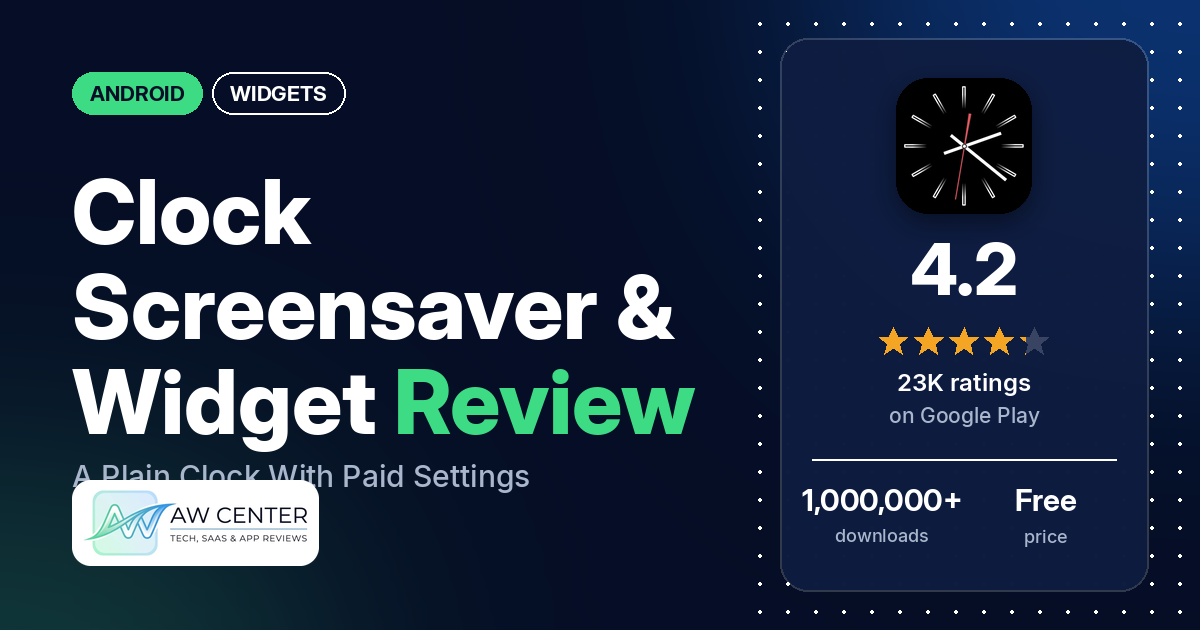
Clock Screensaver & Widget is a free Android app that shows a simple fullscreen analog or digital clock, and it can run as your screensaver or as a widget. It has 4.2 stars from 22,611 ratings on Google Play, and many reviewers complain that its settings stay locked until you pay.
Quick verdict
If you want a big, clean clock for a nightstand or a TV, this does the job, and the listing says it has no ads and the code is open source. Several reviewers use it as a night or bedside clock, and several say it is easy to read. The catch is the price of changing anything. Many reviewers say the settings are locked until you pay for an in-app purchase; the listing shows in-app items from $1.89 to $3.89. Several say it doesn’t work as the system screensaver or on the lock screen. Check that your phone or TV can set it as the screensaver before you pay. Across all ratings, about 13% are 1 or 2 stars and 63% are 5 stars.
Clock Screensaver & Widget at a glance
| Developer | Georg Sieber (no developer website listed) |
|---|---|
| Store listing | Clock Screensaver & Widget on Google Play |
| Price | Free, with in-app purchases from $1.89 to $3.89 per item |
| Ads | None (Google Play label) |
| Play Store rating | 4.2 stars from about 22,611 ratings (63% are 5-star) |
| Downloads | 1,000,000+ |
| Version / last updated | 2.3 / November 17, 2026 |
| Requires | Not in our data |
| First released | November 3, 2020 |
| Data checked | November 21, 2026 |
What is Clock Screensaver & Widget?
The listing describes it as a simple fullscreen clock that you can use as a screensaver and a widget. It can be set as the Android system screensaver (“DayDream”) on phones and tablets, and the listing says it works on Android TV devices. The code is on GitHub, and the listing says the app is open source. It has been on Google Play since November 2020.
Key features
- Clock faces: the listing says you can choose between pre-defined clock hands and faces, or use custom images.
- Analog and digital: each can be switched on or off on its own.
- Date and weekday: optional, with a custom format option.
- Alarms and appointments: the listing says it shows them from the Android calendar or an internal event database.
- Colors: adjustable background and clock color.
- Screensaver and TV: can be set as the system screensaver on phones and tablets, and the listing says it is compatible with Android TV devices.
- OLED burn-in: the listing says the content can be moved slightly to prevent burn-in on OLED displays.
Clock Screensaver & Widget vs. what a widgets app should have
“Listed” means the Google Play listing names the feature, “Partial” means it covers part of it, and “Reviews and developer replies” means we found it outside the listing. “Not listed” means we found no sign of it. Our widget checklist was written for full widget editors, so a clock app isn’t meant to cover every row.
Must have
| Feature | Status | Notes |
|---|---|---|
| Home screen widgets in several sizes | Partial | The title and listing say it works as a widget; the listing names no widget sizes. A developer reply from July 2026 says the widget uses the clock face, hands and colors set in the main app. |
| Lock screen widgets | Not listed | A few reviewers say it doesn’t show on the lock screen |
| Design editor (text, images, layout) | Partial | Custom images, background and clock color, and a date format option; the listing names no layout editor |
| Ready-made designs or templates | Listed | Pre-defined clock hands and faces |
| Common data (time, date, weather, calendar, battery) | Partial | Time, date and calendar events are listed. Battery status comes from developer replies. Weather isn’t listed, and one reviewer asks for it. |
| Stays up to date | Not listed | |
| Transparent or wallpaper-matching background | Partial | The listing names an adjustable background color, not transparency |
Should have
| Feature | Status | Notes |
|---|---|---|
| Help or a support contact | Reviews and developer replies | The developer answers many reviews on Google Play. The listing names no support contact. |
| Usable free tier | Partial | Many reviewers say the settings are locked in the free version. The developer’s replies call the purchase optional. |
| Restoring purchases on a new device | Not listed | |
| Tap actions that open apps | Not listed | |
| Sharing or importing designs | Not listed | |
| Smartwatch faces | Not listed | |
| Music, health or fitness data | Not listed |
Nice to have
| Feature | Status | Notes |
|---|---|---|
| No ads | Listed | Google Play shows no ads. A few reviewers say there are none. |
| One-time purchase | Reviews and developer replies | Developer replies from November 2023 and September 2025 say it is a one-time purchase, not a subscription |
| Tablet and TV support | Listed | Phones and tablets as the system screensaver; Android TV devices |
| Custom data sources, charts or automation | Not listed | |
| Launcher integration | Not listed |
Clock widgets
| Feature | Status | Notes |
|---|---|---|
| 12/24-hour choice | Reviews and developer replies | A developer reply from December 2025 says the 12-hour version can be turned on in settings. A few reviewers say they were stuck on 24-hour without paying. |
| Seconds display | Not listed | |
| Date formats (including custom ones) | Listed | Optional date and weekday with a custom format option |
| Time zones or a world clock | Not listed |
It covers the clock face, the date and the screensaver, and not much else: no weather, no time zones and no seconds in the listing.
Common problems
These come mostly from 1- to 3-star reviews. The fixes come from the developer’s replies, dated below, and may have changed since. Newer Android versions may behave differently.
| Problem | What reviewers report | When | What the developer’s replies say |
|---|---|---|---|
| Settings locked until you pay | Many reviewers say they can’t change settings, or can’t even test the clock, without the purchase. Several say they wanted a trial or a way to test the clock first. | October 2023 to September 2026 | The purchase is optional and one-time, and it pays for development instead of ads (replies from October 2023 to August 2026) |
| Doesn’t work as the system screensaver or on the lock screen | Several reviewers, including one on a Pixel and one on a Mi Box S, and one on Google TV on a Sony TV | July 2024 to October 2026 | One reply from March 2025 says “Not true” to a reviewer who said it doesn’t work for the lock screen or charging screen |
| OLED burn-in option doesn’t seem to move the clock | A few reviewers say the clock doesn’t visibly move; one says it is too slow | January 2024 to May 2026 | The clock moves slightly every 100 seconds once the option is turned on (replies from January 2024 and September 2024) |
| Battery drain | A few reviewers say the app drains the battery quickly, including one on a Samsung S8 that stays plugged in | November 2024 to April 2026 | One reply from November 2024 says the issue is more likely the battery or charger |
| Crashes | A few reviewers say the app crashes, including one who says their phone crashed after installing it | June 2025 to October 2026 | No reply to these reviews names a fix |
| Wrong date or time | A few reviewers say the date or time is wrong or can’t be set | November 2024 to September 2026 | The app shows the date and time set in Android, so change them in system settings (replies from November 2024 and October 2026) |
Pros (from user reviews)
- Night and bedside clock: several reviewers use it as a night, bedside or nightstand clock. One says the low-light view is perfect for the job, and another says it works as a dark-mode clock on a Motorola but is too dim on a Pixel.
- Easy to read: several reviewers praise the large, clear display. One reviewer calls the numerals large, and another says the clock is super visible.
- Looks: several reviewers like how it looks, in words such as “beautiful” and “clean design”.
- No ads: a few reviewers say there are no ads. A developer reply from August 2026 says the purchase is why there are none. One reviewer says ads still showed after upgrading, and the developer replied that the app has no ads.
- Works on TVs: a few reviewers say it works on an Android TV or a TCL TV. Two other reviewers say it doesn’t work as the screensaver on a Mi Box S and a Google TV.
Cons (from user reviews)
- Locked settings: many reviewers say the settings are locked behind the in-app purchase, and two of them say they uninstalled instead of paying. One says they weren’t told up front that it is paid, and another says the digital clock on/off option being paid-only wasn’t mentioned. Two reviewers thought they had subscribed; the developer says it is a one-time purchase.
- 12/24-hour display: a few reviewers say they couldn’t switch away from 24-hour time without paying. A developer reply says the purchase unlocks more than that one setting.
- Screensaver and lock screen: several reviewers say it doesn’t work as the system screensaver or on the lock screen. One of them wrote that they had paid and wanted a refund.
- Burn-in option: a few reviewers say the OLED burn-in option doesn’t visibly move the clock. The developer says it moves every 100 seconds.
- Stability and battery: a few reviewers report crashes and a few report fast battery drain.
- Widget: a few reviewers say they couldn’t find a home screen widget or place the clock on the home screen.
- Rating prompts: two reviewers complain about being asked to rate the app.
Rating breakdown
| Stars | Ratings | Share |
|---|---|---|
| 5 | 14,217 | 63.0% |
| 4 | 3,340 | 14.8% |
| 3 | 2,087 | 9.2% |
| 2 | 1,043 | 4.6% |
| 1 | 1,879 | 8.3% |
Source: Google Play ratings histogram, checked November 21, 2026. The histogram adds up to 22,566 ratings, slightly fewer than the 22,611 total, and the shares are of the histogram total.
Pricing
You can install it free from Google Play, with in-app purchases from $1.89 to $3.89 per item. The listing doesn’t say what the free version includes or what the purchase adds. Reviewers say the settings are locked until you buy, and they name prices such as $2.99 and £2.49. Developer replies say the purchase is one-time, not a subscription, and that it unlocks more than the 12/24-hour setting. One reviewer from September 2026 says that before the purchase was required they used the app for years, and that after paying a few dollars they got back the battery charge and 24-hour display they wanted.
Privacy and permissions
We couldn’t read the Google Play data safety section for this app, so we make no claim about what it declares there. The permissions list shows: full network access, read calendar events plus confidential information, read the contents of your USB storage, run at startup, and view network connections. The listing says it shows alarms and appointments from your Android calendar, and it says the app is open source.
Who it’s for
This fits you if you want a large clock on a nightstand, a tablet or a TV and don’t mind paying a few dollars to change its settings. It’s a weaker fit if you want to try every setting before paying, need a lock screen clock, or expect weather or time zones on the same screen. If you plan to use it as the system screensaver, check that your device supports it first, since several reviewers say it didn’t work for them.
FAQ
Is Clock Screensaver & Widget free?
You can install it free from Google Play, and the listing shows in-app purchases from $1.89 to $3.89 per item. Many reviewers say the settings are locked until you pay. Developer replies say it is a one-time purchase, not a subscription.
Does it have ads?
Google Play shows no ads for it, and a few reviewers say they saw none. One reviewer said ads appeared after upgrading. The developer replied that there is not even one ad in the app.
Does it work on Android TV?
The listing says it is compatible with Android TV devices, and a few reviewers say it works on an Android TV or a TCL TV. Two other reviewers say it didn’t work as the screensaver on a Mi Box S or a Google TV, so results depend on the device.
Can I use it as my phone’s screensaver?
The listing says it can be set as the Android system screensaver (“DayDream”) on phones and tablets. Several reviewers say it didn’t work as the system screensaver or on the lock screen for them, including on a Pixel. If this is your main use, check the listing and your device settings first.
How this review was put together
We haven’t tested Clock Screensaver & Widget. This review is based on public information from official sources: the app’s Google Play or App Store listing and rating breakdown, the developer’s website when there is one, and recent user reviews on the store with the developer’s replies. Features and claims are the developer’s own descriptions; what users like and dislike comes from the store reviews. Everything was checked on November 21, 2026. Apps change with every update, so check the store listing before you install.