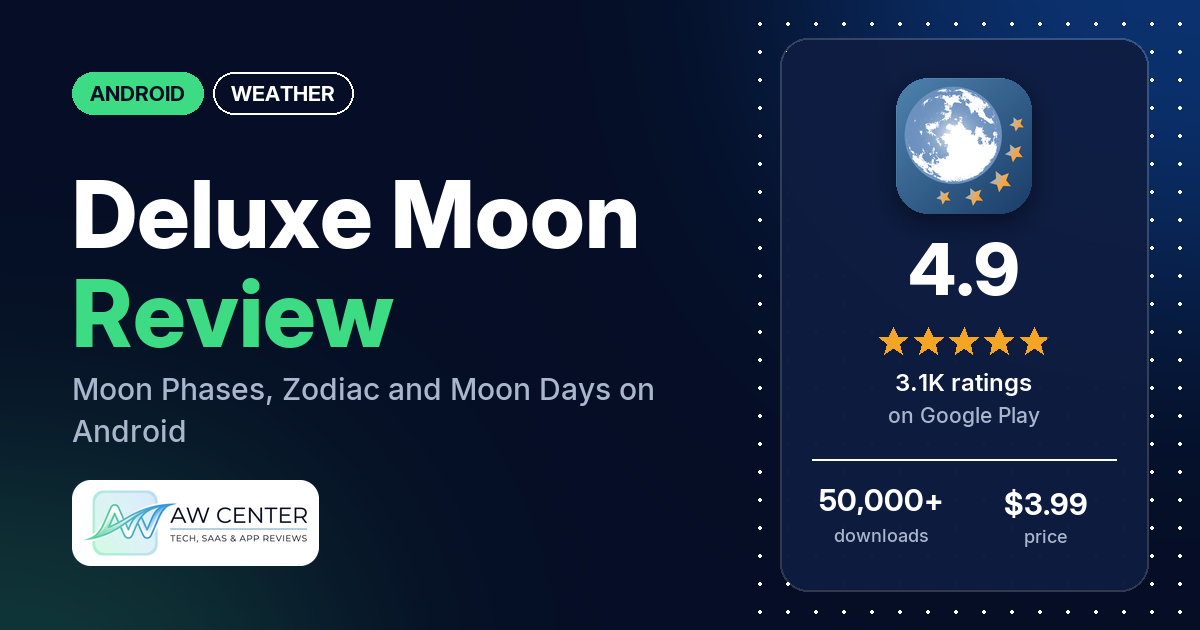
Deluxe Moon is a $3.99 Android moon calendar that shows moon phases, rise and set times, the Moon’s zodiac sign and moon days, with 5 widgets and a live wallpaper. It has no ads or in-app purchases, and it has 4.9 stars from 3,113 ratings on Google Play.
Quick verdict
If you follow the Moon for astrology, gardening or the night sky and want one paid app with no ads, Deluxe Moon is a good fit. Many reviewers have used it for years, some for more than a decade, and several praise how much it shows and how good it looks. Most of the angry reviews in the sample come from one stretch: a December 2019 update that removed the widgets for a while and made the app crash on many phones. The developer’s replies say 1.81 brought the widgets back and 1.82 fixed the crashes, and that 1.92 and 1.93 should be more stable. Several reviewers also say the widget froze in early 2022. Give yourself time to learn it: several reviewers say the icons and screens take a while to figure out. Across all ratings, 0.9% are 1 or 2 stars.
Deluxe Moon at a glance
| Developer | LWS Research |
|---|---|
| Store listing | Deluxe Moon – Moon Calendar on Google Play |
| Price | $3.99, no in-app purchases |
| Ads | None |
| Play Store rating | 4.9 stars from 3,113 ratings (90.1% of the ratings in the store’s rating breakdown are 5-star) |
| Downloads | 50,000+ |
| Version / last updated | 1.110 / August 27, 2026 |
| Requires | Not stated |
| First released | July 8, 2010 |
| Data checked | October 22, 2026 |
What is Deluxe Moon?
Deluxe Moon is a moon calendar for Android with astronomy and astrology in the same app. The listing says it covers moon phases, the Moon’s age and illumination, rise and set times and azimuths, moon days, Void-of-Course periods, Moon Mansions and Nakshatras, and calls it a great tool for astronomers, photographers and hunters. Deluxe Moon has been on Google Play since July 2010, and reviewers who bought it back then still use it.
Key features
- Moon data: phase times, age, percent illuminated, moonrise and moonset times and azimuths, elevation, distance to Earth, ecliptic longitude and latitude, and sunrise, sunset and zenith times.
- Calendars and tables: moon phase, moon day and moon zodiac calendars, plus tables for rise and set times, apogee and perigee, equinoxes and solstices, and solar and lunar eclipses.
- Zodiac: animated sidereal and tropical zodiac circles, the exact time the Moon enters and leaves each sign, and Void-of-Course times.
- Astrology and gardening: moon day descriptions with advice on health, business, personal life and hair care, and gardening advice based on the current phase.
- Interface: swipe the Moon up or down to move a month, or sideways to move a day; a large compass; custom location, date and time in the options.
- Widgets and wallpaper: 4 moon widgets, 1 moon phase calendar widget and a live wallpaper.
- Sharing: since release 1.101, you can share moon data to Instagram.
Deluxe Moon vs. what a weather app should have
“Listed” means the Google Play listing names the feature, “Partial” means it covers part of it, and “Reviews only” means we found it in user reviews. Deluxe Moon is a moon and astronomy app, so most weather rows don’t apply; it fills the sunrise, sunset, moon phase and widget rows.
Must have
| Feature | Status | Notes |
|---|---|---|
| Current conditions and feels-like | Not listed | |
| Hourly forecast | Not listed | |
| Daily forecast of 7+ days | Not listed | |
| Chance of precipitation | Not listed | |
| Wind, humidity, UV index | Not listed | |
| Severe weather alerts | Not listed | |
| Radar map | Not listed | |
| Home-screen widgets | Listed | 4 moon widgets and 1 calendar widget |
| Current location and search | Listed | Uses your location for rise and set times; custom location in options |
| Unit options (°F/°C) | Not listed |
Should have
| Feature | Status | Notes |
|---|---|---|
| Notification or lock-screen weather | Not listed | A few reviewers ask for moon notifications |
| Air quality | Not listed | |
| Multiple saved locations | Not listed | |
| Choice of data source | Not listed | |
| Layout customization | Reviews only | One reviewer sets the widget’s moon to any color |
| Light and dark themes | Not listed | |
| Sunrise, sunset, moon phase | Listed | The app’s core |
| Multiple languages | Not listed |
Nice to have
| Feature | Status | Notes |
|---|---|---|
| Animated wind or global map | Not listed | |
| Side-by-side provider comparison | Not listed | |
| Photography times (golden/blue hour) | Partial | Twilight for any date; golden and blue hours not named |
| Weather photos | Not listed | |
| Pollen | Not listed | |
| Lightning strike information | Not listed | |
| Custom temperature alerts | Not listed | |
| Rain-incoming notifications | Not listed | |
| Written forecast summary | Not listed |
The listing doesn’t mention weather forecasts or alerts, so don’t rely on this or any single app for severe weather warnings; check official alerts too.
Common problems and fixes
All developer replies in the sample date from December 2019 to December 2020, so they may be out of date, and menu names may differ in newer versions.
| Problem | What reviewers report | When | What the developer’s replies suggest |
|---|---|---|---|
| App crashes or won’t open after an update | Many reviewers, on Galaxy S7, HTC 10 and other phones | December 2019 to May 2020 | Fixed in 1.82 (December 2019); 1.92 “should fix issues on G6/G7” (April 2020); 1.93 “should work much more stable” (May 2020). One reviewer says 1.82 still wouldn’t open, and one says 1.93 still crashed |
| Widgets missing after the update, or sold separately | Several reviewers | December 2019 to February 2020 | Widgets are unlocked in 1.81, and “Widgets will be incompatible with music” (December 2019) |
| Widget stuck on one phase | Several reviewers, most of them in January and February 2022 | December 2021 to November 2022 | No reply in the sample. Two reviewers, in 2011 and 2022, say widgets don’t work if the app is on an SD card |
| Wrong rise and set times or wrong sign | Several reviewers | 2011 to 2020 | Times should be precise; check the app’s settings and contact support if something looks wrong (October 2020). To use another location, tap the gear icon on the main screen, set coordinates by hand or on the map, and adjust the UTC offset (July 2020) |
| Annoying sounds | A few reviewers | 2013 to 2020 | Turn off sounds and music in the options, the gear icon on the main screen (April 2020) |
| Can’t find the gardening section | Two reviewers | 2020 | There are two gardening icons: one below the moon age on the main screen, and a leaf icon in the main menu, the sliding panel at the bottom (April and August 2020) |
Pros (from user reviews)
- Long-time users: many reviewers have used it for years. One in 2023 has had it for more than 10 years across several phones, up to a Galaxy S22 Ultra, and one in 2022 says it was the first app they bought, in July 2010.
- Lots of detail: several reviewers praise how much moon information it packs in, and several say it is easy to use or read.
- The look: several reviewers like the graphics, and several like the widgets. One in May 2024 says you can make the widget’s moon any color.
- Astrology: several reviewers use it for moon signs, the sidereal and tropical zodiac, moon mansions or Void-of-Course times. One in August 2026 likes that the astrology part can be switched off.
- Gardening and the sky: a few reviewers plant by it, including an organic farmer, and a few use it for amateur astronomy or astrophotography.
- Accuracy: a few reviewers call it accurate. Several others, mostly before 2021, found times or signs wrong (see Cons).
Cons (from user reviews)
- The 2019 update: many reviewers say the app crashed or wouldn’t open after the December 2019 update, and several lost their widgets. The developer’s replies say 1.81 and 1.82 fixed this and that later versions should be more stable; the sample has no crash reports after 2020.
- Frozen widgets: several reviewers in late 2021 and 2022 say the moon phase widget stopped updating.
- Times and signs: several reviewers found rise and set times or the Moon’s sign wrong, between 2011 and 2020. The developer’s replies point to the location and UTC offset settings.
- Learning curve: several reviewers say it takes time to understand the icons and screens.
- Screen fit: several reviewers say the app doesn’t fill their screen, including one in 2023 with a square 1:1 phone. A 2019 developer reply suggests Deluxe Moon HD for tablets.
- The daily texts: two reviewers, most recently in June 2026, say the advice is written for women. A few dislike the hair and beauty tips, and a few say the texts contradict each other.
- Long gaps between updates: several reviewers complained it wasn’t updated for years, most recently in March 2024. The listing now shows version 1.110 from August 27, 2026.
Across all ratings, 0.9% are 1 or 2 stars and 90.1% are 5-star. The sample’s 1-star reviews mostly date from December 2019 to 2020, while the store’s rating breakdown shows no 1-star ratings.
Rating breakdown
| Stars | Ratings | Share |
|---|---|---|
| 5 | 2,800 | 90.1% |
| 4 | 215 | 6.9% |
| 3 | 62 | 2.0% |
| 2 | 29 | 0.9% |
| 1 | 0 | 0.0% |
Source: Google Play ratings histogram, checked October 22, 2026. The histogram adds up to 3,106 ratings, slightly fewer than the 3,113 total, and the shares are of the histogram total.
Pricing
Deluxe Moon costs $3.99 once, with no ads and no in-app purchases, according to Google Play. A few reviewers mention a separate Premium version from the same developer that uses a subscription. A December 2020 developer reply says Deluxe Moon is still supported and developed. If you’re moving from an old purchase, one reviewer in 2022 says the app came along to each new phone.
Privacy and permissions
We couldn’t read the Google Play data safety section, so we make no claim about what it declares. The permissions list includes approximate location (network-based), full network access, precise location (GPS and network-based), prevent device from sleeping, run at startup and view network connections. The listing says location is required for rise and set calculations. One reviewer in January 2023 says it has no trackers and asks for minimal permissions.
Who it’s for
Deluxe Moon suits you if you plan around the Moon, for astrology, Wicca, gardening or night photography, and you want precise times, moon days and zodiac data in one paid app with no ads. It also suits you if you like a moon widget on your home screen. Skip it if you want weather, if you’d rather not have astrology and hair-care advice in the app at all, or if you want notifications for moon events, which the listing doesn’t mention.
FAQ
Does Deluxe Moon have ads or in-app purchases?
No. Google Play lists it at $3.99 with no ads and no in-app purchases. A few reviewers mention a separate Premium version from the same developer that uses a subscription.
Why are the rise and set times wrong in Deluxe Moon?
Several reviewers between 2011 and 2020 saw wrong times. An October 2020 developer reply says times should be calculated precisely and asks you to check the app’s settings and contact support if something is off. Your location and UTC offset are set under the gear icon on the main screen, a July 2020 reply says, and the offset matters when you change location.
How do I turn off the sounds in Deluxe Moon?
An April 2020 developer reply says sounds and music can be turned off in the options, under the gear icon on the main screen. A few reviewers found the sounds annoying. Menu names may differ in newer versions.
Does Deluxe Moon show the weather?
No. The listing covers the Moon, the Sun’s rise and set times, the zodiac and gardening, and doesn’t mention forecasts. Use a weather app and official alerts for severe weather.
How this review was put together
We haven’t tested Deluxe Moon. This review is based on public information from official sources: the app’s Google Play or App Store listing and rating breakdown, the developer’s website when there is one, and recent user reviews on the store with the developer’s replies. Features and claims are the developer’s own descriptions; what users like and dislike comes from the store reviews. Everything was checked on October 22, 2026. Apps change with every update, so check the store listing before you install.