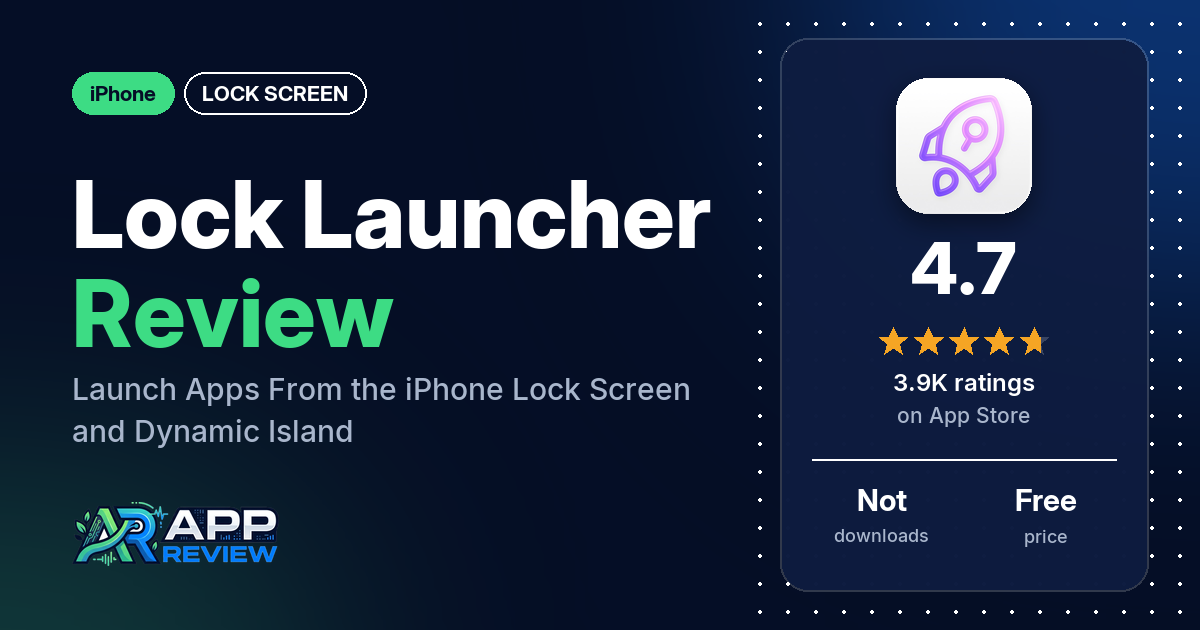
Lock Launcher – Launch Apps is a free iPhone app that lets you open apps, shortcuts, websites and URL schemes with one tap from the Lock Screen, the Dynamic Island, Control Center or the Action Button. It has 4.7 stars from 3,948 ratings, and the listing describes an auto-renewing subscription.
Quick verdict
If you want your most-used apps one tap away without unlocking to a Home Screen, Lock Launcher does a lot: many reviewers call it useful or a time saver, and several like what it adds to the Dynamic Island. Expect some setup work. Several reviewers found it complicated, several say it drops out of the Dynamic Island or lock screen until they reopen it, and several say Lock Launcher opens first before the app they tapped, even though the listing promises “No extra redirects”.
Lock Launcher at a glance
| Developer | 6X Studio LLC |
|---|---|
| Store listing | Lock Launcher – Launch Apps on the App Store |
| Price | Free, with an auto-renewing subscription (prices not in our data) |
| Ads | Not stated in the listing |
| App Store rating | 4.7 stars from 3,948 ratings |
| Downloads | Not in our data |
| Version / last updated | 2.1.8 / October 10, 2026 |
| Requires | iOS 16.0 or later |
| First released | September 12, 2022 |
| Data checked | October 20, 2026 |
What is Lock Launcher?
Lock Launcher is a launcher for iPhone. You add apps, shortcuts, web pages or custom URL schemes to its widgets and buttons, then open them from the Lock Screen, the Dynamic Island, Live Activities, Control Center or the Action Button. The listing says it supports iOS 26 and 27 and that over 4 million users have chosen it. It has been on the App Store since September 2022.
Key features
- Launch from anywhere: apps, shortcuts, URL schemes, web pages and music from the Lock Screen, Control Center, Action Button and, on iPhone 16, Camera Control.
- Dynamic Island: a Dynamic Island launcher and clock, date and week, a pure mode for screenshots, and live readouts of CPU, memory, refresh rate, FPS and network speed.
- Widgets: Lock Screen text, memo and clock widgets; interactive Home Screen widgets in 2×2, 3×3 and 4×4; an extra-large Home Screen widget; transparent backgrounds; battery and clock widgets.
- Themes and icons: a minimalist “Dumb Phone” launcher theme, a classic grid theme, custom icons and tinted icons, and a blurred transparent dock style.
- Data and actions: step, fitness and heart rate data, current weather, QR code scanning, NFC read and write, and picture-in-picture.
- Organizing: favorites with groups, and automatic iCloud backup and restore.
Lock Launcher vs. what a lock screen app should have
“Listed” means the App Store listing names the feature, “Partial” means it covers part of it, and “Reviews only” means reviewers describe it but the listing doesn’t. Lock Launcher is built around launching, so wallpapers and design themes get less attention.
Must have
| Feature | Status | Notes |
|---|---|---|
| Lock Screen widgets | Listed | |
| Common data (time, date, weather, battery, calendar) | Listed | Clock, date, weather and battery; no calendar listed |
| Countdowns, photos and quotes | Partial | Lock Screen memo and custom text widgets |
| Ready-made designs or themes | Partial | A minimalist launcher theme and a classic grid theme |
| Style options (fonts, colors, opacity) | Partial | Custom and tinted icons, transparent backgrounds, dock blur. One reviewer says it doesn’t follow dark mode or custom app tinting |
| Lock Screen wallpapers that fit the OS’s lock screen features | Not listed | |
| A usable free tier | Reviews only | One reviewer in January 2024 says 2 widgets were free |
Should have
| Feature | Status | Notes |
|---|---|---|
| Home Screen widgets, themes or icon changes | Listed | |
| Launcher shortcuts or tap actions that open apps or contacts | Listed | One reviewer says every quick-call button called the same number |
| Health and fitness data | Listed | Steps, fitness and heart rate |
| Animated widgets (GIFs) | Not listed | |
| Widgets shared with a friend or partner | Not listed | |
| Help or setup instructions | Partial | Feedback by email or on Twitter; several reviewers found setup complicated |
| Clear pricing | Partial | Subscription terms are listed; prices are not in our data |
Nice to have
| Feature | Status | Notes |
|---|---|---|
| Tablet support | Not listed | |
| Playful extras | Not listed | |
| Moon phase, lunar calendar, world clock or to-do widgets | Partial | A memo widget and clocks |
| No account or sign-in required | Not listed | |
| No ads or an ad-free option | Not listed |
Lock Launcher can show current weather. Don’t rely on a single app for severe weather warnings.
Common problems
These reports are dated, and the newest is from October 2025, so later versions may behave differently. The data we collected doesn’t include developer replies.
| Problem | What reviewers report | When |
|---|---|---|
| Lock Launcher opens before the app | Several reviewers say tapping a launcher opens Lock Launcher first, then the app. One says the lock screen widgets don’t do this, and disabling transition animations didn’t help | November 2023 to October 2025 |
| Drops out of the Dynamic Island or lock screen | Several reviewers have to reopen the app or turn the Dynamic Island back on. One uses the “Refresh Live Activity” button in Control Center to bring it back | January 2024 to August 2025 |
| Live data stops updating | Two reviewers say weather or CPU and network readouts freeze unless the app runs in the background or is refreshed | December 2023 and May 2025 |
| Crashes | One reviewer in September 2025 says it crashed within seconds after the latest update | September 2025 |
Pros (from user reviews)
- Saves time: many reviewers call it useful or say it gets them to their apps faster. One says they run apps “10x faster”, and two say it feels like something Apple should have built.
- Dynamic Island: several reviewers like the Dynamic Island launcher and widgets; one taps the island to get their most-used apps and has cut down their Home Screen.
- A developer who listens: several reviewers say the developer keeps updating the app or replied to them. One asked for renamable groups and saw it added; another got help when the MyAudi app changed.
- Worth paying for, for some: several reviewers bought Pro or the lifetime option and say it was worth it.
Cons (from user reviews)
- Setup takes work: several reviewers call it complicated or unintuitive, and one says adding apps to rows or groups is “unnecessarily complicated”. A few say it’s good once you learn it.
- Drops out: the launcher disappears from the Dynamic Island, lock screen or widgets until you reopen the app, several reviewers say.
- Extra step when launching: tap a launcher and Lock Launcher itself opens before the app, according to several reviewers.
- Stability: several reviewers call it glitchy or unstable, or say it doesn’t work on their phone; one says it crashes since a 2025 update.
- Limits: two reviewers can’t pin some apps, such as Spotify, weather apps or games, one wants it only in the Dynamic Island, and another wishes they could remove their apps from the lock screen. The first says the developer explained that’s how Apple set up Live Activities.
- One-off reports: one reviewer says the phone gets hot, one that widgets take about 2 seconds longer on an iPhone 11, and one that opening an app docked on their home page gives access to the whole phone.
Most reviews in our sample are 5-star. The data we collected doesn’t include a star breakdown of the 3,948 ratings, so we can’t say how common these complaints are across all of them.
Pricing
Lock Launcher is free to download. The listing describes an auto-renewing subscription that renews unless you turn off auto-renew at least 24 hours before the period ends, but our data doesn’t include its prices. Reviewers mention different options over time: $2.99 a week (December 2023), a $5 lifetime Pro with 2 widgets free (January 2024) and a $9.99 full price (June 2025). Check the current prices on the purchase screen before you subscribe.
Privacy and permissions
We couldn’t read the App Store privacy label for Lock Launcher, so we make no claim about what data it collects. The listing links to a privacy policy and mentions automatic iCloud backup and health data (steps, fitness and heart rate). One reviewer in April 2025 says opening an app docked on their home page gave access to the unlocked phone, as if Face ID had been used, so check how this works on your phone before you dock sensitive apps.
Who it’s for
Lock Launcher suits you if you live in a handful of apps and shortcuts and want them on the Lock Screen, in the Dynamic Island or on the Action Button, and you’re willing to spend time setting it up. Skip it if you want something that works with no setup, if an extra screen when launching would bother you, or if you need every app, Spotify included, to be pinnable.
FAQ
Does Lock Launcher open apps directly?
The listing says “No extra redirects”. Several reviewers in our sample say Lock Launcher opens first and then hands off to the app, while one says the lock screen widgets open apps without that step. The newest of these reports is from October 2025.
Why does Lock Launcher disappear from the Dynamic Island?
Several reviewers say it drops out until they reopen the app or turn the Dynamic Island back on. One reviewer brings it back with a “Refresh Live Activity” button in Control Center.
Is Lock Launcher free?
It’s free to download, with an auto-renewing subscription described in the listing. Our data doesn’t include the current price; reviewers have mentioned a weekly plan, a lifetime option and a $9.99 full price at different times.
How this review was put together
We haven’t tested Lock Launcher. This review is based on public information from official sources: the app’s Google Play or App Store listing and rating breakdown, the developer’s website when there is one, and recent user reviews on the store with the developer’s replies. Features and claims are the developer’s own descriptions; what users like and dislike comes from the store reviews. Everything was checked on October 20, 2026. Apps change with every update, so check the store listing before you install.