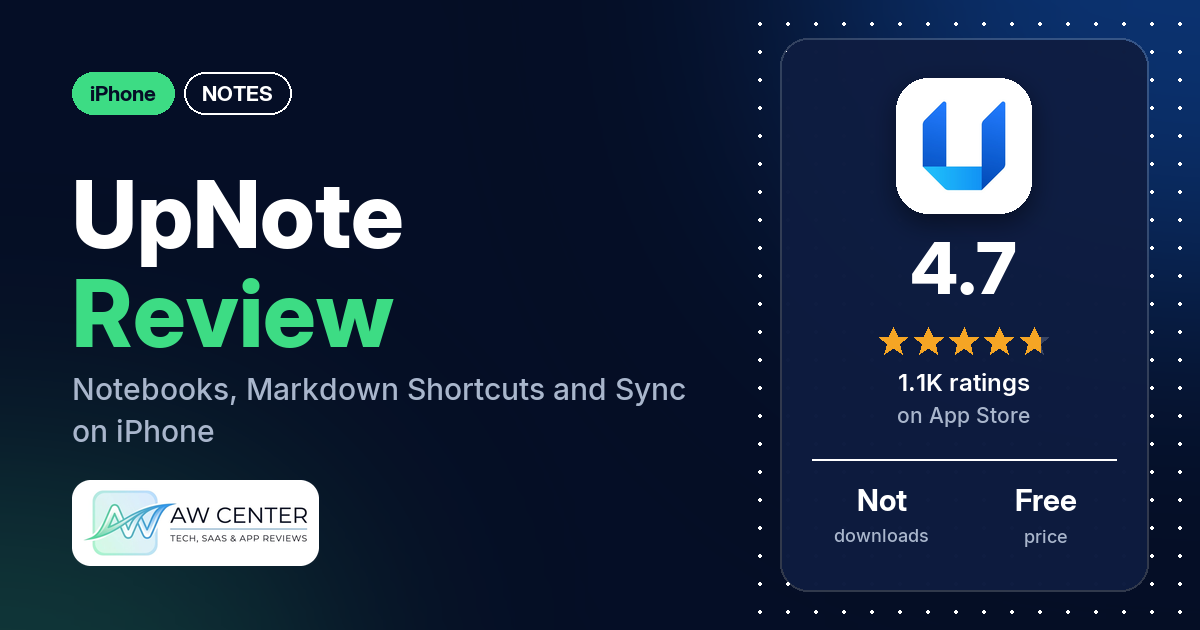
UpNote is a notes and journal app for iPhone that keeps your notes in notebooks and, the listing says, syncs them instantly to all your devices. It’s free to download, and a Premium upgrade adds note locks, tables and attachments, unlimited notes, and themes and notebook covers. It has 4.7 stars from 1,074 App Store ratings, and many reviewers in our sample came to it from Evernote.
Quick verdict
If you want a clean notes app that runs on more than just Apple devices, UpNote is worth a look. Many reviewers call it simple to use and many praise the design. Many also like that it works across their phones and computers on different systems. Paying once for a lifetime license gets many mentions too, though the listing itself only describes a subscription. The complaints are serious ones. Several reviewers report notes that didn’t sync, several lost notes or content, and several say the app crashed or wouldn’t open. If you need end-to-end encryption, several reviewers say UpNote doesn’t have it.
UpNote at a glance
| Developer | UpNote Pte. Ltd. |
|---|---|
| Store listing | UpNote on the App Store |
| Price | Free; Premium upgrade (no prices in our data) |
| Ads | Not stated in the listing |
| App Store rating | 4.7 stars from 1,074 ratings |
| Downloads | Not in our data |
| Version / last updated | 9.22.11 / October 23, 2026 |
| Requires | iOS 15.6 or later |
| First released | June 24, 2018 |
| Data checked | November 17, 2026 |
What is UpNote?
UpNote is a writing and organizing app from UpNote Pte. Ltd., on the App Store since June 2018. The listing pitches it as “an ideal place to keep your diary and journal” as well as a place for notes and to-do lists. You file notes in notebooks, format them with Markdown-style shortcuts, and the listing says the app works offline and syncs to your other devices.
Key features
- Organizing: notebooks, pinning notes to the top of the list, bookmarks, links to other notes, and closing notebooks you aren’t using.
- Formatting: highlight, text colors, tables, nested lists and code, plus shortcuts based on Markdown.
- To-do lists: write a to-do list in a note and have it synced to all your devices.
- Sync and offline: the listing says notes sync instantly on all devices and the app “works reliably offline.”
- Lock: lock notes and notebooks and unlock them with Touch ID or Face ID (Premium).
- Look: fonts and themes you can adjust; the Premium list includes themes and notebook covers.
- Export: Markdown or PDF; the Premium list names export to text PDF, HTML and Markdown.
UpNote vs. what a notes app should have
“Listed” means the App Store listing names the feature, “Partial” means it covers part of it, and “Reviews only” means reviewers describe it but the listing doesn’t. “Not listed” means neither the listing nor the reviews in our sample show it.
Must have
| Feature | Status | Notes |
|---|---|---|
| Fast note creation | Partial | The listing says UpNote helps you take notes easily; a few reviewers say adding a note is quick or simple |
| Organization (tags, folders or flags) | Listed | Notebooks, pins, bookmarks and note links; several reviewers also mention tags |
| Search or filtering | Reviews only | Several reviewers praise search |
| Sync across devices | Listed | Many reviewers praise sync; several report notes that didn’t sync |
| Sharing or exporting | Listed | Export to Markdown or PDF; one reviewer said in June 2022 that notes with attached files are hard to get out |
| Home-screen widget | Reviews only | One reviewer refers to the widget in October 2024; another, in March 2024, wrote that there was no widget |
| Backup or recovery | Reviews only | A few reviewers mention backups; one couldn’t restore a note through Revision History in February 2023 |
Should have
| Feature | Status | Notes |
|---|---|---|
| Markdown or plain-text formatting | Listed | Markdown-based shortcuts and Markdown export |
| Dictation or voice capture | Not listed | Several reviewers ask for audio or voice notes |
| Themes and dark mode | Partial | Themes are listed; one reviewer mentions dark mode; several want more color choices |
| Font and layout customization | Partial | The listing says you can adjust fonts; two reviewers ask how to change the font or its size, and one wishes it could |
| Share-extension capture | Not listed | Two reviewers ask for a web clipper on iOS |
| Siri or Shortcuts support | Not listed | |
| Smartwatch capture | Not listed | Two reviewers ask for an Apple Watch app |
Nice to have
| Feature | Status | Notes |
|---|---|---|
| Automation or scripting | Not listed | |
| AI/LLM integration | Not listed | One reviewer wants AI; two are glad there is none |
| Images or attachments | Listed | Tables and attachments are in the Premium list; one reviewer wrote in June 2026 that files over 20 MB can’t be uploaded |
| Collaboration on a note | Not listed | Two reviewers ask to share notebooks or edit notes with others |
| Web or Windows access | Reviews only | Several reviewers use UpNote on Windows |
| Note lock or encryption | Listed | Lock with Touch ID or Face ID (Premium); several reviewers want end-to-end encryption |
| Accessibility features called out by users | Not listed |
Writing, organizing and sync are in the listing. Voice notes, a widget, Siri, Shortcuts and a watch app are not.
Common problems reviewers report
The data we collected doesn’t include developer replies, so this table shows what reviewers report and when, not an official fix. Older reports may describe earlier versions, and version 9.22.11 may behave differently.
| Problem | What reviewers report | When |
|---|---|---|
| Sync | Several reviewers say notes didn’t sync between their devices; one says it worked again after support got back to them | September 2025 to September 2026 |
| Lost notes or content | Several reviewers lost notes, images, pasted text or their folder structure | May 2020 to September 2026 |
| Crashes or app won’t open | Several reviewers say the app crashed or opened to a blank screen; one says it crashed at launch on iPhone and iPad with iOS 26.4 | May 2022 to April 2026 |
| Editing and formatting | Several reviewers describe formatting and editing glitches, such as bullet lists losing their format, pasted text breaking or text selection jumping on long notes | January 2022 to September 2025 |
| Images and attachments | A few reviewers describe trouble with images and attachments, such as files that wouldn’t upload, images that went missing, or adding a photo that kept opening the camera | January 2021 to September 2026 |
Pros (from user reviews)
- Evernote replacement: many reviewers moved to UpNote from Evernote, several of them because of Evernote’s price. Several say importing their Evernote notes was easy. One, writing in June 2025, says the import needs a computer and can’t be done on iPad, and one in January 2024 says it took a month of Premium.
- Easy to use: many reviewers call it simple, easy or intuitive. A few others couldn’t find how to change the font, format text or draw.
- Design: many reviewers praise the design or the look. A few would like changes, such as more color and contrast.
- Works across devices: many reviewers use UpNote across different devices and systems. Several name Windows, several Android and several Linux.
- Sync: many reviewers praise sync between their devices. Several others report sync problems (see the table above).
- Organization: many reviewers like how notes are organized. Several single out nested notebooks, and a few like that one note can sit in more than one notebook.
- Lifetime license: many reviewers praise paying once instead of subscribing. A few say the free version already does a lot.
- Editor: several reviewers like the collapsible sections, several praise Markdown support, and several use links between notes.
- Speed and search: several reviewers say the app is fast, and several praise search.
- Support: several reviewers say the developer answered quickly and fixed their problem. Several others waited a long time or got no reply.
Cons (from user reviews)
- Sync problems: several reviewers, writing between September 2025 and September 2026, say notes didn’t sync between devices.
- Lost notes: several reviewers report losing notes or parts of them, from most of a single note to all their files after a reinstall.
- Crashes and update bugs: several reviewers say the app crashed or wouldn’t open. A few reviewers in late March and early April 2026 describe crashes or other problems, and a few of them say the developer fixed it quickly.
- No end-to-end encryption: several reviewers, most recently in March 2026, say notes aren’t end-to-end encrypted or ask for it.
- Editing glitches: several reviewers describe formatting and selection problems, such as bullets that lose their format after pasting. Two say selecting text in a long note makes the screen jump.
- App icon: several reviewers, writing between October 2024 and August 2025, dislike the app icon, and a few ask for a choice of icons.
- iPad app: a few reviewers say the iPad app falls short of the Mac or desktop app.
- Feature requests: several reviewers ask for audio or voice notes and several for more color choices. A few ask for OCR, a few for reminders and a few for iCloud storage or backup. Two want an Apple Watch app.
Most reviews in our sample are 5 stars, and the newest review in our data is from November 2026. The data we collected doesn’t include a star breakdown of all 1,074 ratings, so we can’t say how common these complaints are across all of them.
Pricing
UpNote is free to download. The listing says Premium lets you lock notes and notebooks, insert tables and attachments, write an unlimited number of notes, use themes and notebook covers, and export to text PDF, HTML and Markdown. It describes Premium as a subscription that renews automatically unless you cancel at least 24 hours before the period ends, says price may vary by location, and adds: “You will not be able to cancel the subscription once activated.” Our data has no Premium prices.
Reviewers describe a monthly plan and a one-time lifetime purchase. The most recent lifetime price a reviewer quotes is $39.99, in August 2026, and one reviewer in October 2026 says the full version cost $40. Older reviews quote less, such as $29.99 for lifetime in May 2024 and $20 in July 2022. One reviewer in September 2025 puts the monthly price at $2.00. Check the App Store for today’s prices before you buy.
Privacy and permissions
We couldn’t read the App Store privacy label for UpNote, and our data has no permissions list, so we make no claim about what data it collects. The listing says the lock feature keeps your notes “private and secure,” with Touch ID or Face ID to unlock, and links to a privacy policy at getupnote.com. Several reviewers say notes aren’t end-to-end encrypted. One reviewer, writing in June 2024, objects that you need an account to sync notes through UpNote’s server, and a few want iCloud instead.
Who it’s for
UpNote fits you if you’re leaving Evernote: many reviewers did, and several say their notes came across easily. It also suits you if you use an iPhone alongside a Windows, Android or Linux computer or phone, and if you’d rather pay once than subscribe, which many reviewers praise. It’s a weaker fit if you need end-to-end encryption, which several reviewers say it lacks (most recently in March 2026). The same goes if you want audio notes, which several reviewers ask for, or an Apple Watch app, which two reviewers ask for. Neither appears in the listing. You may also look elsewhere if you want your notes in iCloud (a few reviewers asked for that in 2021 and 2022) or want the iPad app to match the desktop app, which a few reviewers, writing between May 2020 and January 2026, say it doesn’t. Whatever you choose, keep your own exports of notes you can’t lose, since several reviewers lost theirs.
FAQ
Is UpNote free?
Yes, UpNote is free to download, and a few reviewers say the free version already does a lot. The Premium list adds locked notes and notebooks, tables and attachments, unlimited notes, themes and notebook covers, and export to text PDF, HTML and Markdown. Reviewers describe both a monthly plan and a one-time lifetime purchase, but our data has no current prices.
Does UpNote work on Windows and Android?
The listing says notes sync to all your devices but doesn’t name the platforms. Reviewers do: several use UpNote on Windows, several on Android and several on Linux, alongside their iPhone. Many reviewers praise it for working across devices.
Can I import my notes from Evernote?
Several reviewers say importing from Evernote was easy, including people with thousands of notes. One reviewer, writing in June 2025, says the import needs a computer and doesn’t work on iPad. Another, in January 2024, says it needed a month of Premium.
Are UpNote notes encrypted?
The listing describes a lock for notes and notebooks with Touch ID or Face ID, which is part of Premium. It doesn’t mention encryption. Several reviewers say notes aren’t end-to-end encrypted, most recently in March 2026.
How this review was put together
We haven’t tested UpNote. This review is based on public information from official sources: the app’s Google Play or App Store listing and rating breakdown, the developer’s website when there is one, and recent user reviews on the store with the developer’s replies. Features and claims are the developer’s own descriptions; what users like and dislike comes from the store reviews. Everything was checked on November 17, 2026. Apps change with every update, so check the store listing before you install.